Shopify API versions offer developers a dependable and consistent framework for creating and managing their applications. Each stable iteration remains supported for at least 12 months, with a 9-month overlap period between consecutive versions. This extended timeframe facilitates thorough testing and seamless migration processes.
Every quarter, Shopify releases a new API version to continuously improve its platform while furnishing third-party developers with a clear trajectory for incorporating new features and phasing out outdated ones.
Whenever a new version transcends the API, a developer preview is released.
It’s highly advised to update apps to the latest stable API version every quarter. In the event that an app is using an unsupported version, Shopify reverts to the oldest version that is supported.
Here’s how you can update the API versions of your app.
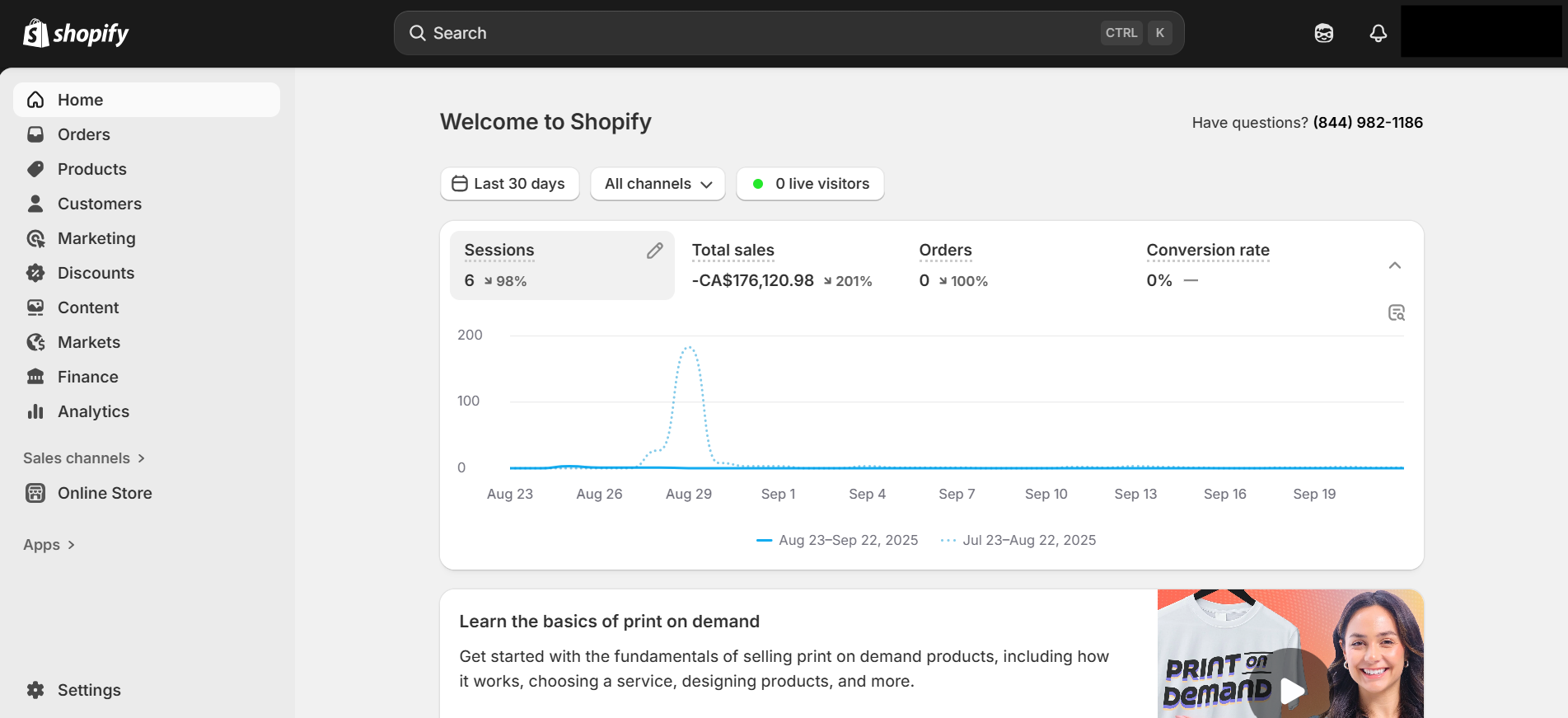
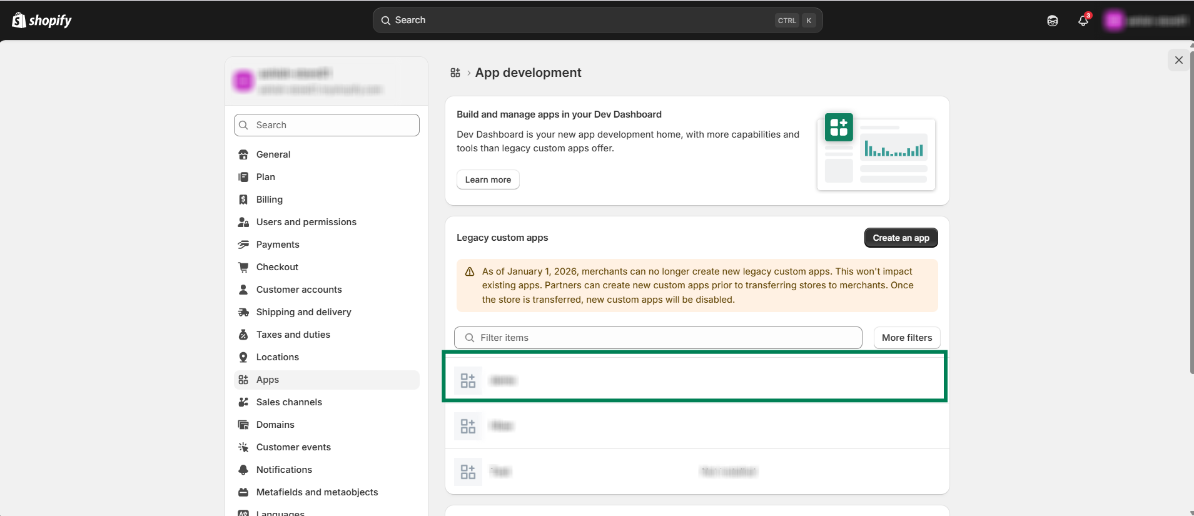
Step 1: Open your Shopify Store.
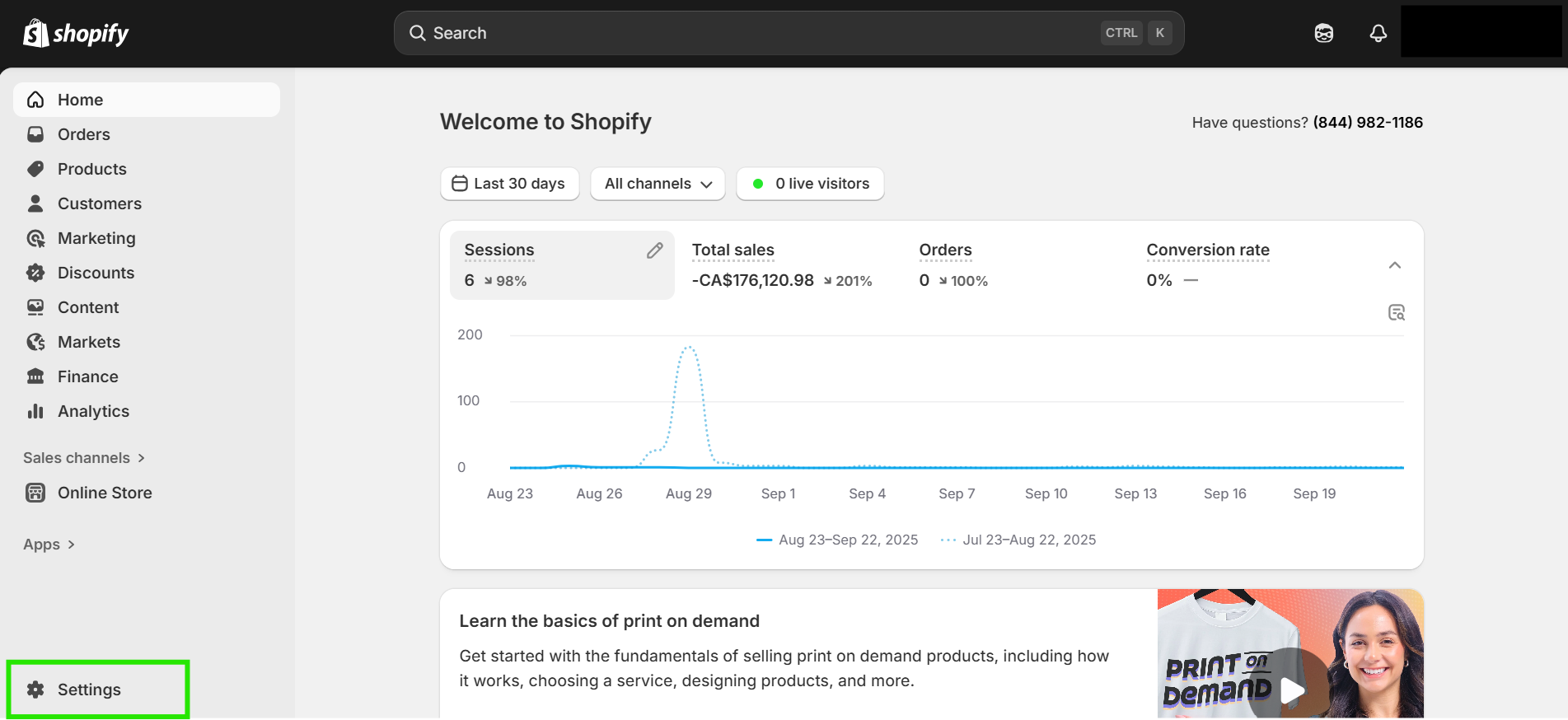
Step 2: Open “Settings”.
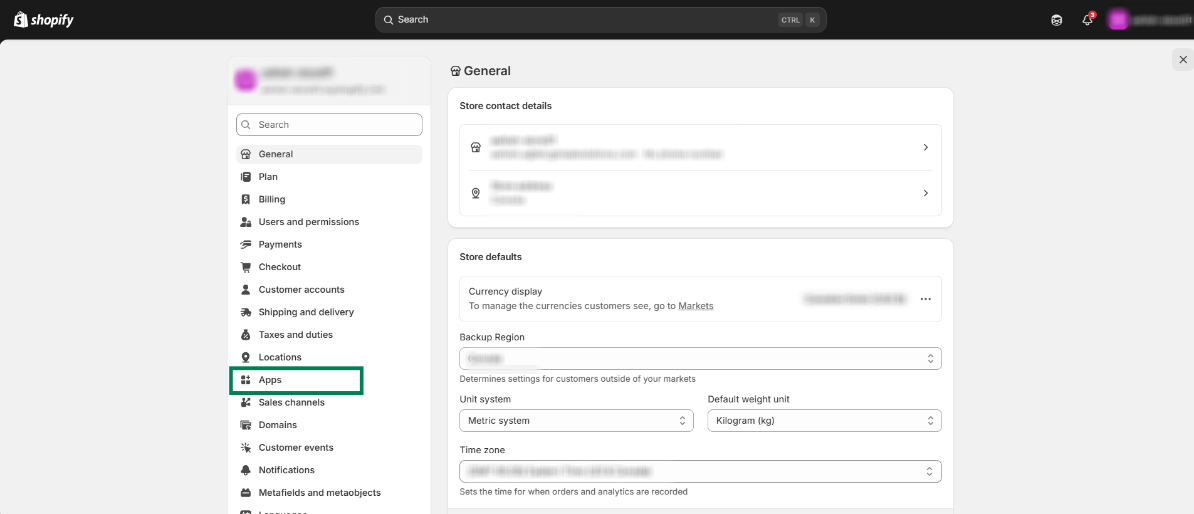
Step 3: Click on “Apps”.
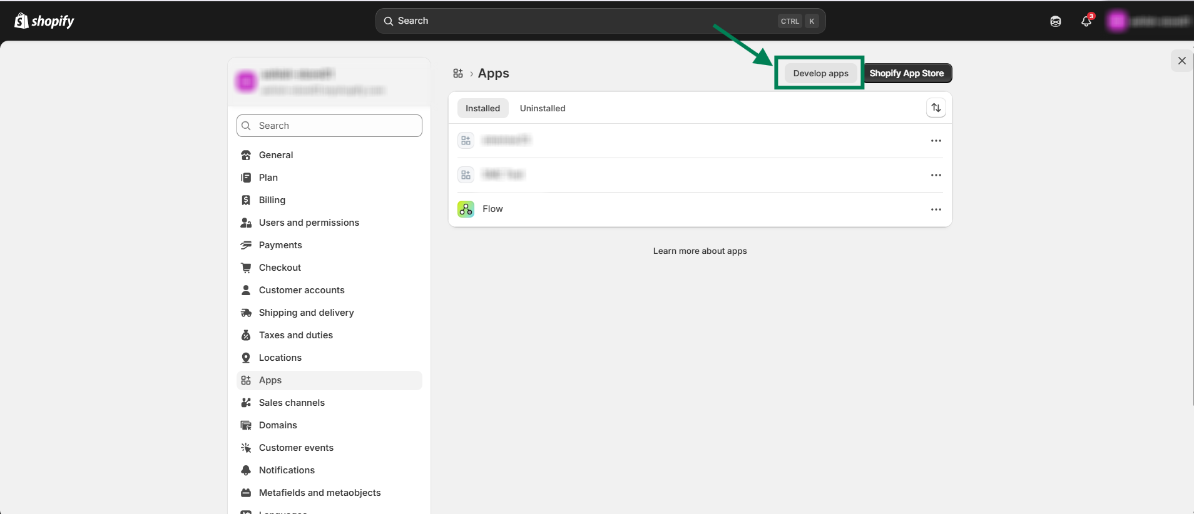
Step 4: Click on “Develop Apps”
Step 5: Open the app you are using for Sync Made Easy
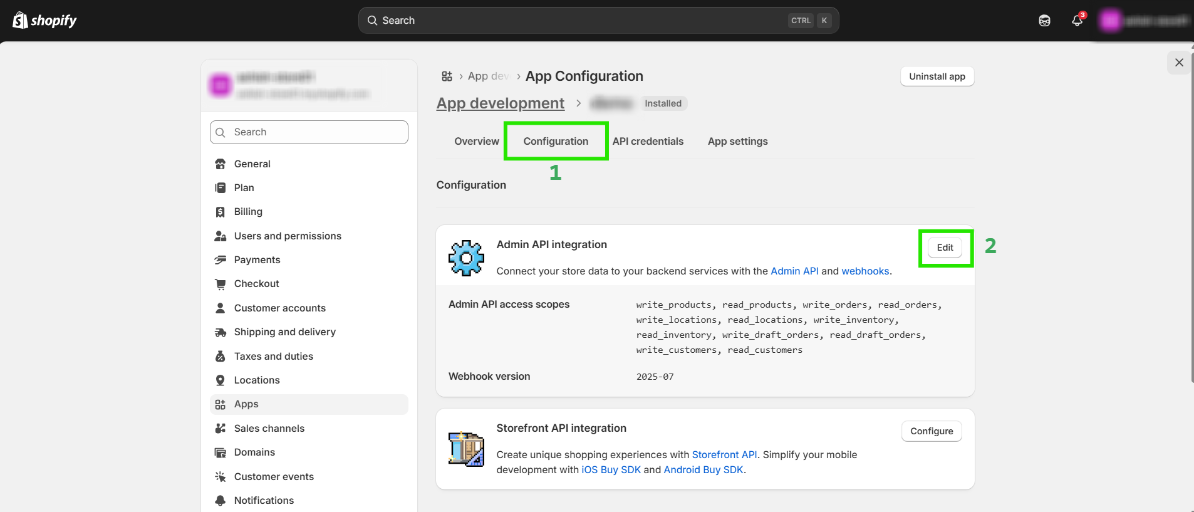
Step 6: Now, Click on configuration and edit the “Admin API Integration”
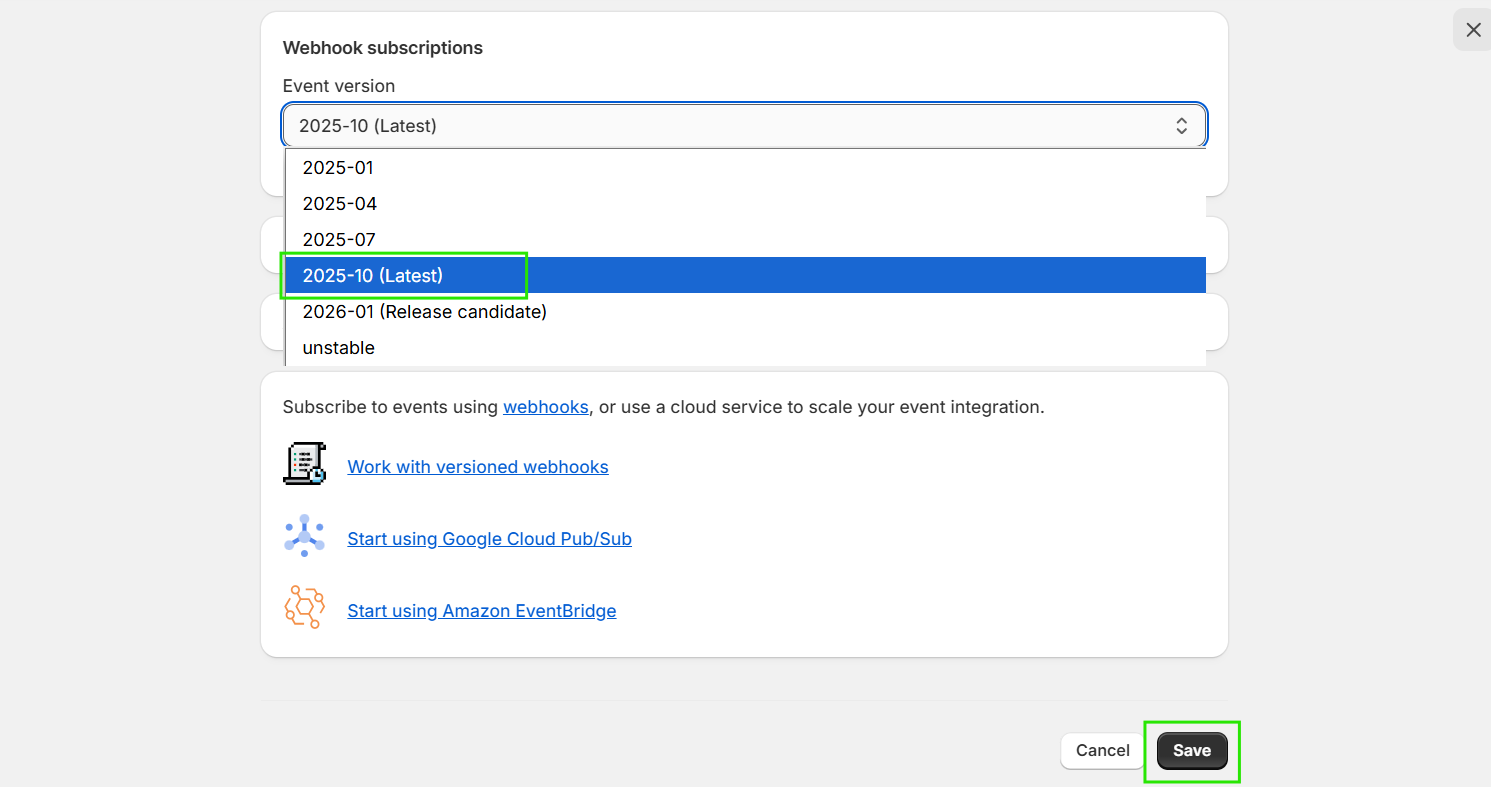
Step 7: Scroll down to “Webhook Subscriptions” and change them to the (2025-10) latest version, then click on Save.
Hope this helps! If you still have any questions about API Version Updates, get in touch with our support desk!
Was this article helpful?
That’s Great!
Thank you for your feedback
Sorry! We couldn't be helpful
Thank you for your feedback
Feedback sent
We appreciate your effort and will try to fix the article