If you need immediately to stop the synchronization between Shopify and Salesforce without uninstalling the app from Salesforce, you can follow these methods. The first method removes the connected store from Sync Made Easy (SME), and the second method disables synchronization at the Shopify level.
Method 1: Remove the Connected Store from SME
1. Open your Sync Made Easy (SME) settings page.

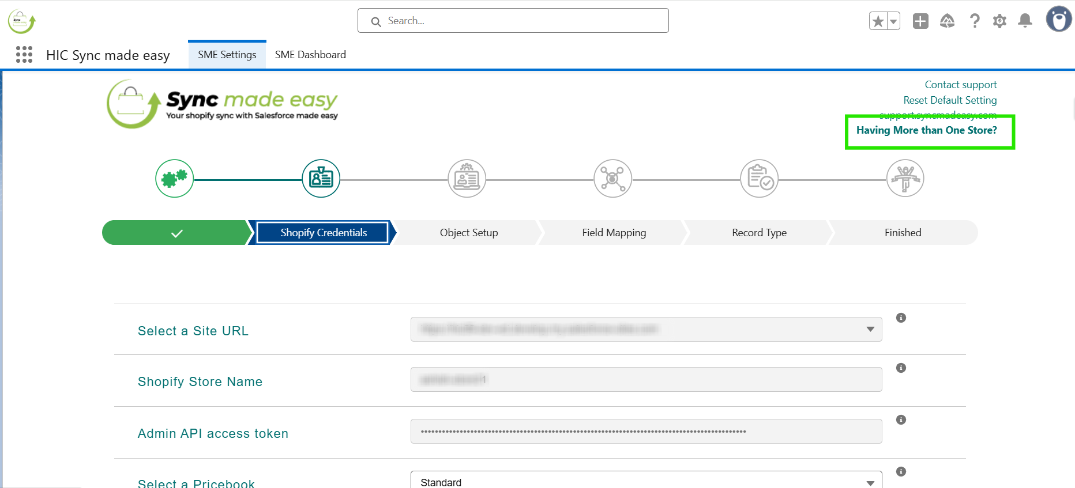
2. Click on “Having more than one store.”
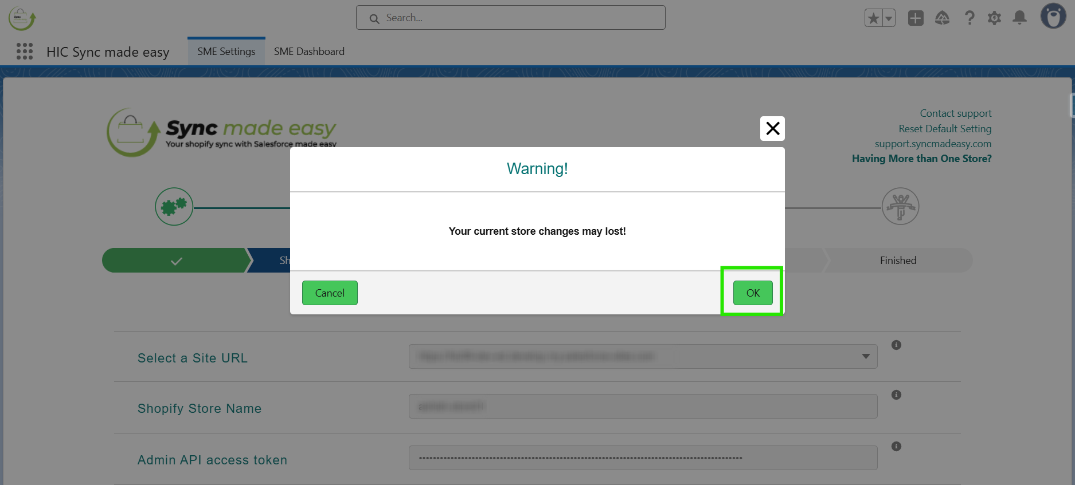
3. Click “OK.”
4. Click on the “trash/bin” icon to remove the store.
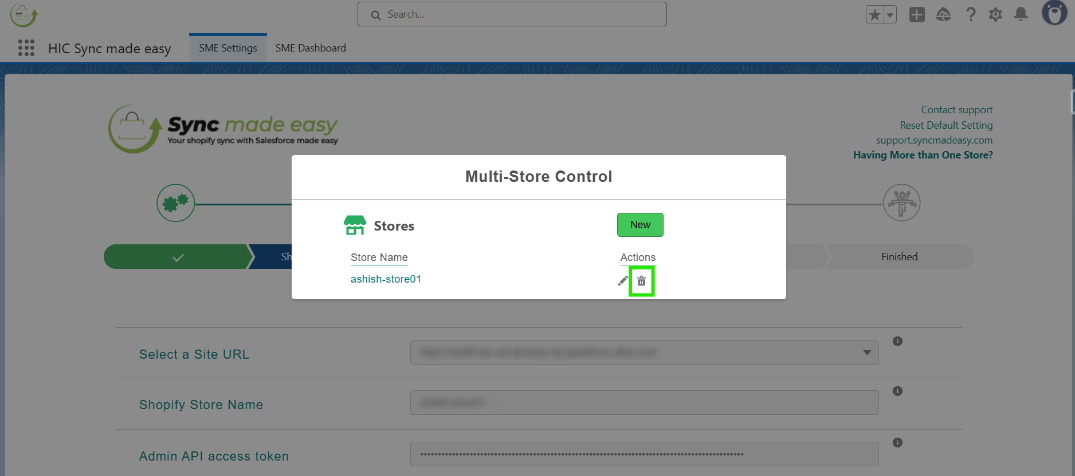
Once the store is removed, synchronization between Salesforce and Shopify will be halted.
Method 2: Disable Sync at the Shopify Level
If you prefer to stop the sync without removing the store from SME, you can disable the integration at Shopify.
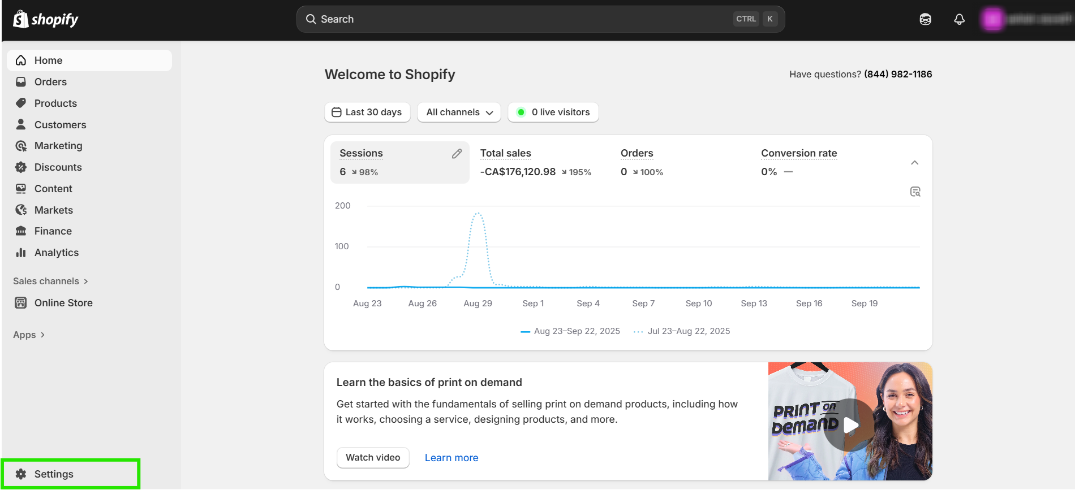
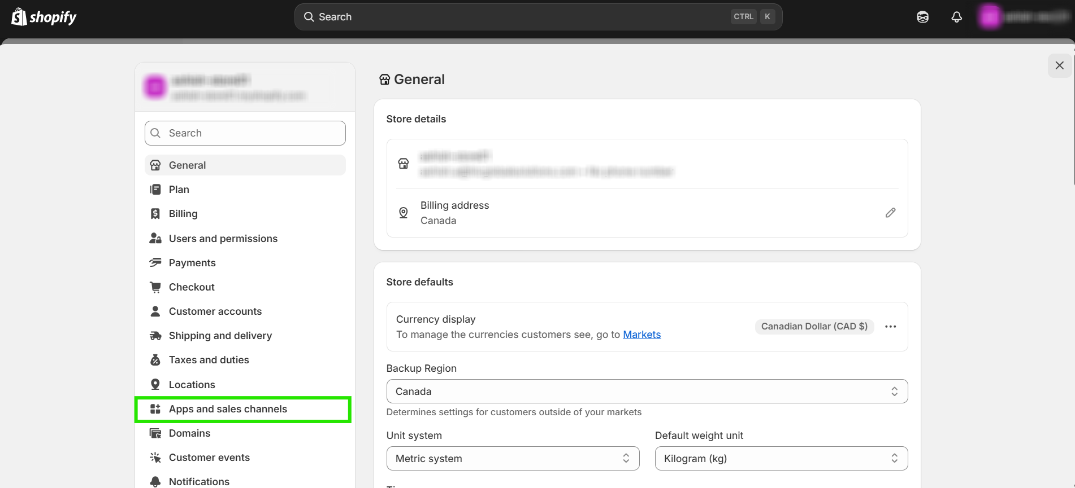
1. From your Shopify admin, Click Settings
2. Go to Apps and sales channels.
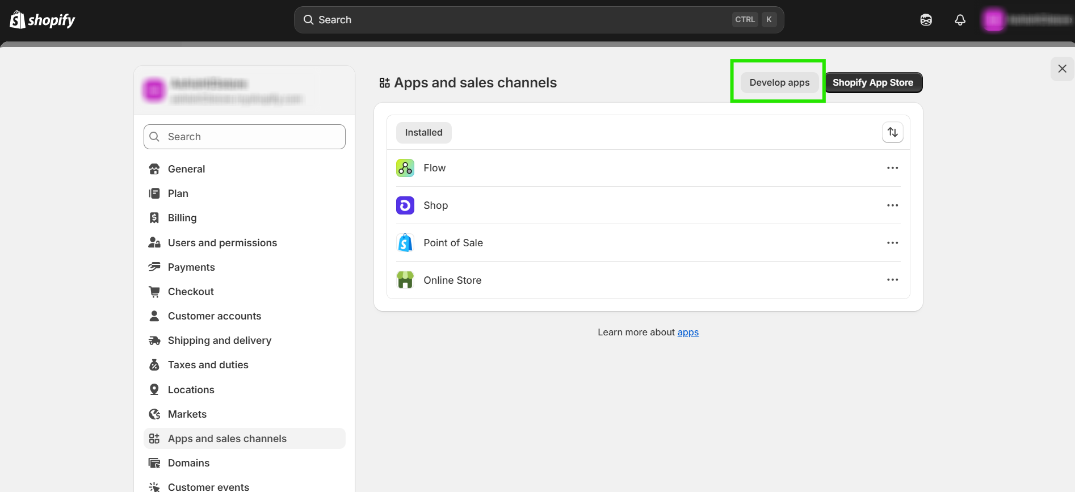
3. Click on Develop apps.
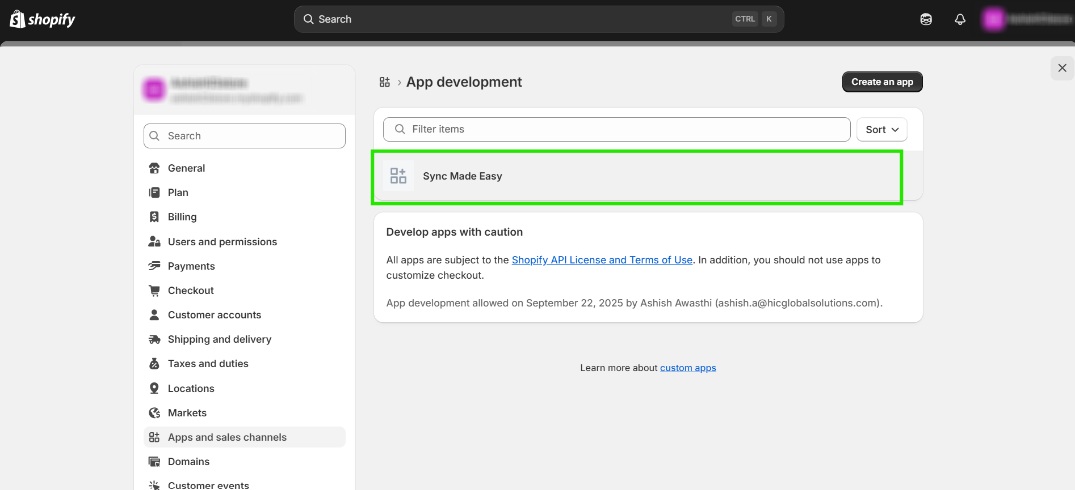
4. Open the app you are using for Sync Made Easy
5. Click Uninstall.
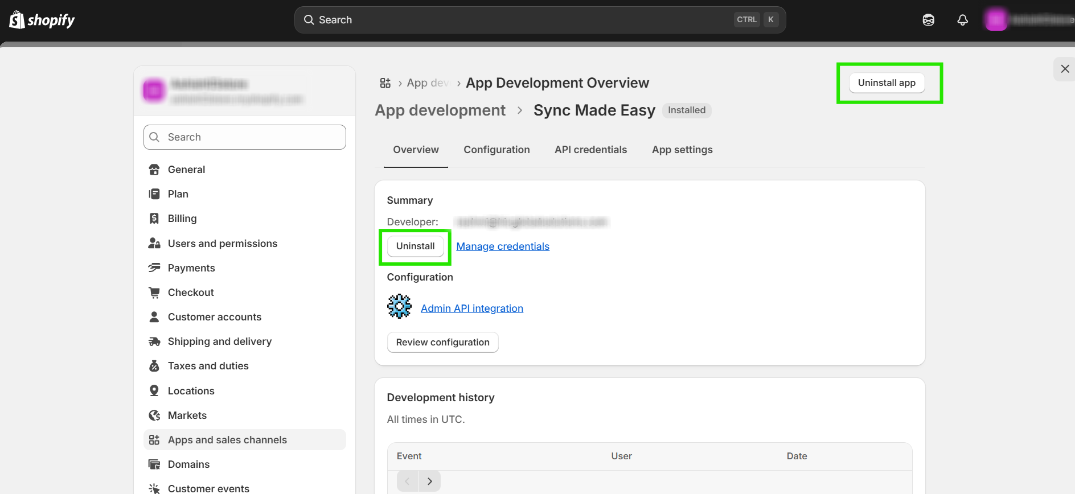
6. In the message that appears, click Uninstall.
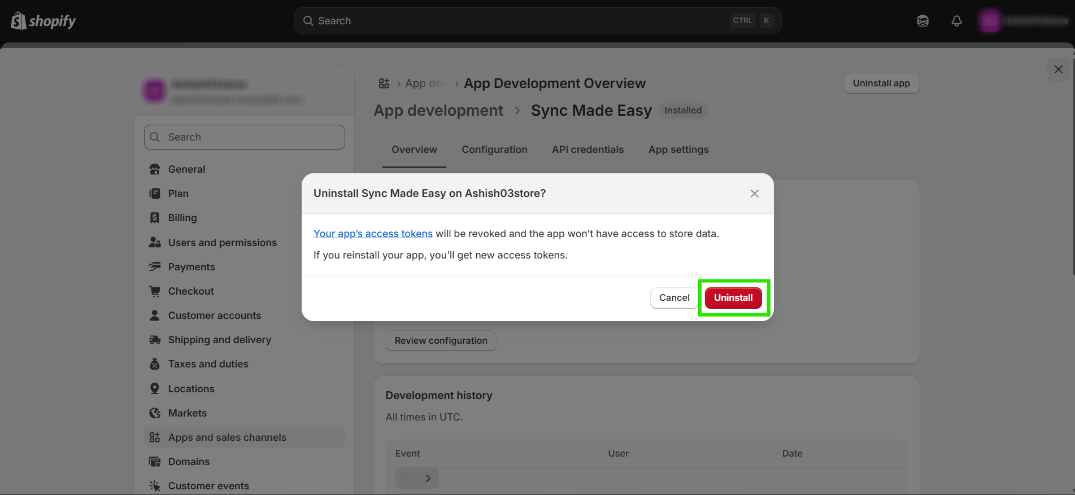
By following these steps, you can successfully delete the connected app from your Shopify store.
Hope this helps!
Was this article helpful?
That’s Great!
Thank you for your feedback
Sorry! We couldn't be helpful
Thank you for your feedback
Feedback sent
We appreciate your effort and will try to fix the article
