This guide explains the Draft Order & Opportunity functionality, demonstrating how when enabling the Opportunity toggle for Draft Orders in Shopify creates both Draft Orders and Opportunities in Salesforce.
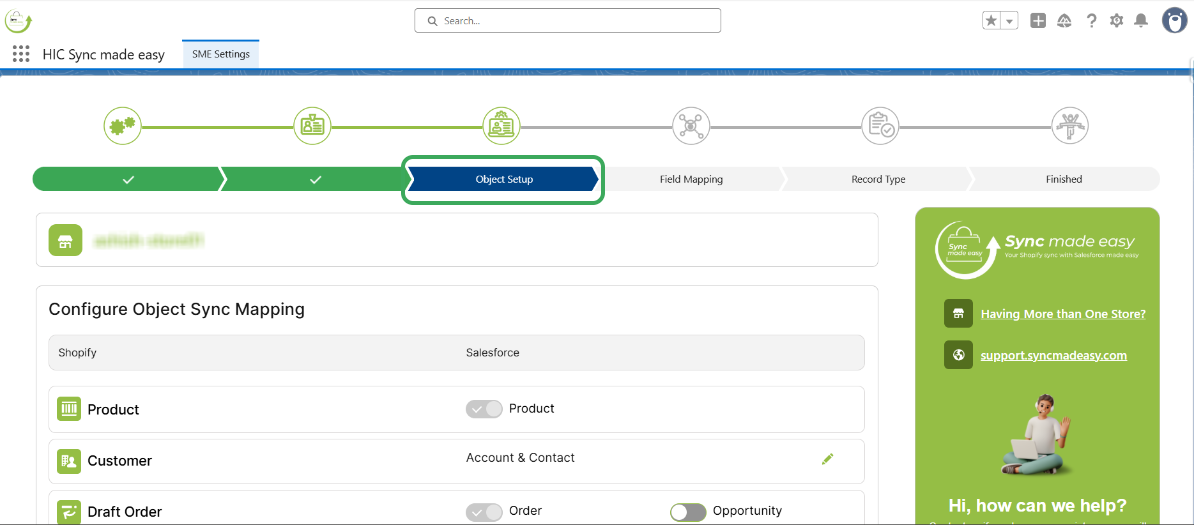
Step 1 – Go to the “Object Setup” page under the “SME settings” in Sync Made Easy.
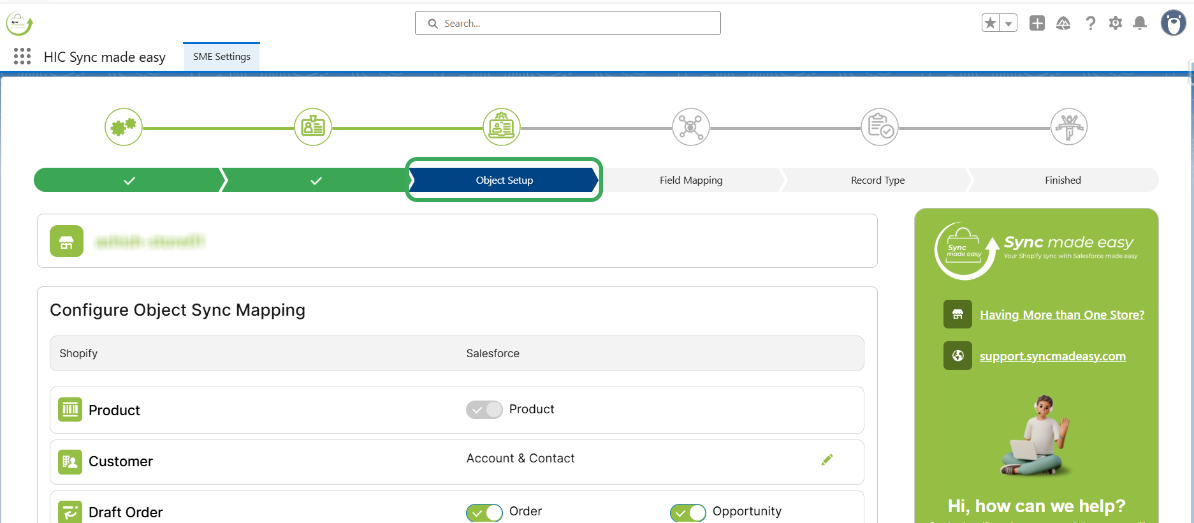
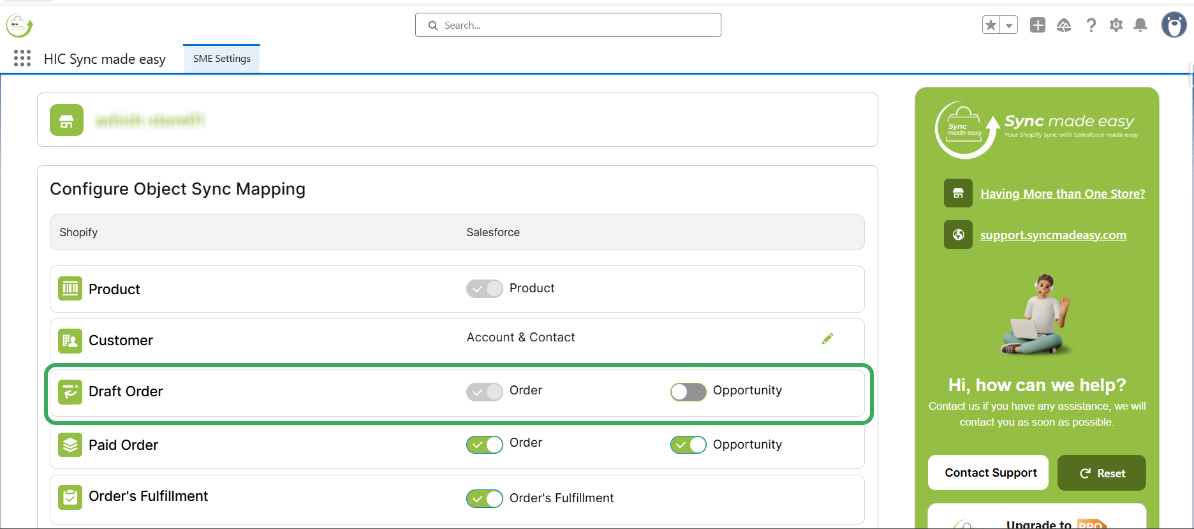
Step 2 – Turn off the “Opportunity” toggle for Draft Orders and click on the Save & Next button.
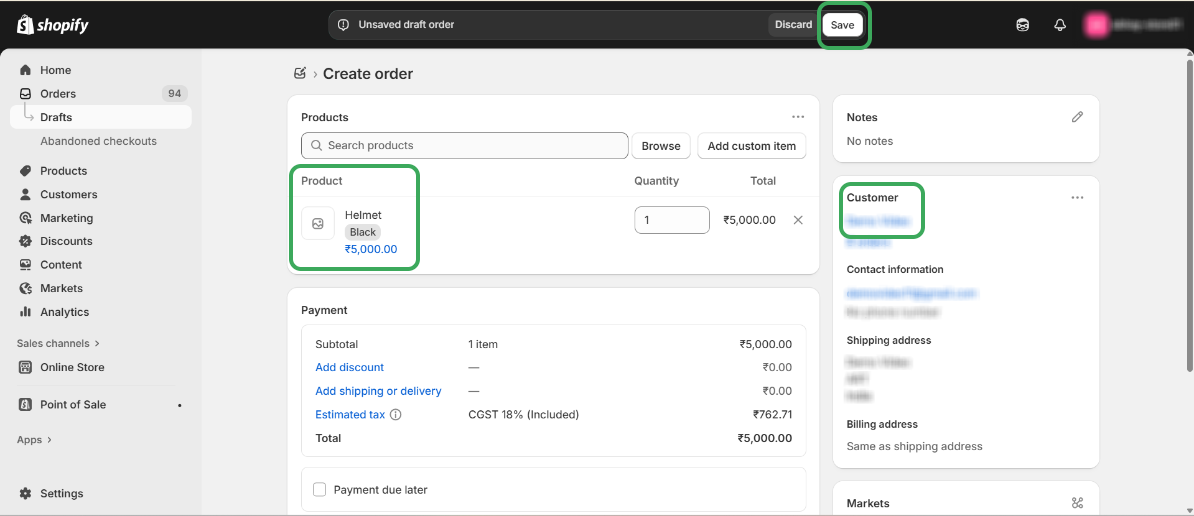
Step 3 – In Shopify, create a new Draft Order and click on save.
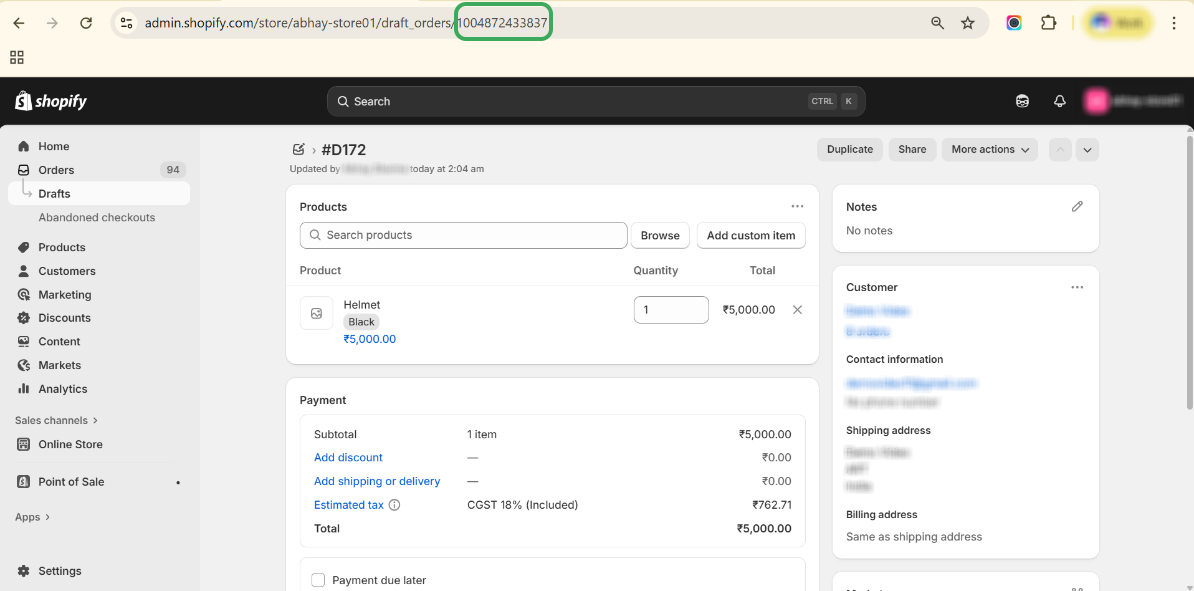
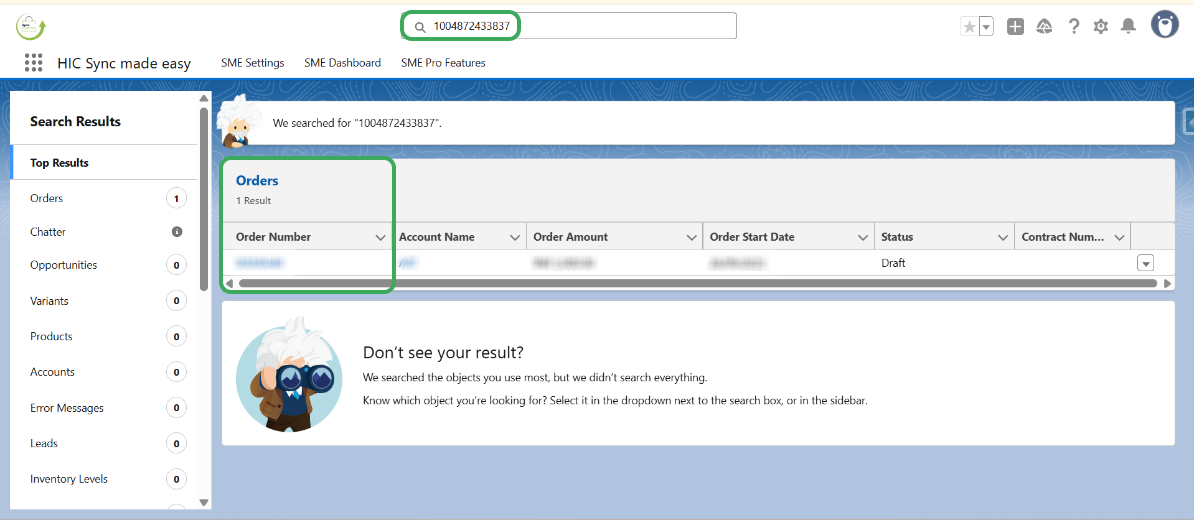
Step 4 – Copy the Shopify ID for the Draft Order and search for it in Salesforce.
Step 5 – Ensure that only the Draft Order is created in Salesforce.
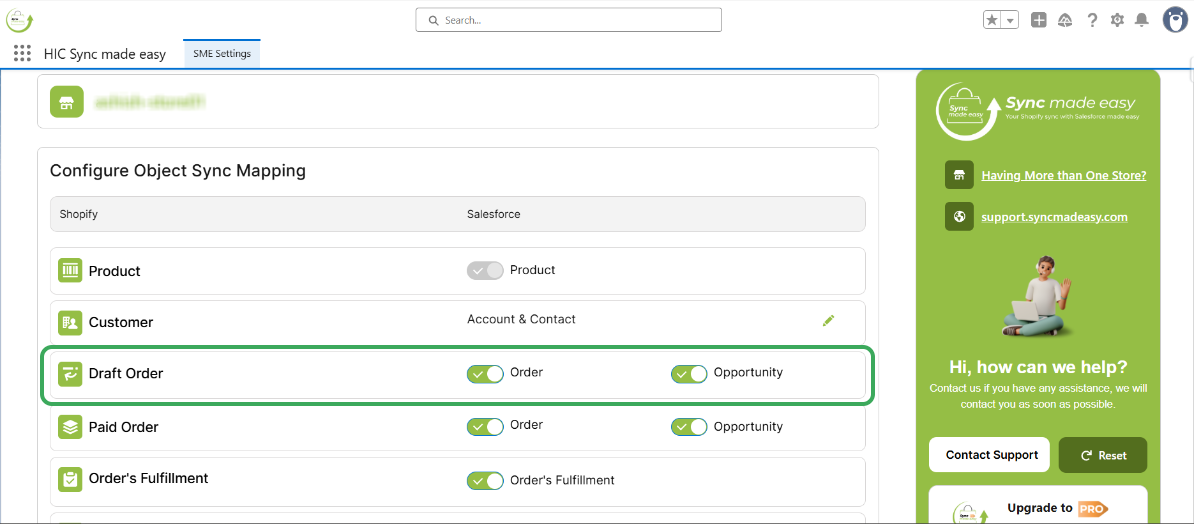
Step 6 – Head back to the “Object Setup” page in the “SME settings” of Sync Made Easy.
Step 7 – Turn on the “Opportunity toggle” for Draft Orders and click on the Save & Next button.
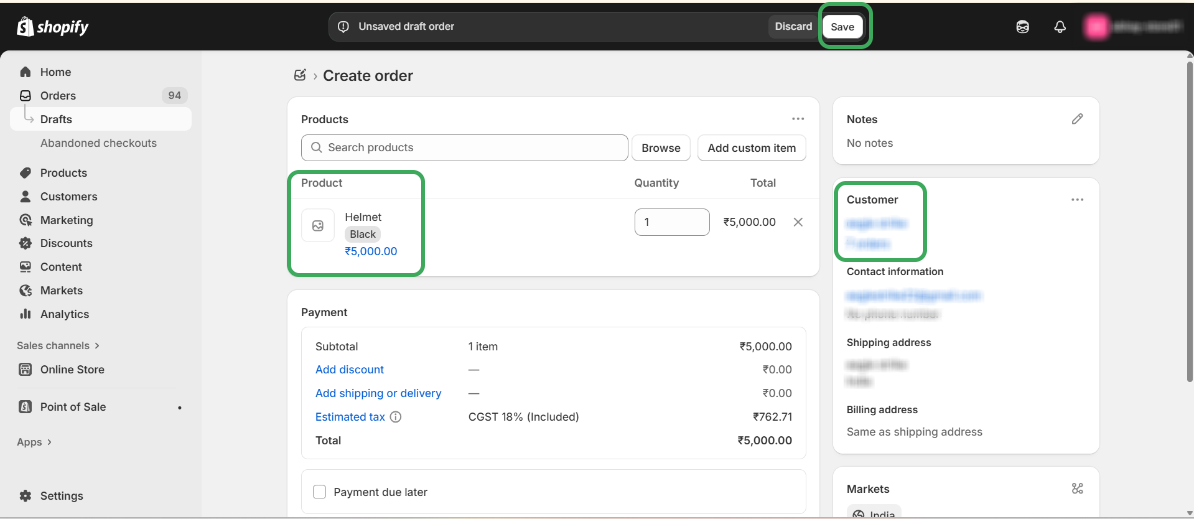
Step 8 – Create a new Draft Order in Shopify.
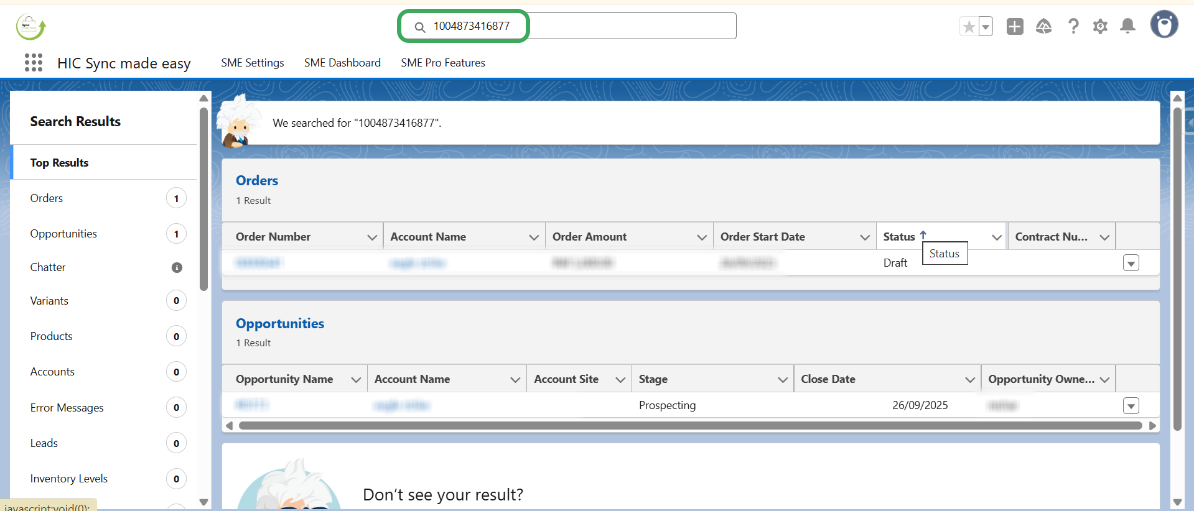
Step 9 – Copy the “Shopify ID” for this new Draft Order and search for it in Salesforce.
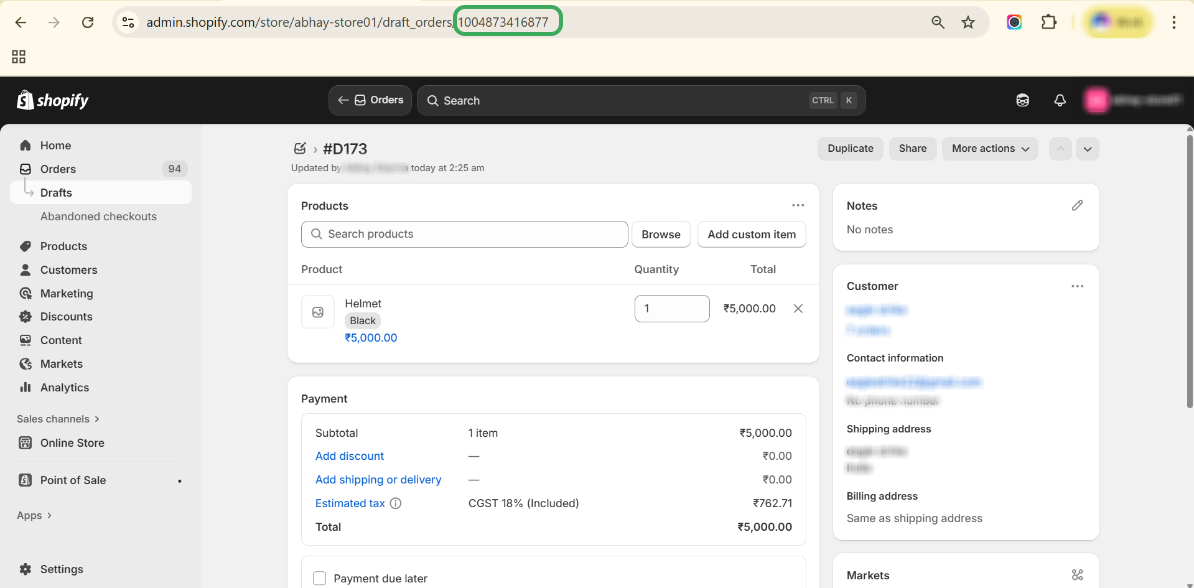
Step 10 – This time, you should see both the “Draft Order” and the “Opportunity” created in Salesforce.
Was this article helpful?
That’s Great!
Thank you for your feedback
Sorry! We couldn't be helpful
Thank you for your feedback
Feedback sent
We appreciate your effort and will try to fix the article