Following are the key steps to assign the Sync Made Easy Pro package to a new user after purchasing a new license.
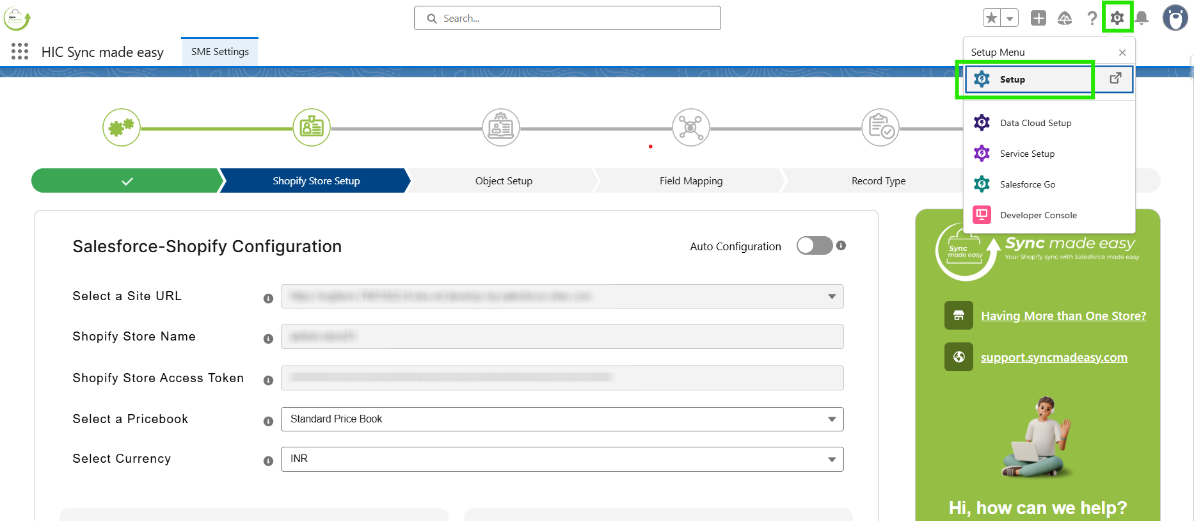
Step 1 – Log in to your Salesforce account and click on Setup to open it
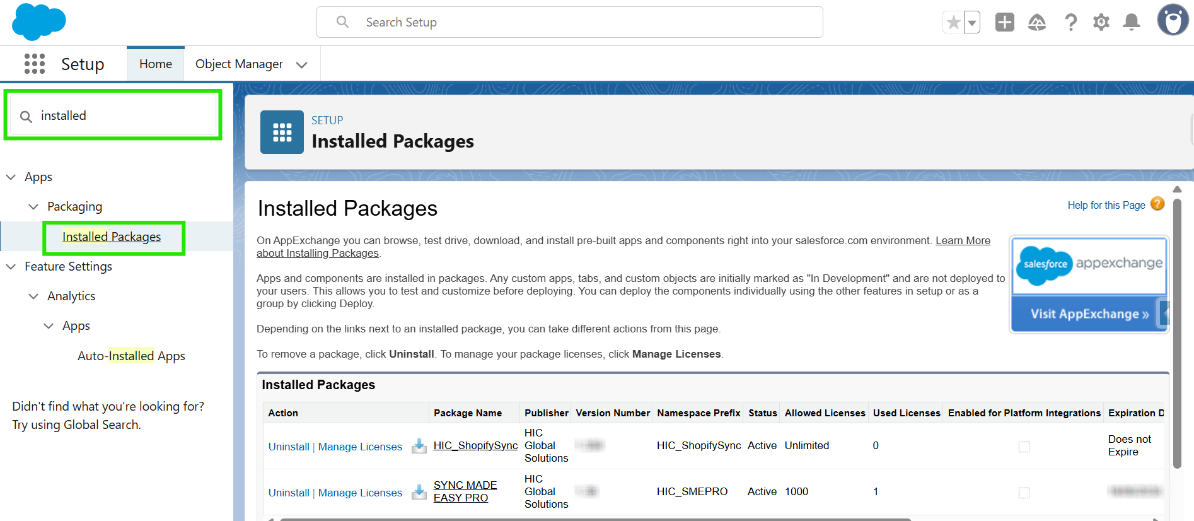
Step 2 - In the Quick Find box, search for “Installed Package” and open it.
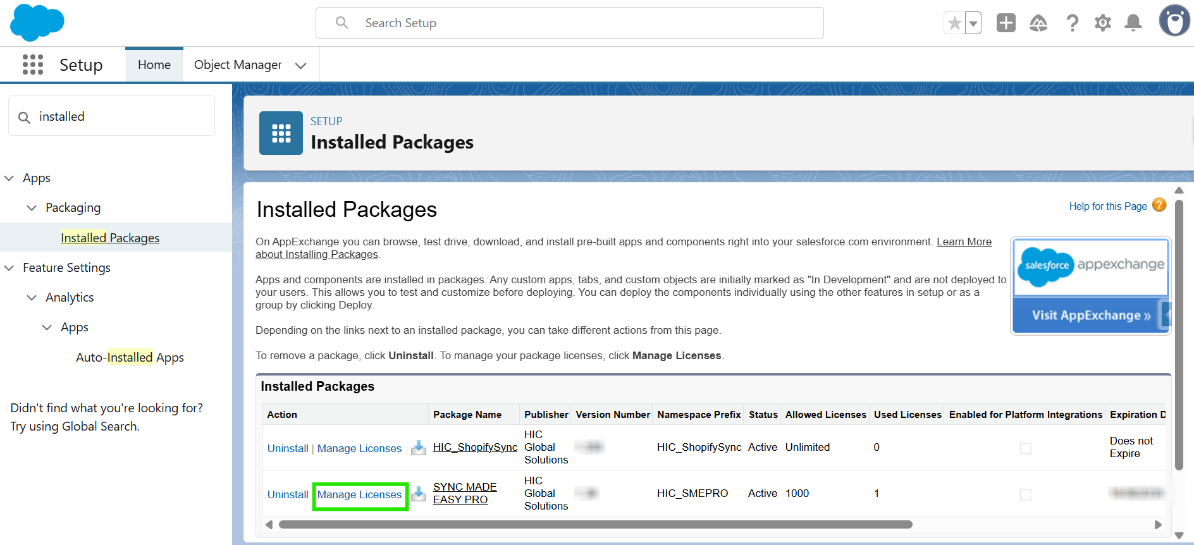
Step 3 – On the SYNC MADE EASY PRO package, Click on “Manage License”
Step 4 - The system admin will already be added as a user. To add a new user, click on “Add User”
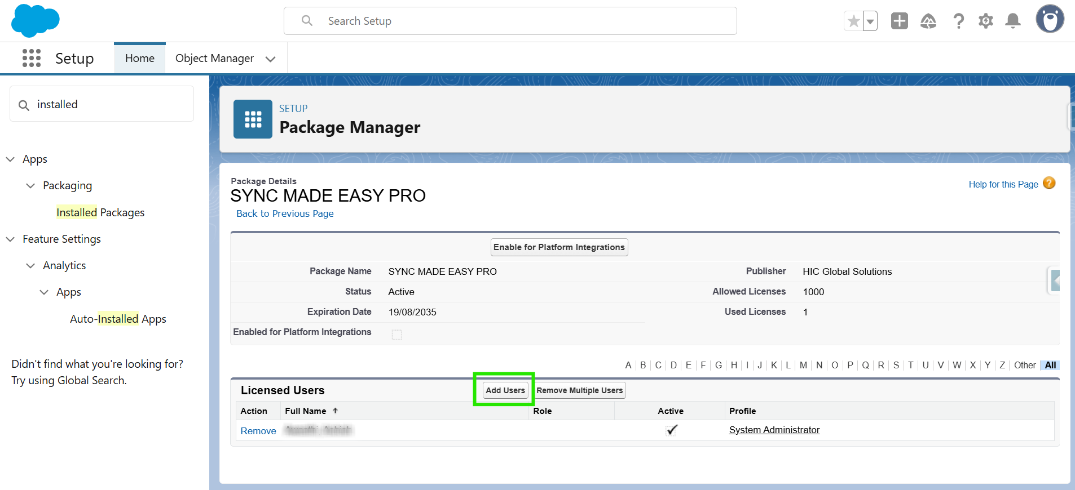
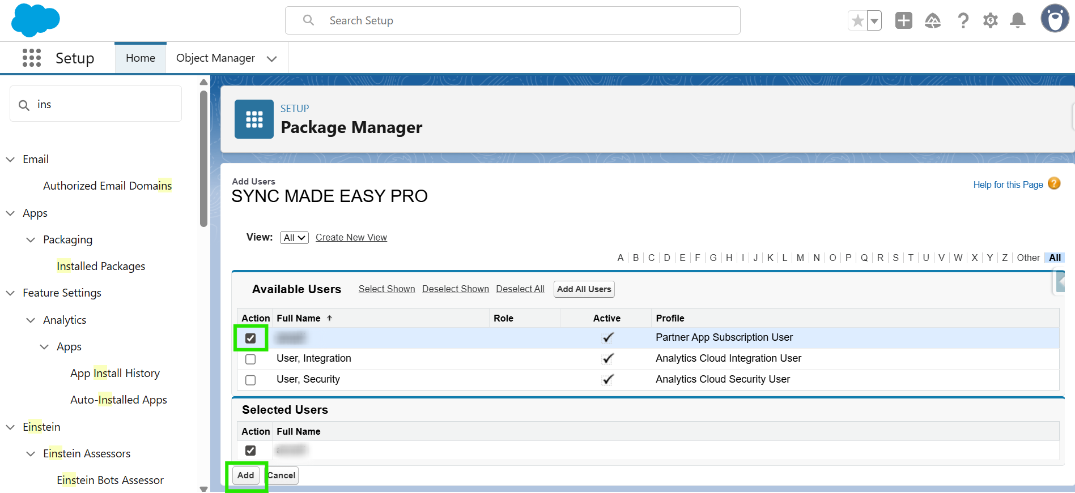
Step 5 – Check the checkbox next to the user you want to give the license to, then click on “Add”
Now, your new user can use all the SME Pro functionalities without any issues.
Was this article helpful?
That’s Great!
Thank you for your feedback
Sorry! We couldn't be helpful
Thank you for your feedback
Feedback sent
We appreciate your effort and will try to fix the article