This guide explains the Automated Email Alert feature, where notifications related to the app are sent to designated email IDs configured in the Shopify Credential settings.
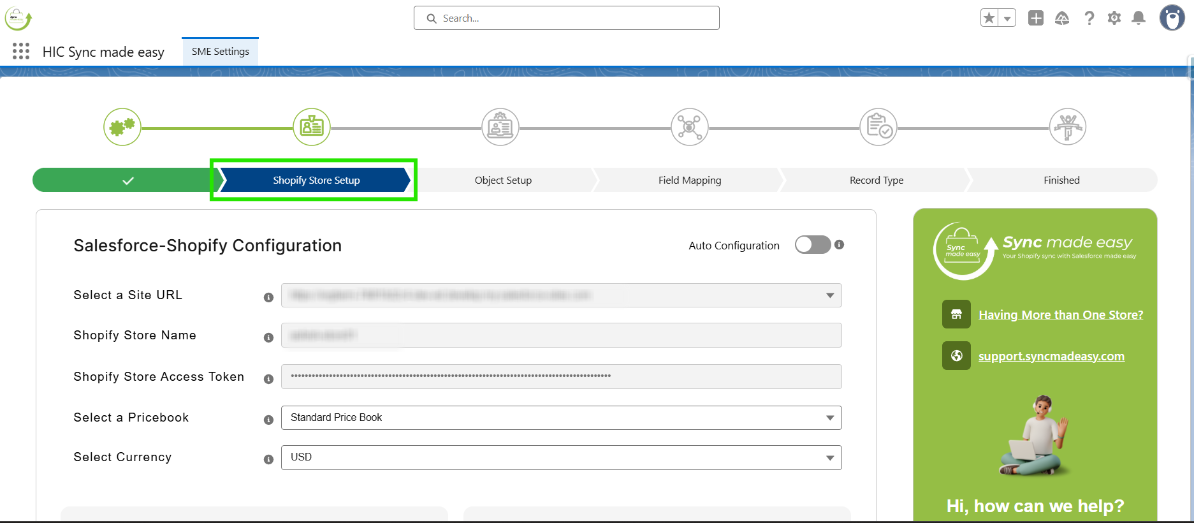
Step 1: Open the "Shopify Store Setup" Step in SME Settings.
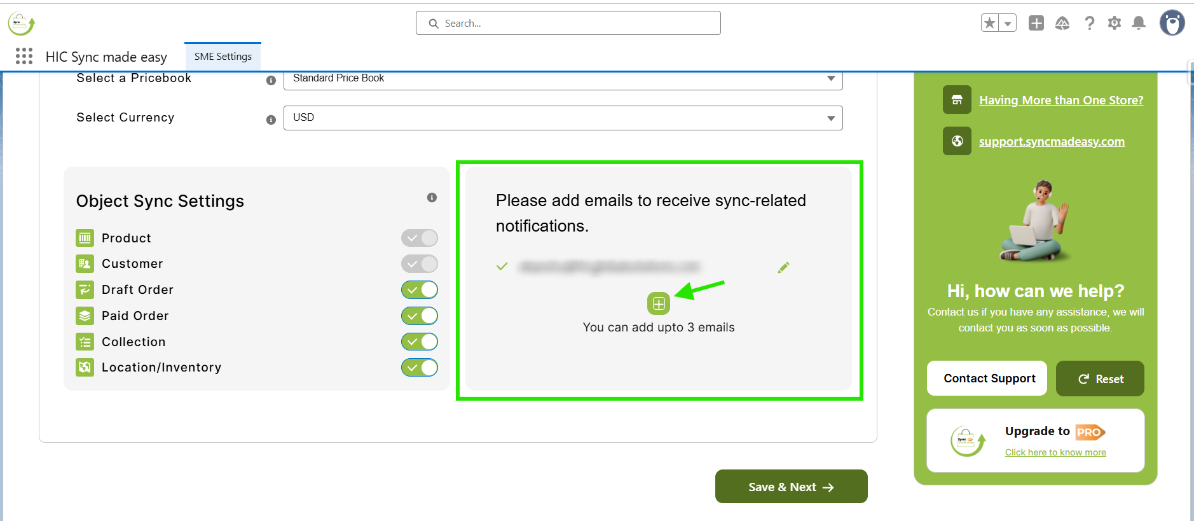
Step 2: Scroll down the page, where you can add up to three email IDs by clicking the "+" button for any notifications related to the app.
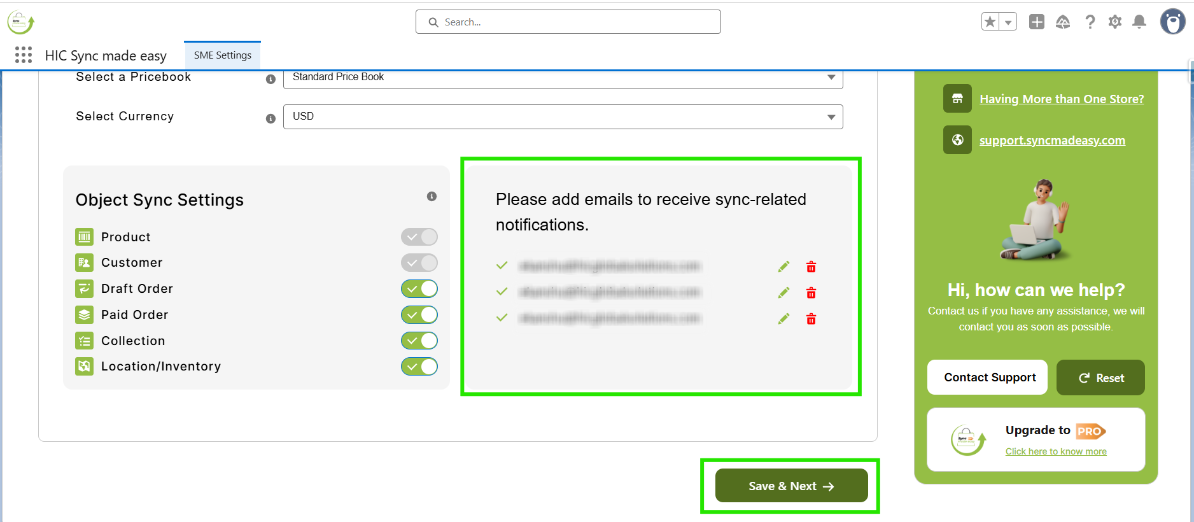
Step 3: After adding the Email. lick on Save & Next.
Step 4: Once you sync all your legacy records from Shopify to Salesforce, you’ll receive an email notification confirming the sync is complete.
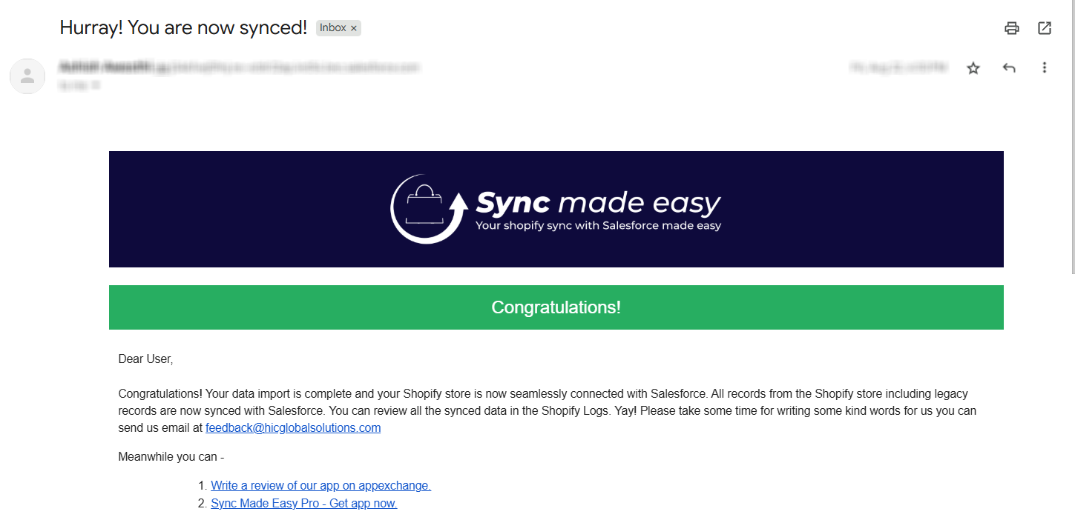
Note: The email content may vary depending on the type of notification or scenario.
This feature ensures you stay informed about important updates related to the app.
Thank you!
Was this article helpful?
That’s Great!
Thank you for your feedback
Sorry! We couldn't be helpful
Thank you for your feedback
Feedback sent
We appreciate your effort and will try to fix the article