Yes, we have this feature in Sync Made Easy. Please follow the steps below:
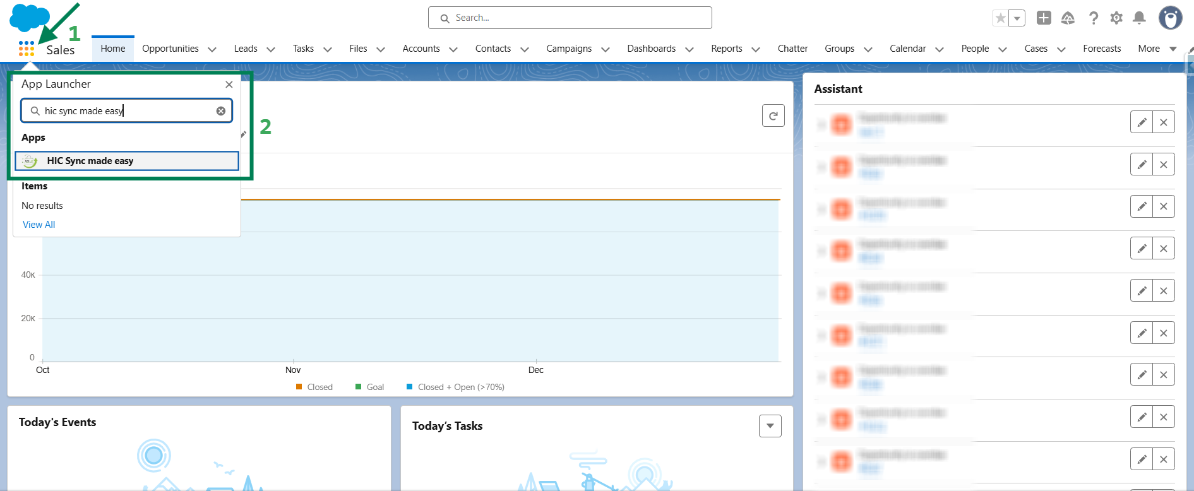
Step 1: Log in to Salesforce & in App Launcher search "HIC Sync made easy". Click on it.
Step 2: On the "Shopify Store Setup" page, scroll down and in "Object Sync Settings", make sure the "Location/Inventory" toggle is enabled. Then click "Save & Next".
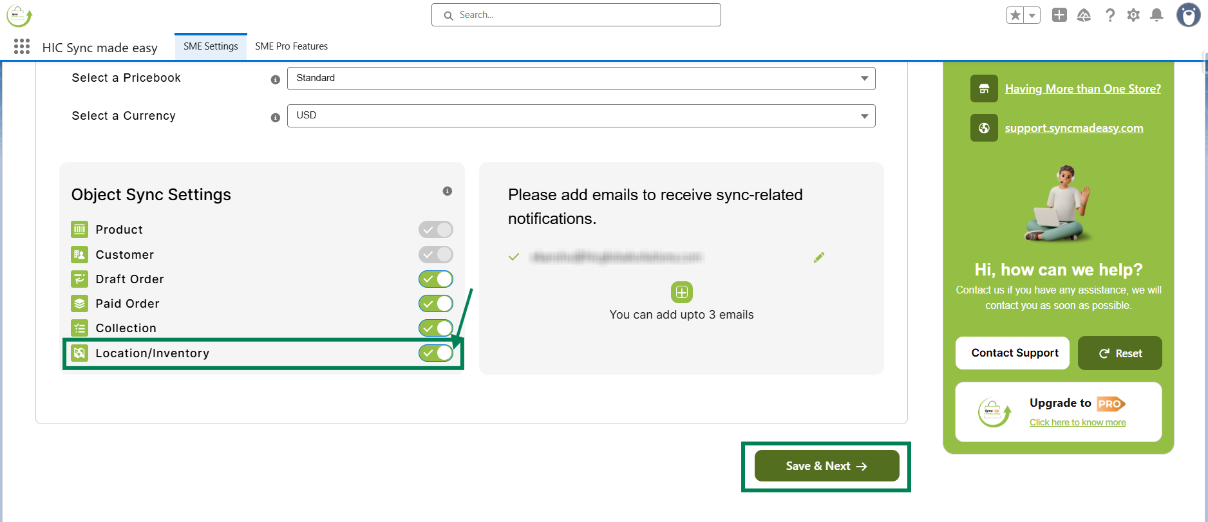
So when the Location/Inventory toggle is enabled in Object Sync Settings, your Inventory will sync automatically.
Was this article helpful?
That’s Great!
Thank you for your feedback
Sorry! We couldn't be helpful
Thank you for your feedback
Feedback sent
We appreciate your effort and will try to fix the article