Follow these steps to initialize the application and resume Real-Time Sync in your Salesforce org.
Please Note:
Before you begin, make sure you are using the latest version of our application. Visit AppExchange to verify the version.
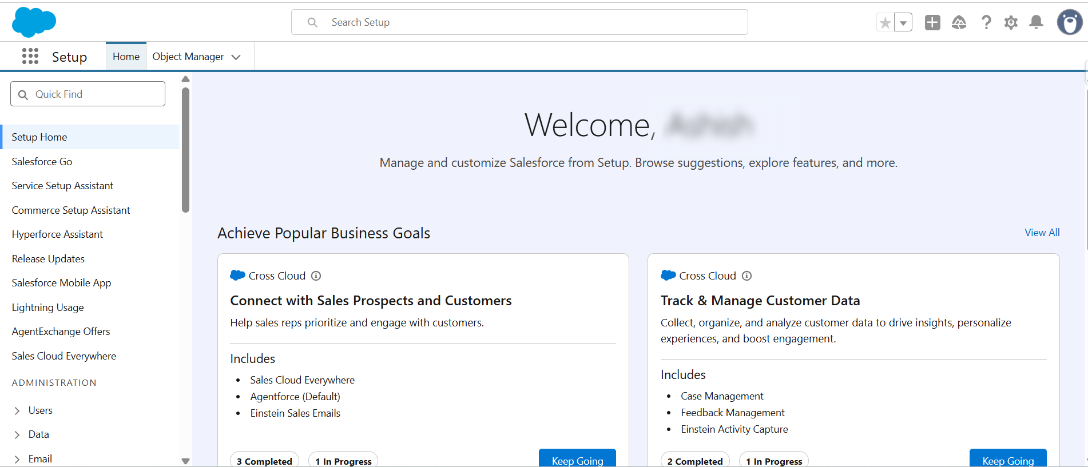
Step 1: Log in to your Salesforce account.
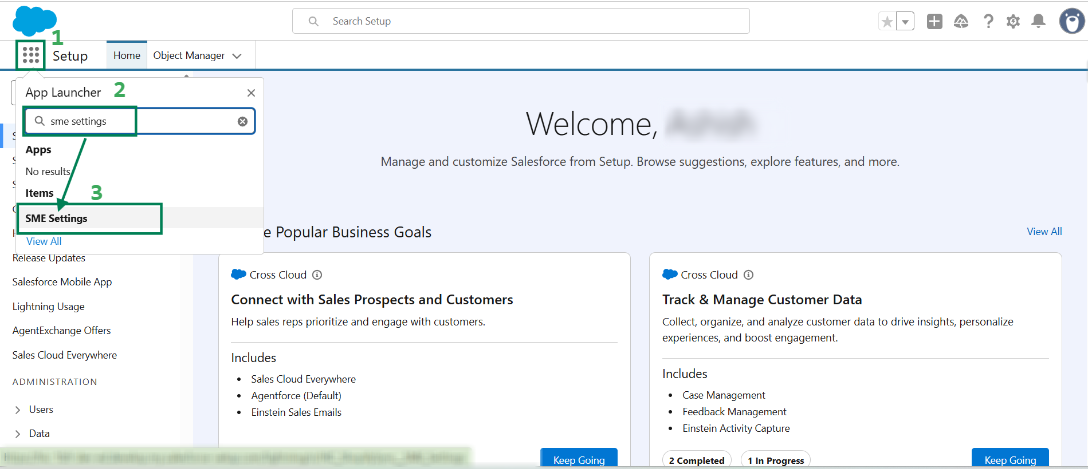
Step 2: In the App Launcher, search for SME Settings and click on it.
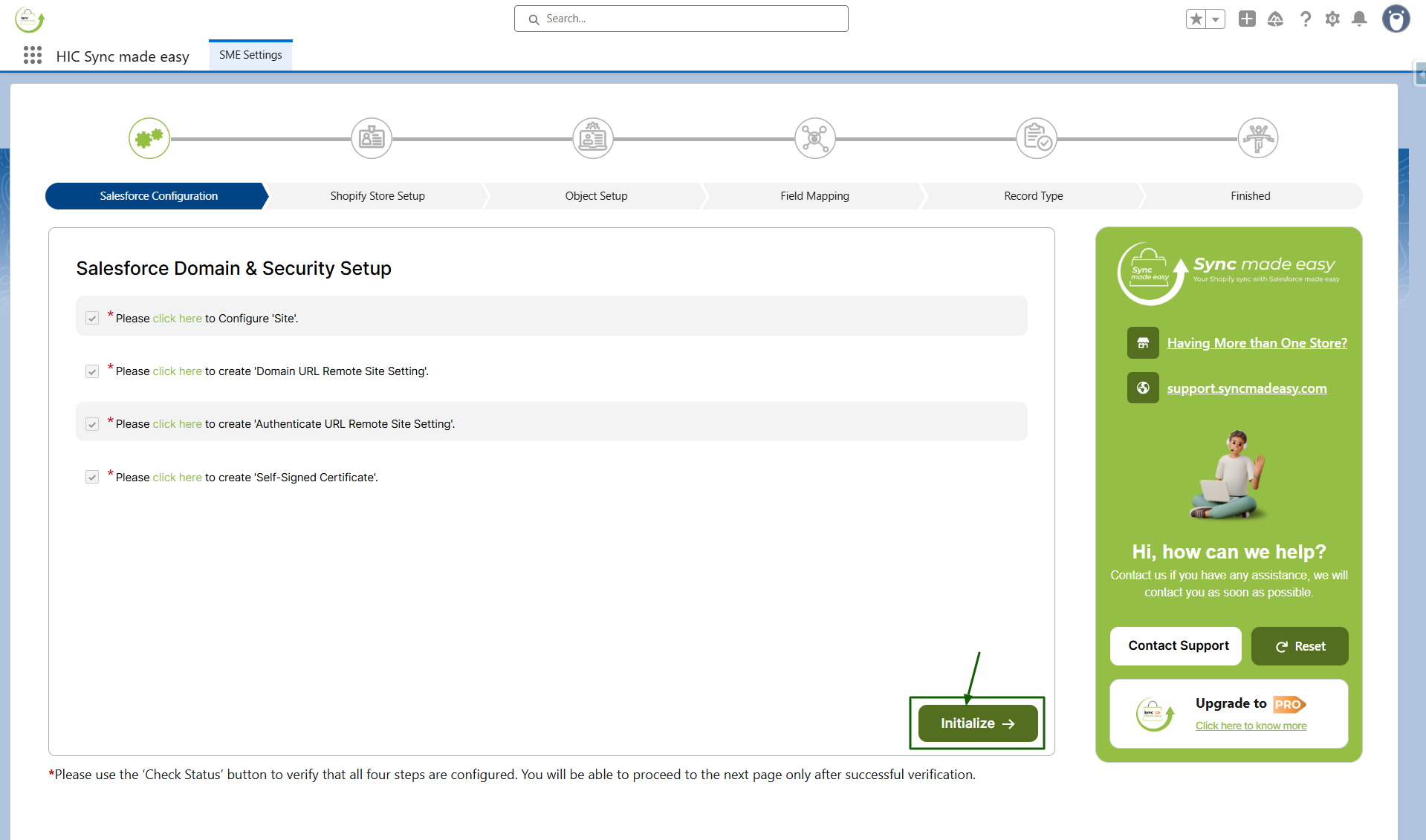
Step 3: On the Salesforce Configuration Page, scroll to the bottom and click the Initialize button.
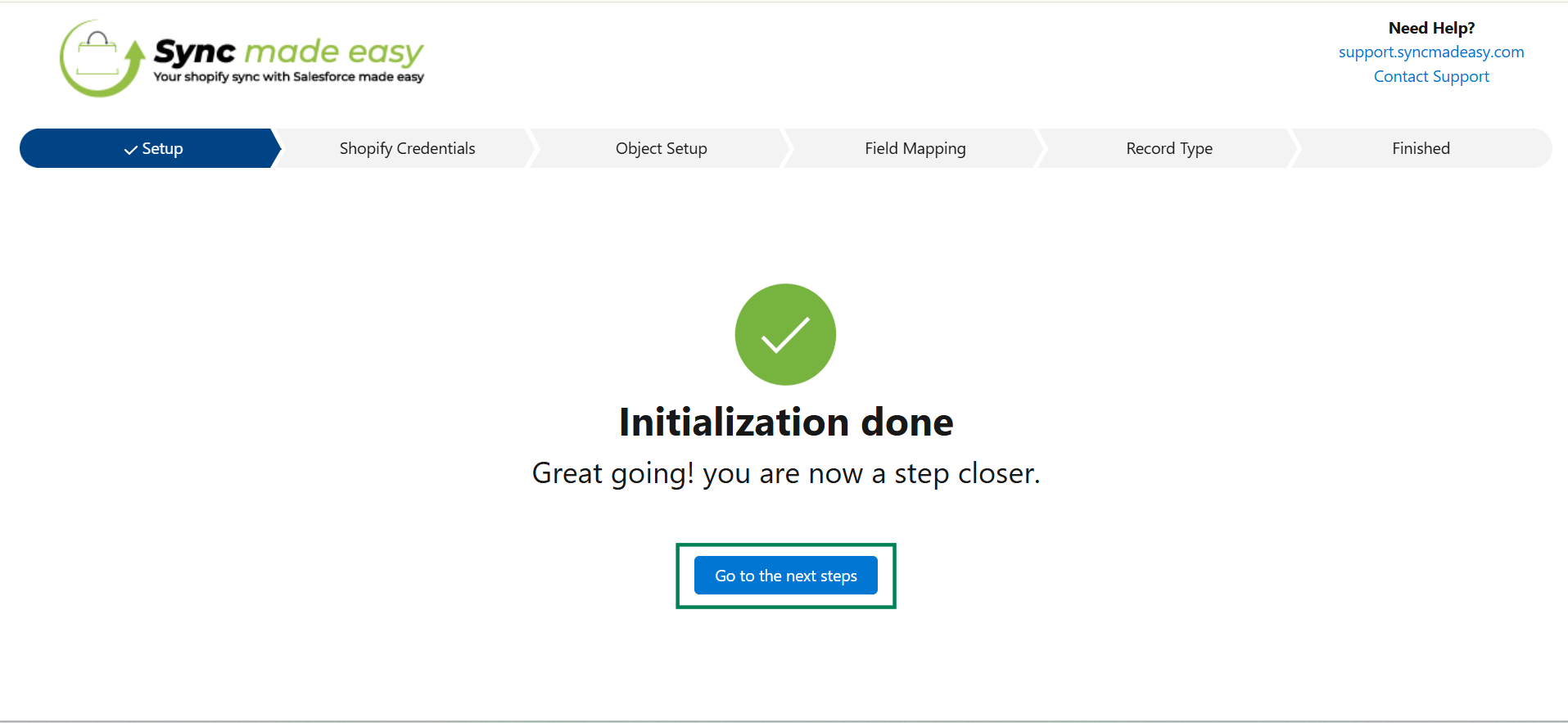
Step 4: Once the initialization is completed successfully, click Go to the Next Steps.
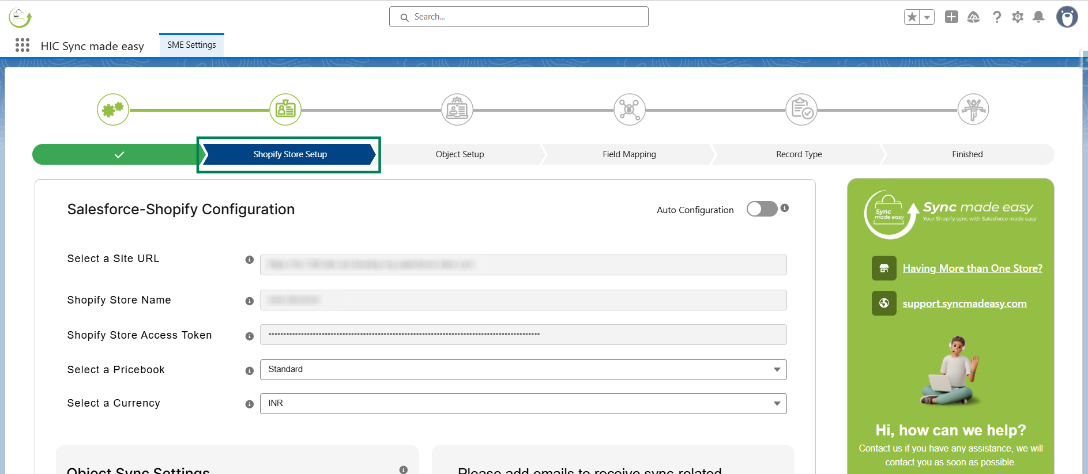
Step 5: You will be redirected to the Shopify Store Setup page. Your previously saved stores and configurations will be available here. You can review them if needed.
We hope this article helps! If you still face any issues, feel free to contact us at support@syncmadeasy.com.
Was this article helpful?
That’s Great!
Thank you for your feedback
Sorry! We couldn't be helpful
Thank you for your feedback
Feedback sent
We appreciate your effort and will try to fix the article