The client can modify the custom fields as needed without requiring customer support. Please follow the steps below:
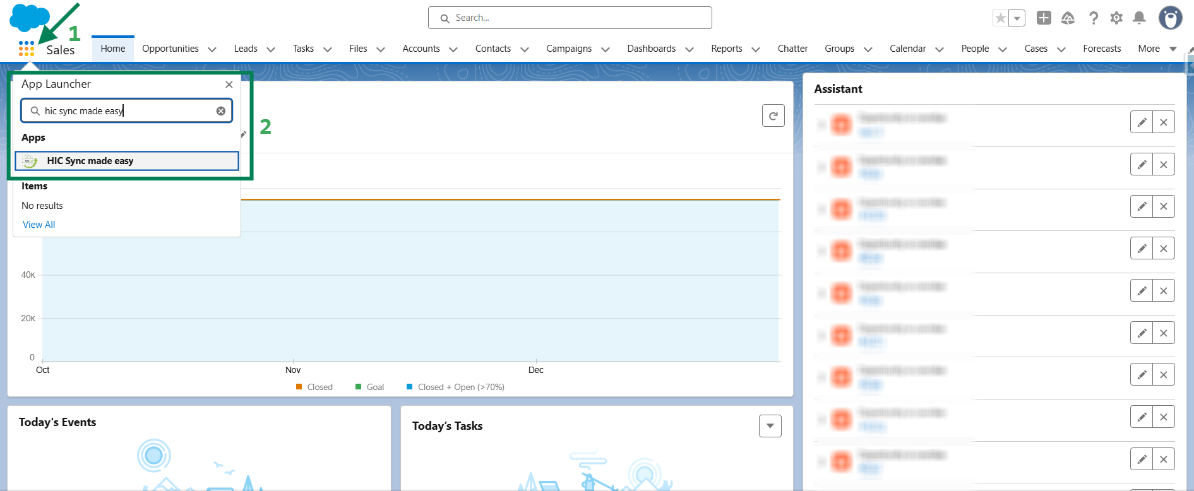
Step 1: Log in to Salesforce & in App Launcher search "HIC Sync made easy". Click on it.
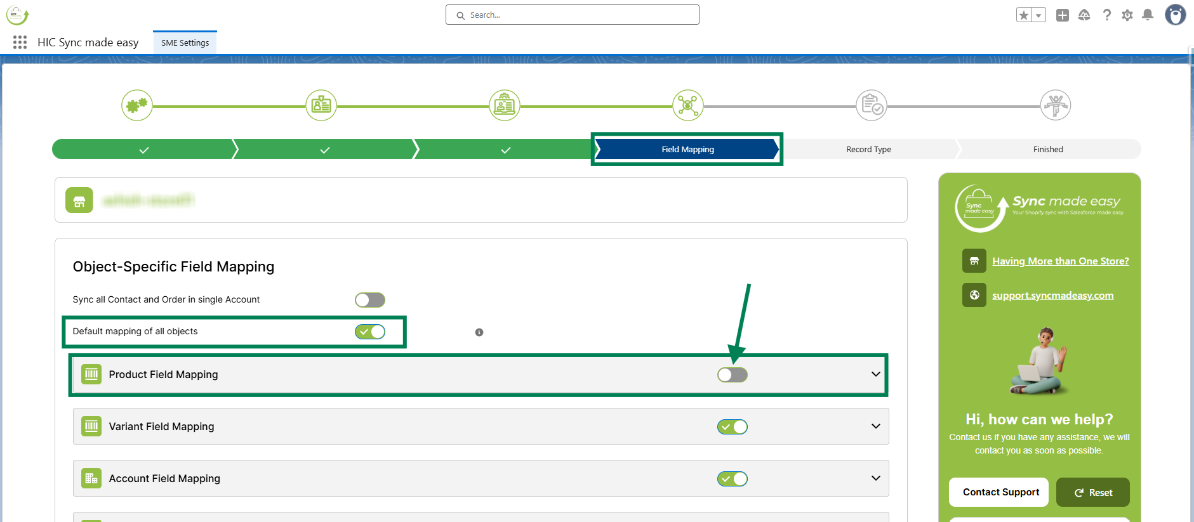
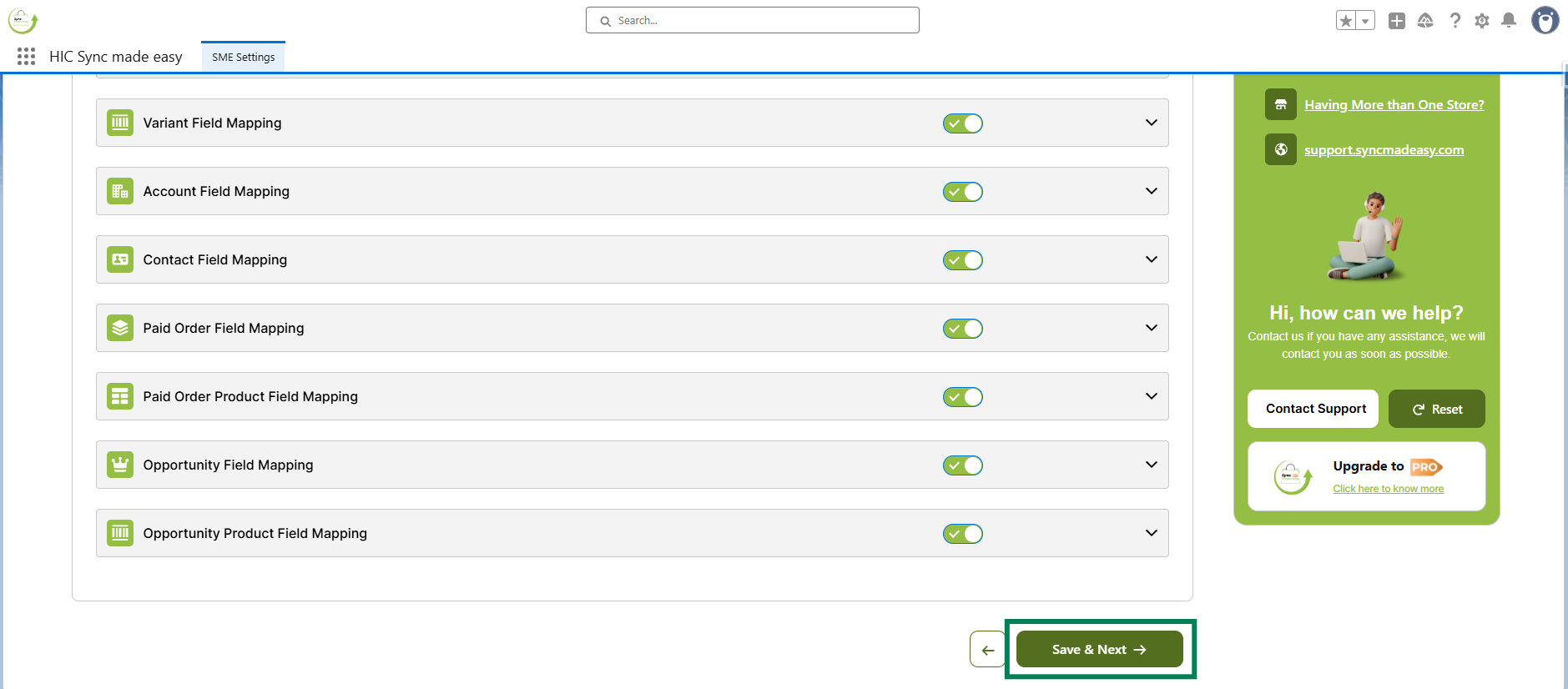
Step 2: Sync Made Easy comes with a default field mapping that you can always use. If you want to customize the mapping, you can do so by turning off the toggle button.
For custom mapping, you can either turn off the toggle for all objects or just for the object in which you want to add your custom mapping.
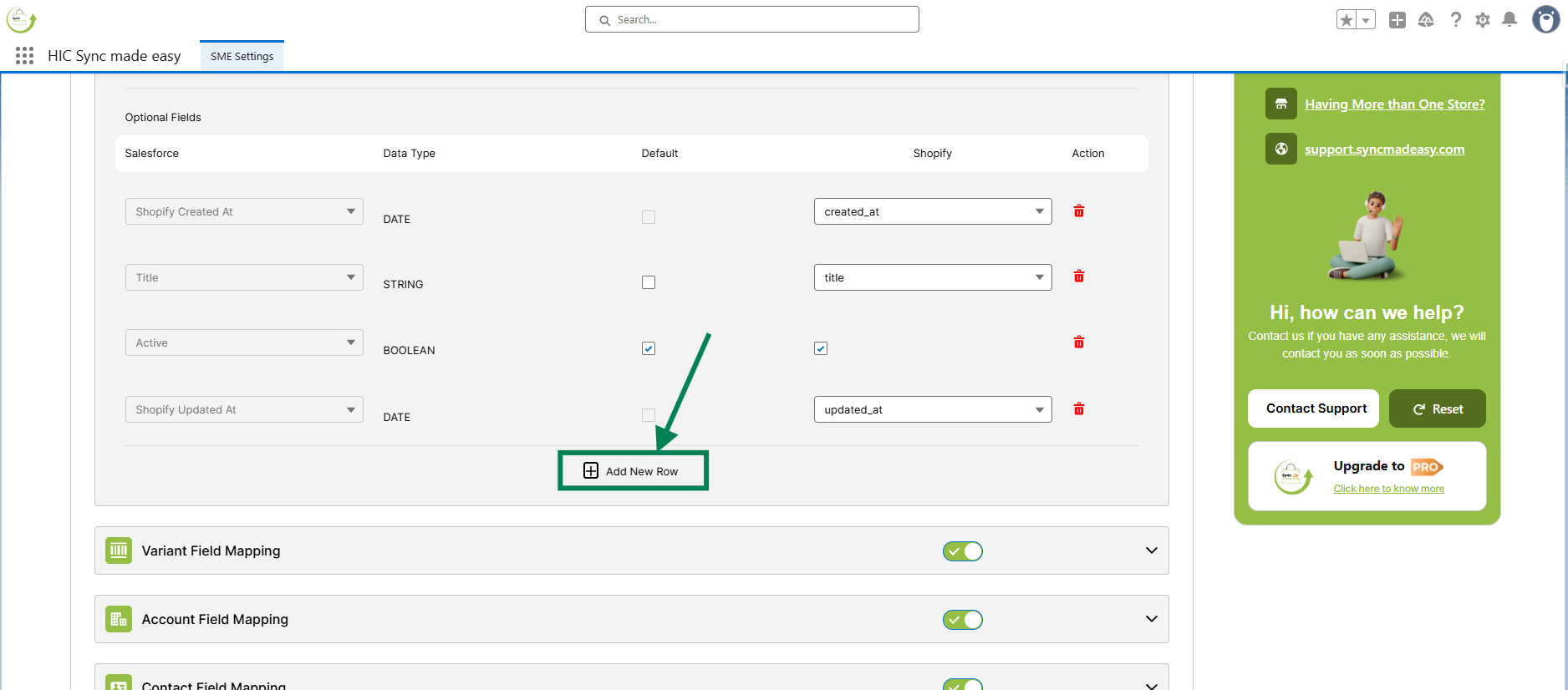
Step 3: Now, if you want to add a few more fields, you need to open the object, scroll down to the Add New Row option, and click on it.
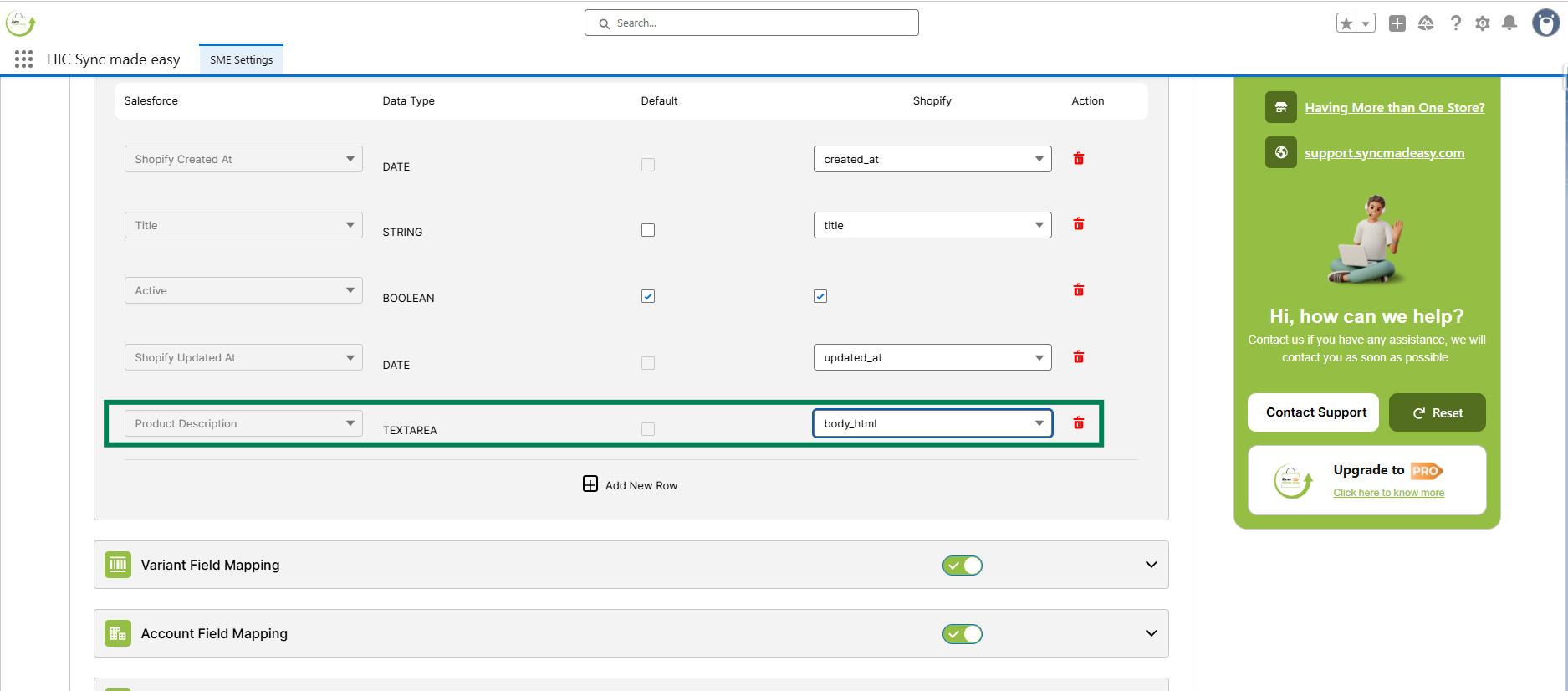
Step 4: Select the Salesforce field and the corresponding Shopify field for mapping.
Step 5: Then, click “Save & Next” to save the changes.
These steps complete the process of creating and updating custom fields as needed.
Thanks!
Was this article helpful?
That’s Great!
Thank you for your feedback
Sorry! We couldn't be helpful
Thank you for your feedback
Feedback sent
We appreciate your effort and will try to fix the article