This guide explains how to verify that an order has been successfully synchronized from Shopify to Salesforce using Sync Made Easy.
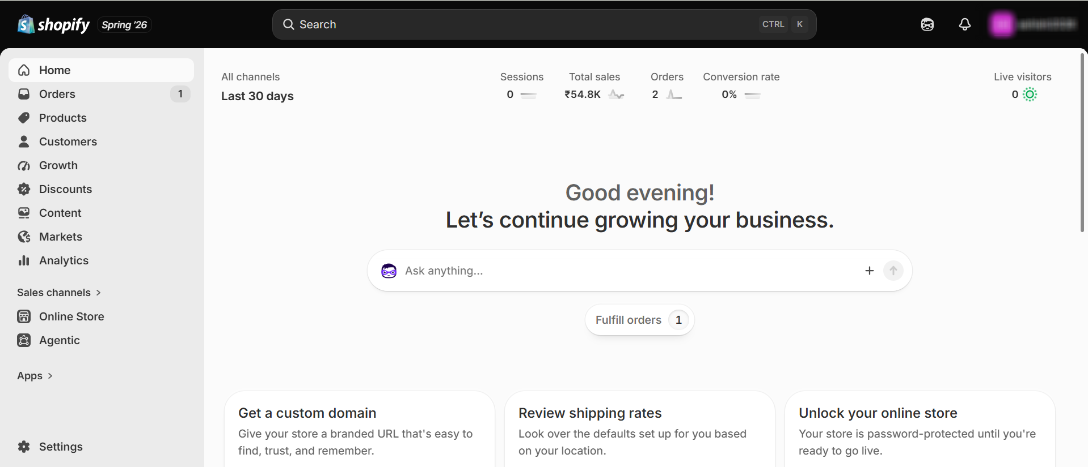
Step 1: Open your Shopify Store.
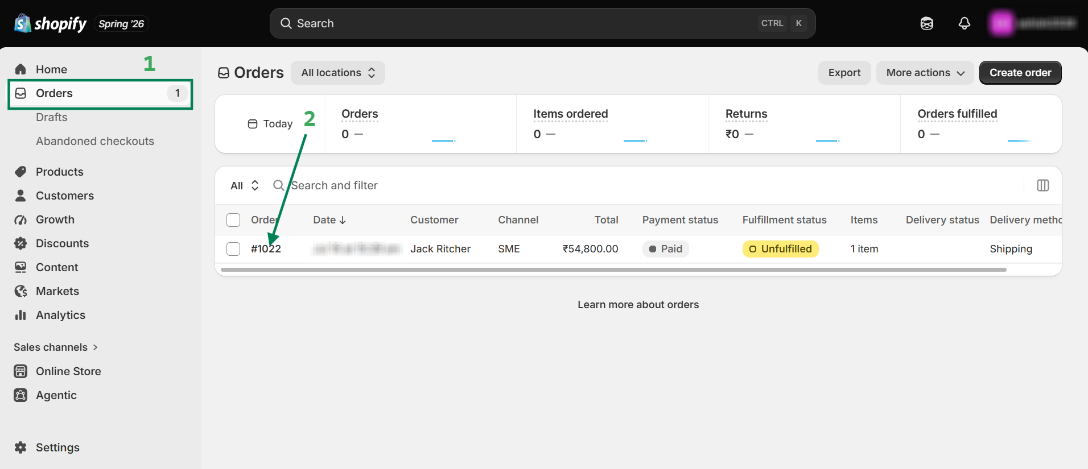
Step 2: Click on Orders and open the targeted order.
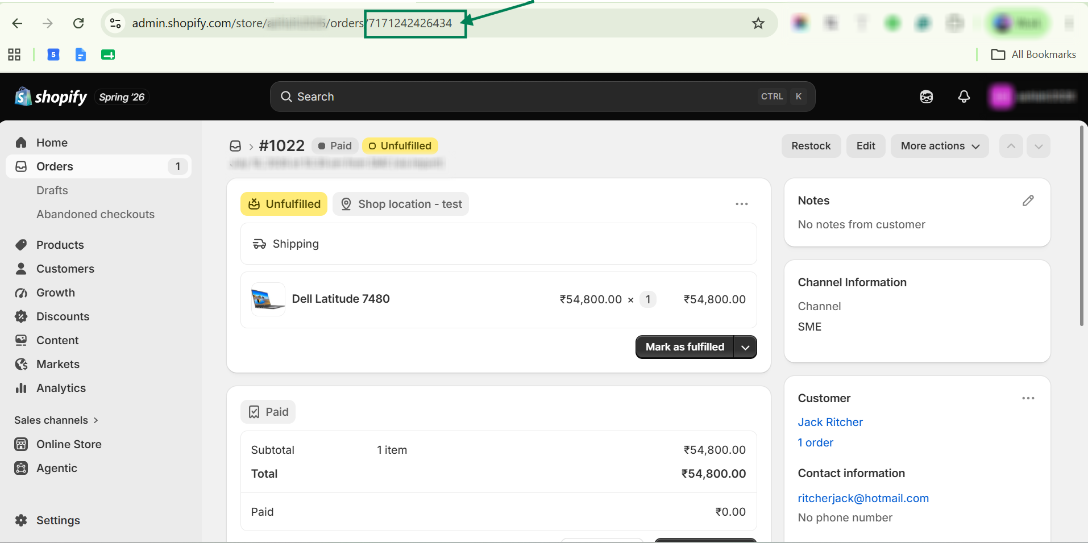
Step 3: Copy the Shopify Order ID from the Shopify Store URL.
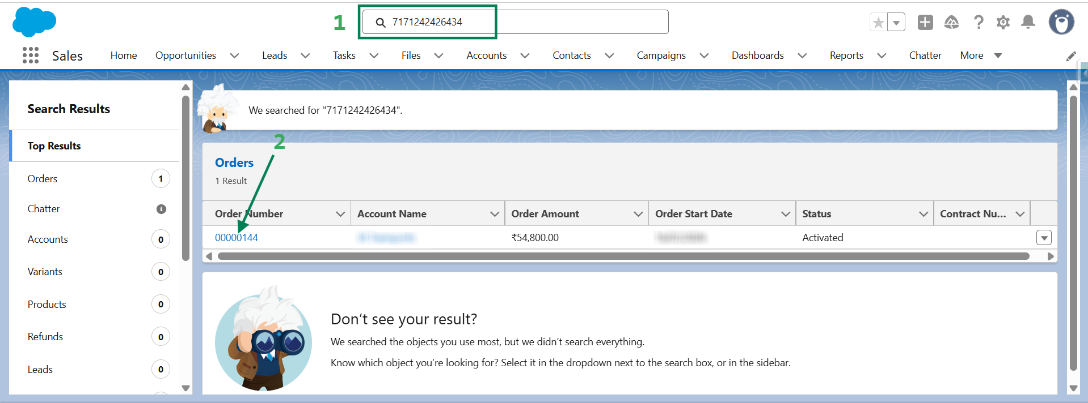
Step 4: Search the copied Shopify Order ID in the Salesforce Global Search and verify that the order has been synced successfully.
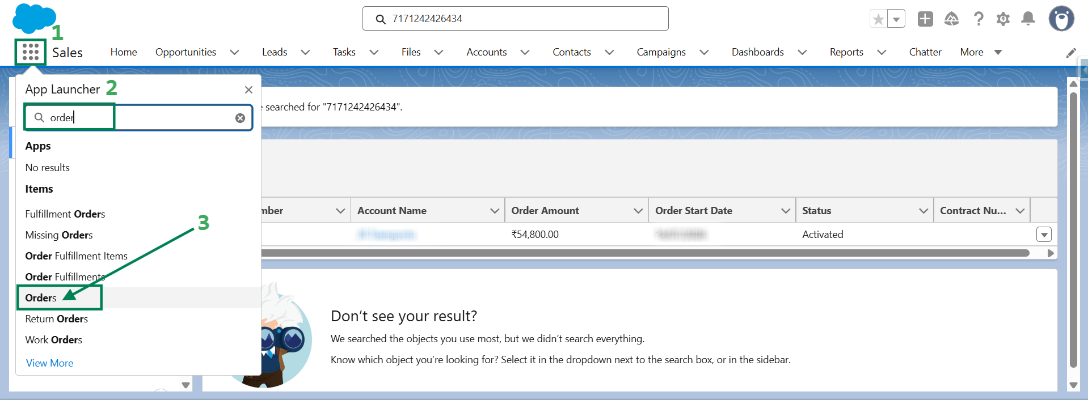
Step 5: Another way to check the order is to search for Orders from the App Launcher and open the Orders tab.
Step 6: Change the list view to All Orders, then search for the order using the Account Name, Order Amount, Order Number, or other available details.
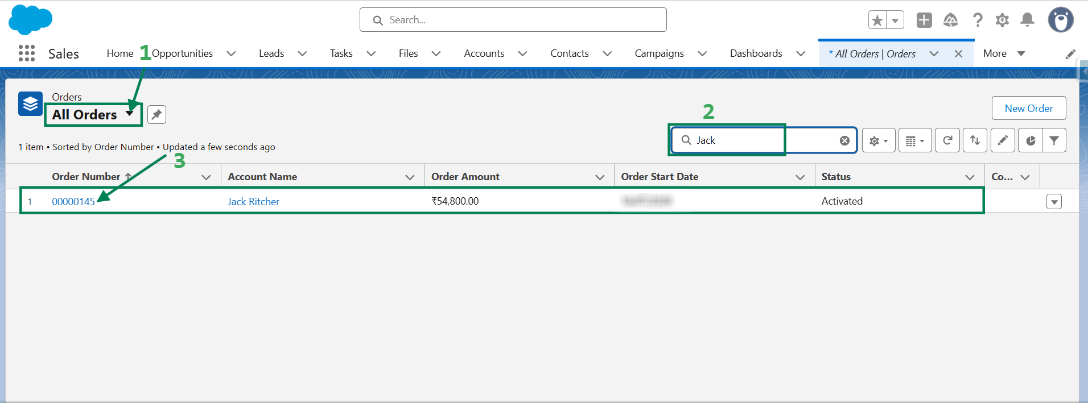
You can follow the same steps to verify the synchronization of Accounts, Products, and Opportunities.
Was this article helpful?
That’s Great!
Thank you for your feedback
Sorry! We couldn't be helpful
Thank you for your feedback
Feedback sent
We appreciate your effort and will try to fix the article
