This guide explains how to change the API Version in the app and keep you and your team updated so you’re always ahead of the curve.
Step 1: Go to your Shopify Store.

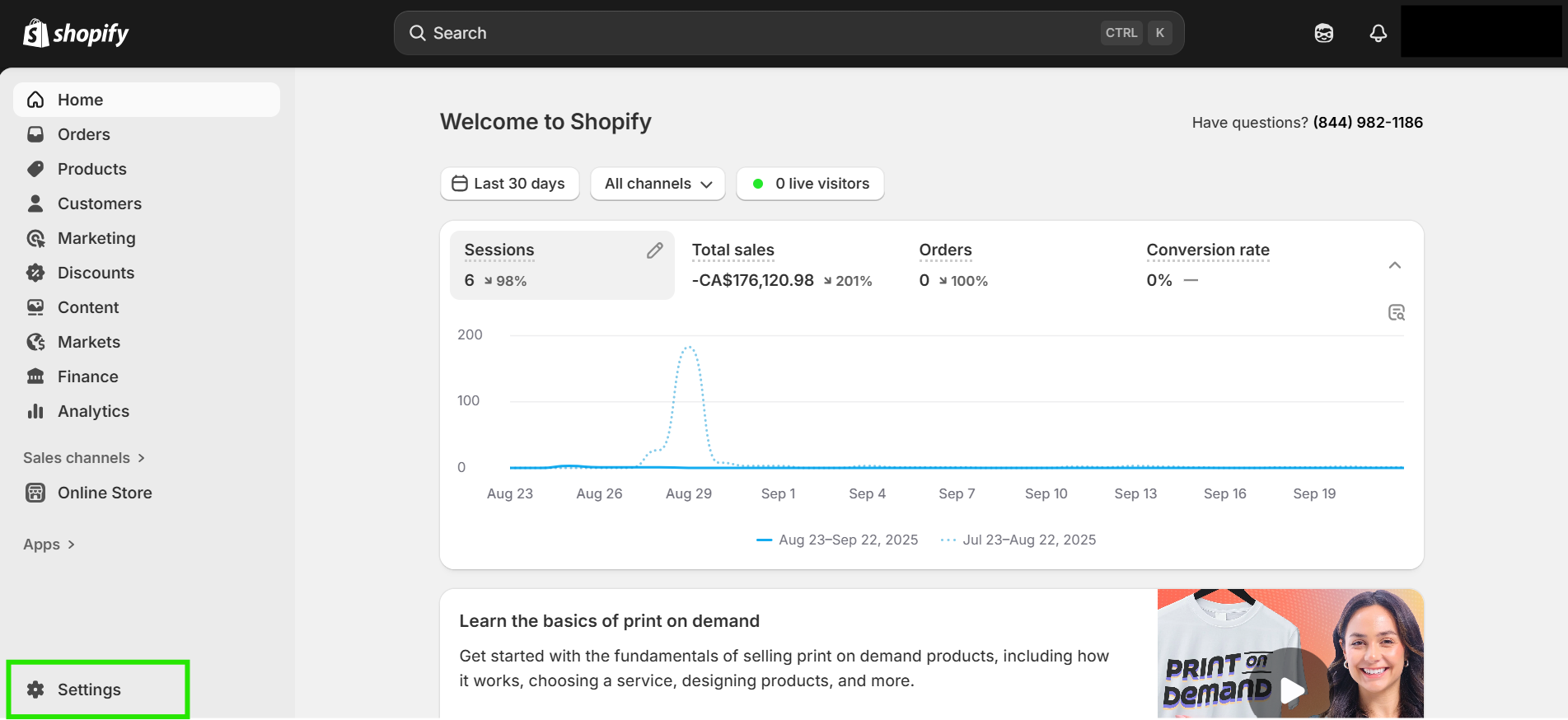
Step 2: Open “Settings”.
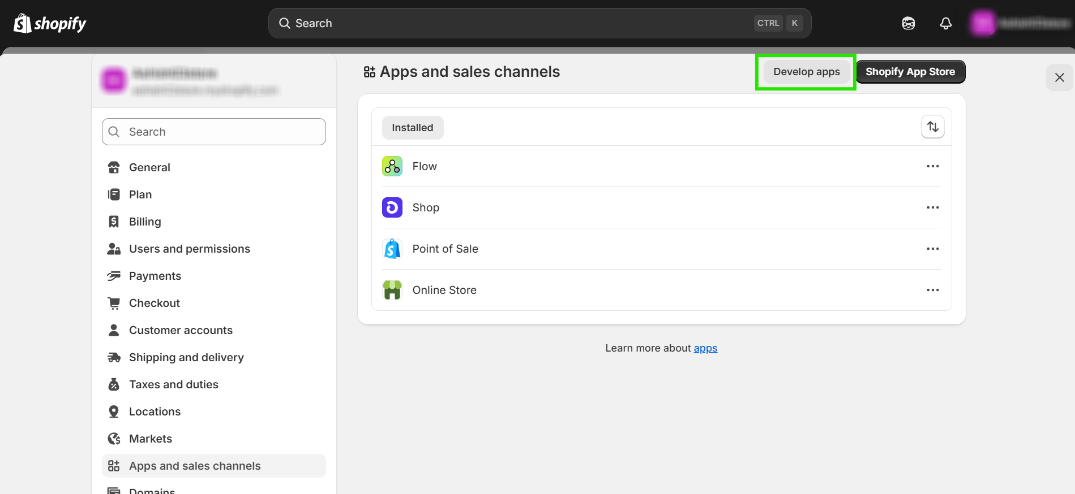
Step 3: Then, click on “Apps and Sales Channel”.

Step 4: Click on “Develop Apps”.
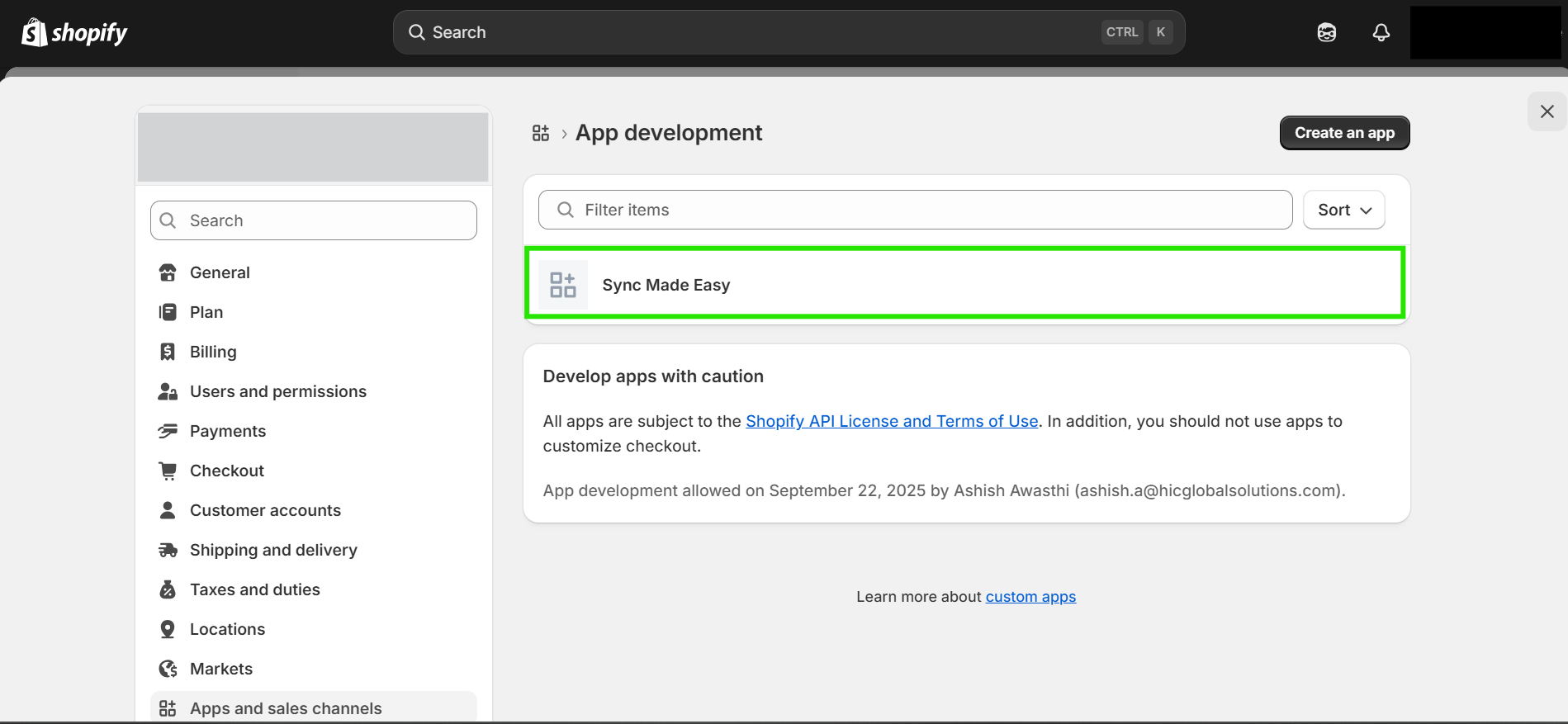
Step 5: Open the app that you are using for Sync Made Easy.
Step 6: Now, click on "configuration" and edit the “Admin API Integration”.
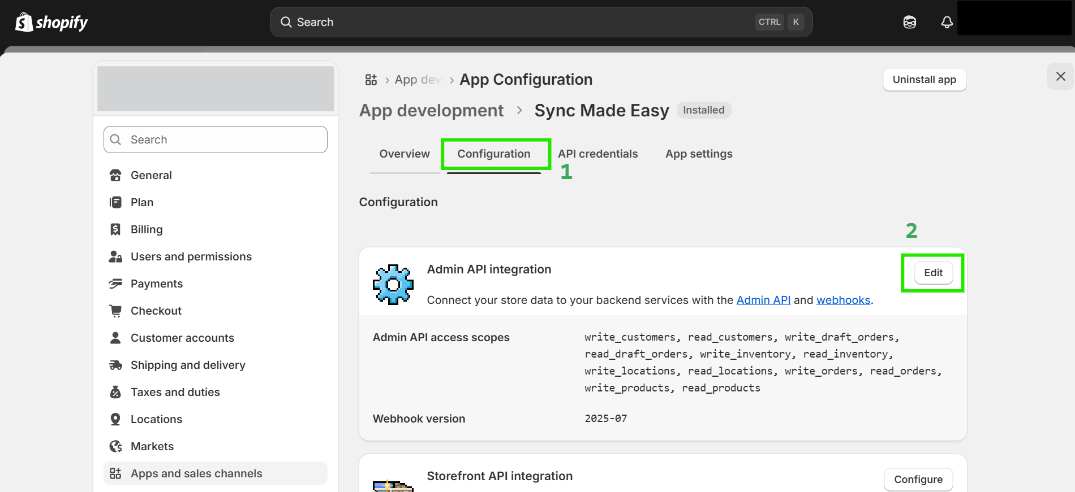
Step 7: Scroll down to “Webhook Subscriptions” and change them to the latest version, then click on save.
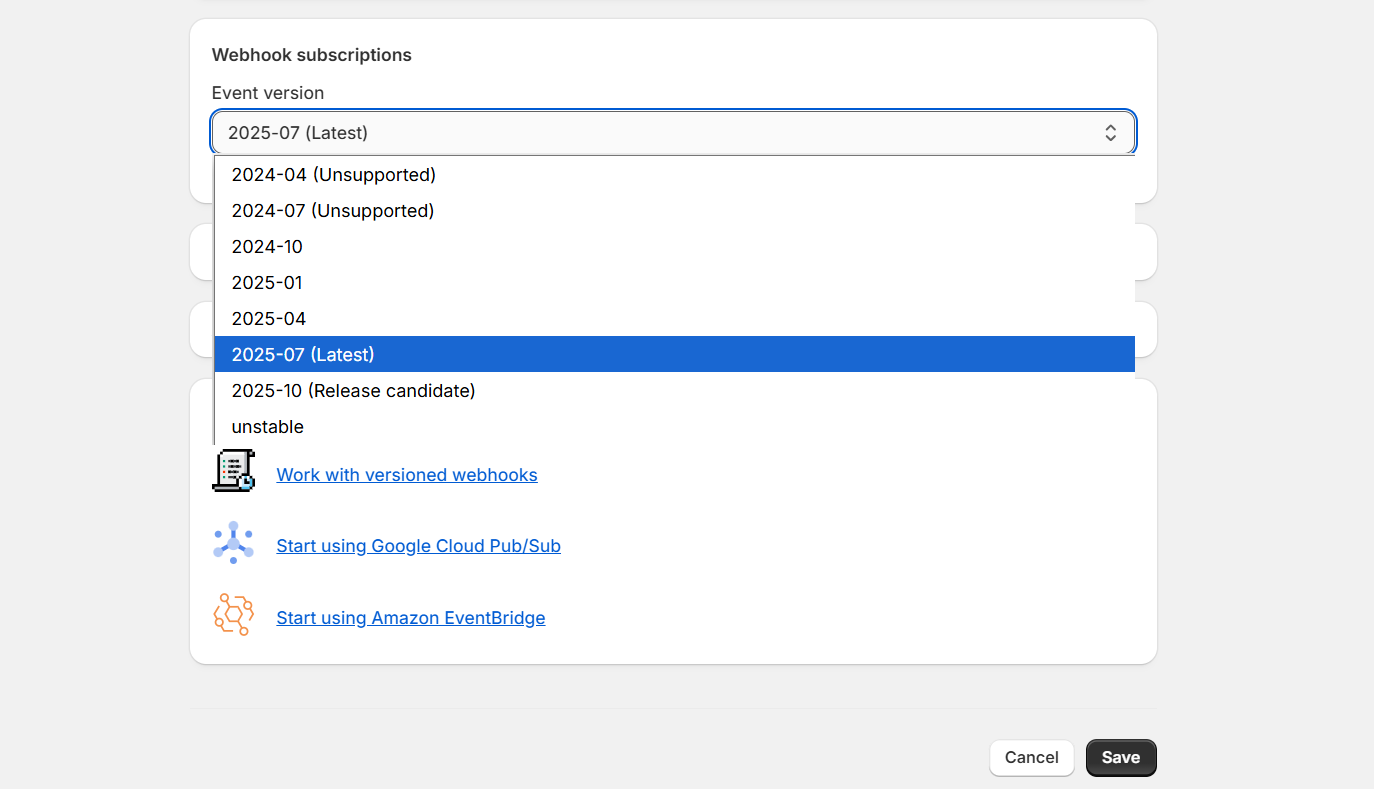
If you encounter this error again in the future, simply update to a higher version than the one you have selected.
Thanks!
Was this article helpful?
That’s Great!
Thank you for your feedback
Sorry! We couldn't be helpful
Thank you for your feedback
Feedback sent
We appreciate your effort and will try to fix the article
