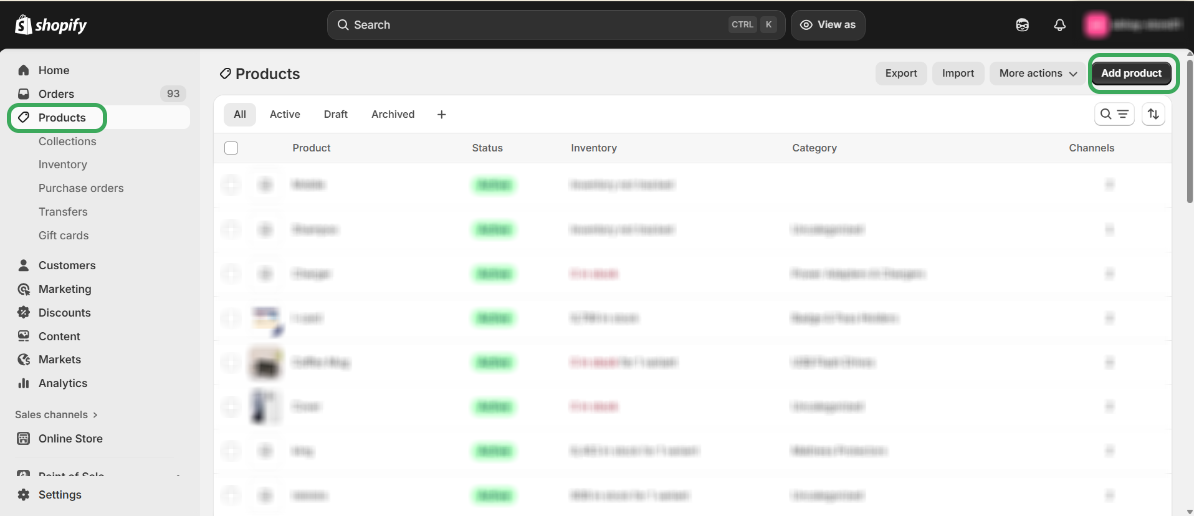
Step 1 – "Open your Shopify store, go to 'Products,' and click 'Add products' to begin adding products."
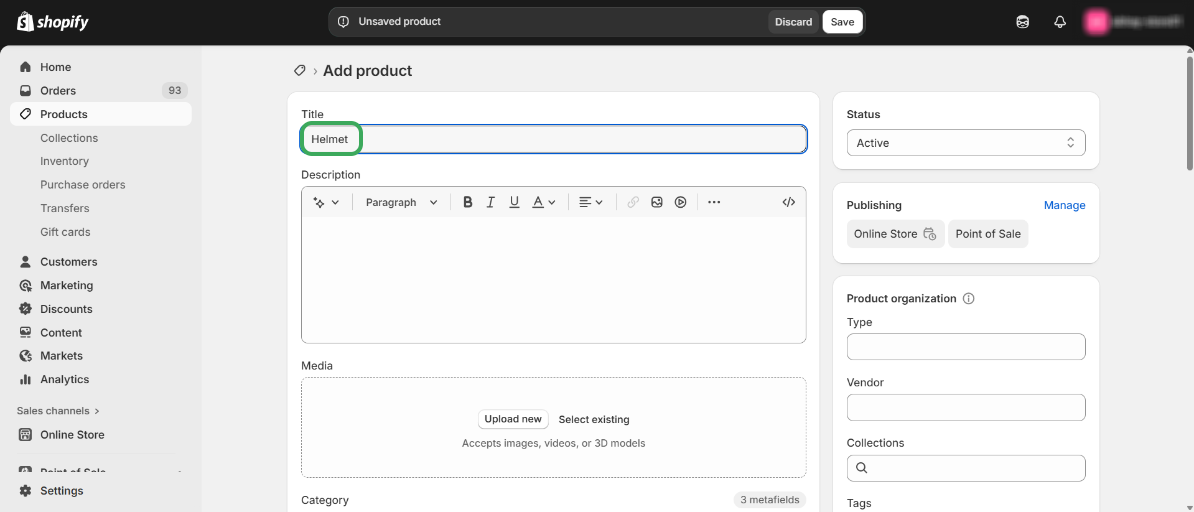
Step 2 - "Enter the name of your product, then scroll down to add the price and quantity."
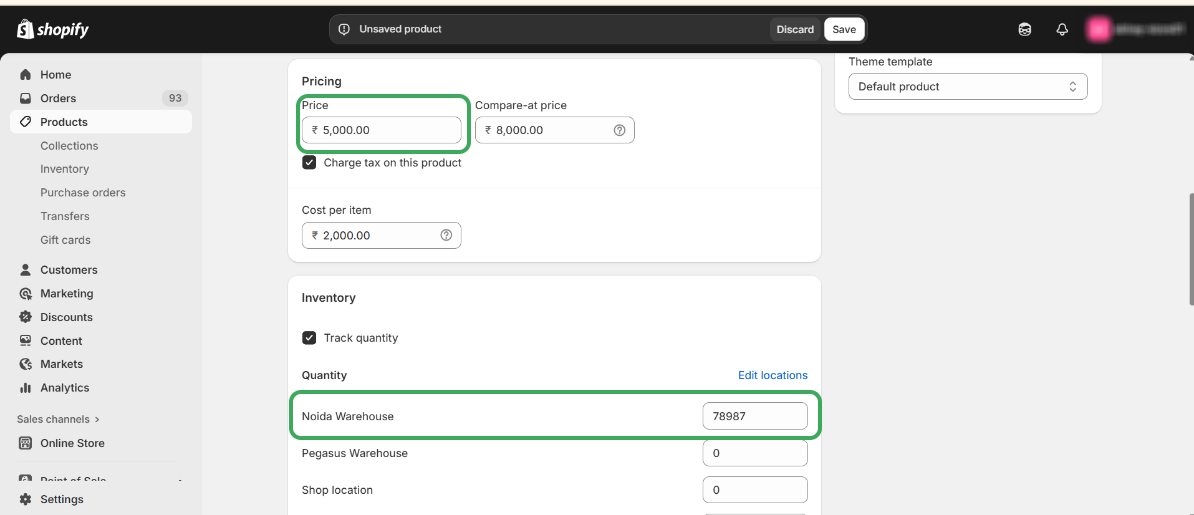
Step 3 – Enter the “Price” and “Quantity”.
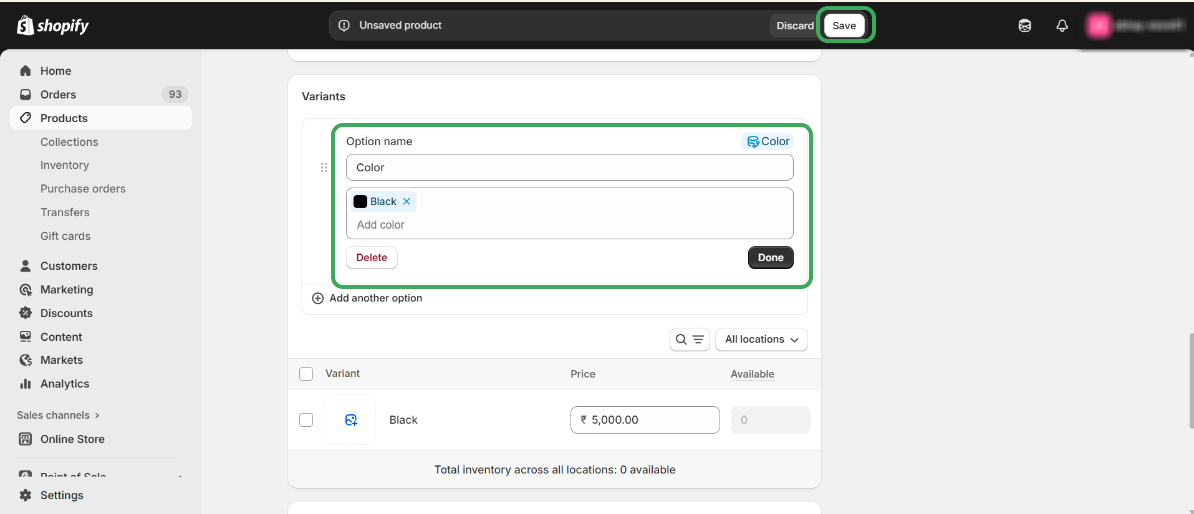
Step 4 – Add a Variant, if applicable, and then click on the Done.
Step 5 – Copy the Shopify Product ID from the Shopify Store URL.
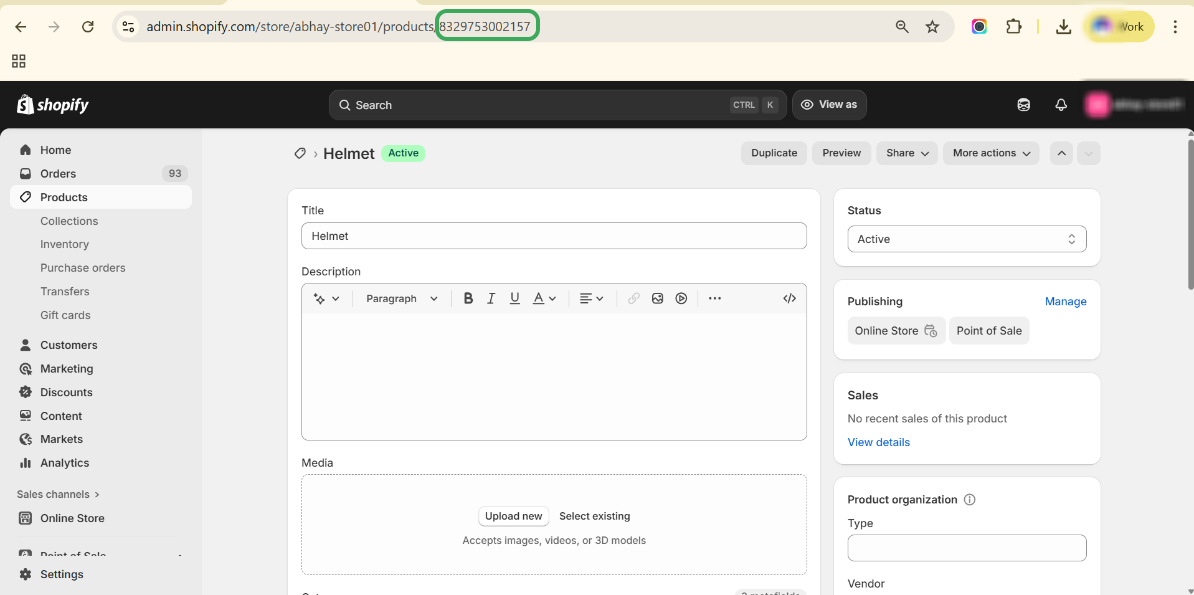
Step 6 – Open Salesforce, paste the Product ID in the search box, and press Enter.
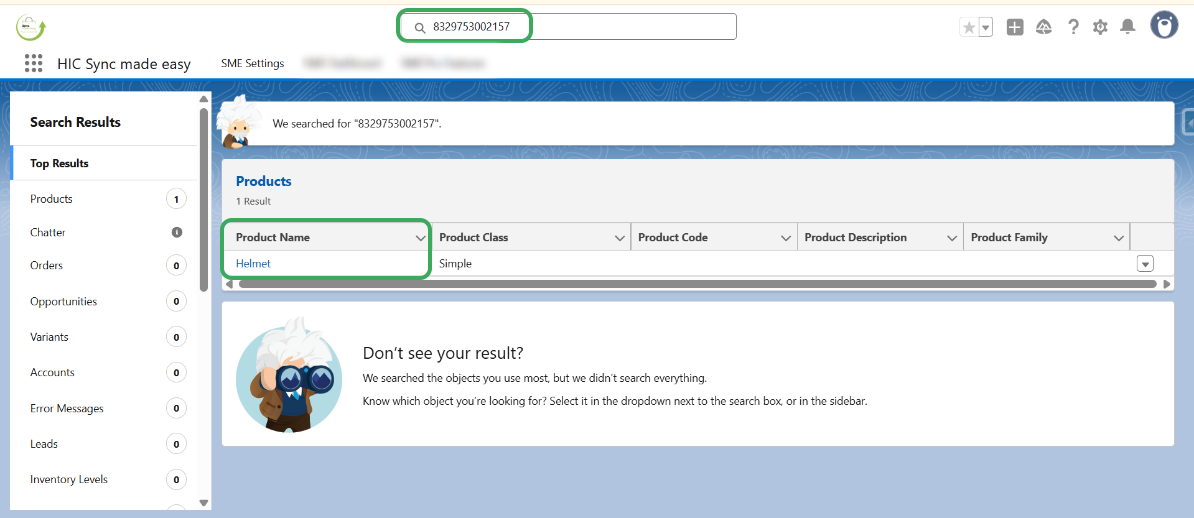
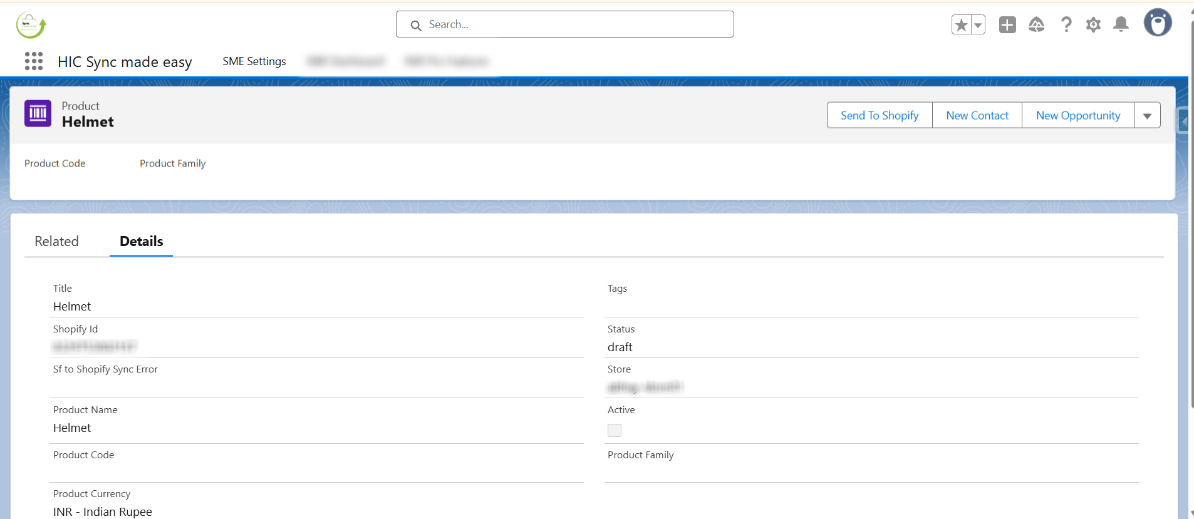
Step 7 – The product is successfully created in Salesforce.
Was this article helpful?
That’s Great!
Thank you for your feedback
Sorry! We couldn't be helpful
Thank you for your feedback
Feedback sent
We appreciate your effort and will try to fix the article
