This guide provides detailed steps to create draft orders in Shopify, retrieve their Shopify IDs, and synchronize them with Salesforce, ensuring accurate draft order and opportunity tracking.
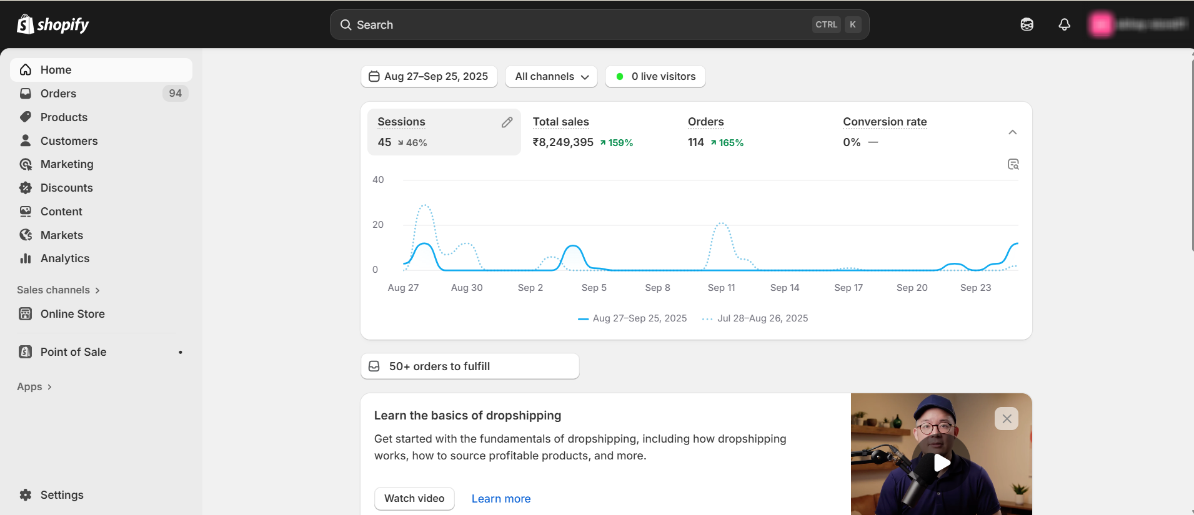
Step 1 – Open your Shopify store.
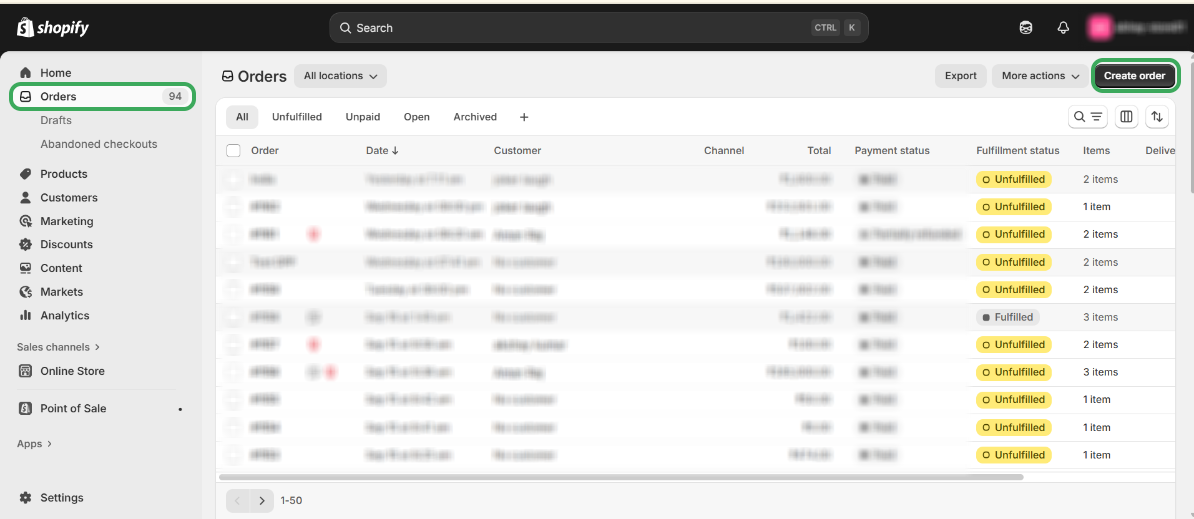
Step 2 – Go to “Orders” and click on "Create Order" to create a new order.
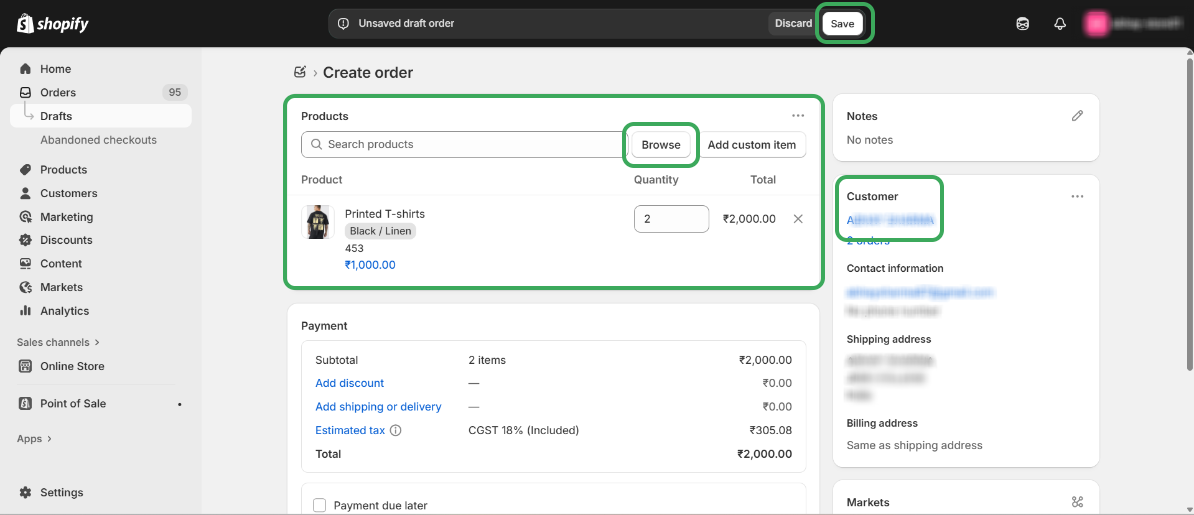
Step 3 – Select products by clicking the Browse button, add customer details, and click on “Save“.
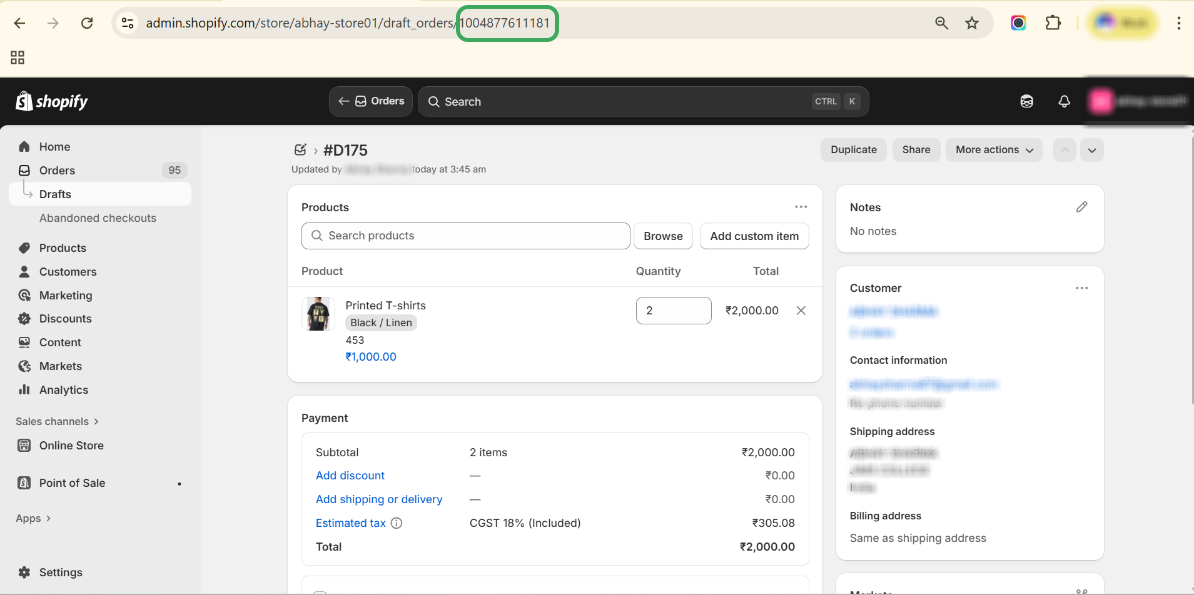
Step 4 – Copy the “Shopify ID” from Shopify Store URL.
Step 5 – Search the Id in Salesforce and check for Draft Order.
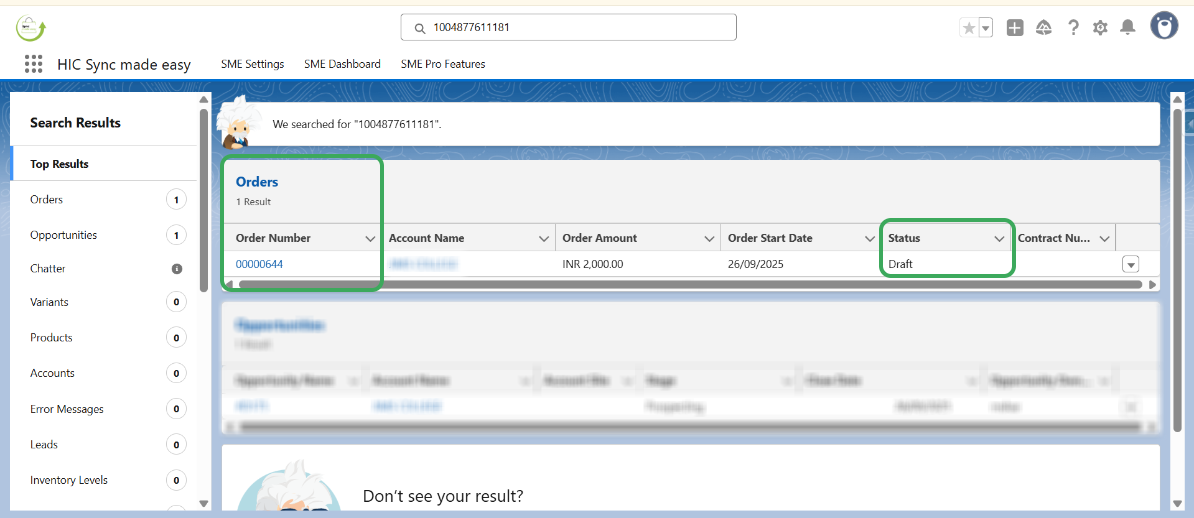
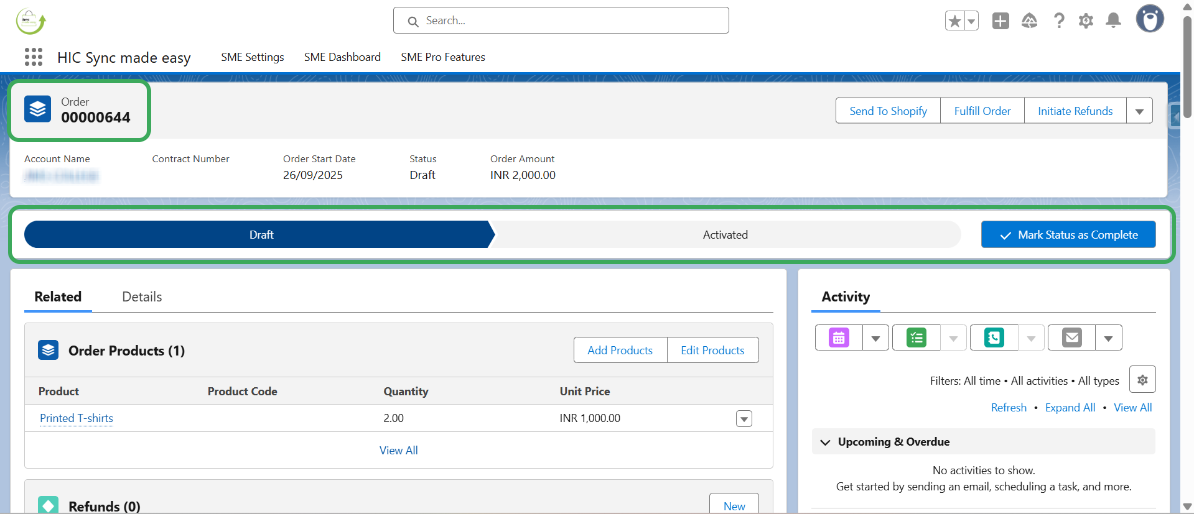
Step 6 – Open the draft order to check the details.
Was this article helpful?
That’s Great!
Thank you for your feedback
Sorry! We couldn't be helpful
Thank you for your feedback
Feedback sent
We appreciate your effort and will try to fix the article
