In this guide, we will walk you through how opportunities are automatically closed in Salesforce when a Shopify draft order is marked as paid. This helps you easily track whether the customer has completed the payment.
Follow the steps below to enable and use this feature easily:
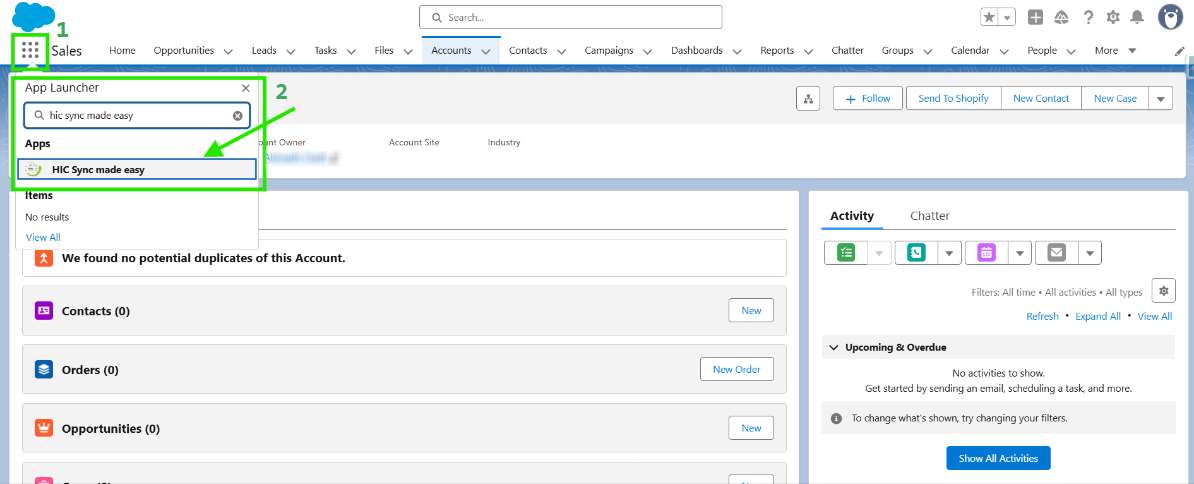
Step 1: Log in to Salesforce & in App Launcher search "HIC Sync made easy". Click on it.
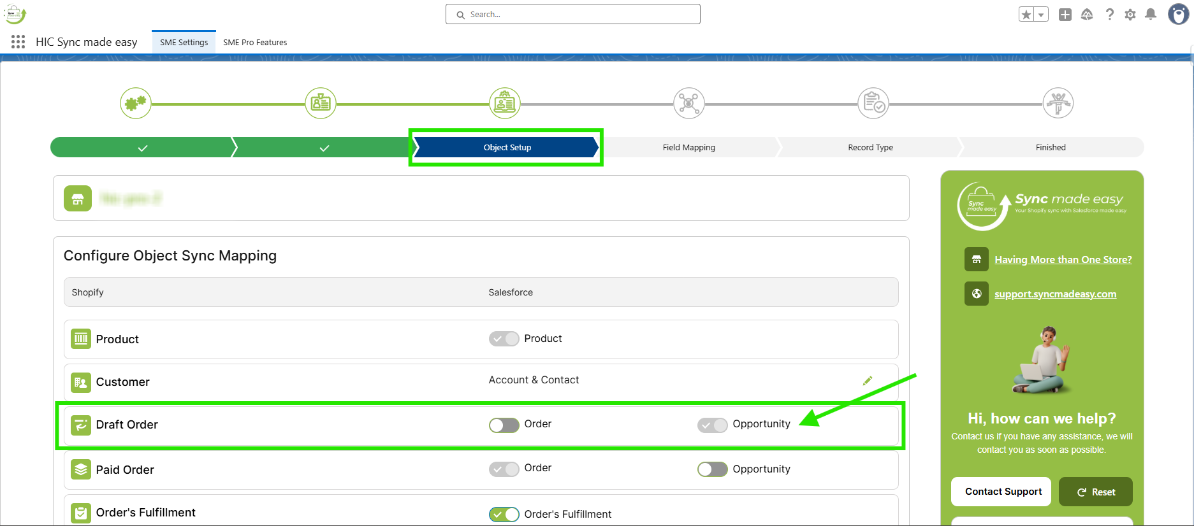
Step 2: On the Object Setup page, make sure the Draft Order's Opportunity toggle button is enabled.
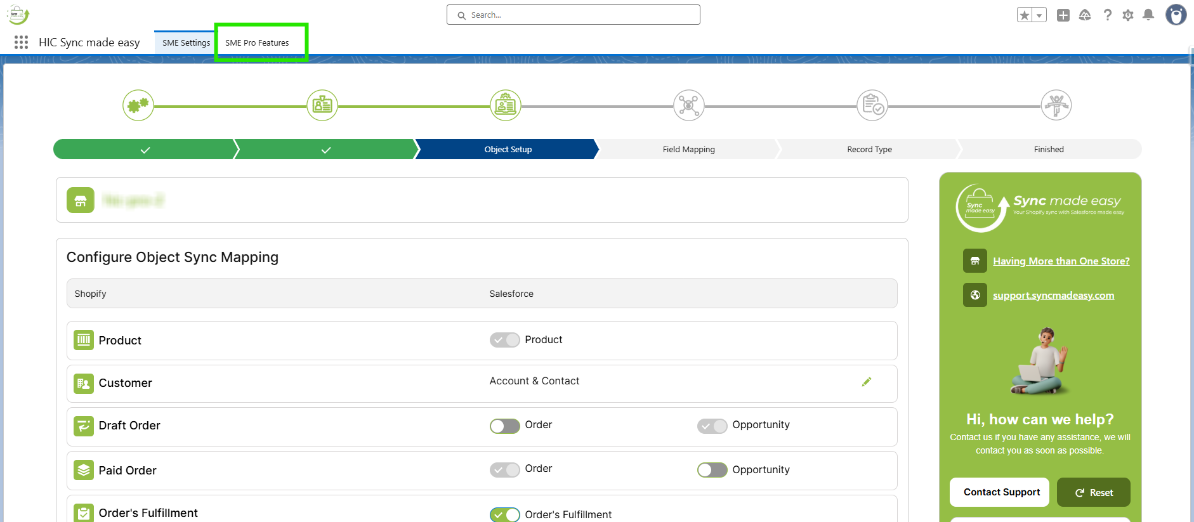
Step 3: Go to "SME Pro Features".
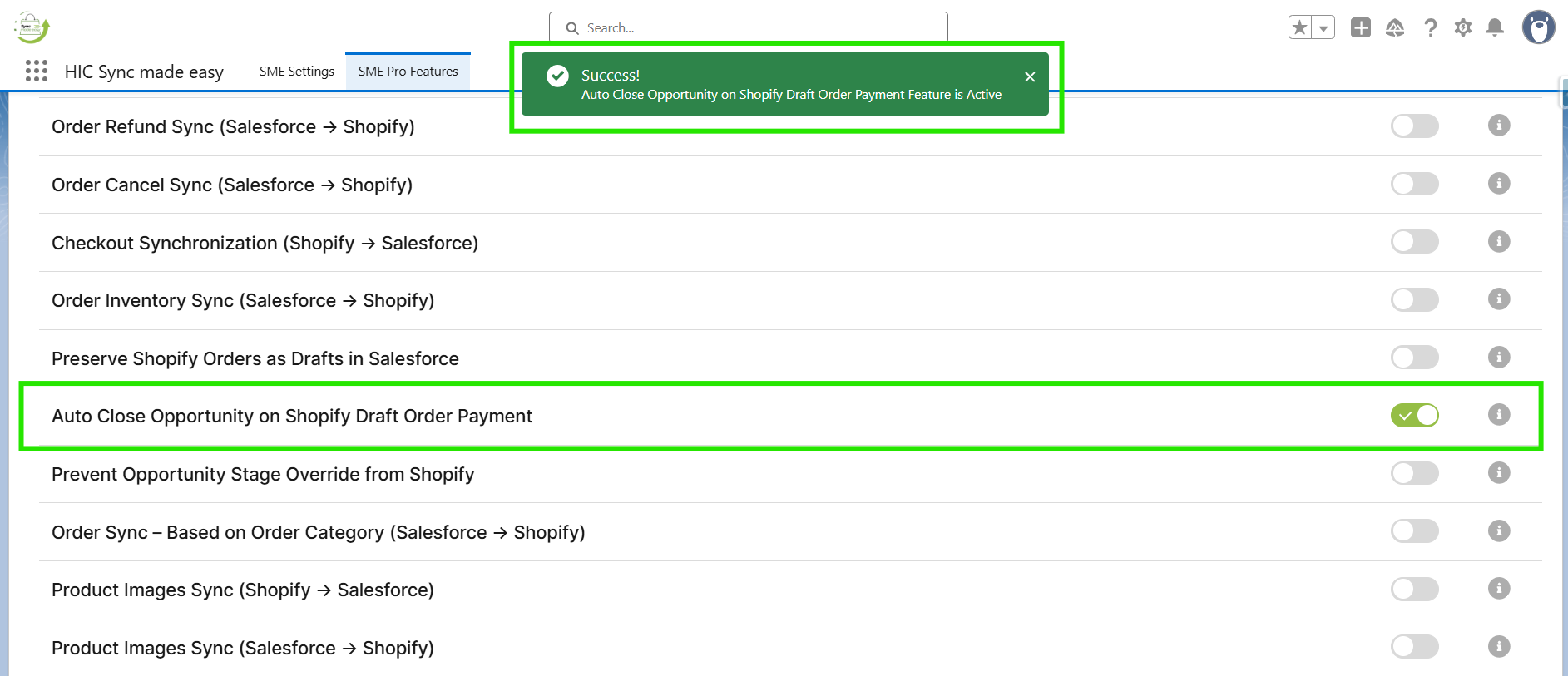
Step 4: Enable the “Auto Close Opportunity on Shopify Draft Order Payment” feature toggle button.
Step 5: Go to Shopify and create a draft order.
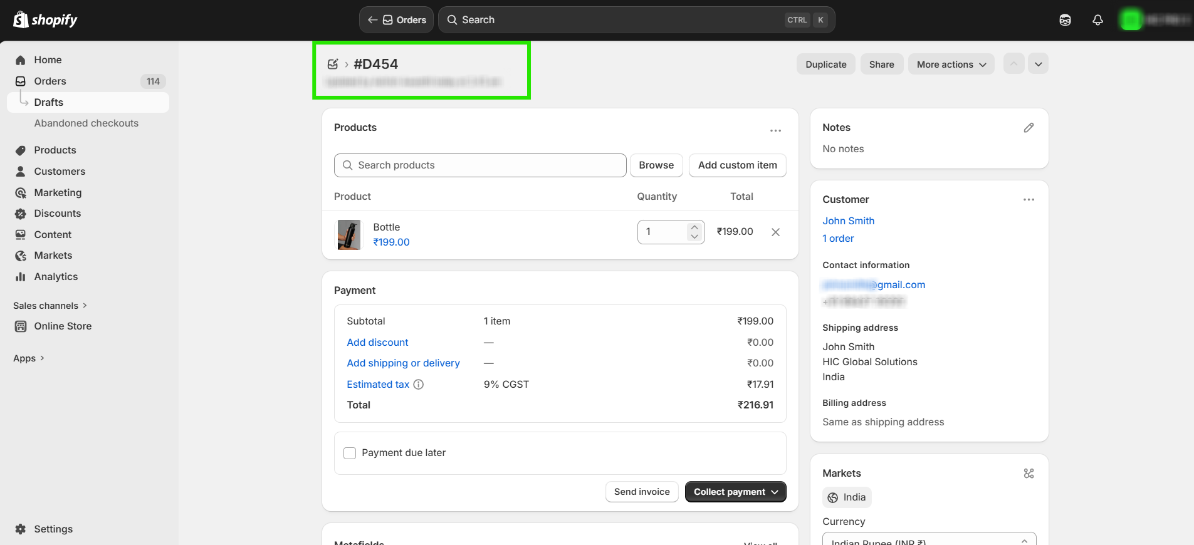
Step 6: Copy the Shopify ID and search it in Salesforce. Then open the Opportunity.
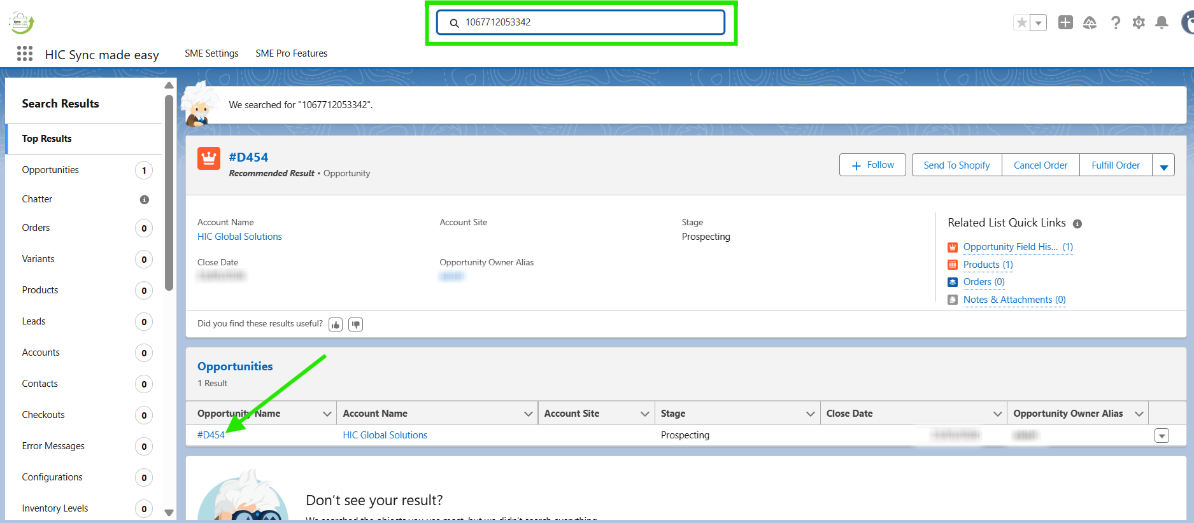
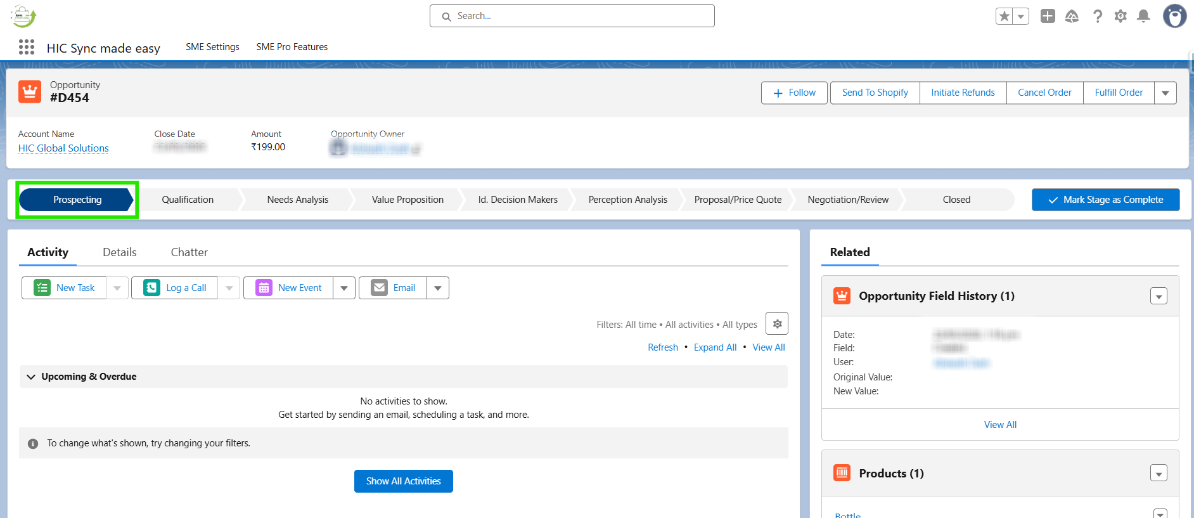
Step 7: Now, the Opportunity stage is set to Prospecting.
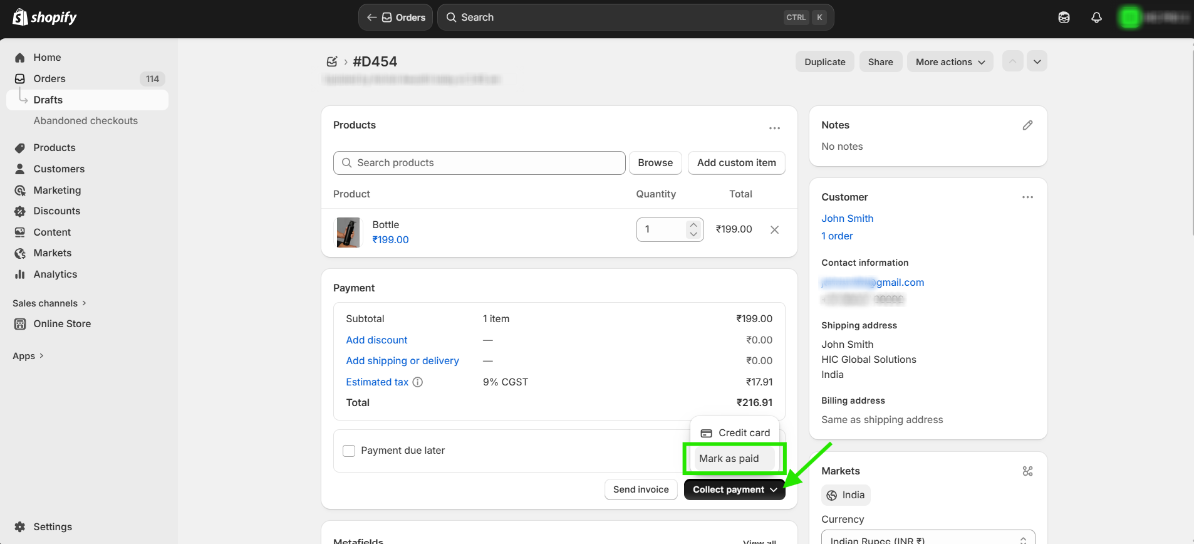
Step 8: Return to Shopify and mark the draft order as paid.
Step 9: In Salesforce, just refresh the page. The draft order’s Opportunity stage will automatically change from Prospecting to Closed Won.
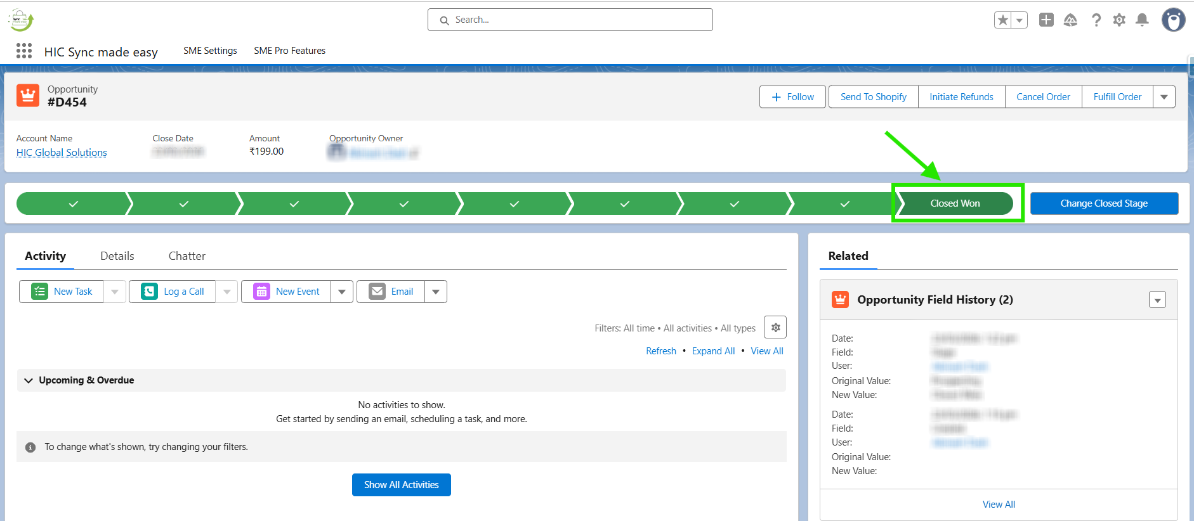
This feature automatically updates Opportunities to Closed Won in Salesforce when a Shopify draft order is paid, reducing manual work and errors. It keeps your sales data accurate and in sync in real time.
Thanks!
Was this article helpful?
That’s Great!
Thank you for your feedback
Sorry! We couldn't be helpful
Thank you for your feedback
Feedback sent
We appreciate your effort and will try to fix the article
