If you are facing the Reduction Order error while creating a new order in Salesforce, it means you have enabled Reduction Order in your org.
You can not directly create an order from the New Order button in Order Tab after enabling Reduction Order in your org. It’s a Salesforce standard feature. You need to go to Account and use order related list to create an order.
So, here is a quick walkthrough of the steps you need to follow to create an order when the reduction order is enabled. If you create an order directly from the New Order button after enabling the reduction order in your org, you will receive the following error message
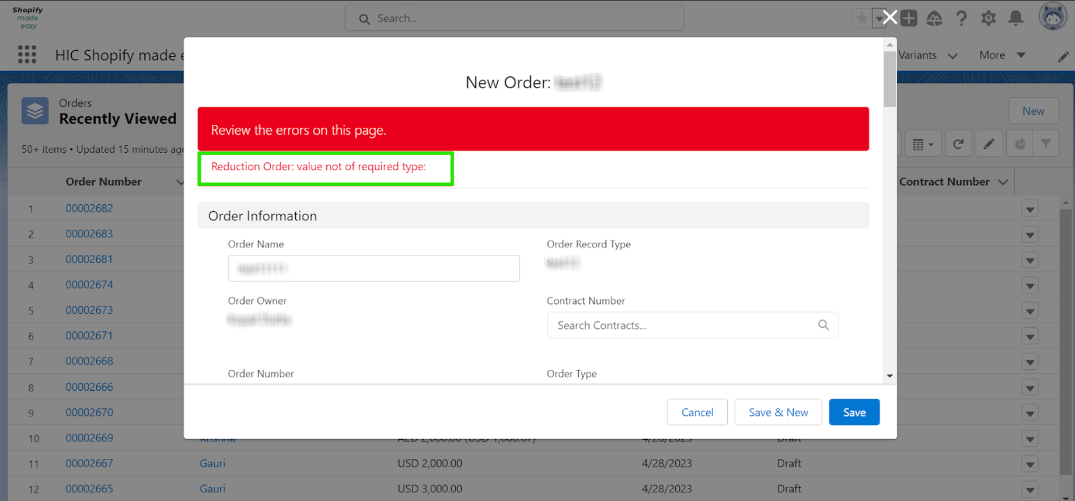
To create an order when Reduction Order is enabled, follow these steps:
Step 1 - Go to the Account page in Salesforce.
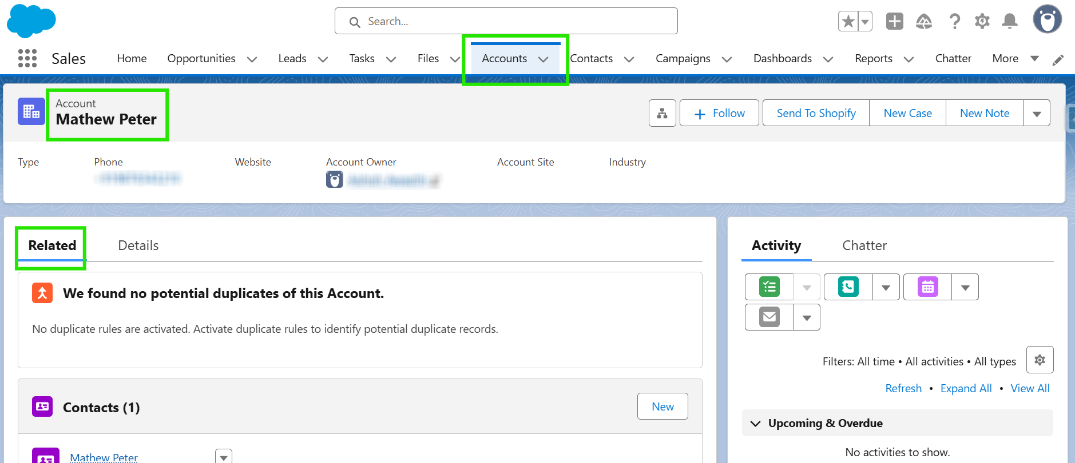
Step 2- Navigate to the Orders related list.
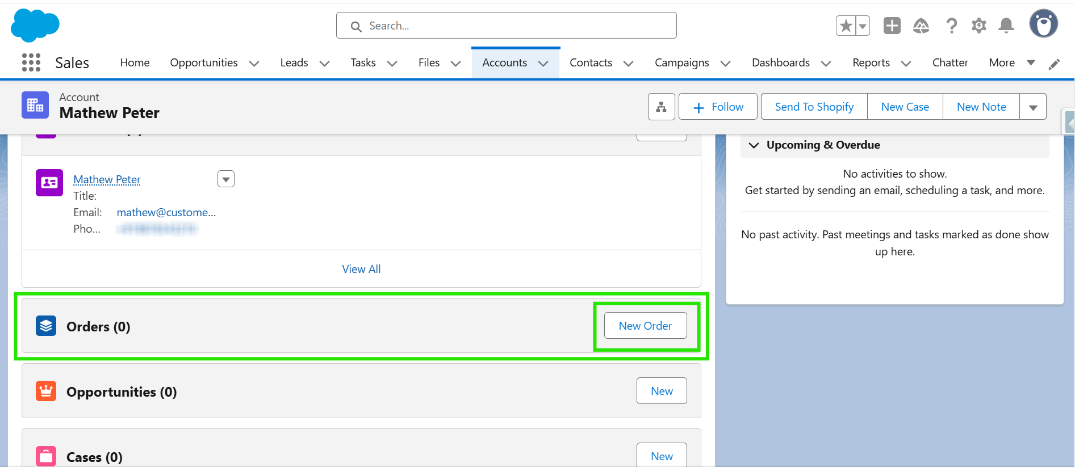
Step 3- Click on the New Order button to create a new order.
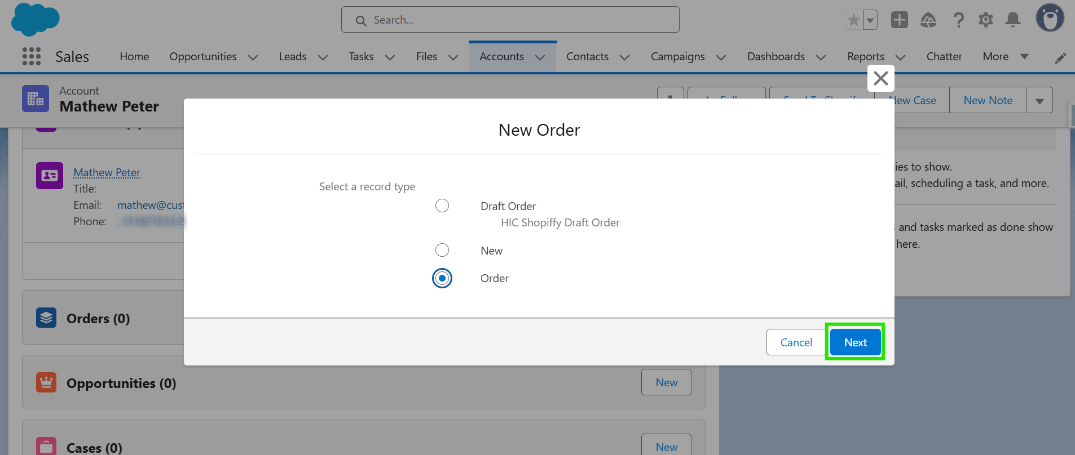
Step 4- Complete the required fields and save the order.
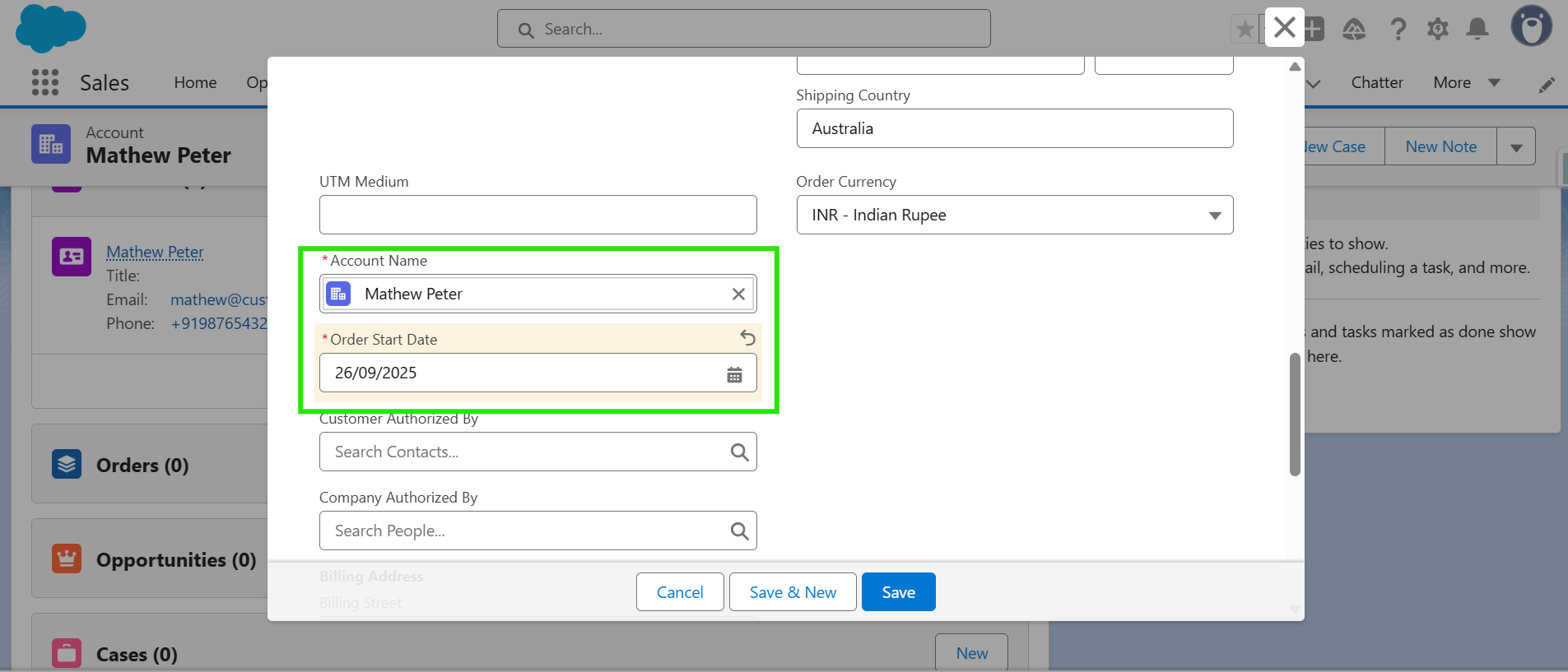
Step 4- A new order is now created.
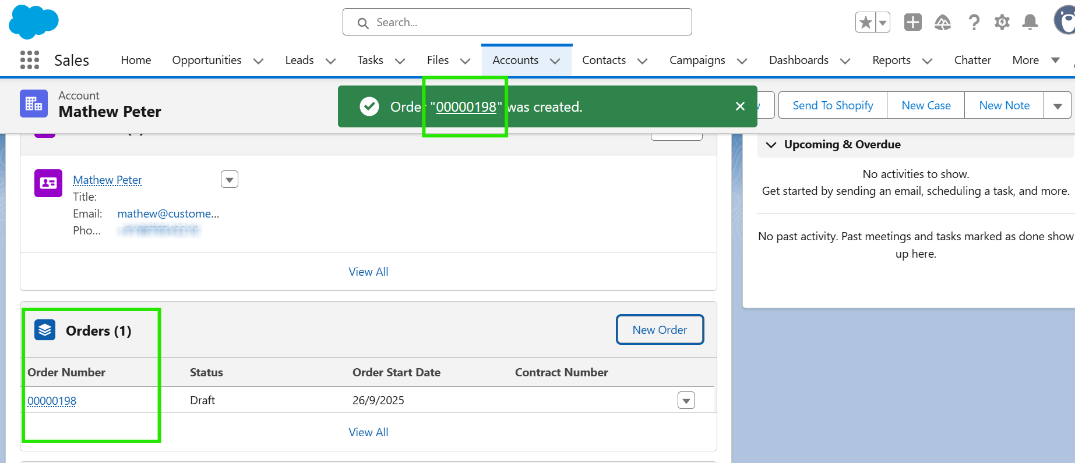
Hope the article was helpful!
Was this article helpful?
That’s Great!
Thank you for your feedback
Sorry! We couldn't be helpful
Thank you for your feedback
Feedback sent
We appreciate your effort and will try to fix the article