In this guide, we’ll walk you through how Return Order Sync from Salesforce to Shopify works. Whenever an order is returned in Salesforce, Shopify automatically creates a Return Order record with all the return details.
Stay tuned as we break down the step-by-step process to enable and use this feature effortlessly. Let’s dive in!
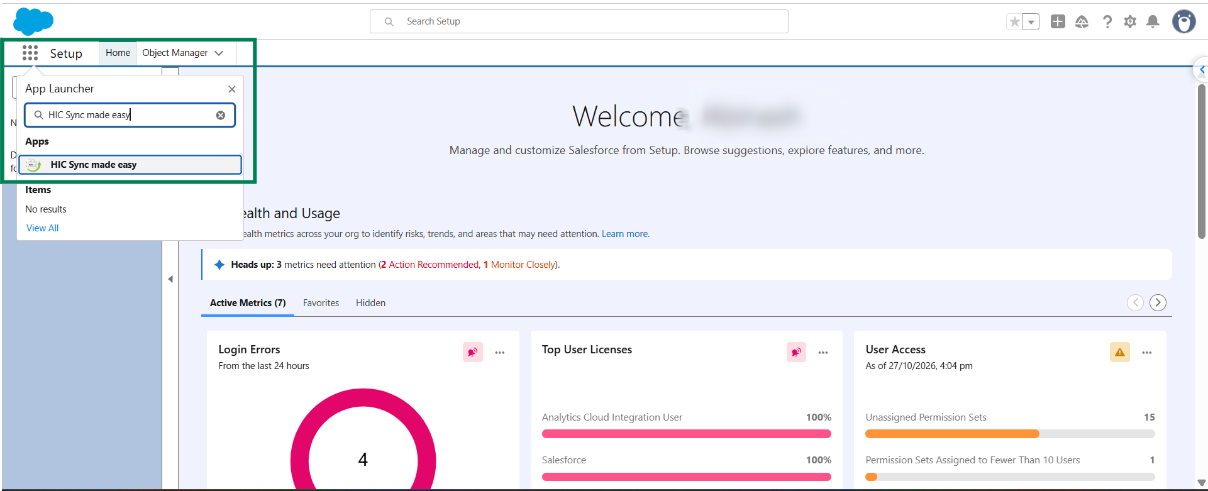
Step 1: Log in to Salesforce and, in App Launcher, search for "HIC Sync made easy". Click on it.
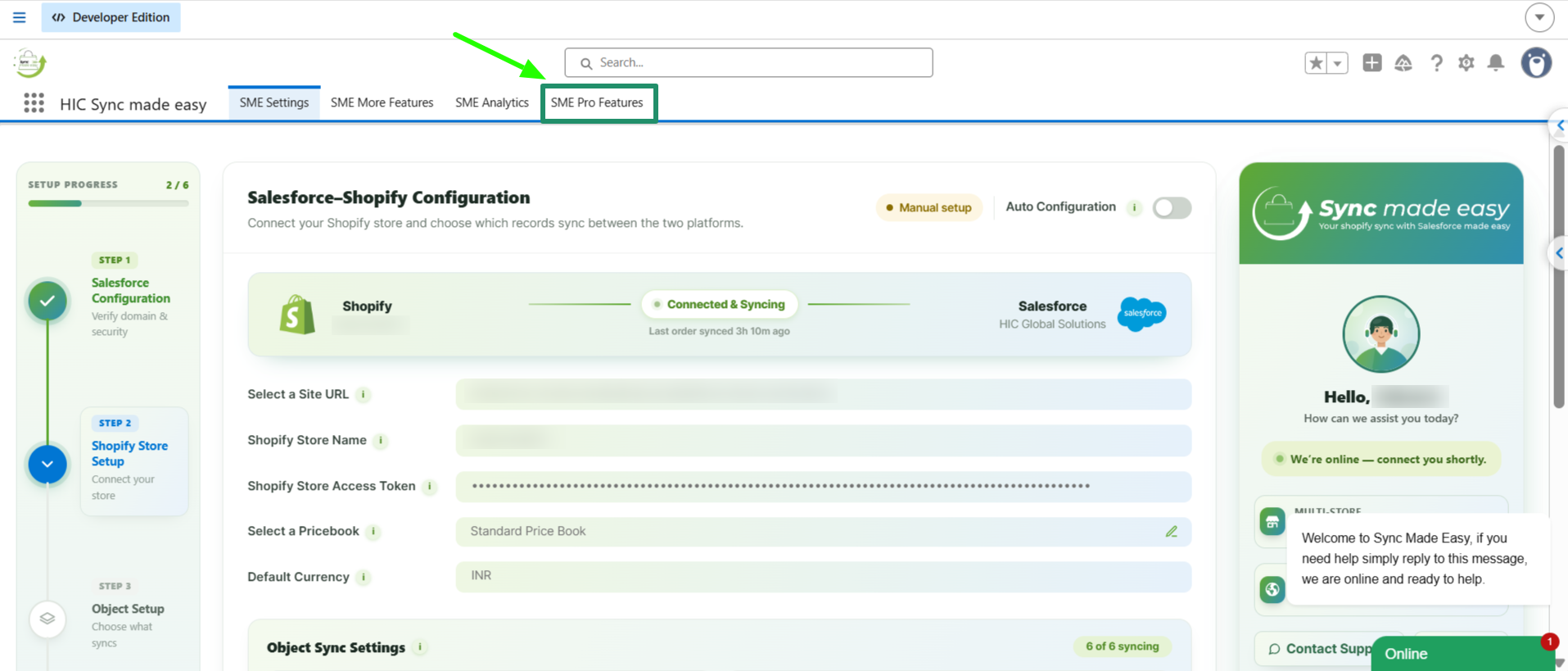
Step 2: Go to "SME Pro Features".
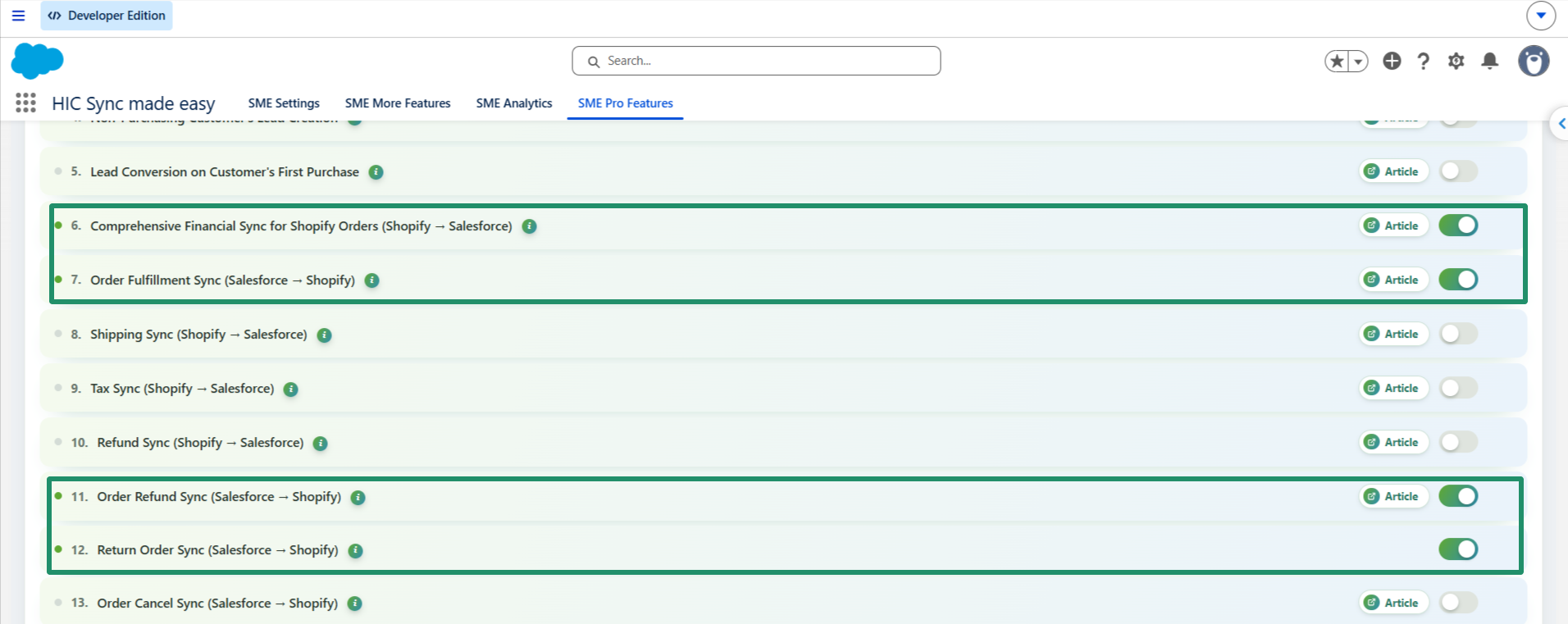
Step 3: Enable the toggle buttons for "Comprehensive Financial Sync for Shopify Orders (Shopify → Salesforce)", "Refund Sync (Salesforce→ Shopify)"Order Fulfillment Sync (Salesforce → Shopify) and "Return Order Sync (Salesforce→ Shopify)".
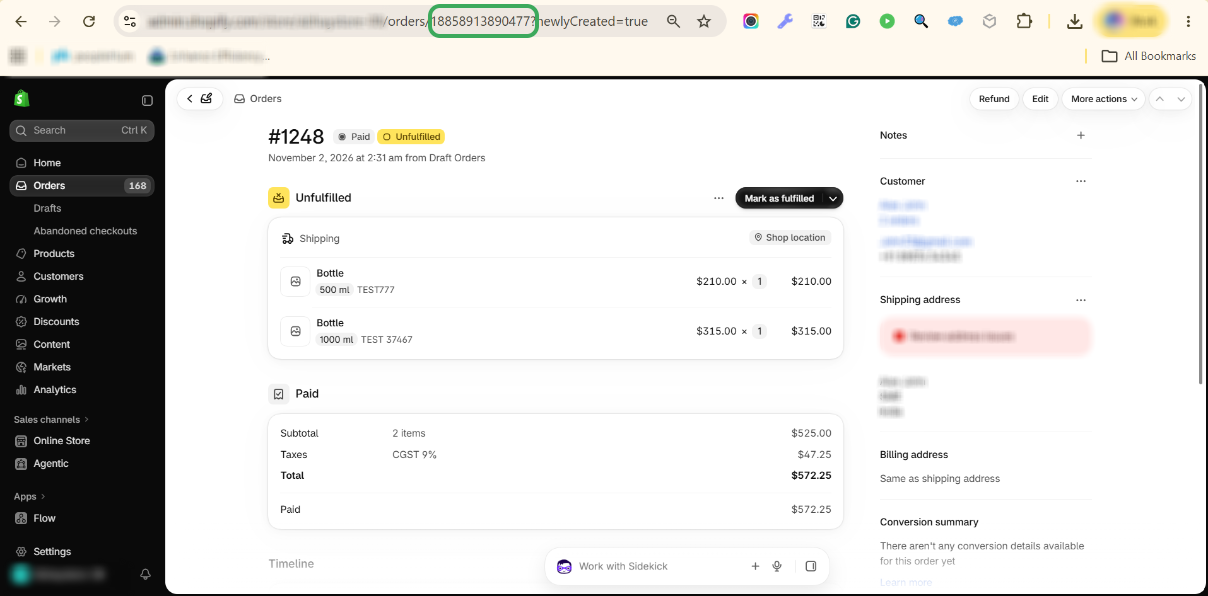
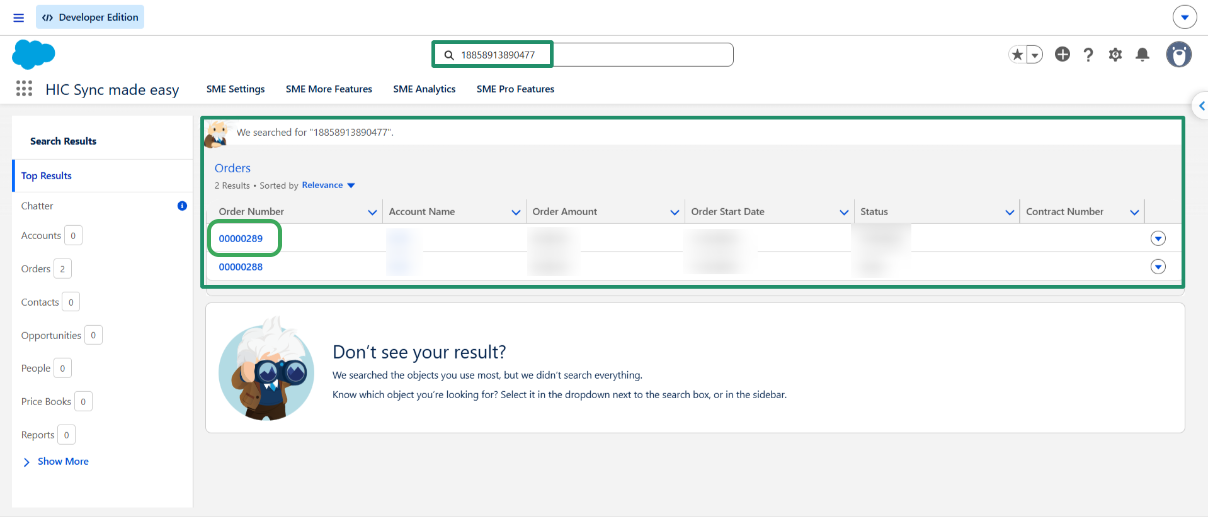
Step 4: Go to your Shopify store and select any paid order that you want to return from Salesforce, Copy the Shopify ID from the URL above and search for it in Salesforce.
Step 5: Open the record in Salesforce
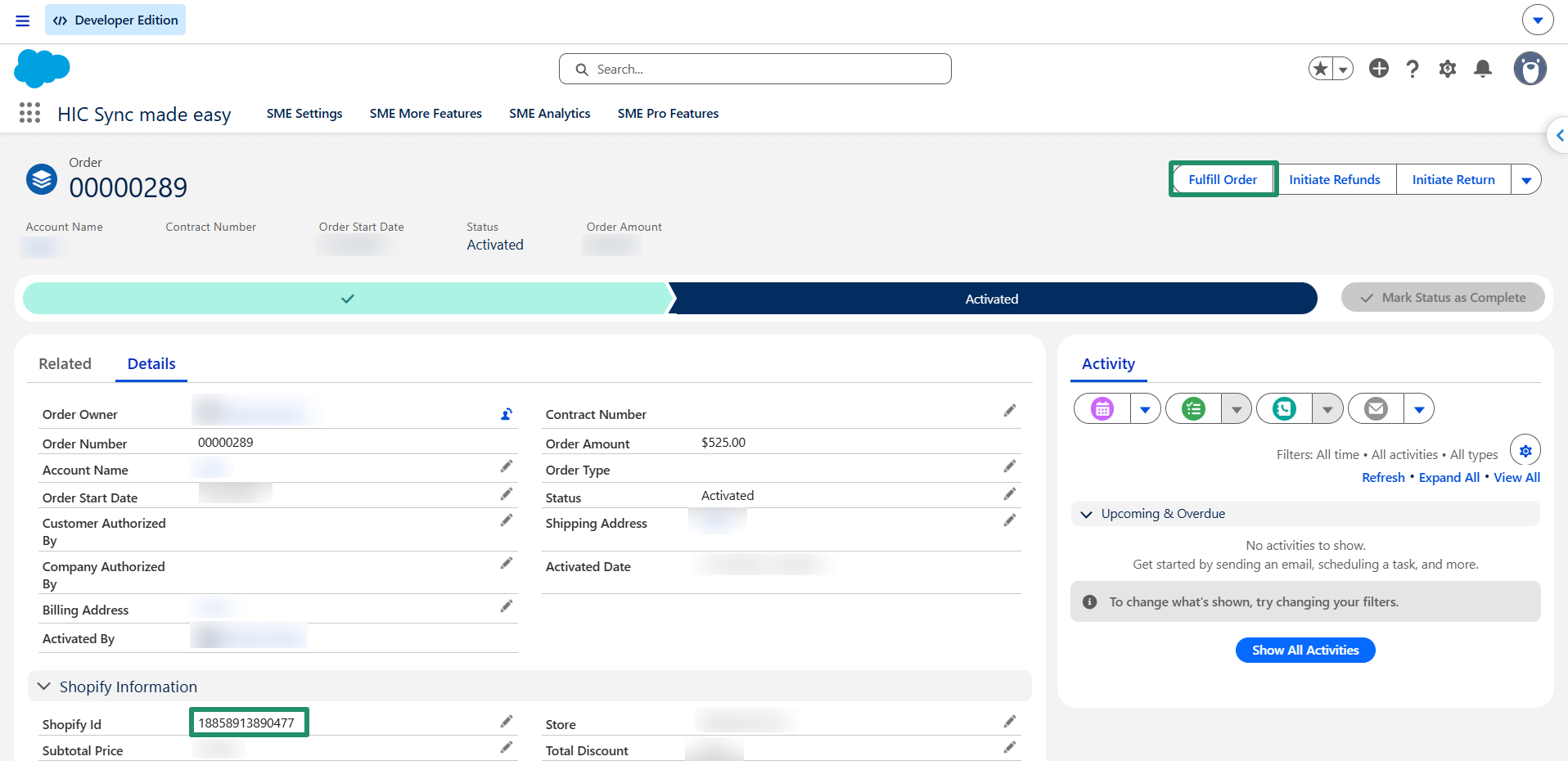
Step 6: Mark the order as fulfilled by clicking on the Fulfill Order button
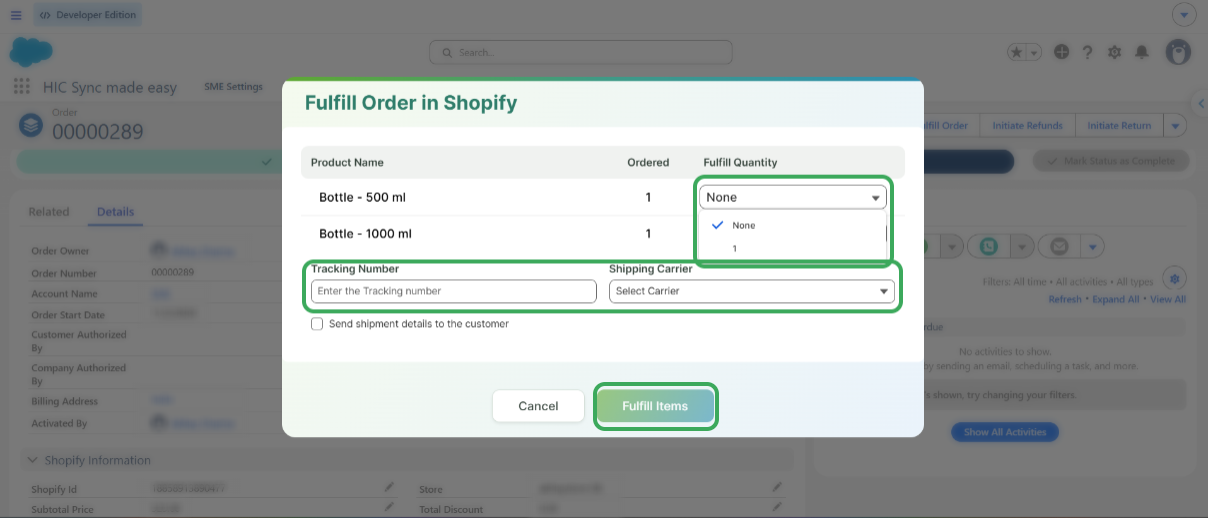
Step 7: Select the quantity you want to fulfill for the order. You can also enter the Tracking Number and select the Shipping Carrier (optional). Once done, click the "Fulfill Item" button to complete the fulfillment process.
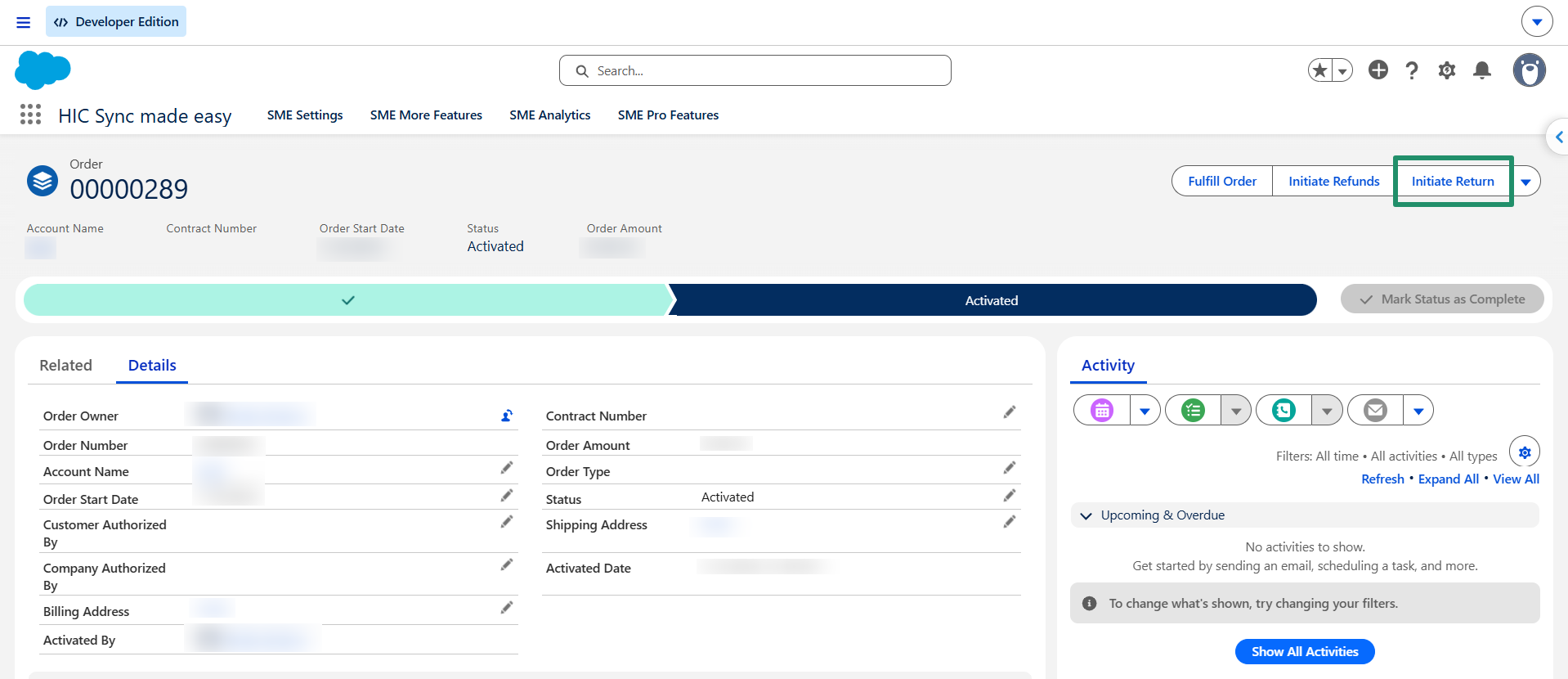
Step 8: After fulfilling the Order in Salesforce, click on the "Initiate Return" Button.
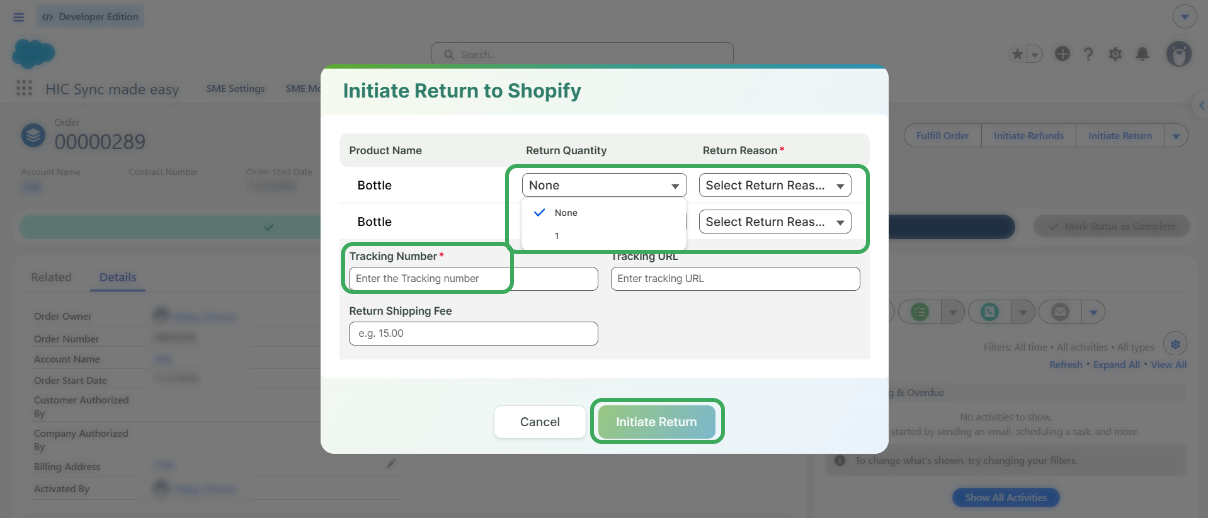
Step 9: Enter the Return Quantity, Return Reason, and Tracking Number for the Return order, and then click on the "Initiate Return" button
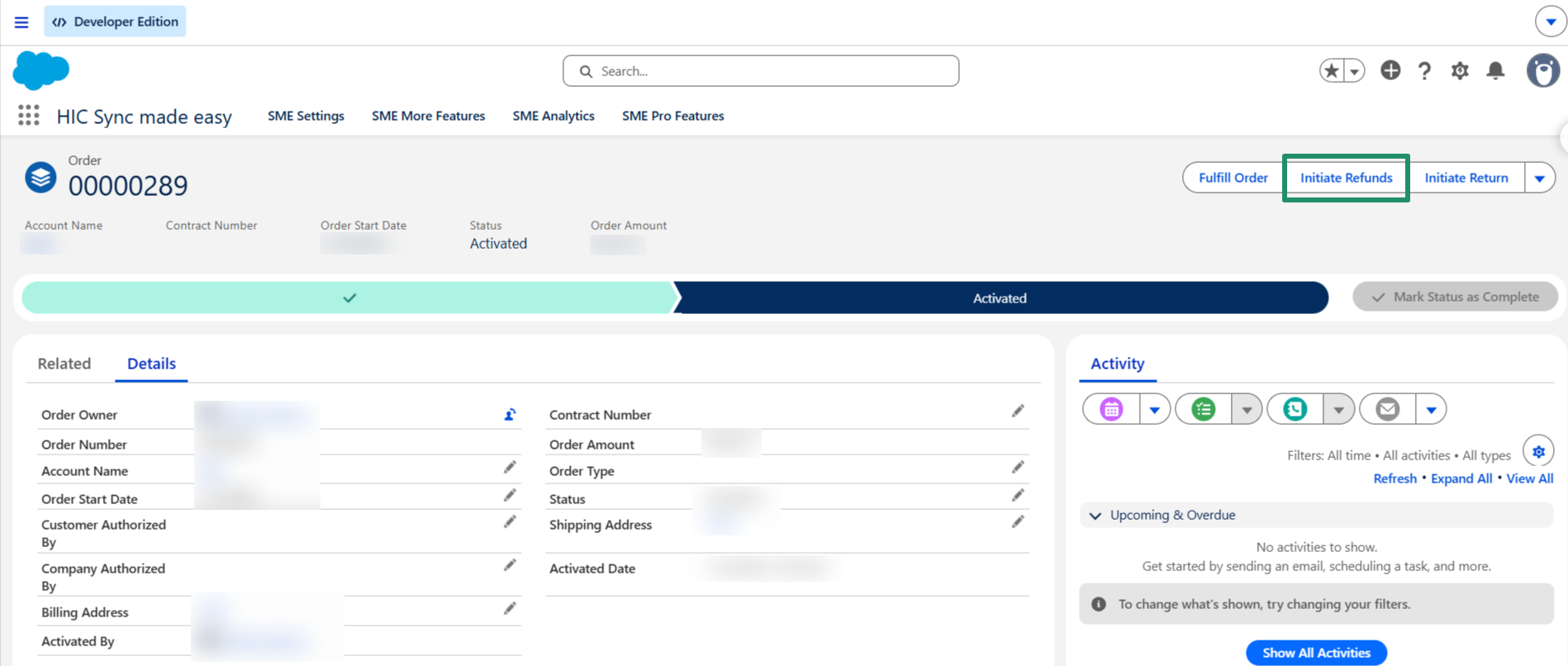
Step 10: Click "Initiate Refund" to process the refund for the returned product.
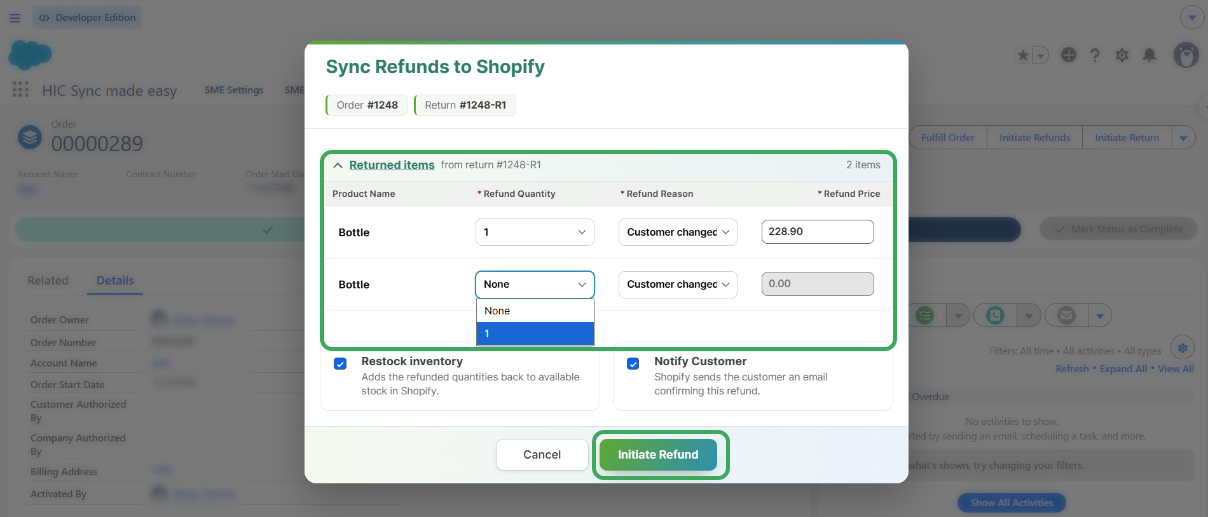
Step 11: Select the "Refund Quantity" and "Refund Reason" and then click on the "Initiate Refund" Button
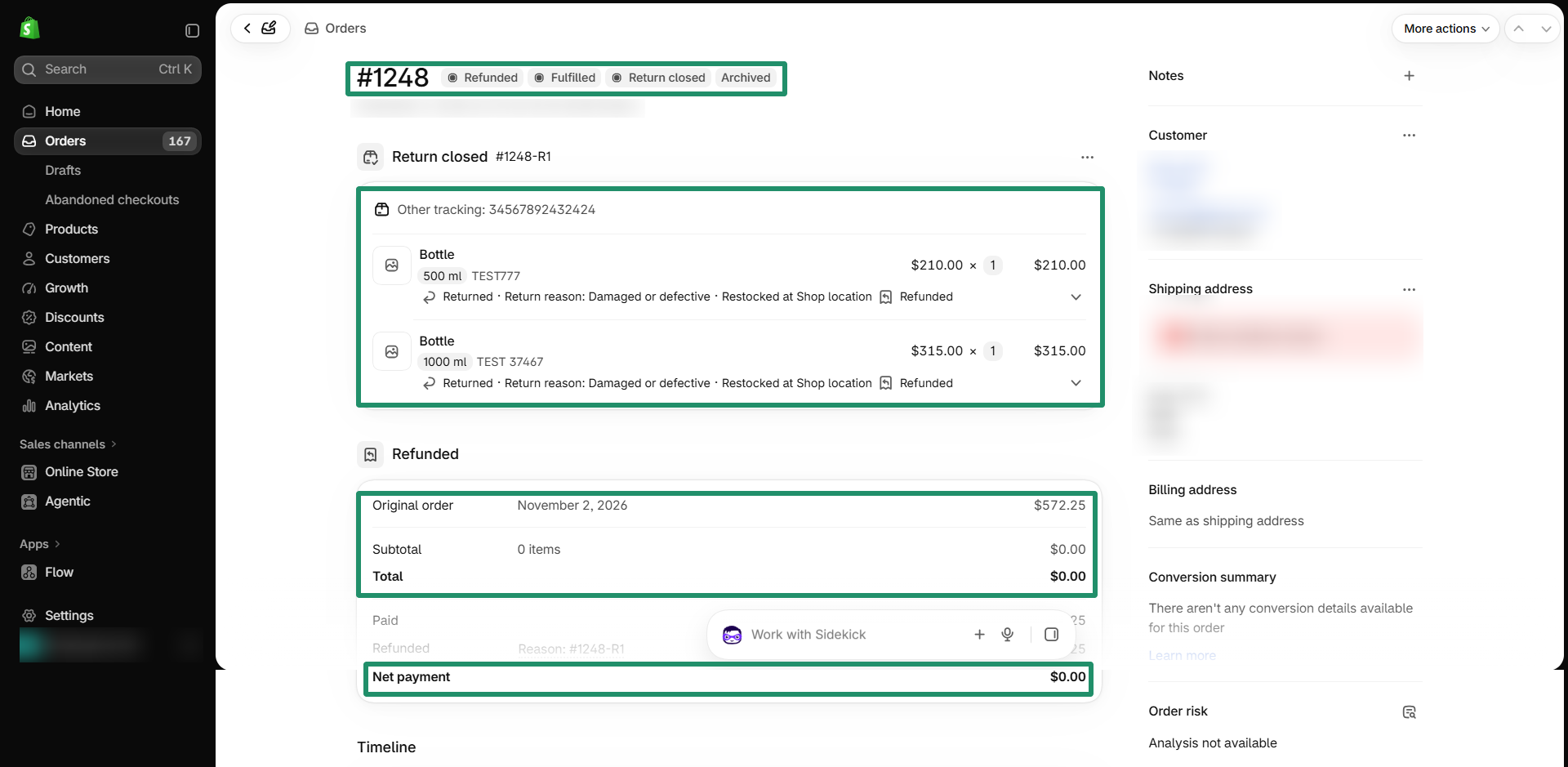
Step 12: Open the order in Shopify and verify that the product's return status is updated and the refund has been processed successfully.
This completes the process of Return Order Sync from Salesforce to Shopify.
Thanks!
Was this article helpful?
That’s Great!
Thank you for your feedback
Sorry! We couldn't be helpful
Thank you for your feedback
Feedback sent
We appreciate your effort and will try to fix the article
