This issue occurs when the Shopify self-signed certificate in your Salesforce org has expired. To resolve this, you must delete the expired certificate and create a new one using the exact same name: “Shopify.”
Follow the steps below to fix the error:
Delete the Expired Certificate
Step 1: Go to Setup in Salesforce.
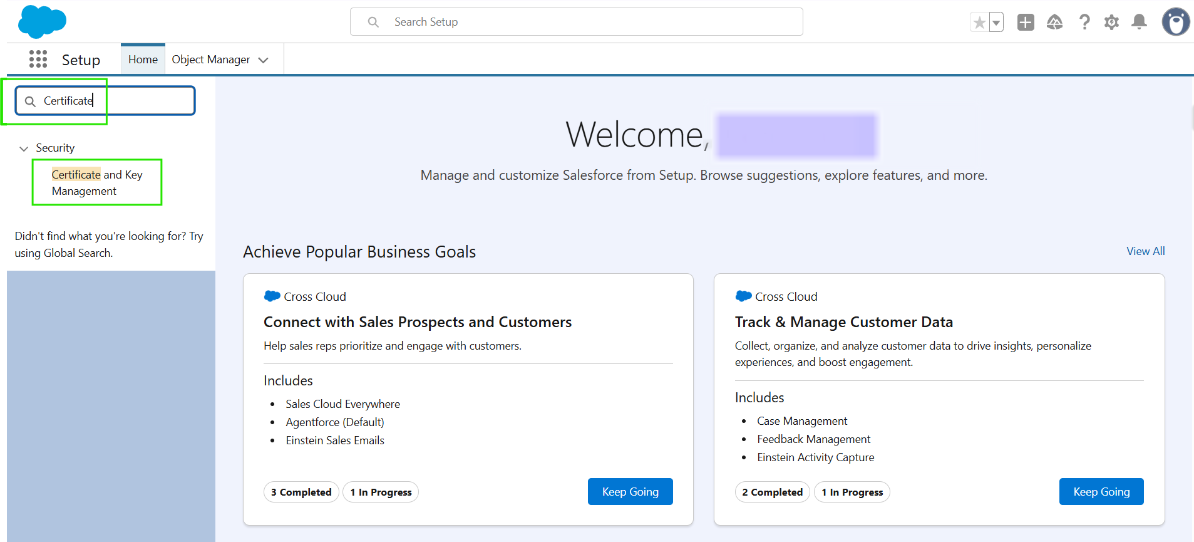
Step 2: Search for Certificate and Key Management in the Quick Find box.
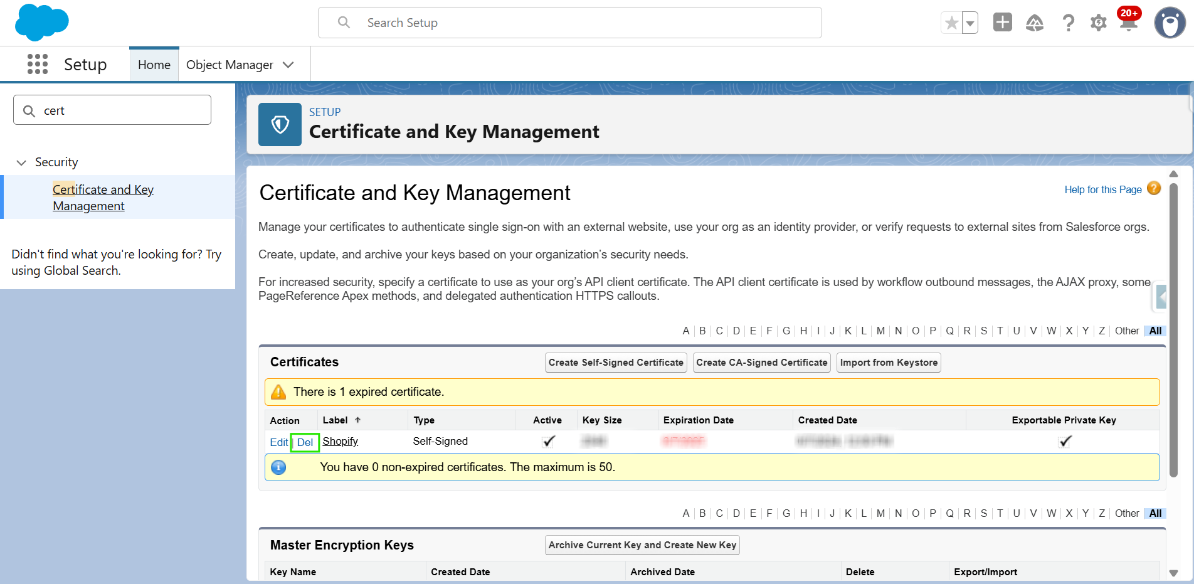
Step 3: Locate the certificate named "Shopify" and click Delete.
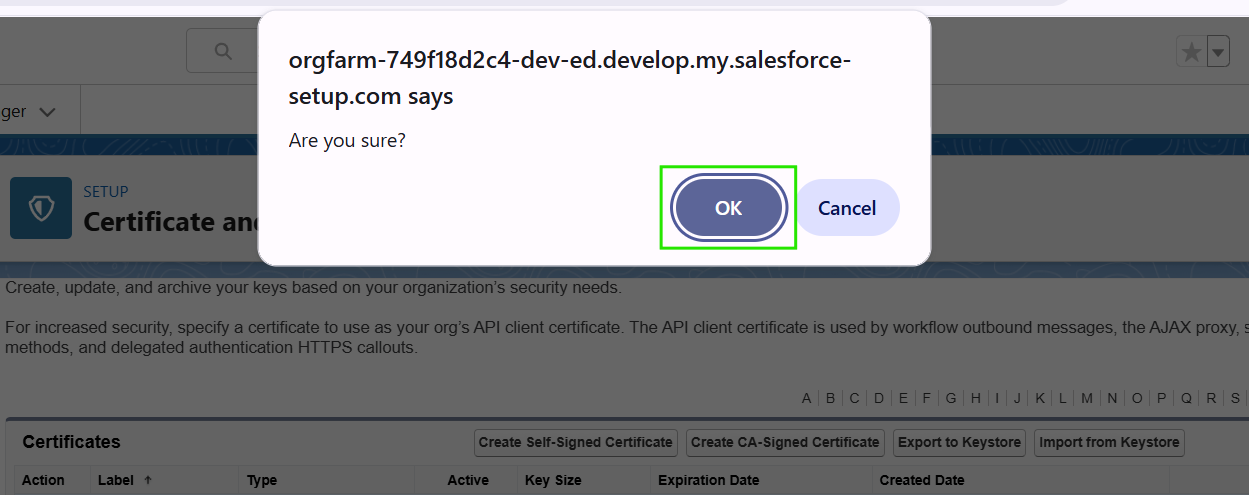
Step 4: Click “OK” to confirm the deletion.
Create a New Certificate
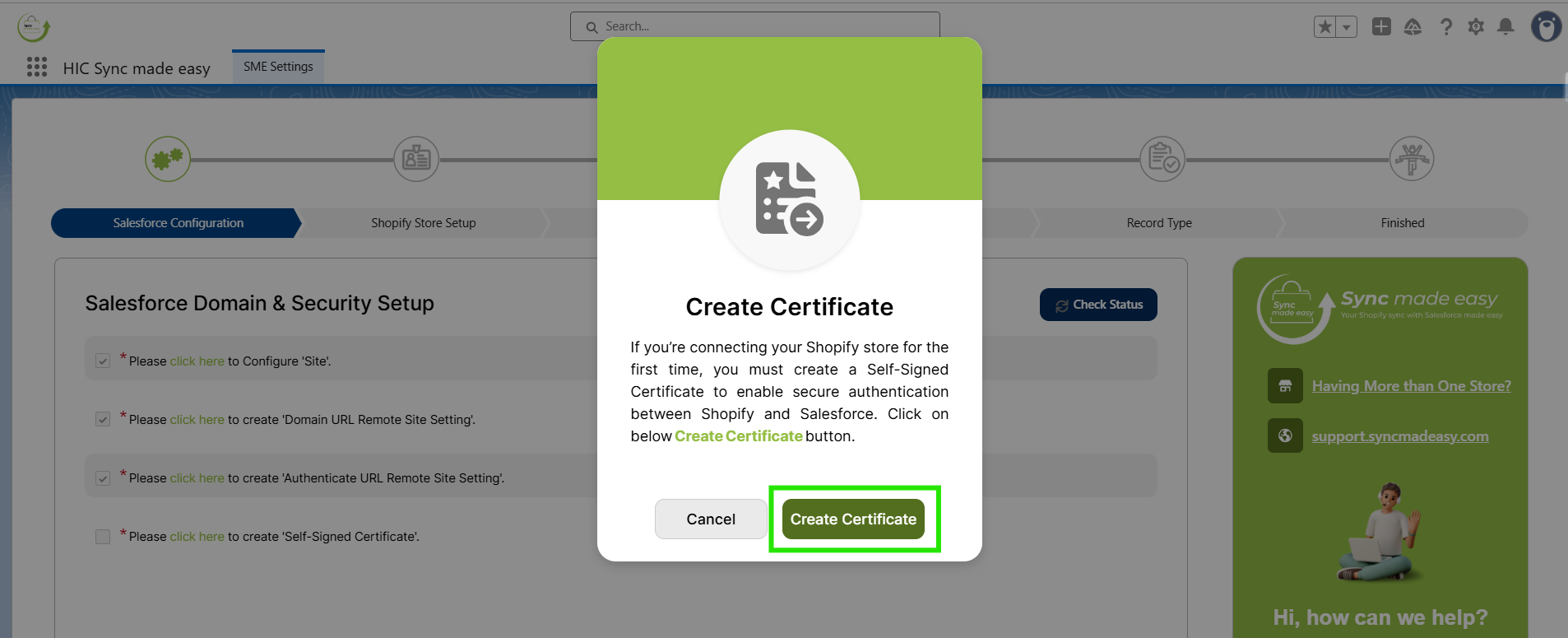
Step 5: Go back to the SME Settings Page & click on the “Create Certificate” button.
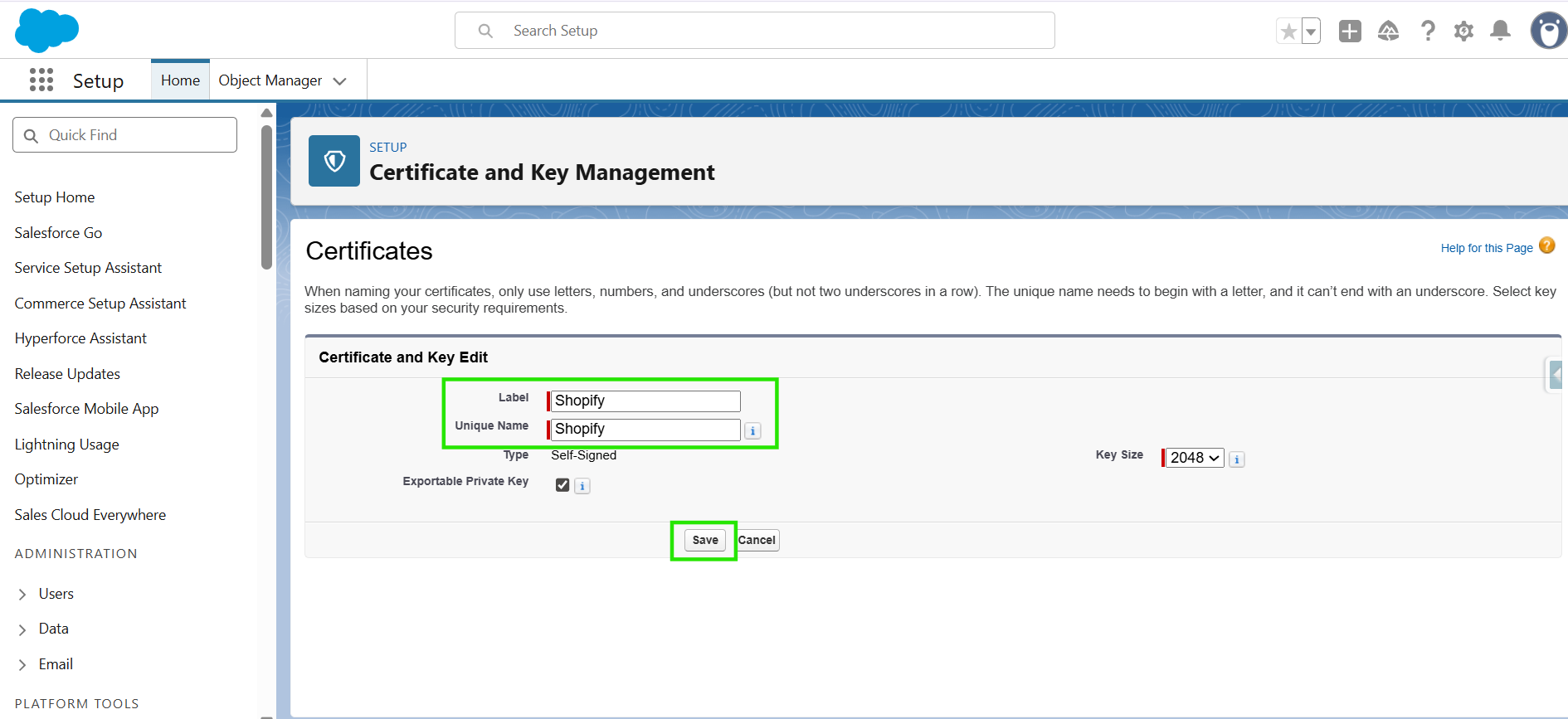
Step 6: You will be redirected to this page. Click “Save”.
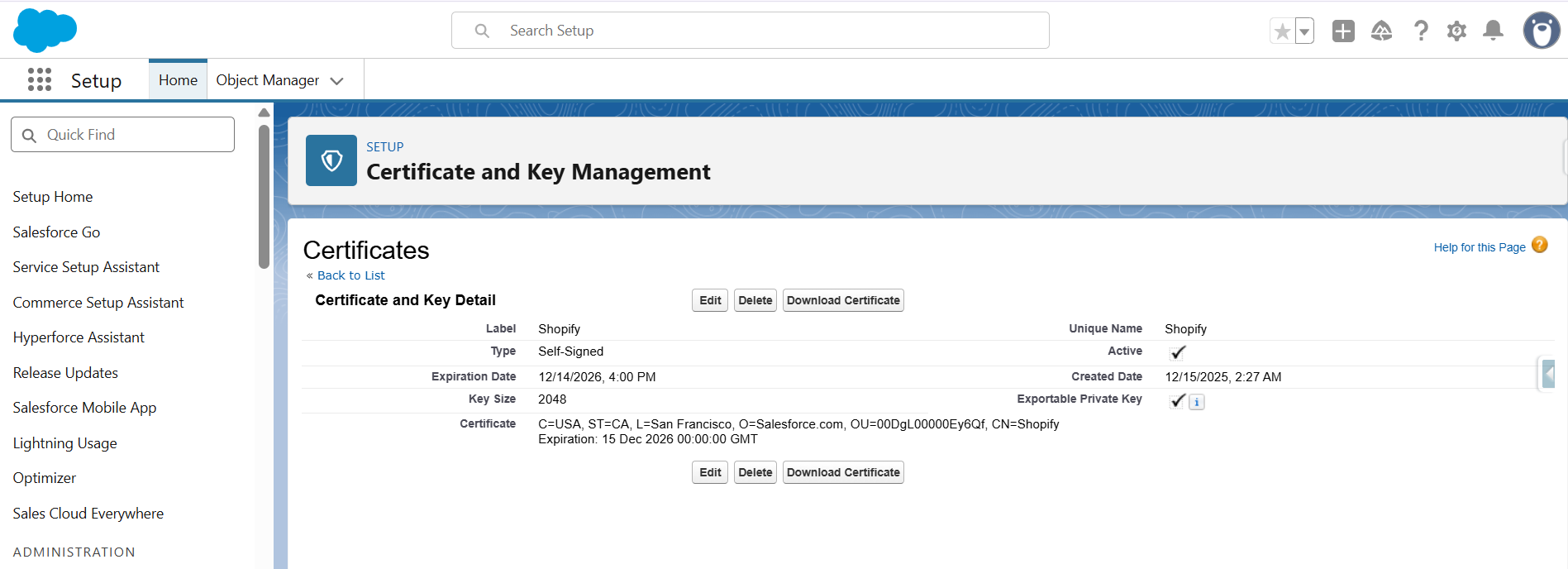
Step 7: On this page, you can verify that your certificate has been successfully created.
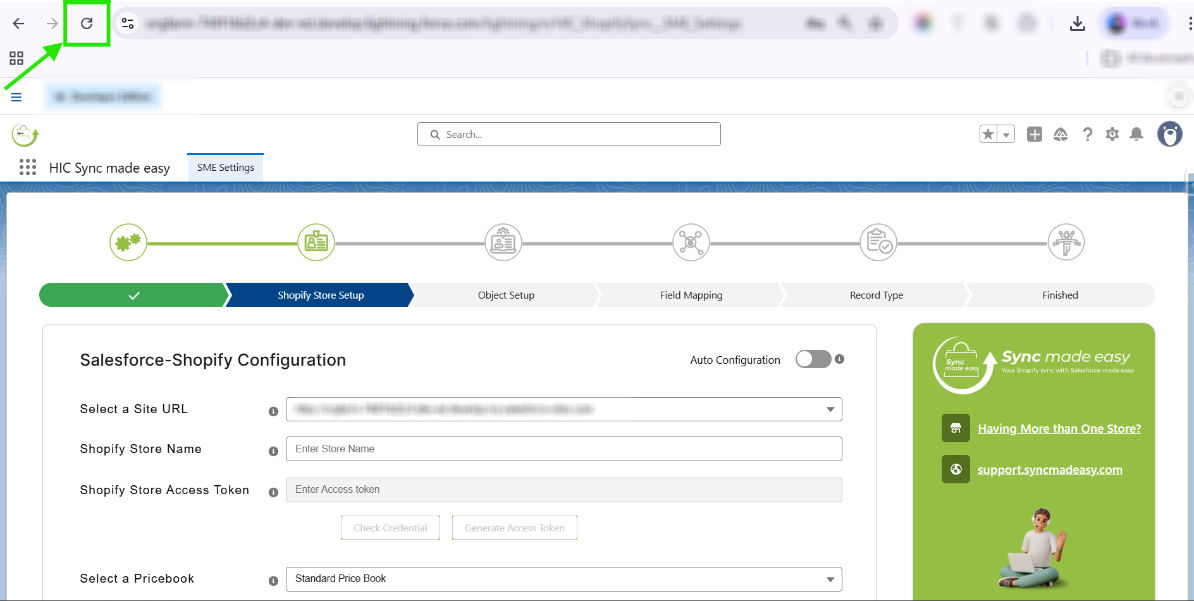
Step 8: Now go back to “SME Settings” and refresh the page. You will be redirected to the Shopify Store Setup page.
Thanks!
Was this article helpful?
That’s Great!
Thank you for your feedback
Sorry! We couldn't be helpful
Thank you for your feedback
Feedback sent
We appreciate your effort and will try to fix the article
