UTM parameters help track where customers come from, such as ads or marketing campaigns. By syncing UTM parameters from Shopify to Salesforce, businesses can see which campaigns drive orders and revenue. This helps sales and marketing teams track their performance and make more informed decisions.
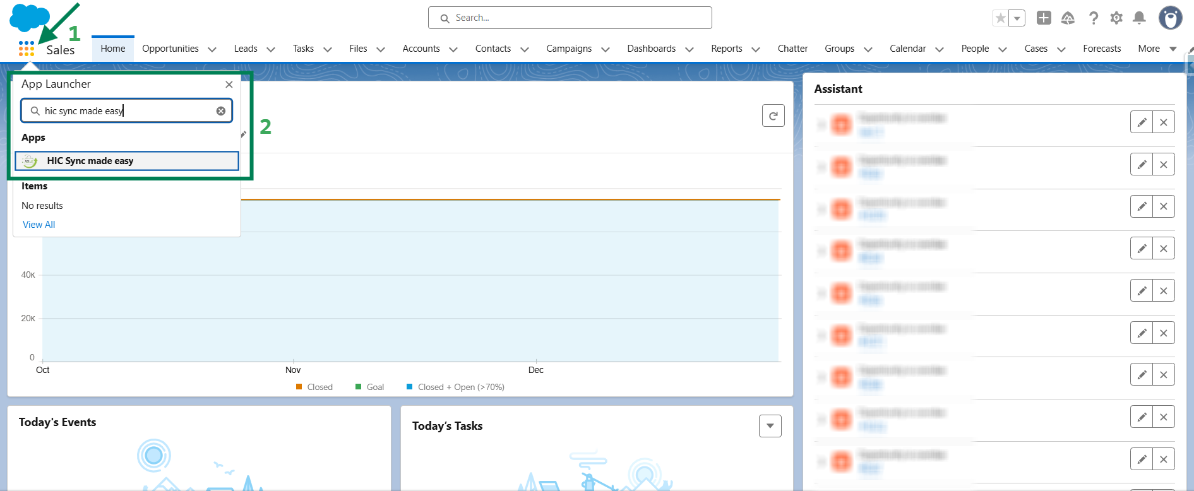
Step 1: Log in to Salesforce and in App Launcher search "HIC Sync made easy". Click on it.
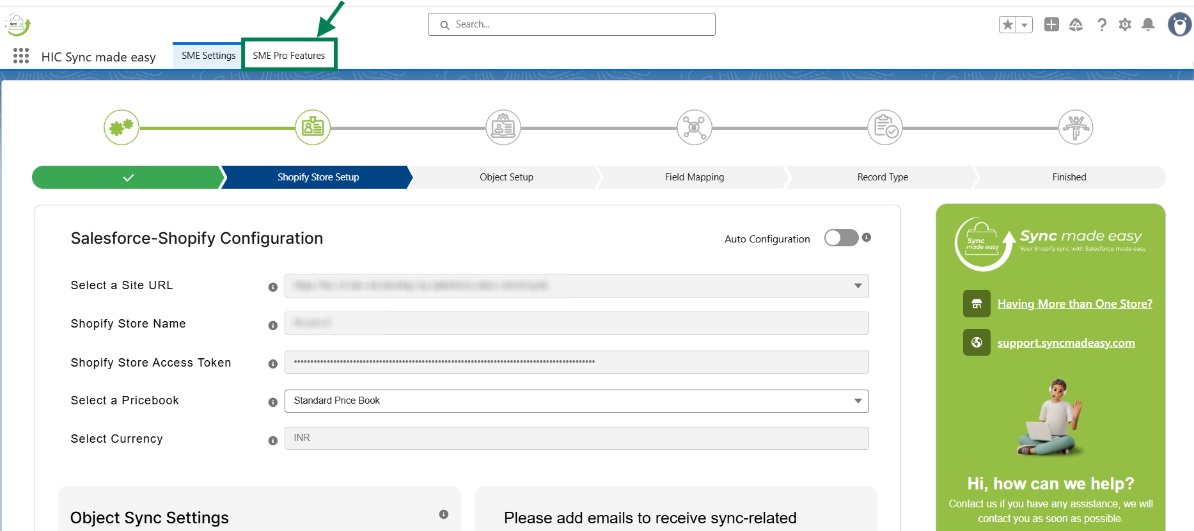
Step 2: Go to "SME Pro Features".
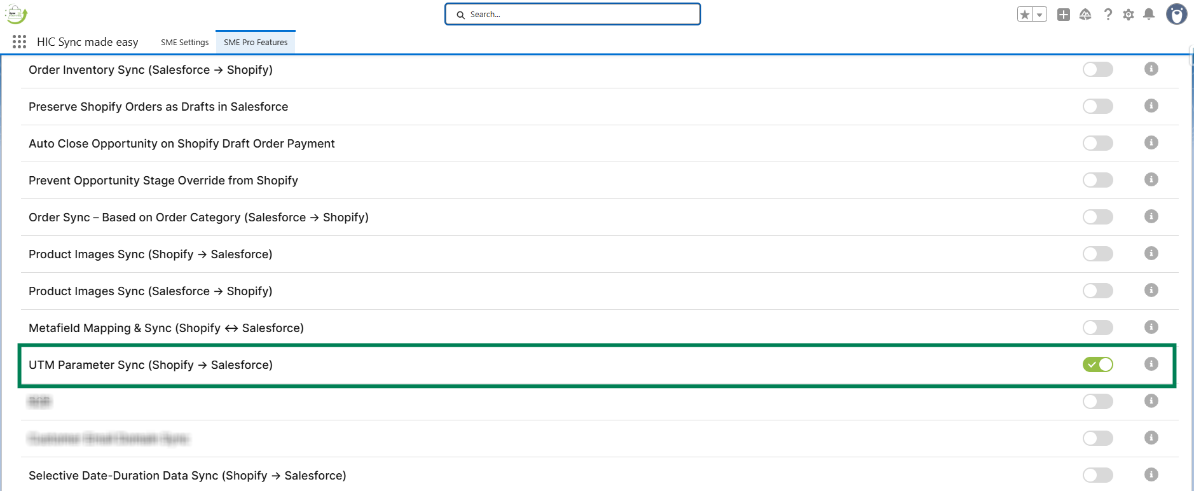
Step 3: Enable the “UTM Parameter Sync (Shopify → Salesforce)” feature toggle button.
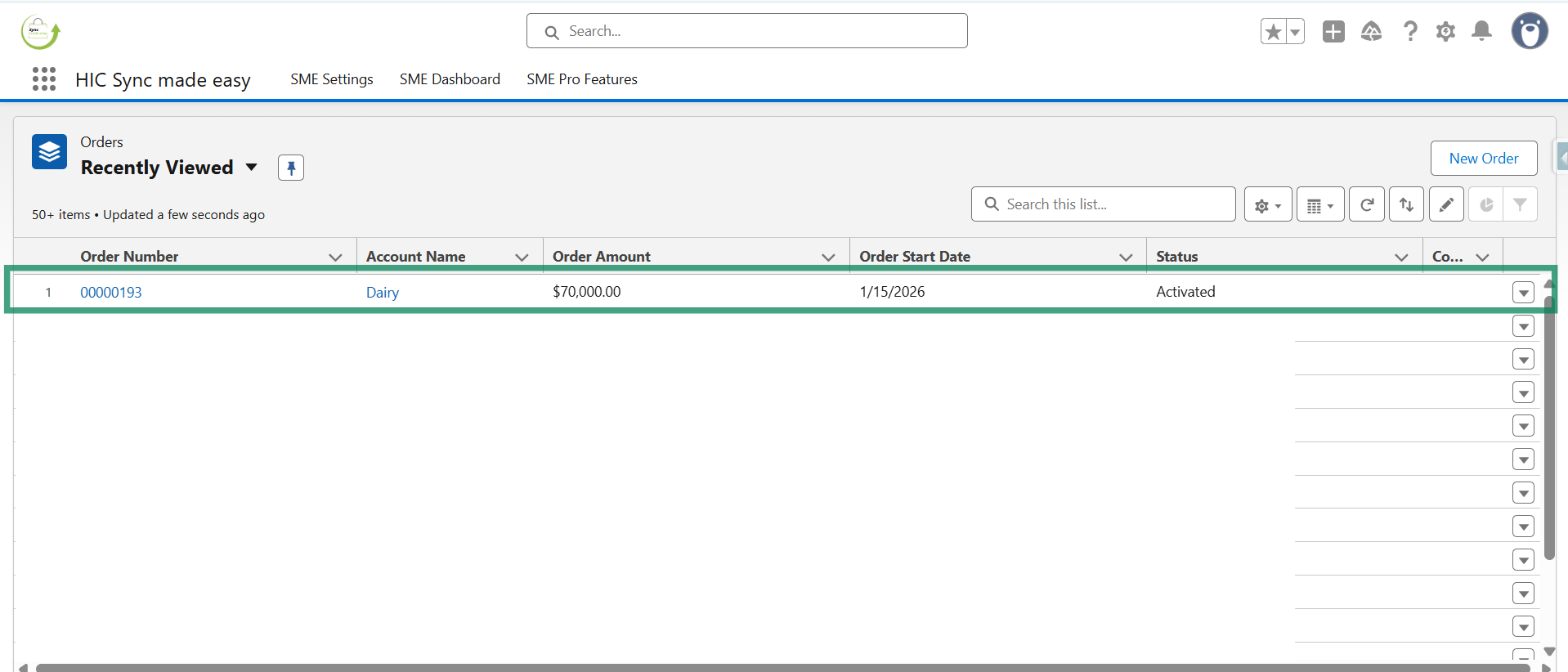
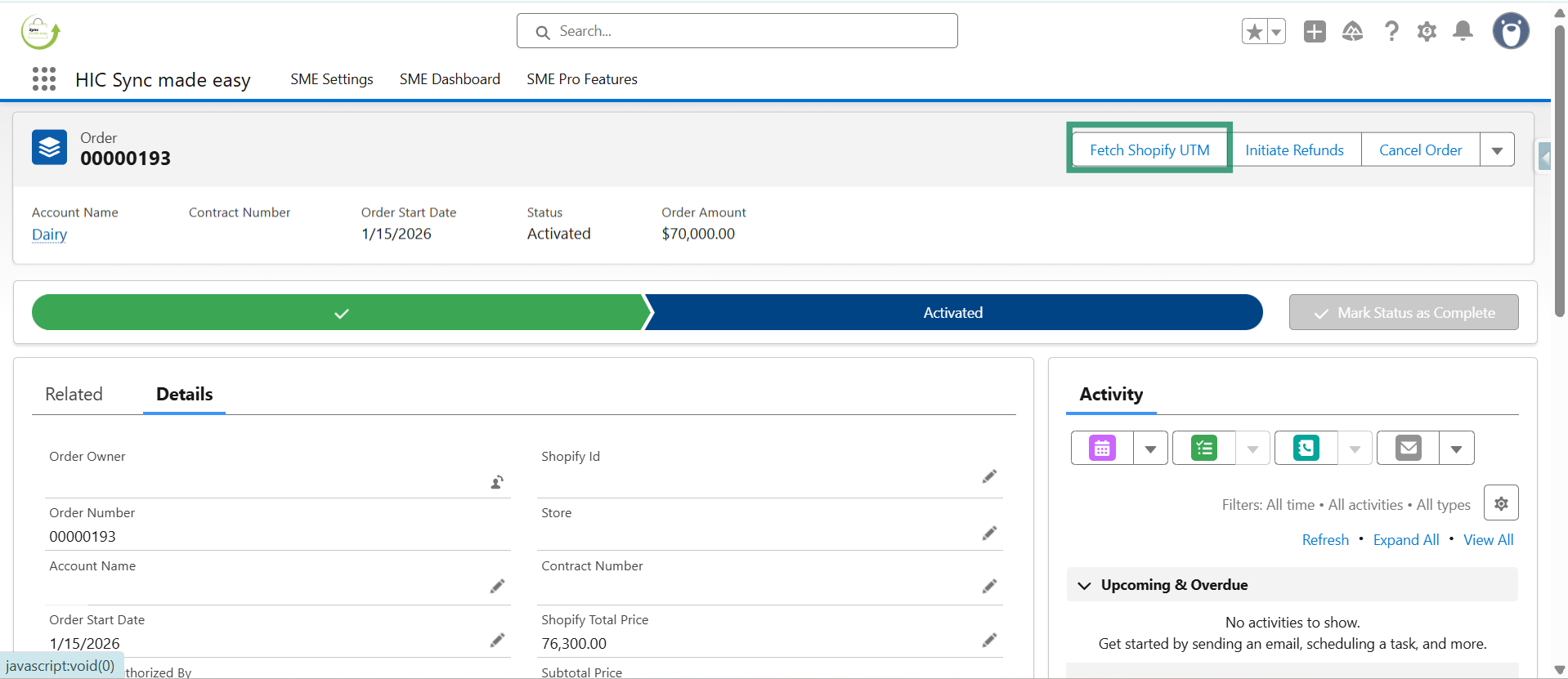
Step 4: Open any existing order in Salesforce.
Step 5: Click on the “Fetch Shopify UTM” button.
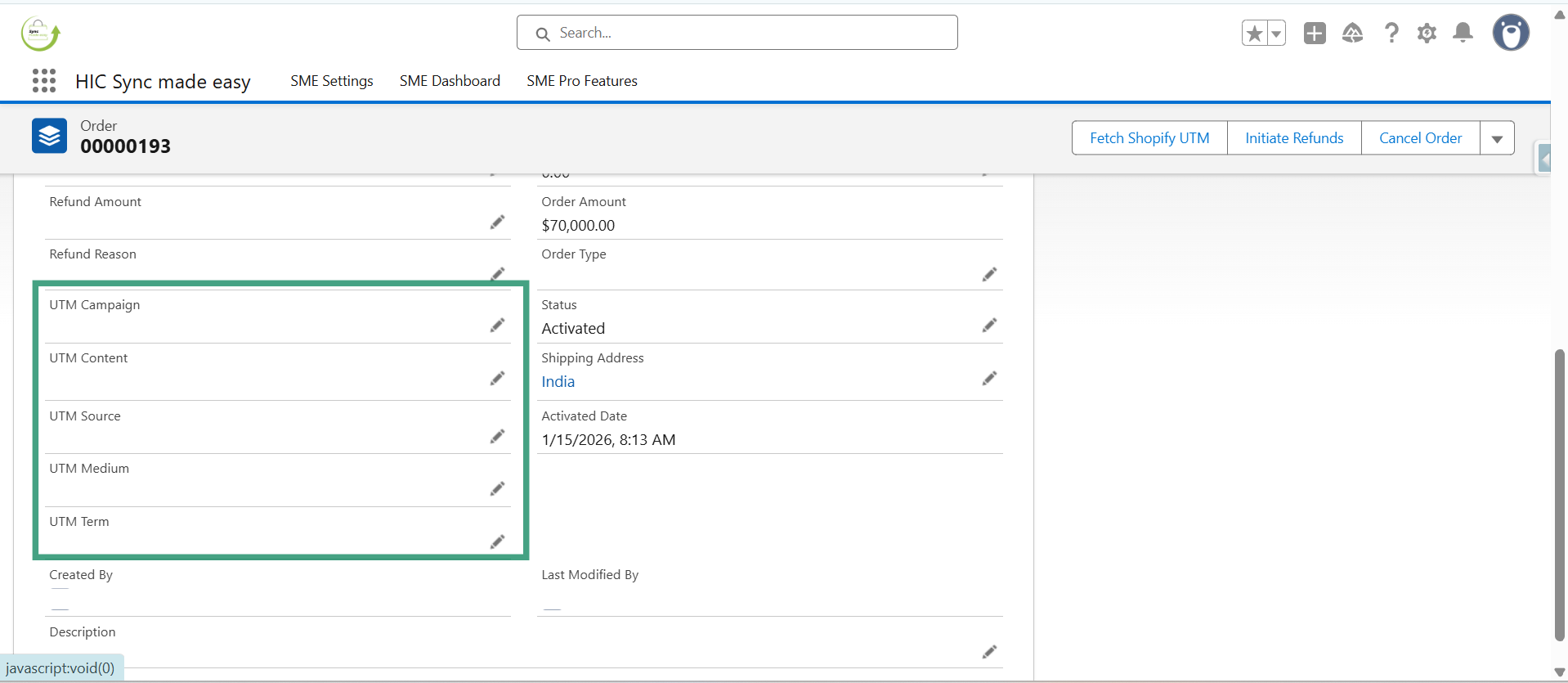
NOTE: Since UTM data is live data, if an order contains UTM information in Shopify, it will automatically sync to Salesforce Production Org in the UTM field when you click the “Fetch Shopify UTM” button
Thanks!
Was this article helpful?
That’s Great!
Thank you for your feedback
Sorry! We couldn't be helpful
Thank you for your feedback
Feedback sent
We appreciate your effort and will try to fix the article
