Setting up an integration can sometimes take time, especially when multiple configuration steps are involved. To make the process faster and easier, Sync Made Easy provides an Auto Configuration feature. This feature helps you skip some manual steps, such as Object Setup and Field Mapping, and move quickly to the next stage of the setup.
In this blog, we will explain how to use the Auto Configuration feature step by step.
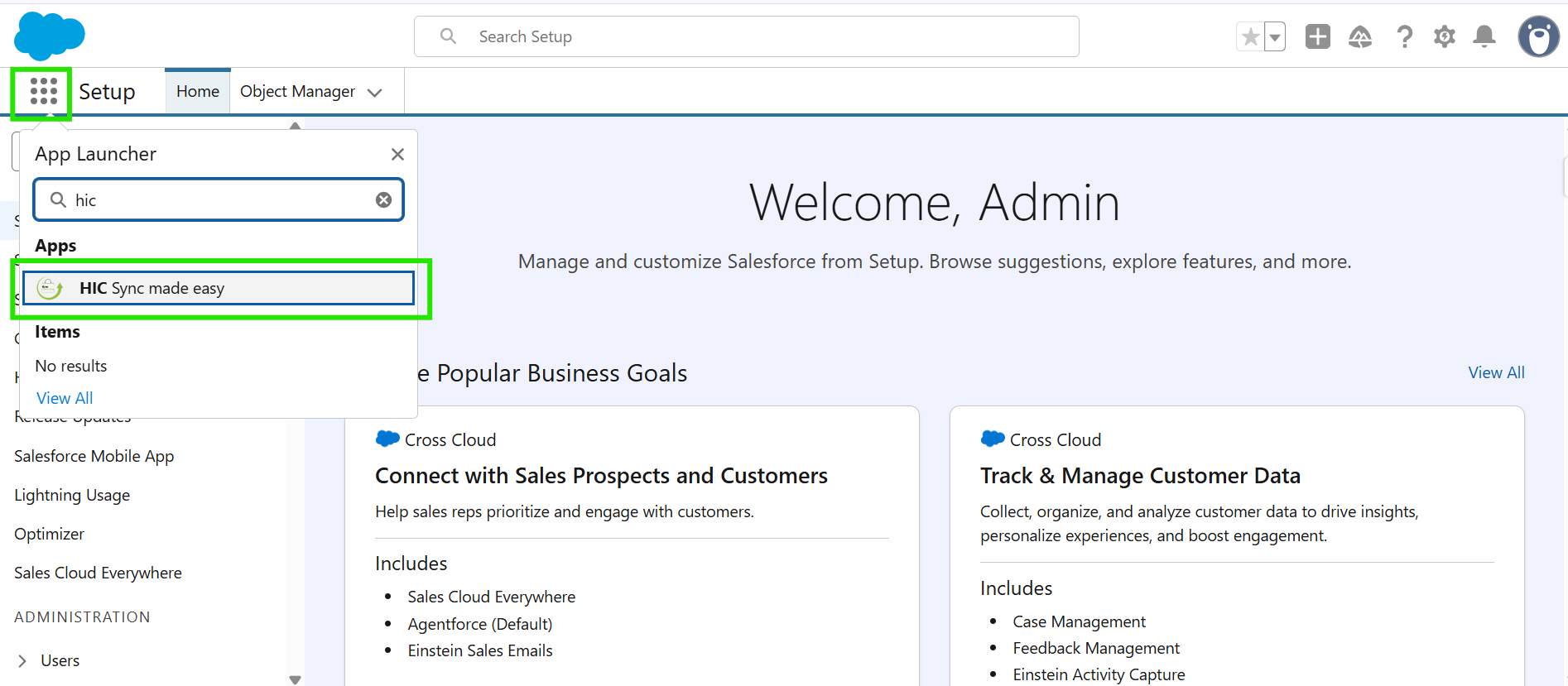
Step 1: Log in to Salesforce. Open the App Launcher, search for “HIC Sync Made Easy”, and click on it.
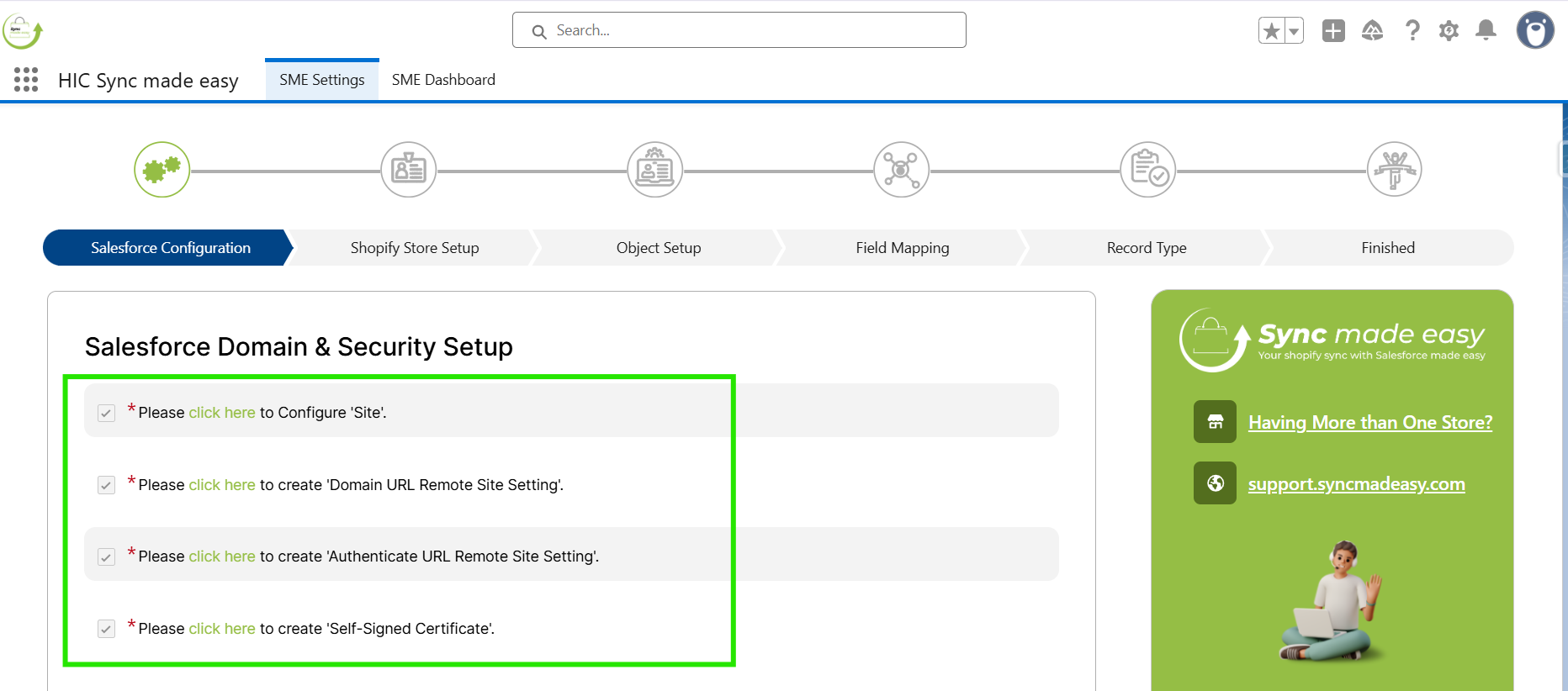
Step 2: Make sure you have already completed the Salesforce Configuration step. Then click Verify.
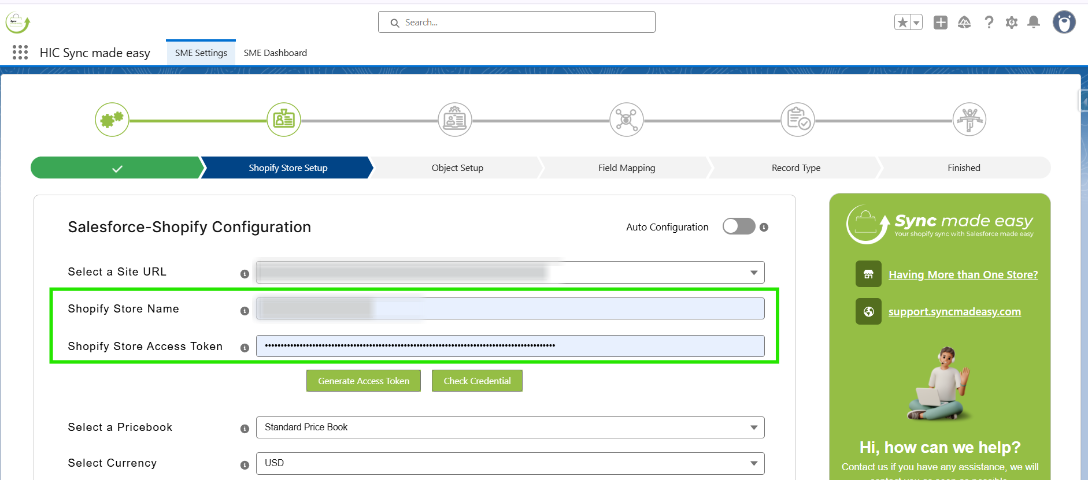
Step 3: You will be redirected to the Shopify Store Setup page. Here, enter the Shopify Store Name and Shopify Store Access Token.
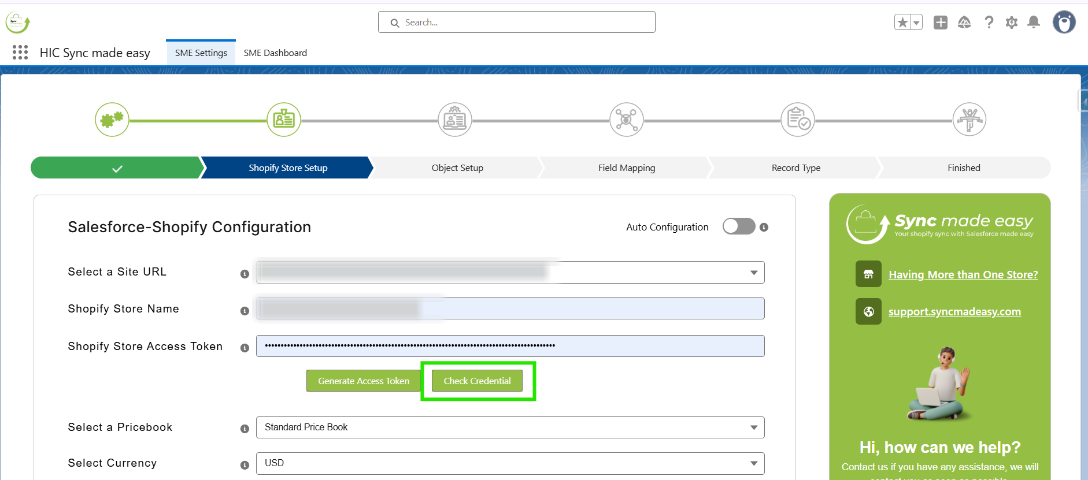
Step 4: Click the Check Credential button.
Step 5: After checking the credentials, turn on the Auto Configuration toggle Button.
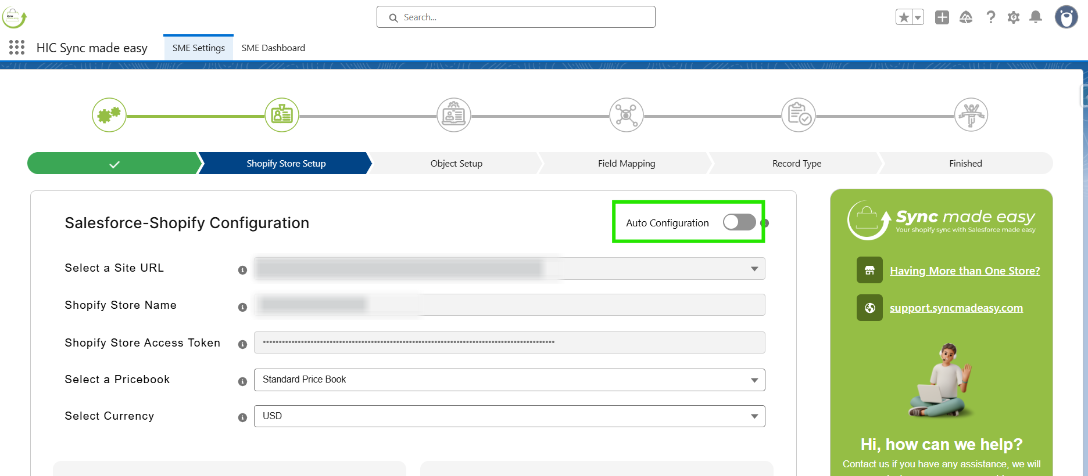
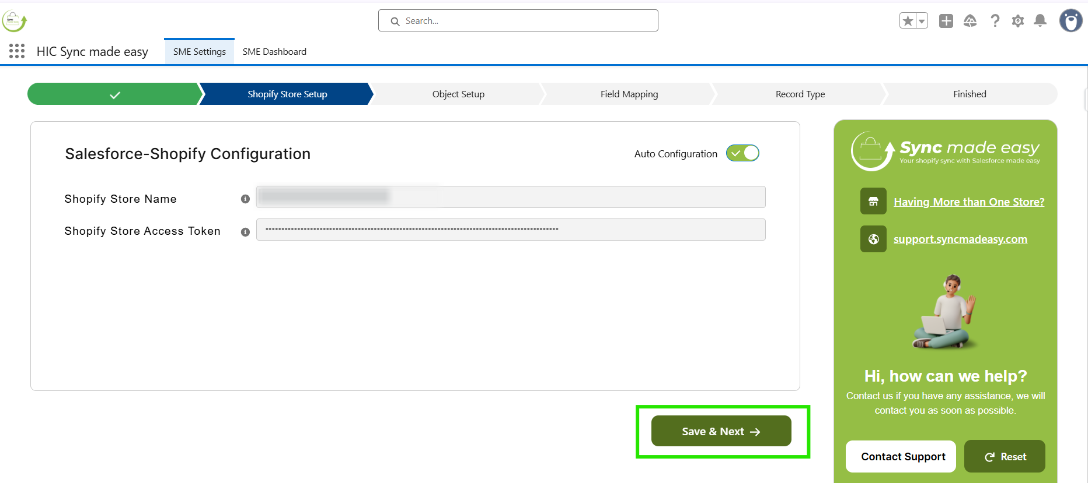
Step 6: Click Save & Next.
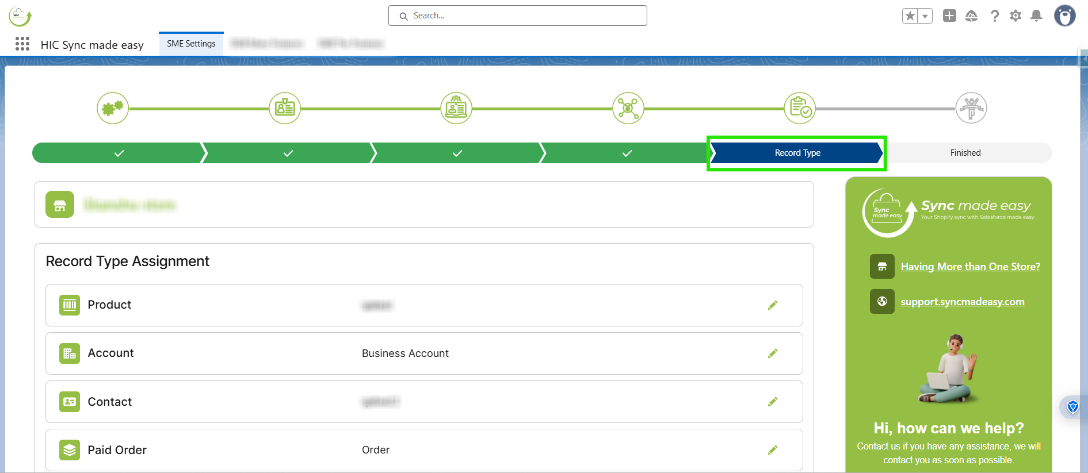
Step 7: This feature will bypass the Object Setup and Field Mapping steps and will take you directly to the Record Type page.
The Auto Configuration feature in Sync Made Easy is designed to simplify the integration process. By following the above steps, you can complete the setup faster and focus on the important parts of your integration.
Thanks!
Was this article helpful?
That’s Great!
Thank you for your feedback
Sorry! We couldn't be helpful
Thank you for your feedback
Feedback sent
We appreciate your effort and will try to fix the article