Follow the steps below to easily assign permission sets to a user:
Step 1: Log in to your Salesforce account. Click on the (gear icon) and select Setup.
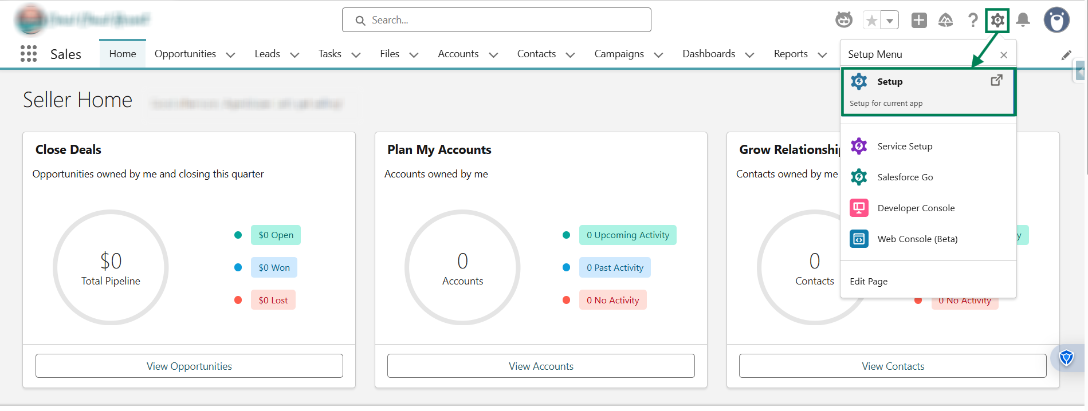
Step 2: In the Quick Find box, search for permission sets and open it.
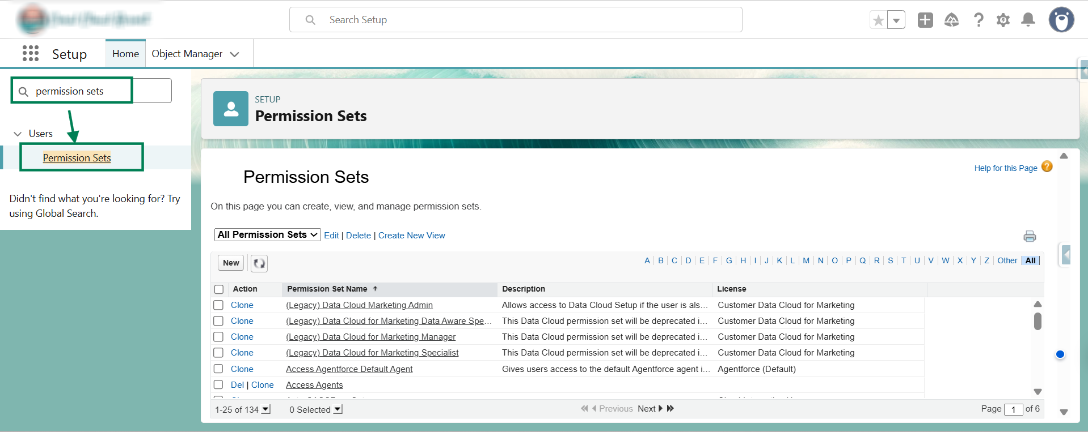
Step 3: Click on “S” to quickly find the Shopify Made Easy permission sets, as shown in the image below.
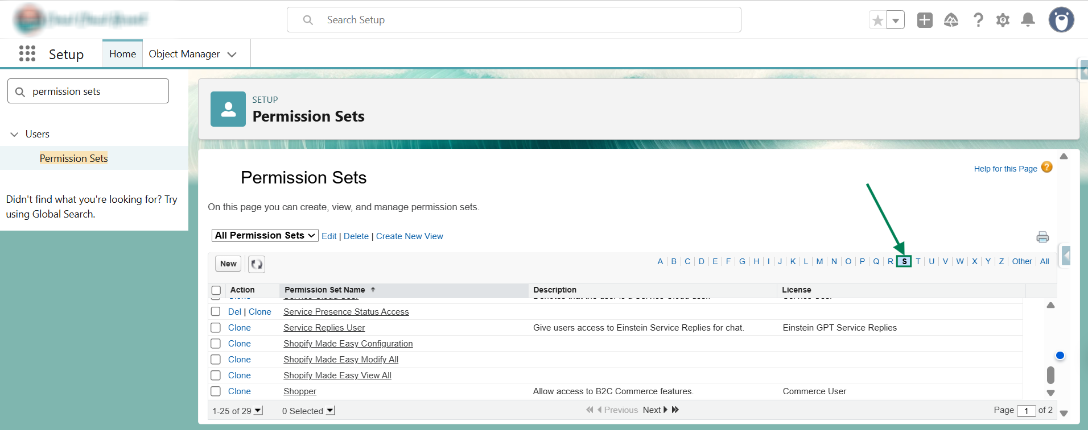
Step 4: Here are the two highlighted permission sets: “Shopify Made Easy Modify All” and “Shopify Made Easy View All”. These allow you to assign users either modification or view-only access. (For example, click on “Shopify Made Easy Modify All” permission set.)
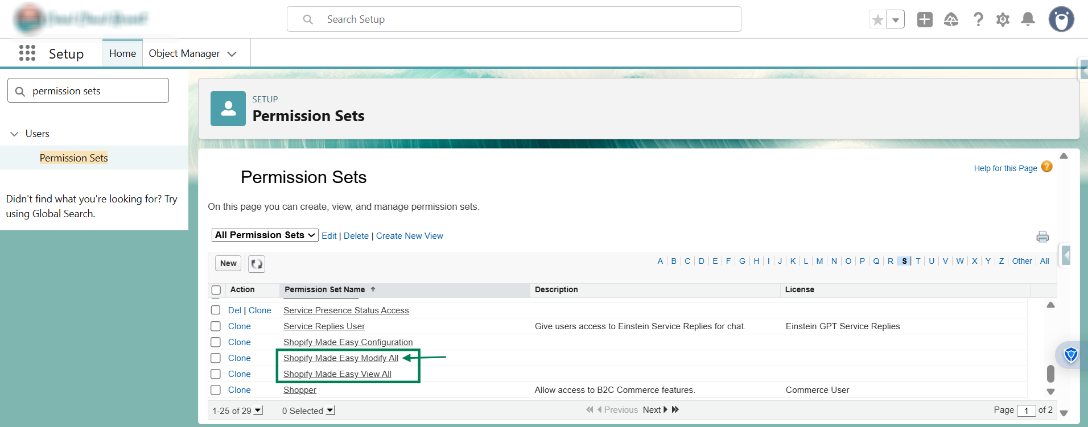
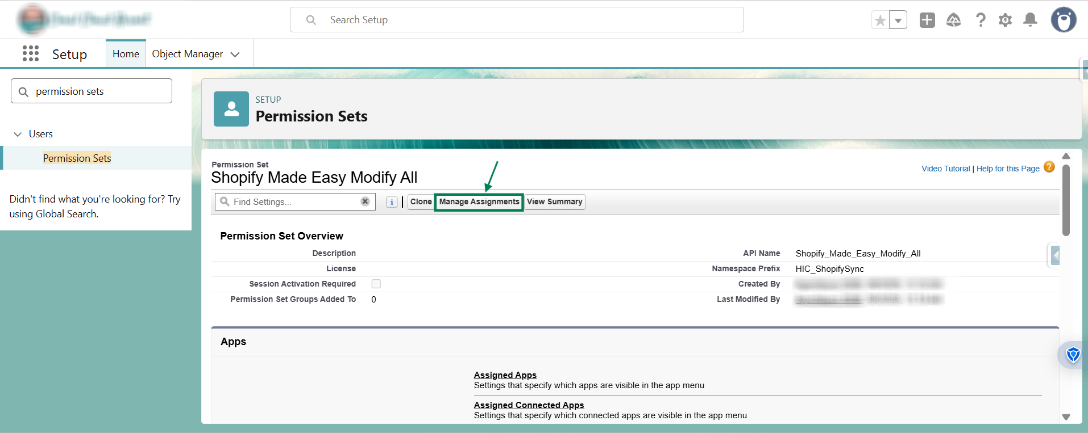
Step 5: Click on the “Manage Assignments” button.
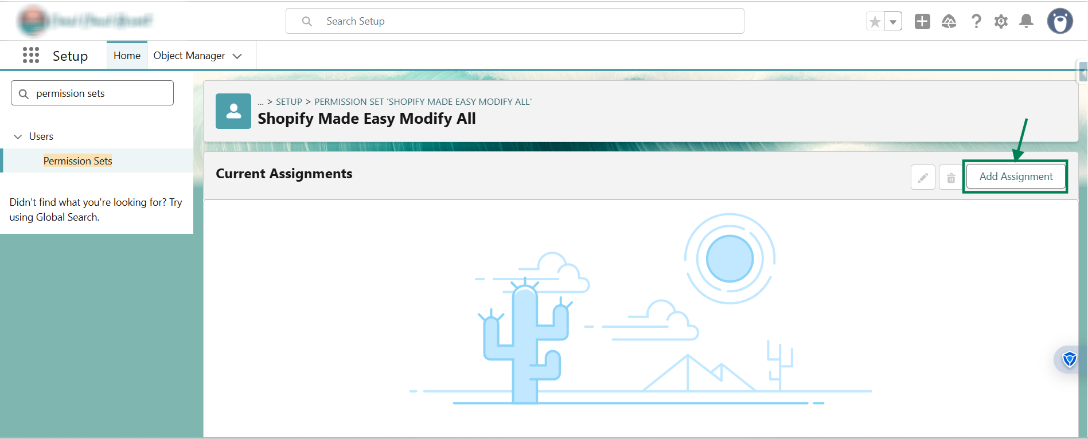
Step 6: Now, click the “Add Assignment” button to assign the user.
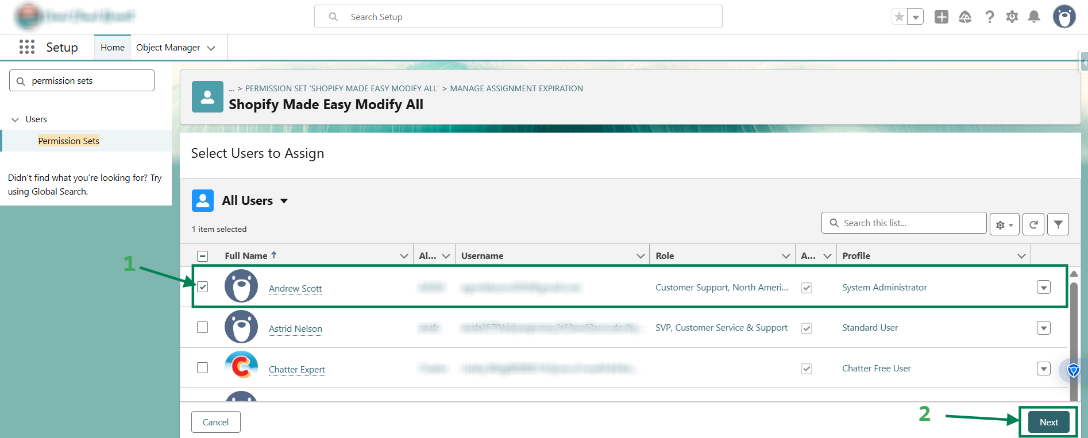
Step 7: Select the user you want to grant access to modify, then click Next.
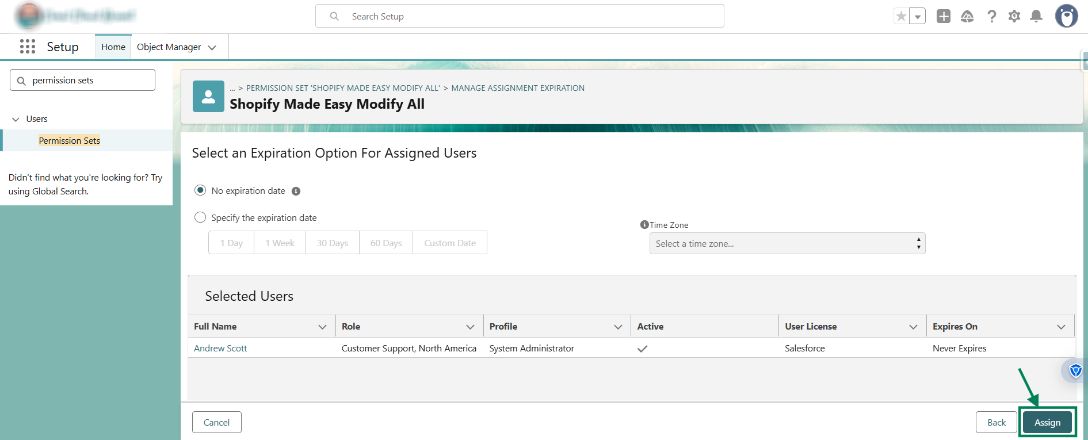
Step 8: Click on “Assign” to proceed.
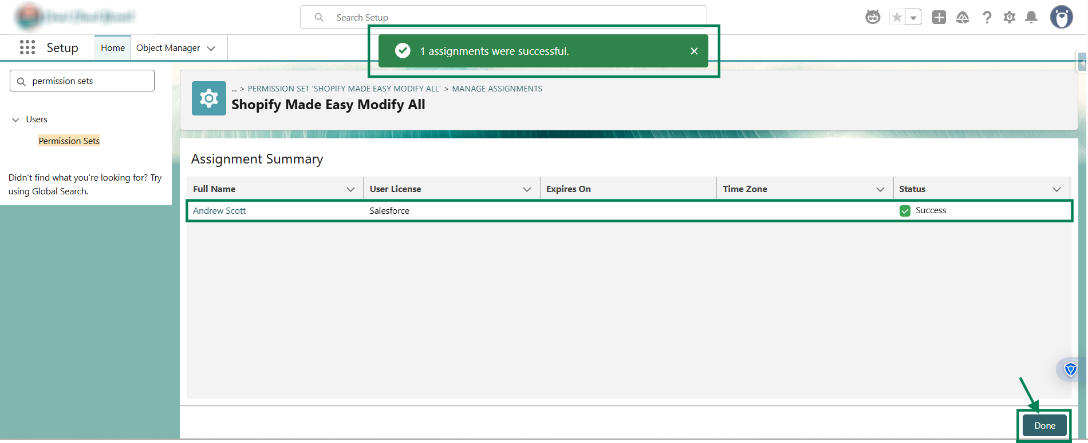
Step 9: A success message will appear to confirm the assignment. Click Done.
Note:
If you want to assign view access to a user, click on the “Shopify Made Easy View All” permission set and follow the same steps.
We hope this article helps! If you still face any issues, feel free to contact us at support@syncmadeasy.com.
Was this article helpful?
That’s Great!
Thank you for your feedback
Sorry! We couldn't be helpful
Thank you for your feedback
Feedback sent
We appreciate your effort and will try to fix the article