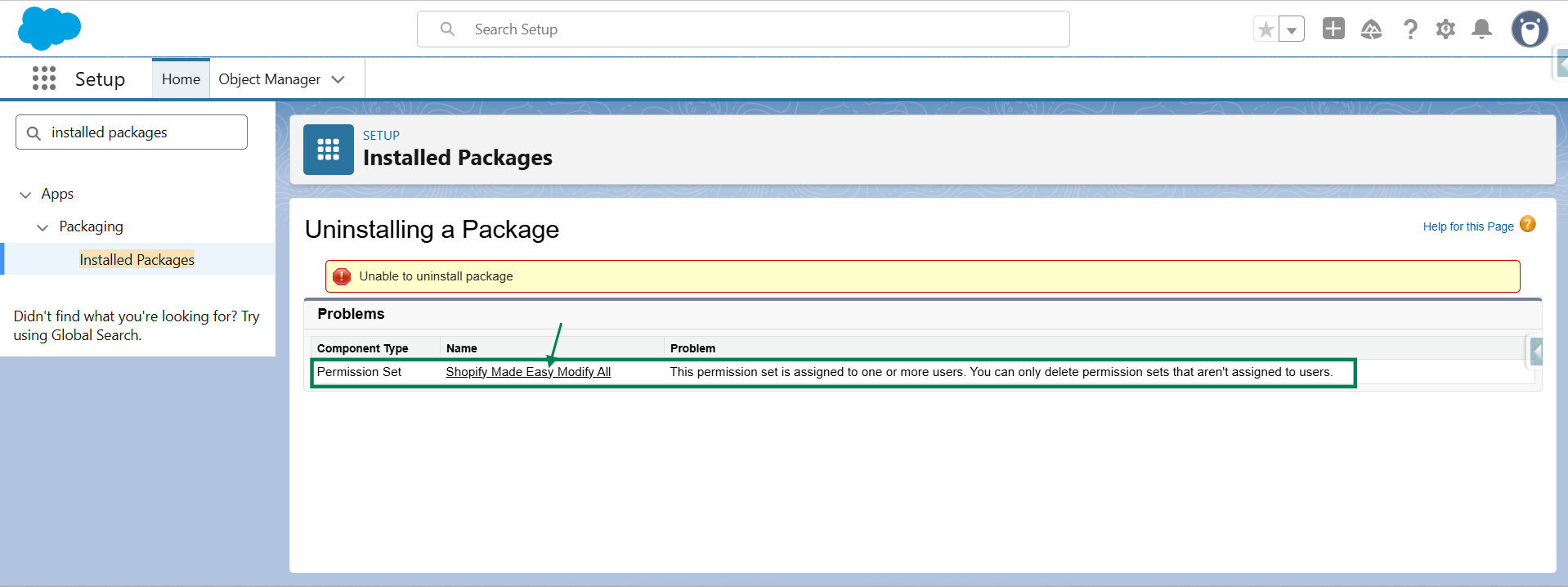
If you face any permission set issue while uninstalling the Sync Made Easy app, follow the steps below to remove permission sets from users easily.
Step 1: Click on “Shopify Made Easy Modify All”.
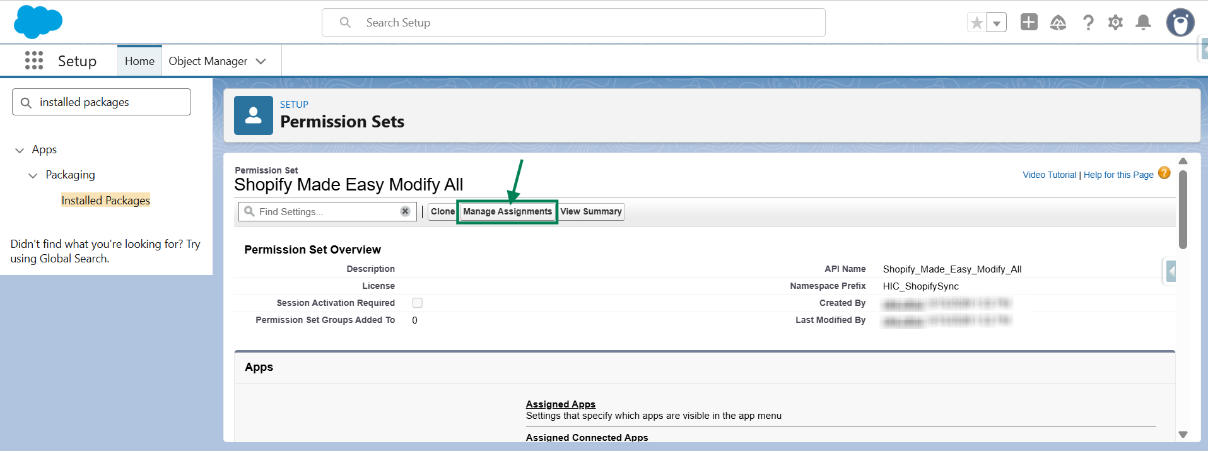
Step 2: Now click "Manage Assignments".
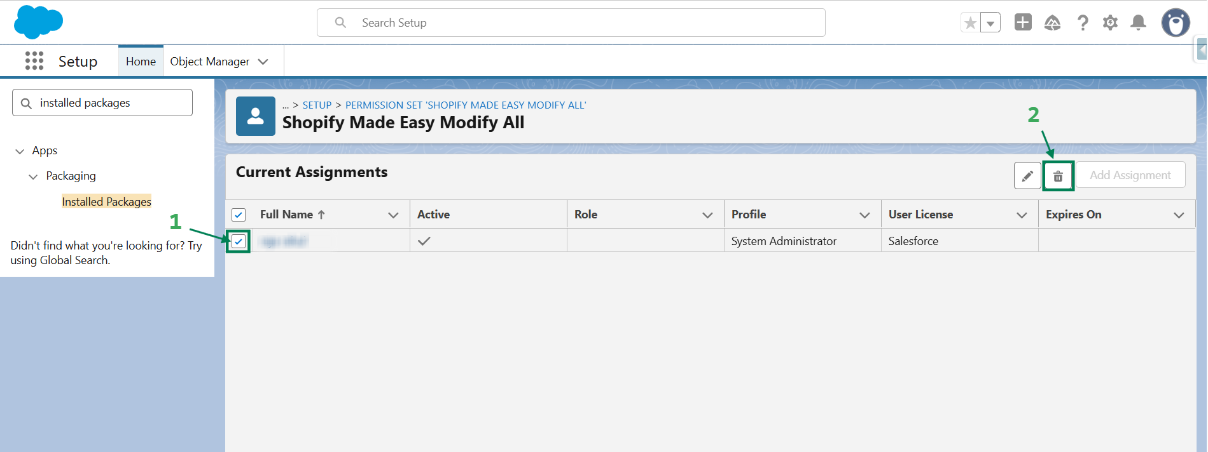
Step 3: Select the Users & Click on Trash Icon.
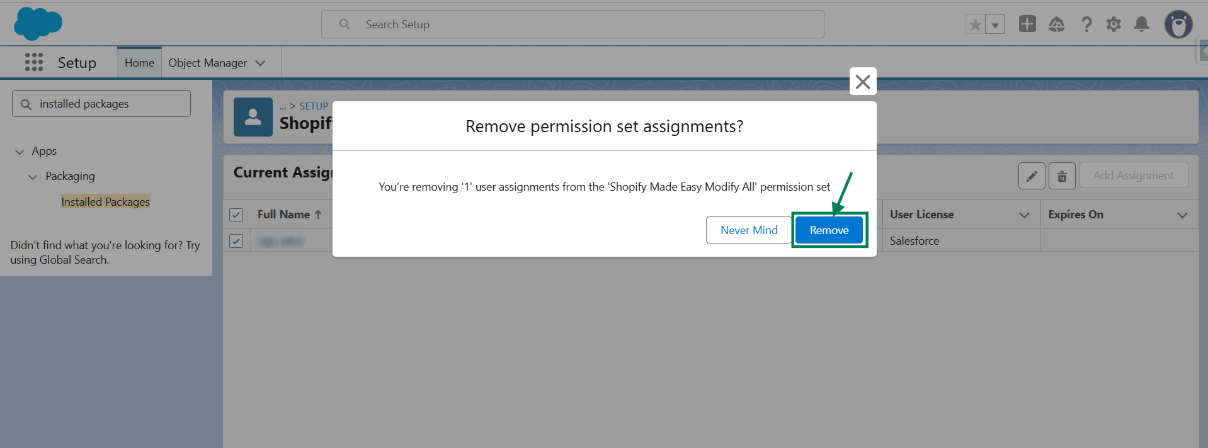
Step 4: Click on "Remove" to proceed
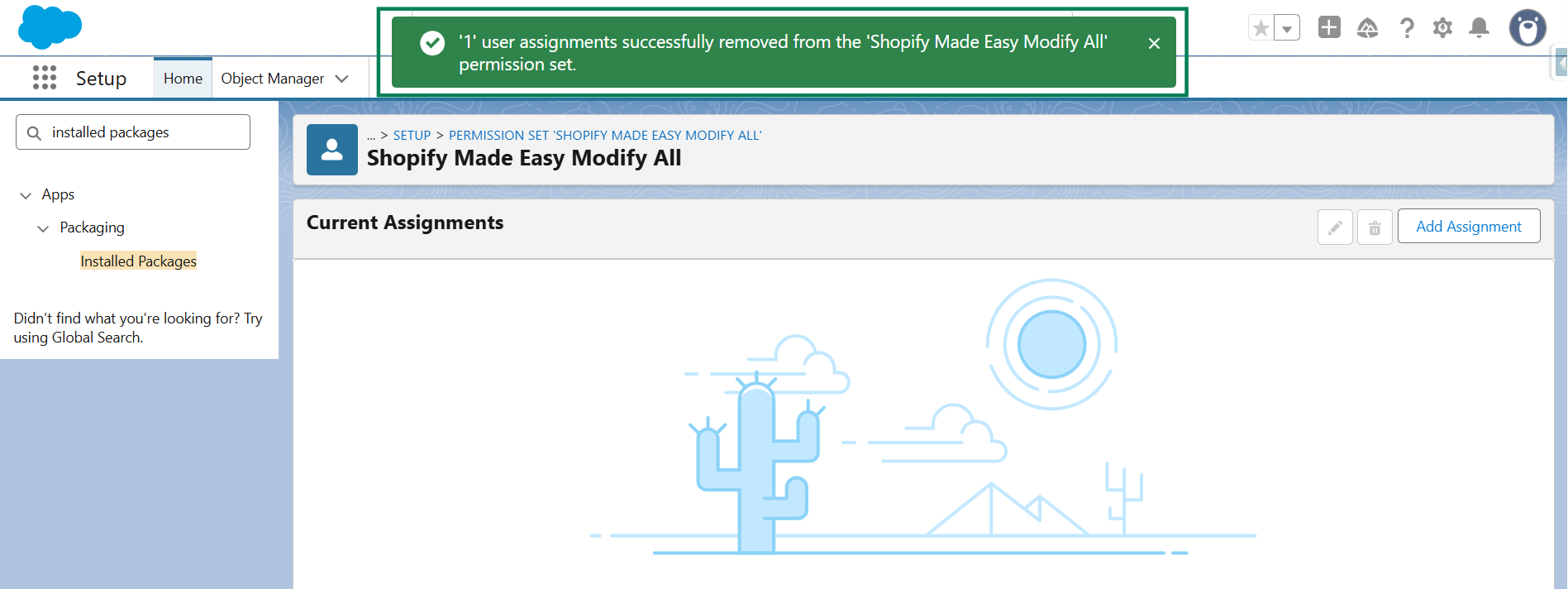
Step 5: A success message will appear confirming that the permission set has been removed from the user.
We hope this article helps! If you still face any issues, feel free to contact us at support@syncmadeasy.com.
Was this article helpful?
That’s Great!
Thank you for your feedback
Sorry! We couldn't be helpful
Thank you for your feedback
Feedback sent
We appreciate your effort and will try to fix the article