Step 1: Log in to your Shopify Store.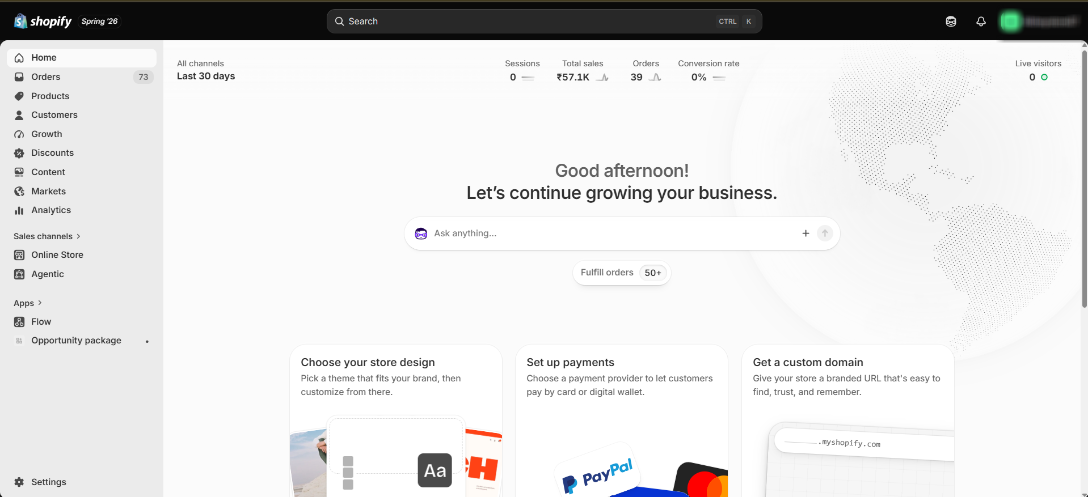
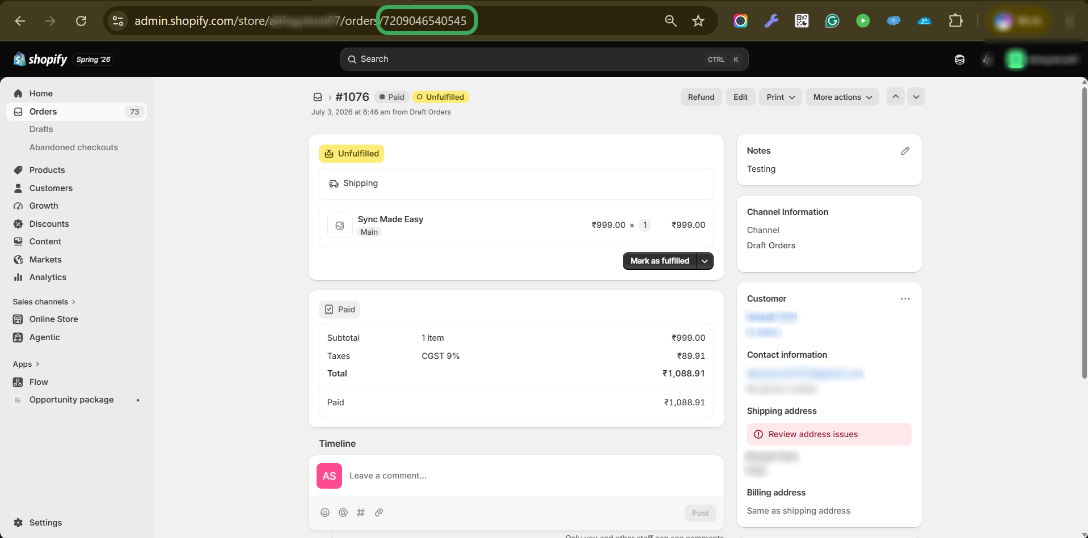
Step 2: Go to the order record.
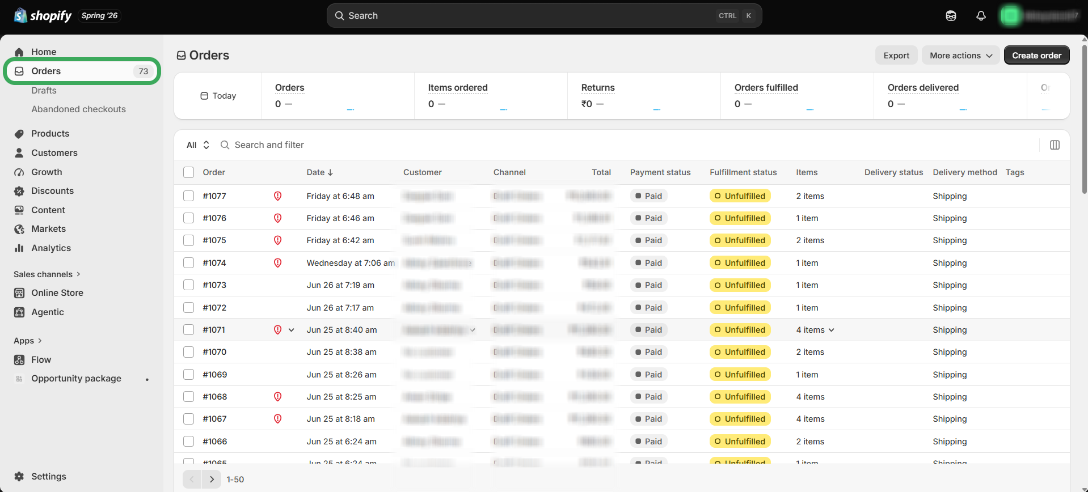
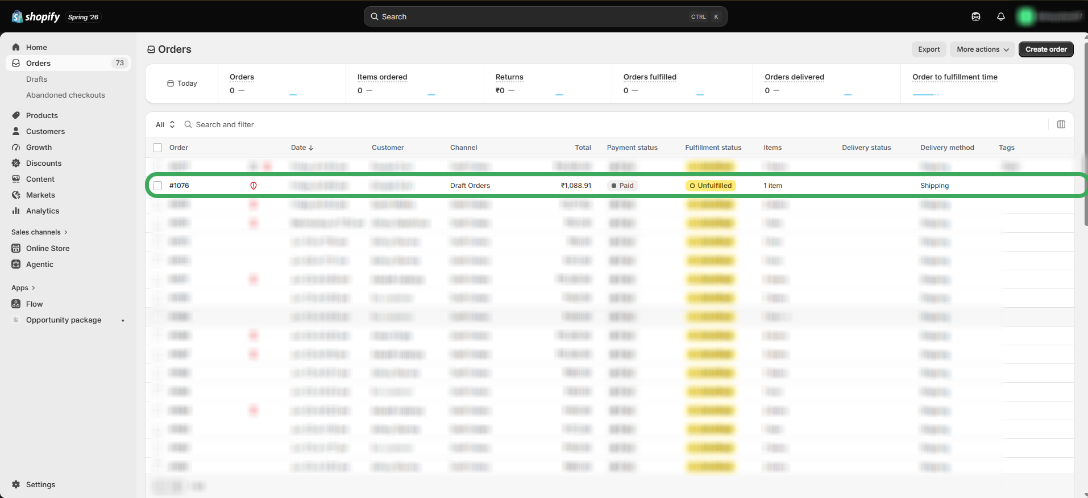
Step 3: Select a record that is not synced into Salesforce and open it.
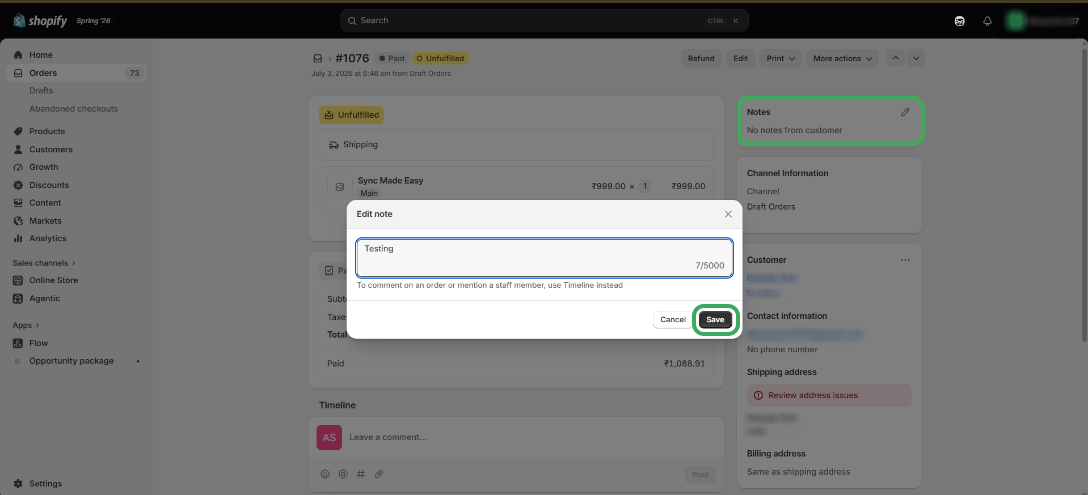
Step 4: Update the "Note" or "Tag" of this record and click on Save.
Step 5: Copy the Shopify ID from the URL and search for the corresponding record in Salesforce.
Step 6: Verify that the record has been synced successfully to Salesforce.
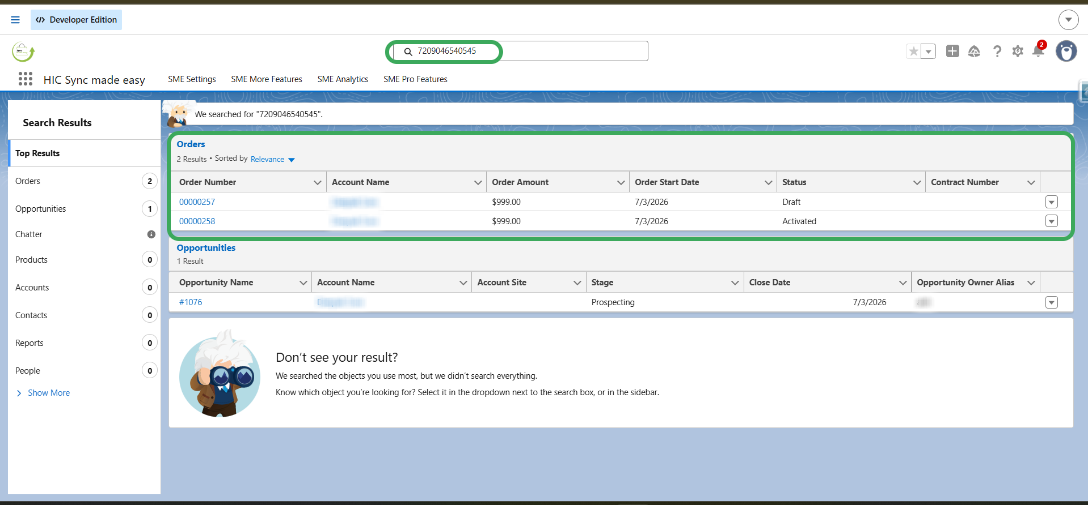
These steps can be used to manually trigger synchronization from Shopify to Salesforce for Product, Customer, Draft Order, and Order.
Was this article helpful?
That’s Great!
Thank you for your feedback
Sorry! We couldn't be helpful
Thank you for your feedback
Feedback sent
We appreciate your effort and will try to fix the article
