Yes, our app supports multistore synchronization. Follow the instructions below…
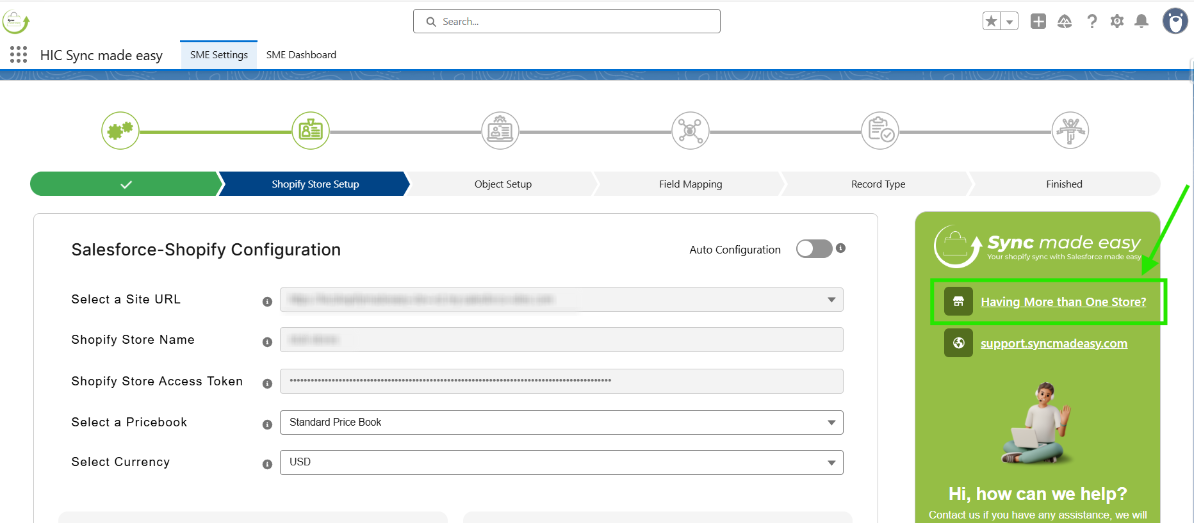
Step 1: Click on “Having More than One Store” on the right side of the card.
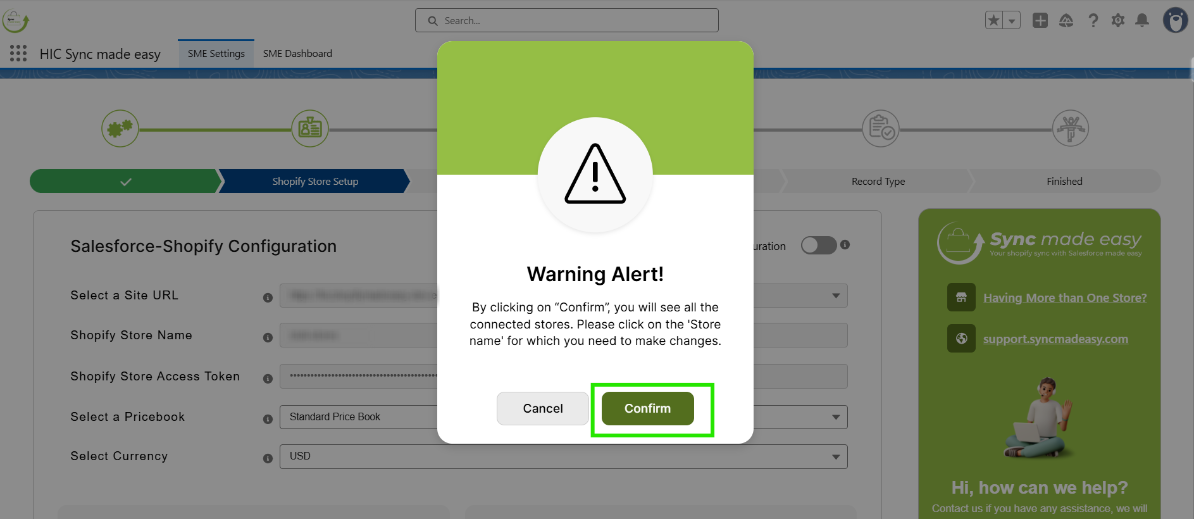
Step 2: Click “Confirm”.
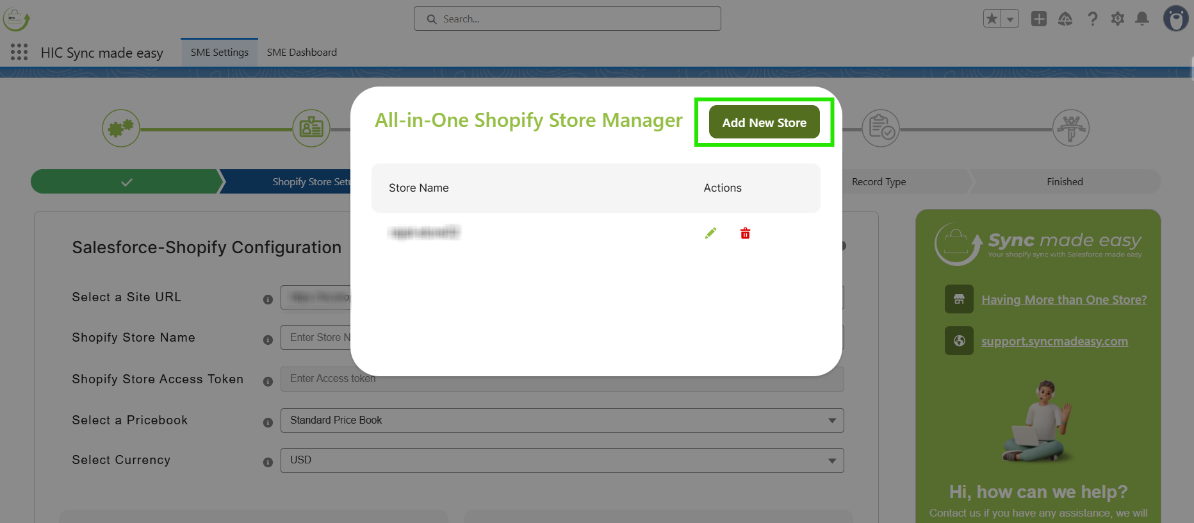
Step 3: To add a new store to your Salesforce org, click “Add New Store” from the multi-store control panel.
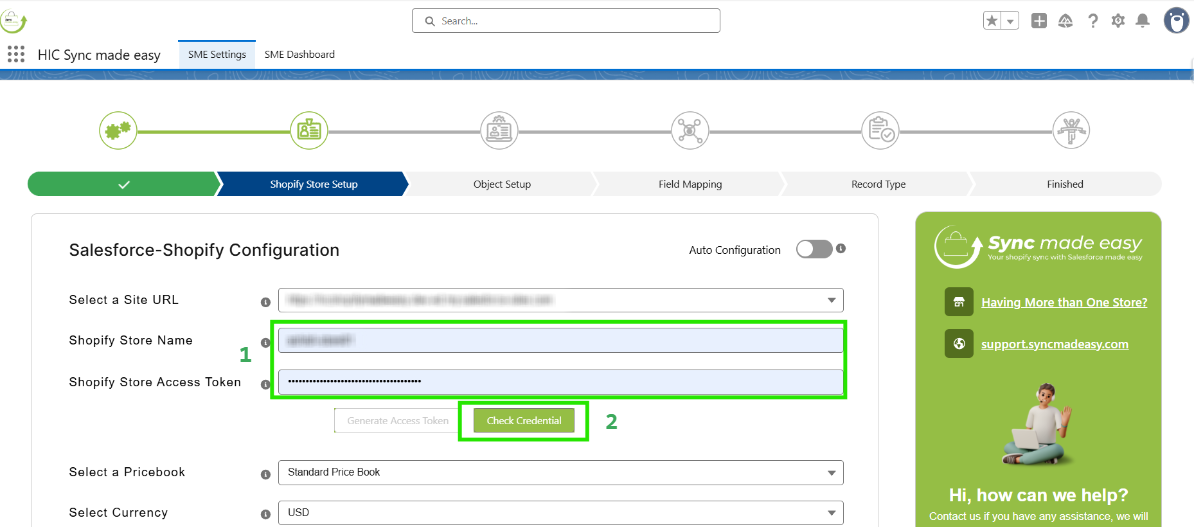
Step 4: You will be redirected to the Shopify Store Setup page, where you need to enter the new Shopify store name and access token, then click “Check Credentials”.
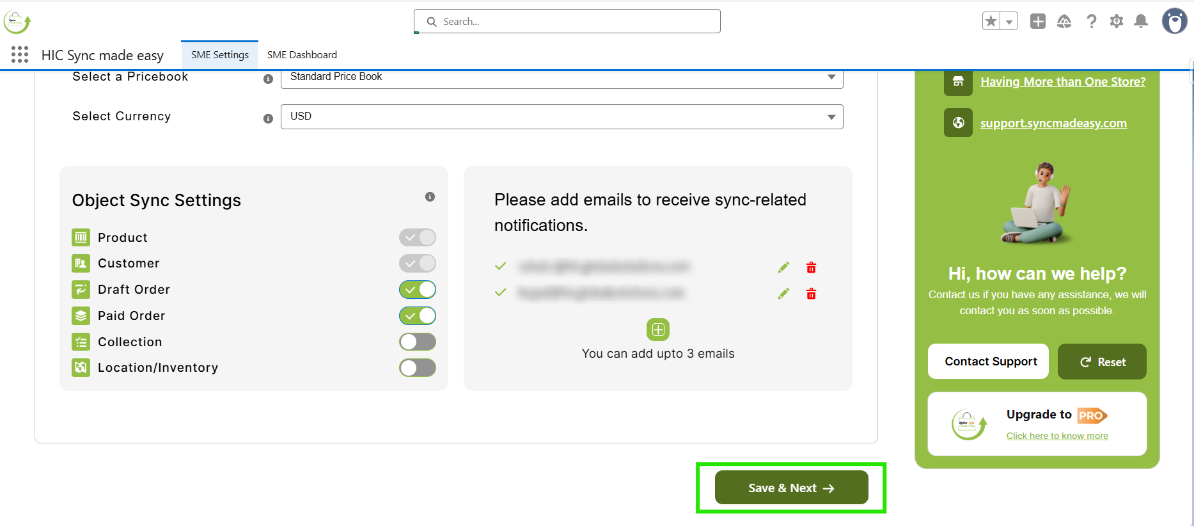
Step 5: Click “Save & Next”.
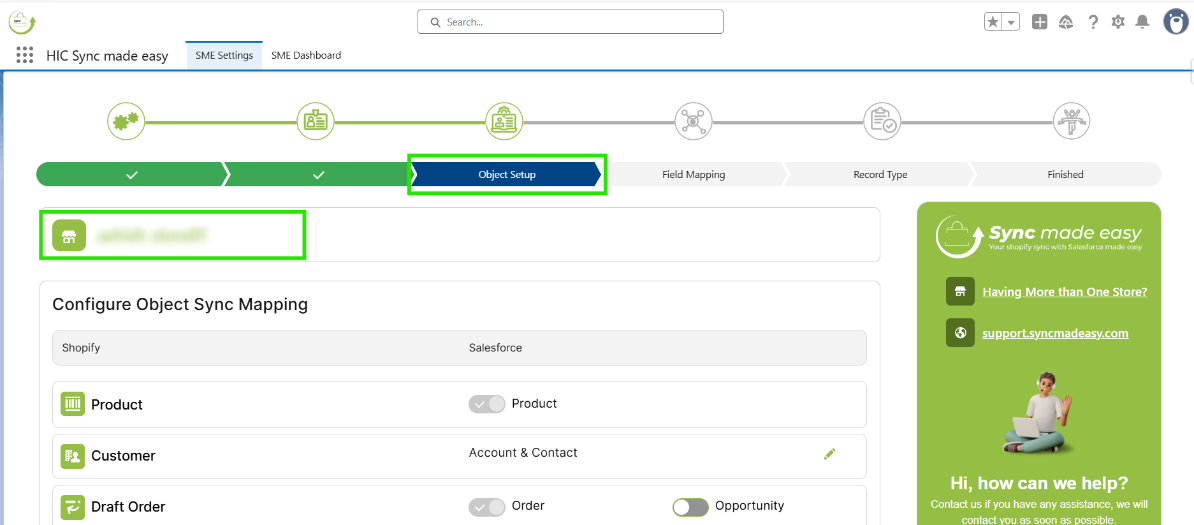
Step 6: Now, you can check that the new store name has been shown in the Object Setup Page.
Thanks!
Was this article helpful?
That’s Great!
Thank you for your feedback
Sorry! We couldn't be helpful
Thank you for your feedback
Feedback sent
We appreciate your effort and will try to fix the article