Certainly! You have the option to add default value mapping for fields. This allows you to specify default values for certain fields, ensuring consistency and streamlining data entry processes. Please follow the steps below:
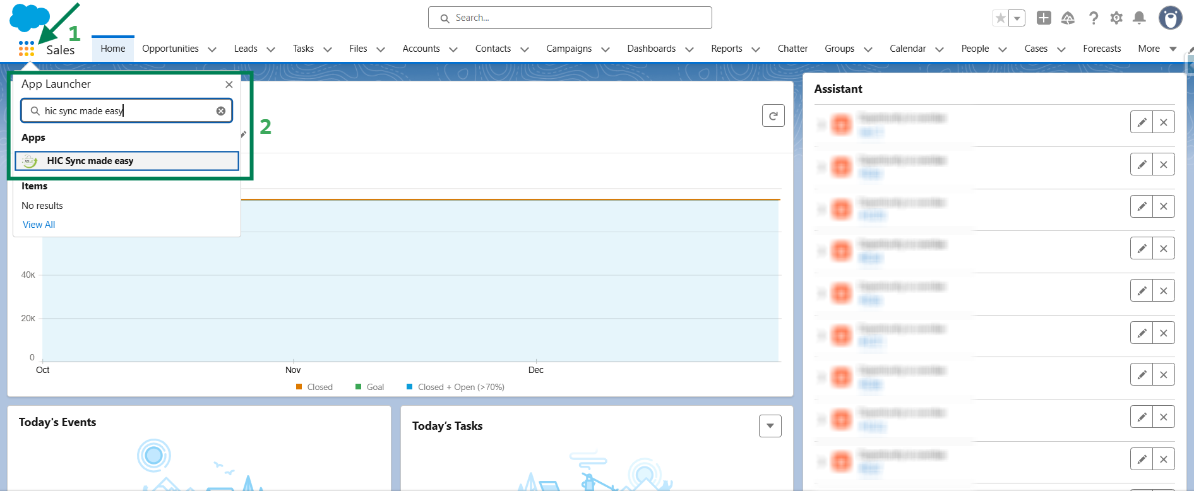
Step 1: Log in to Salesforce & in App Launcher search "HIC Sync made easy". Click on it.
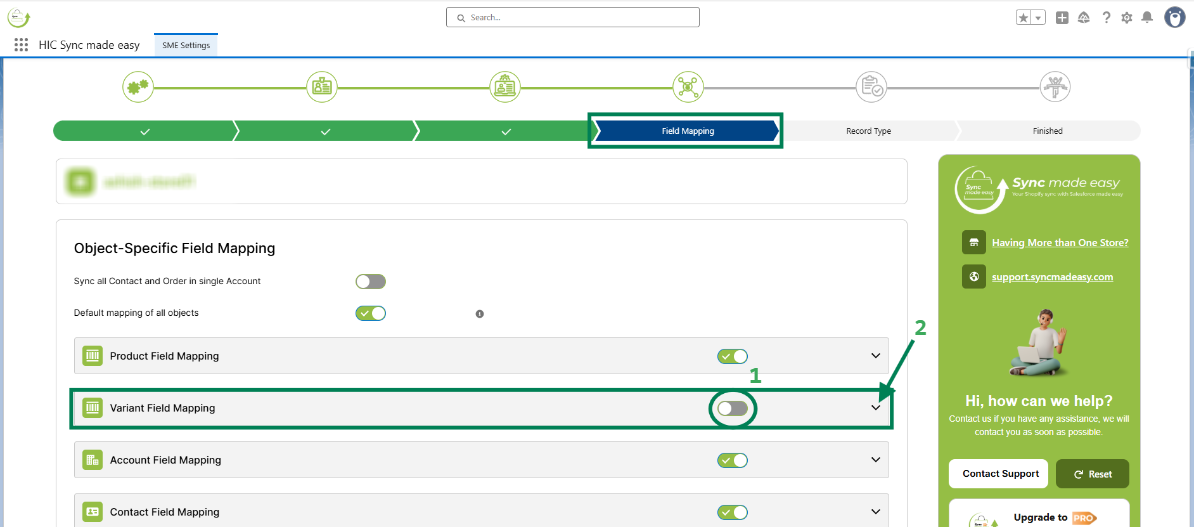
Step 2: Navigate to the "Field Mapping" page, turn off the toggle button for the respective object, and click the dropdown.
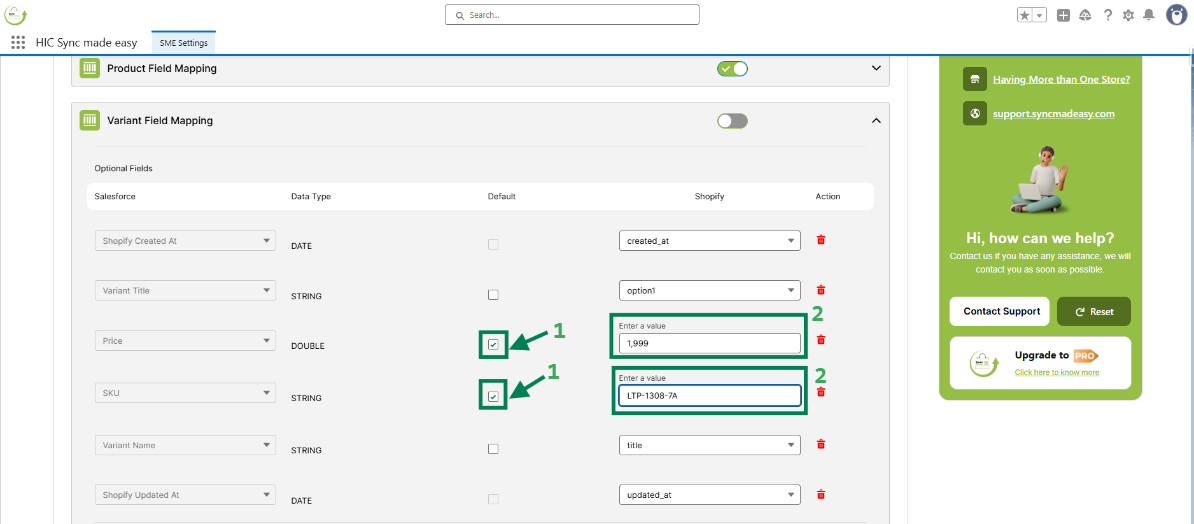
Step 3: Check the Default checkbox and enter the Shopify value you want to sync.
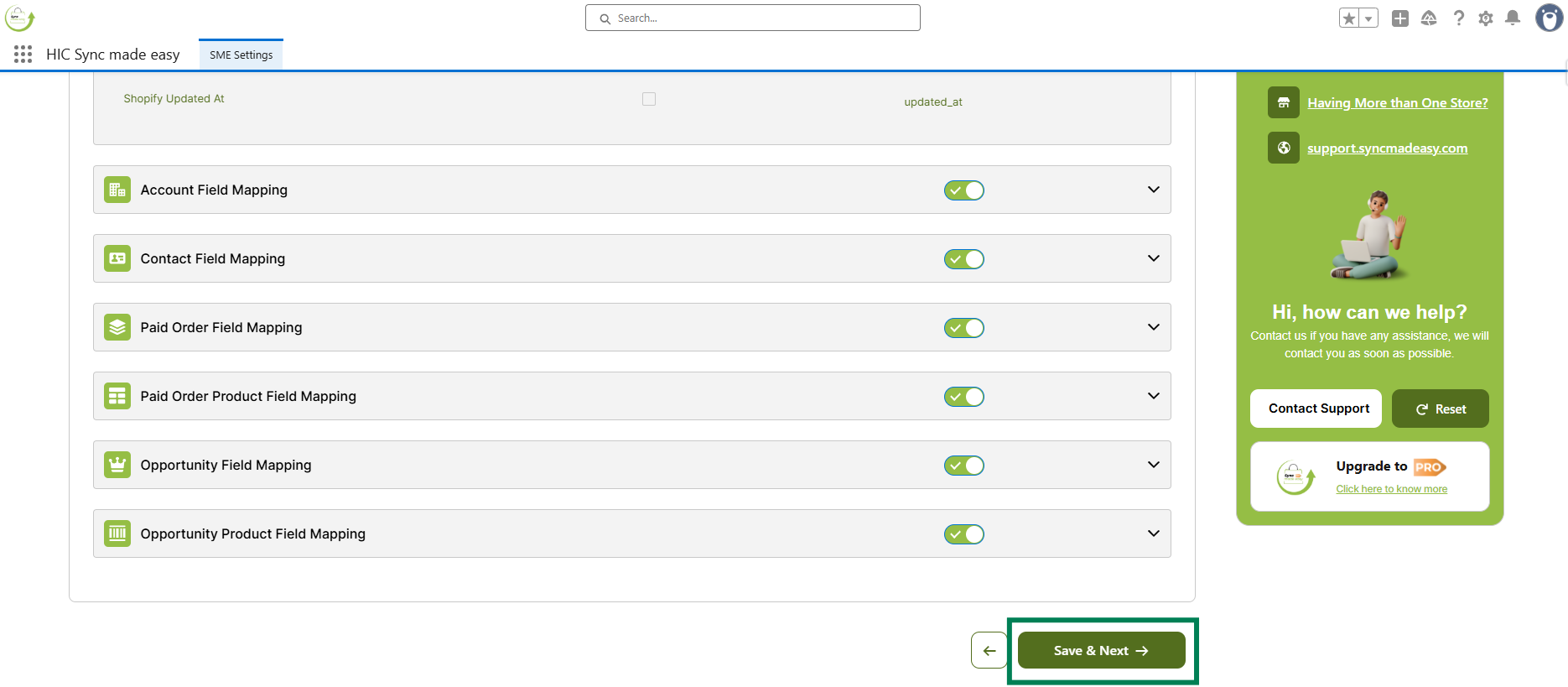
Step 4: Then, click “Save & Next” to save the changes.
These steps complete the process to set a default value for some fields.
Thanks!
Was this article helpful?
That’s Great!
Thank you for your feedback
Sorry! We couldn't be helpful
Thank you for your feedback
Feedback sent
We appreciate your effort and will try to fix the article