Yes! You can find this feature in Sync Made Easy Pro called "Non-Purchasing Customer's Lead Creation". Please follow the steps below:
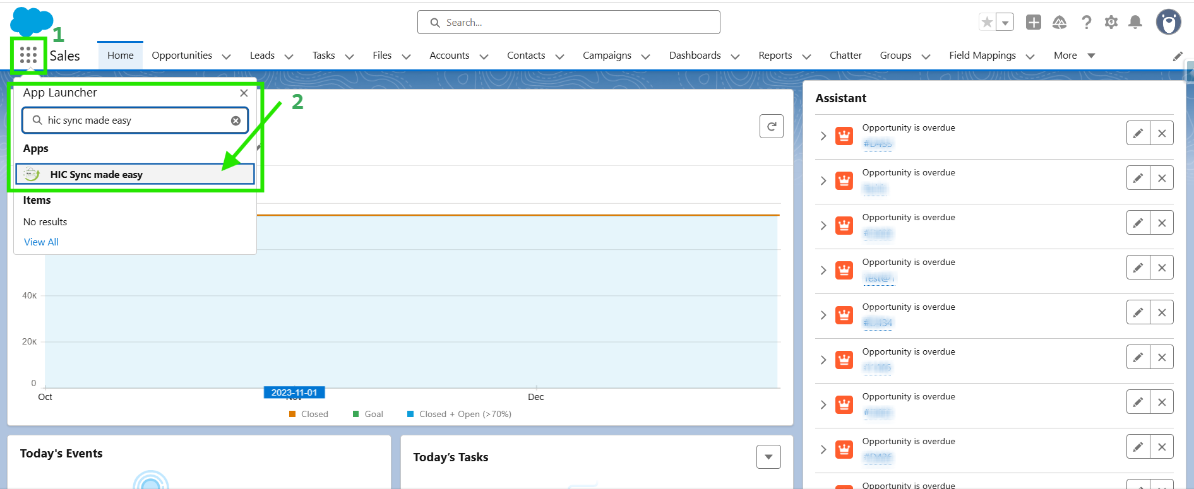
Step 1: Log in to Salesforce & in App Launcher search "HIC Sync made easy". Click on it.
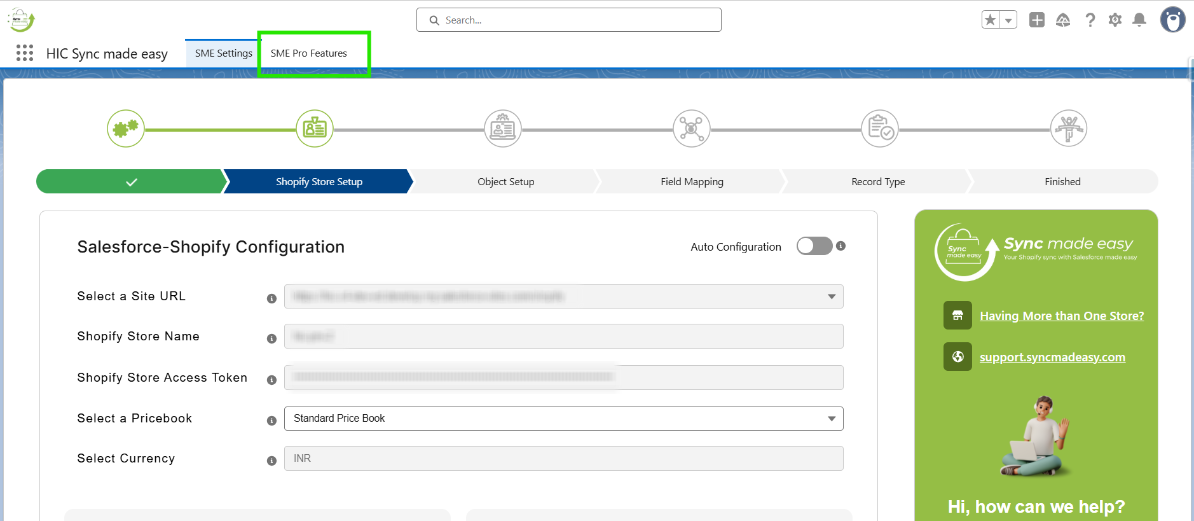
Step 2: Go to "SME Pro Features".
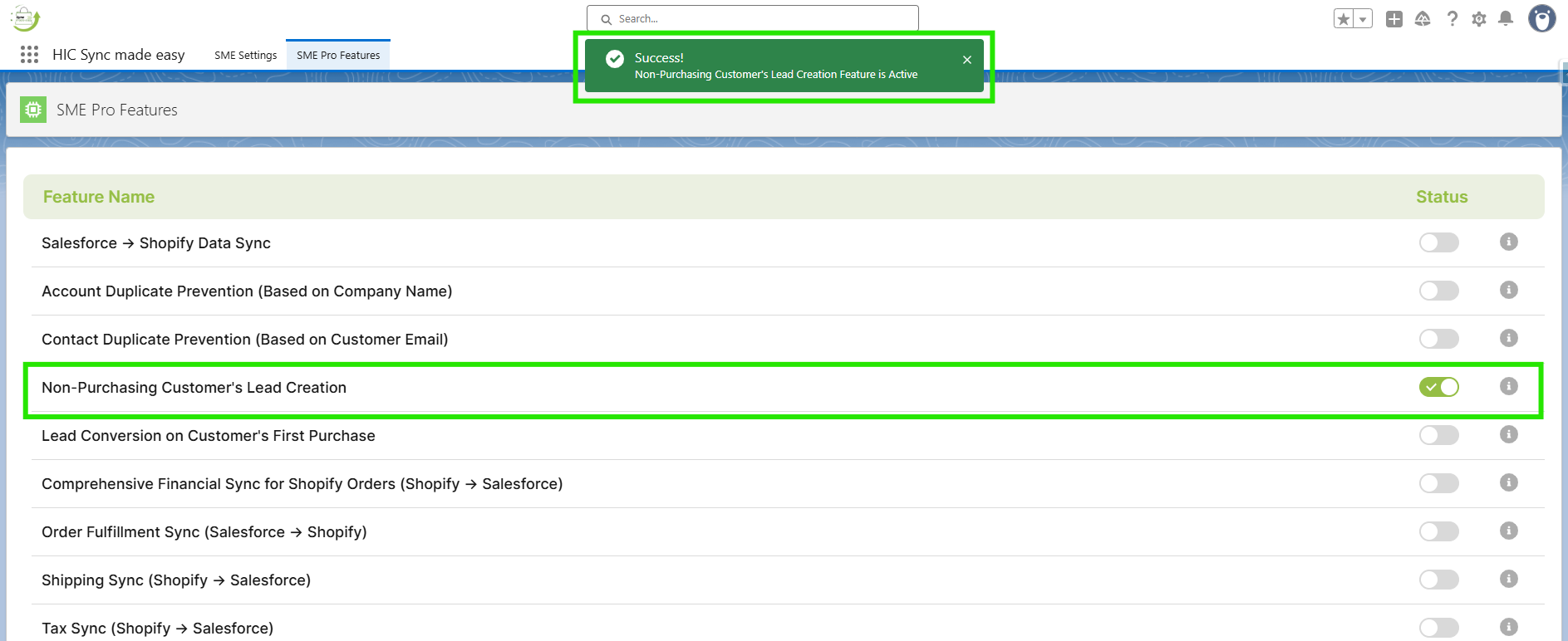
Step 3: Enable the “Non-Purchasing Customer's Lead Creation” feature toggle button.
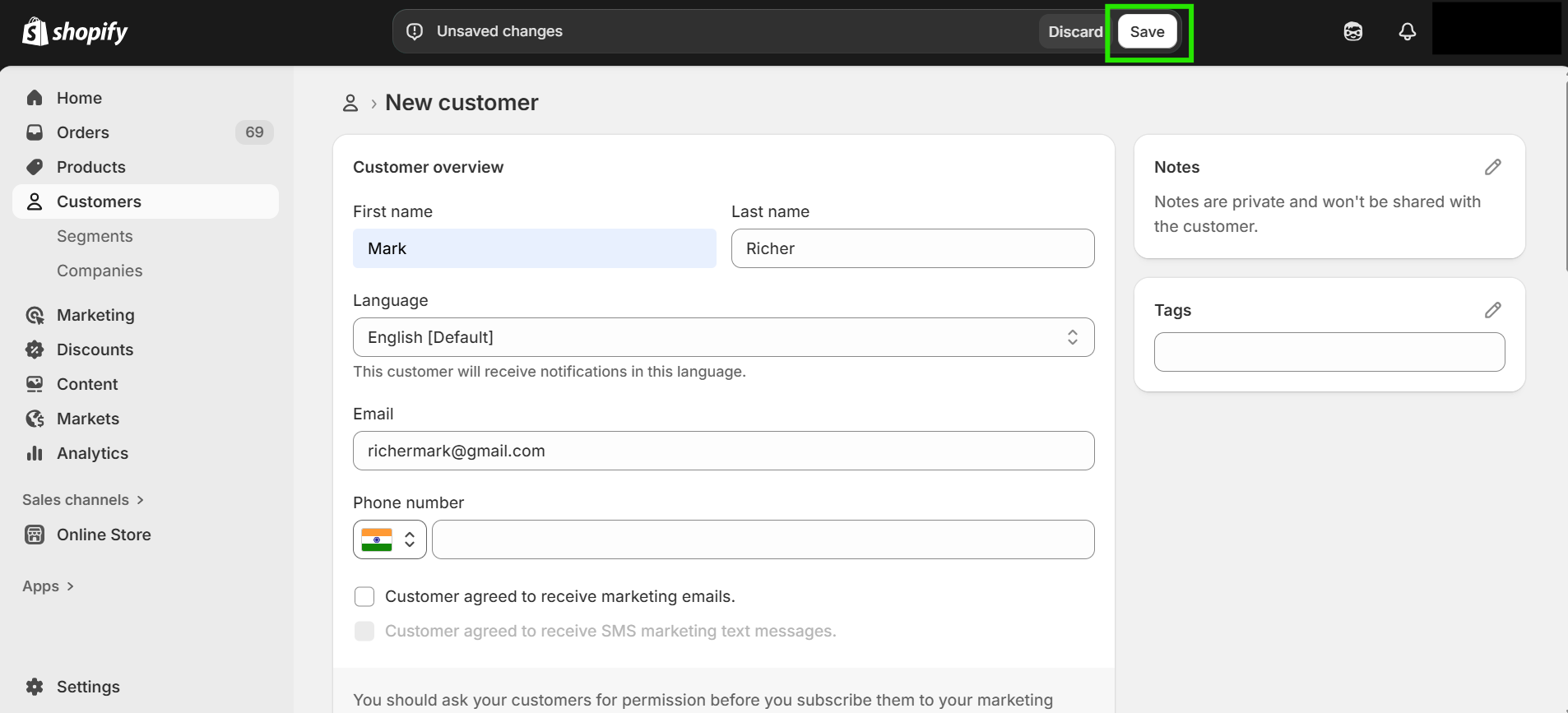
Step 4: Go to your Shopify Store and create a new Customer by clicking “Add Customer”. Fill the required information and click on “Save”.
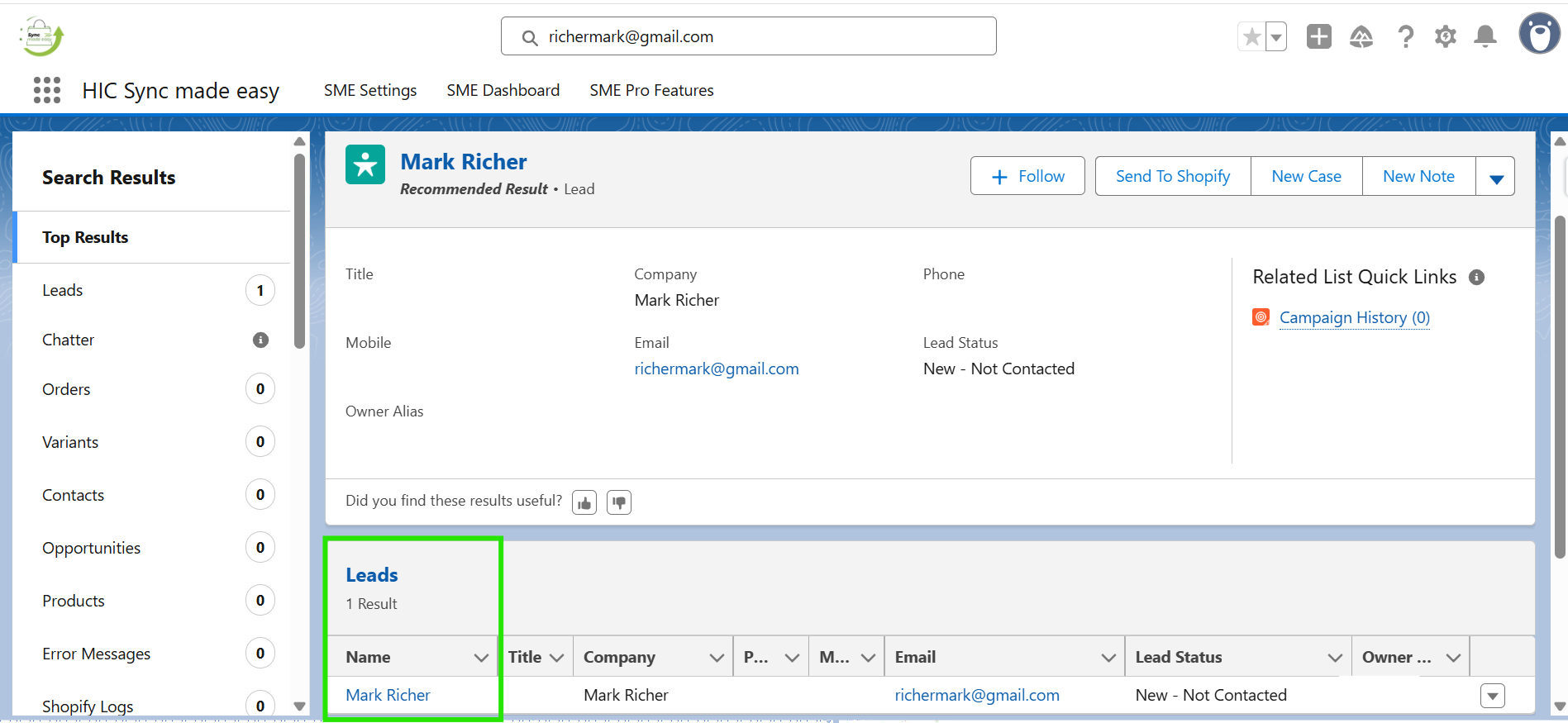
Step 5: Copy the Customer Email or Shopify ID, then paste it into the Salesforce Global Search to find the record. A new "Lead” will be Successfully Created in Salesforce.
Thanks!
Was this article helpful?
That’s Great!
Thank you for your feedback
Sorry! We couldn't be helpful
Thank you for your feedback
Feedback sent
We appreciate your effort and will try to fix the article