In Shopify, if you do not have the first name and last name of a customer, these fields may be left empty during integration with Salesforce. Since first and last names are required fields in Salesforce, the system displays “REQ” to indicate these fields are missing or not populated.
How to Check if a Shopify Customer has a First and Last Name -
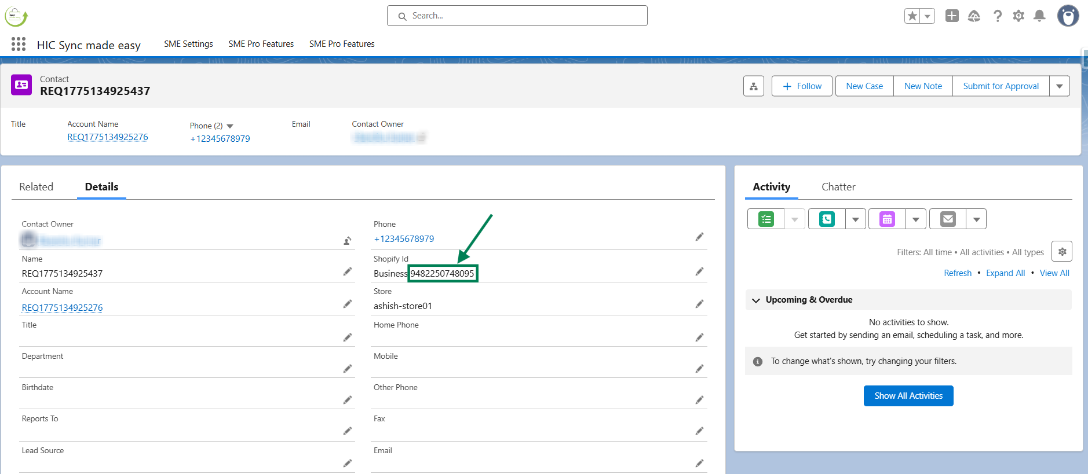
Step 1: Open the Account/Contact record in Salesforce and copy the Shopify ID.
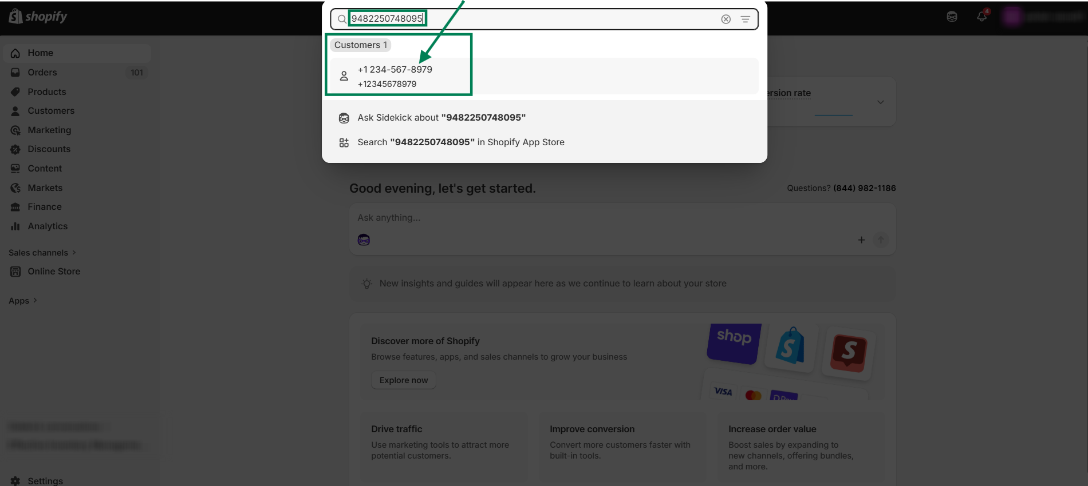
Step 2: Search for the customer in Shopify using the Shopify ID.
Step 3: Review the customer details to check if the First Name and Last Name are provided.
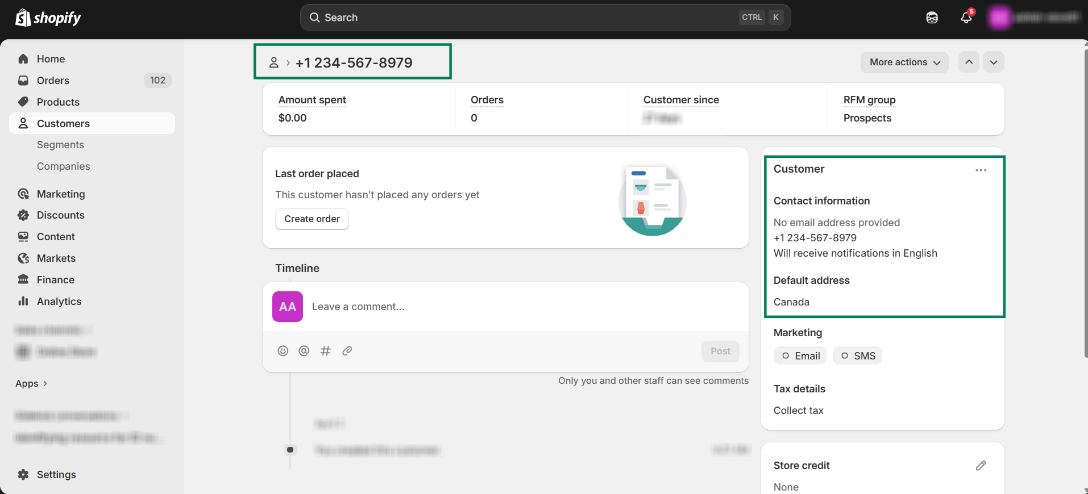
As shown in the image above, the First Name and Last Name values are not populated.
Since Last Name is a required field in Salesforce contact, the system assigns the prefix “REQ” to handle missing values.
Thanks!
Was this article helpful?
That’s Great!
Thank you for your feedback
Sorry! We couldn't be helpful
Thank you for your feedback
Feedback sent
We appreciate your effort and will try to fix the article