This functionality only works on “Order” and “Opportunity”. Therefore, we need to add these Related lists to utilize the “Shipping“, “Tax” and “Refund” Functionality.
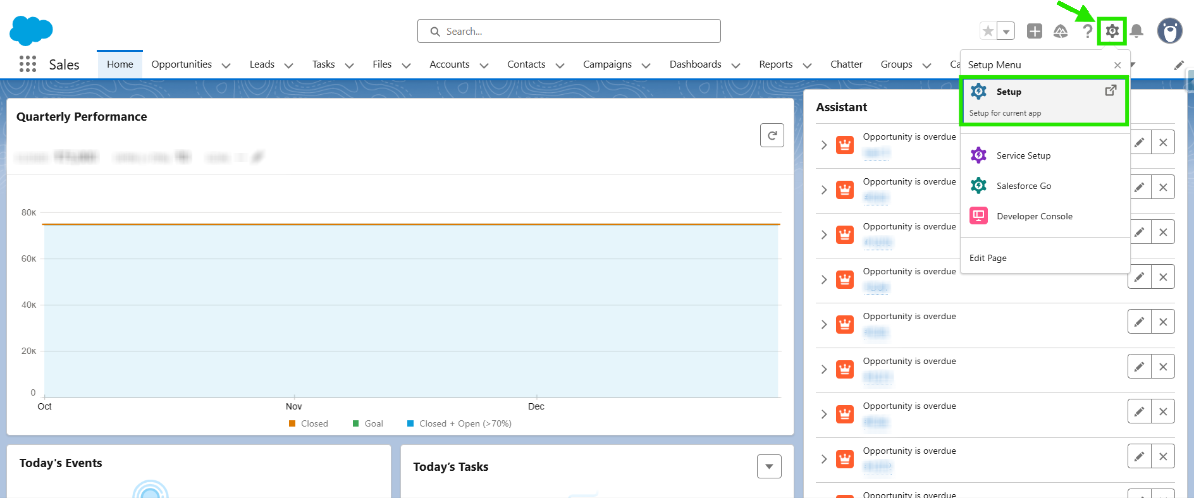
Step 1: Open your Salesforce Org. Click on the gear icon to open the “Setup”.
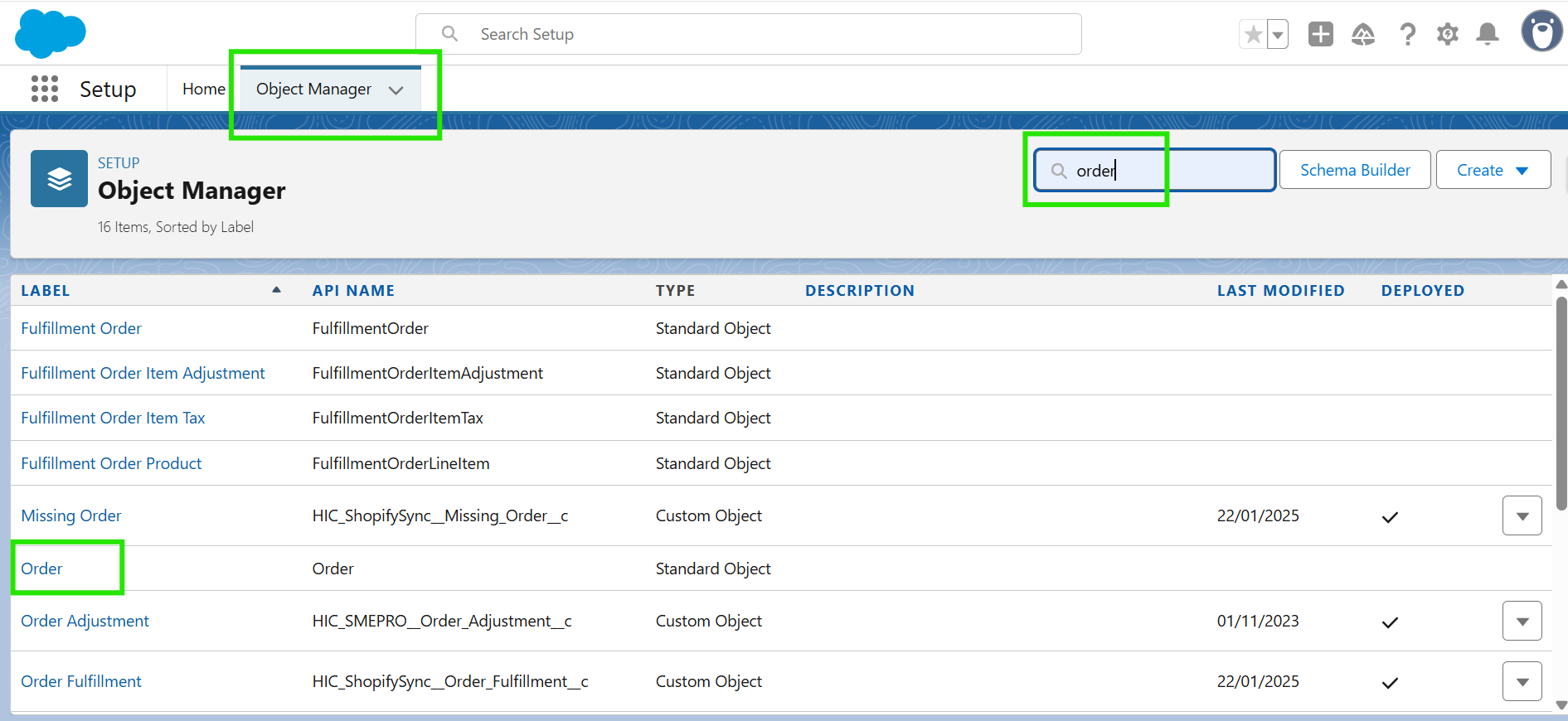
Step 2: Click on Object Manager and search for “Order” in the search bar, then click on it to open.
Note: Ensure you have enabled the Shipping, Tax, and Refund Lines for both Order and Opportunity.
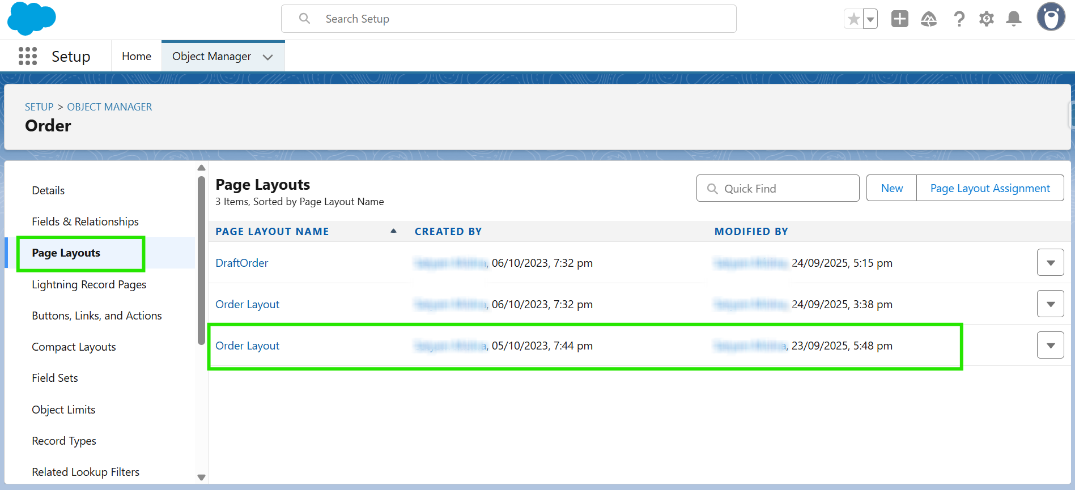
Step 3: Click on “Page Layout” and open Order Layout.
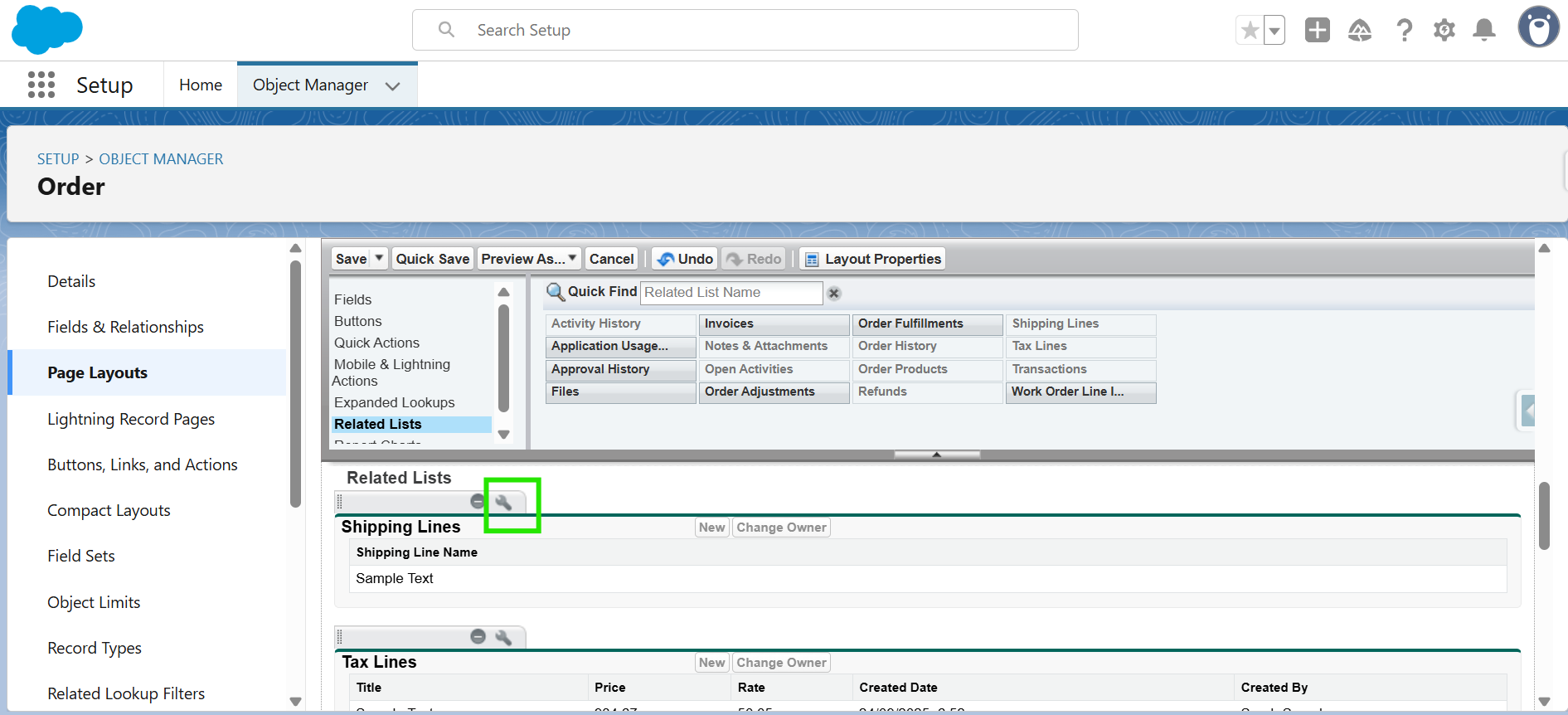
Step 4: Click on Related Lists and add “Shipping Lines”, “Tax Lines” and “Refund” as shown in the screenshot below.
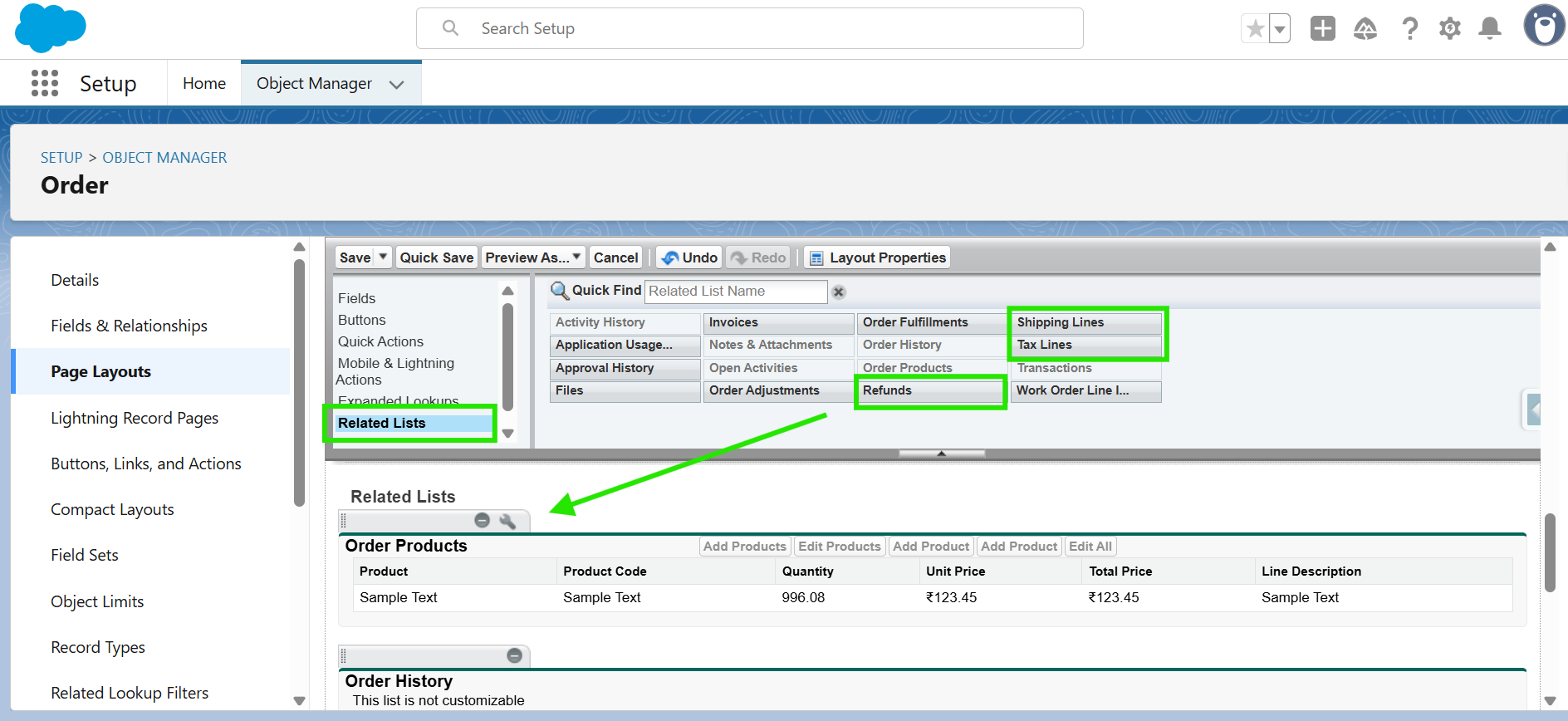
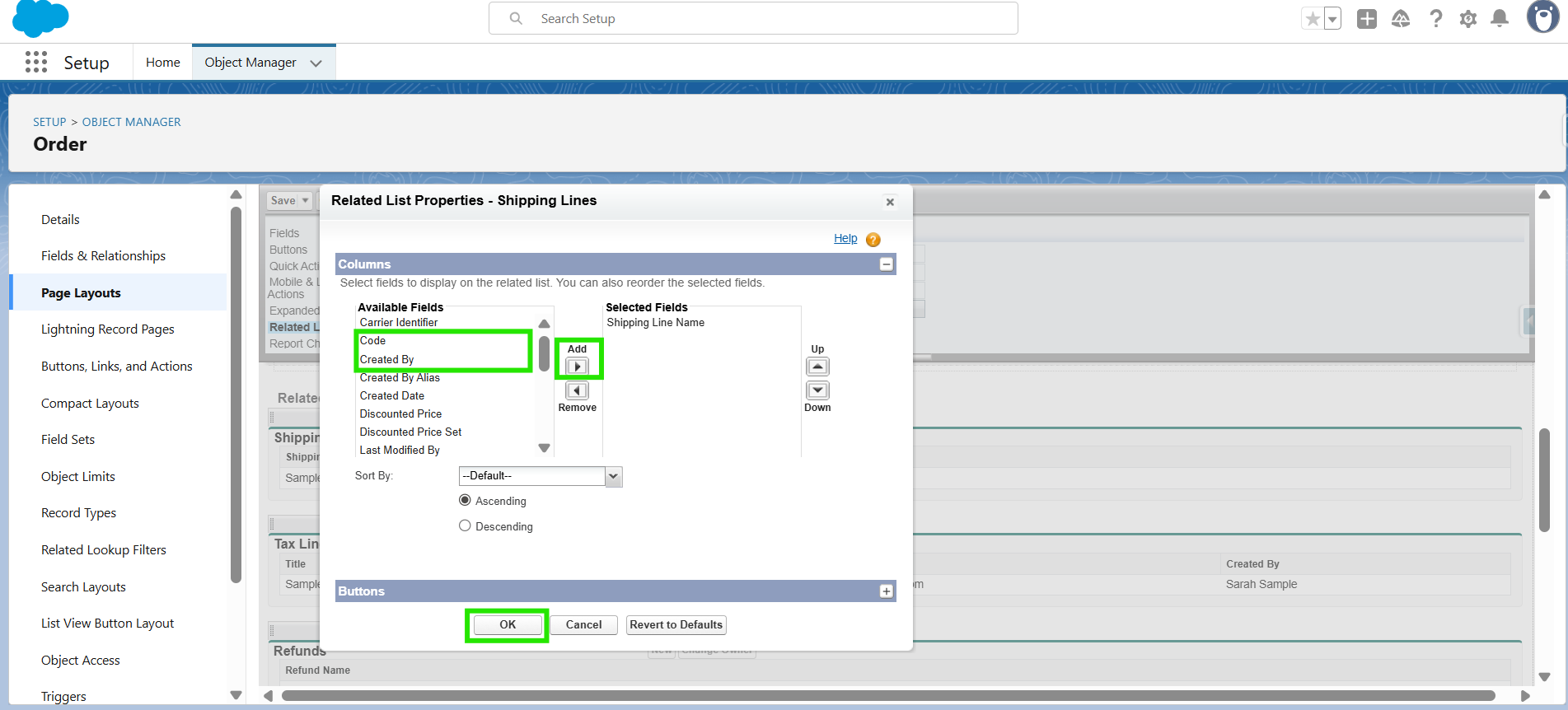
Step 5: Once the lists are added, you can also add fields by clicking on the settings button as shown below.
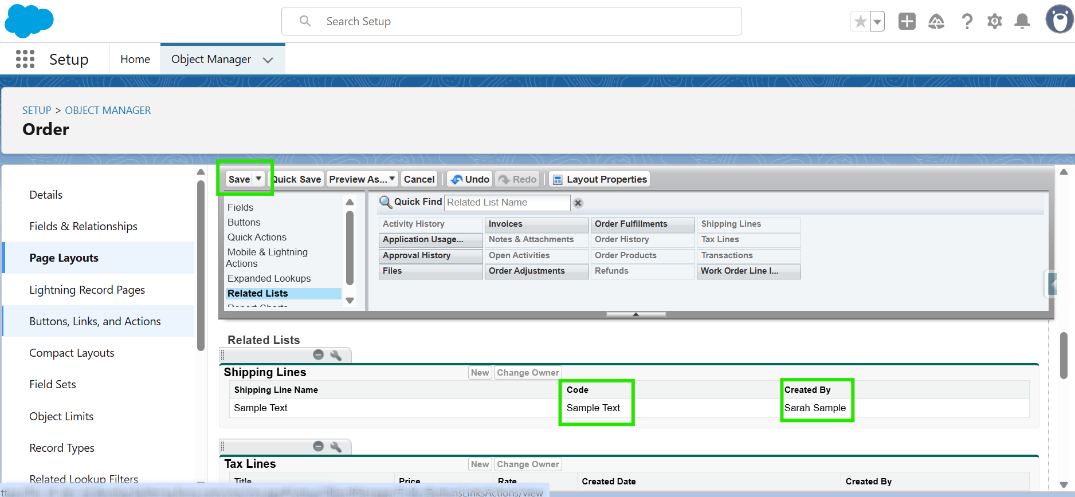
Step 6: Click on "Save".
Hope this helps you! If you still have any questions about Add Tax Shipping and Refund Lists, get in touch with our support desk!
Was this article helpful?
That’s Great!
Thank you for your feedback
Sorry! We couldn't be helpful
Thank you for your feedback
Feedback sent
We appreciate your effort and will try to fix the article