This article explains how to sync Shopify customers into Salesforce as Person Accounts using the HIC Sync Made Easy app.
Person Accounts allow Shopify customers to be managed as a single record in Salesforce instead of separate Account and Contact records, helping keep customer data clean, organized, and easy to manage.
Before starting, ensure you have Salesforce administrator access and the HIC Sync Made Easy app is installed and connected to your Shopify store.
Step 1 : Log in to your Salesforce org.
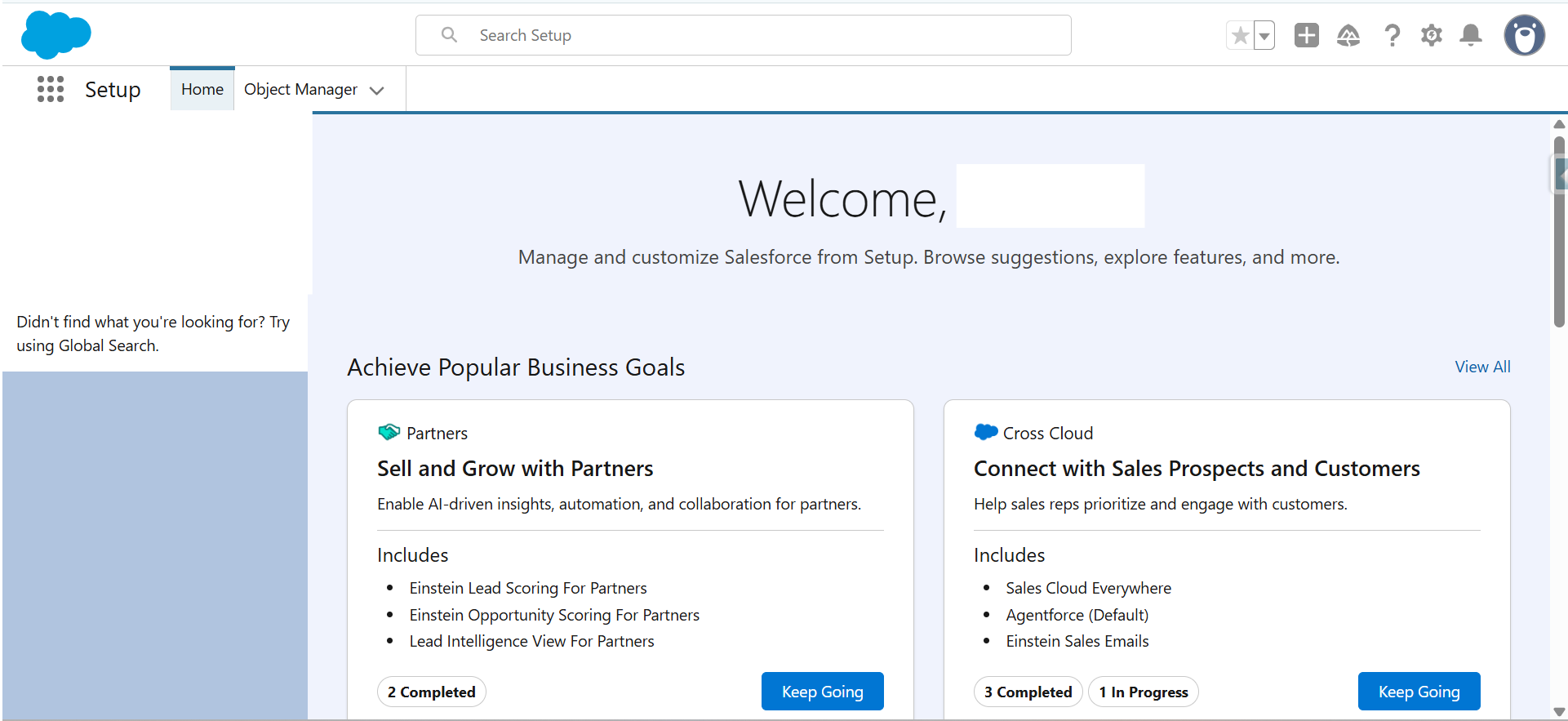
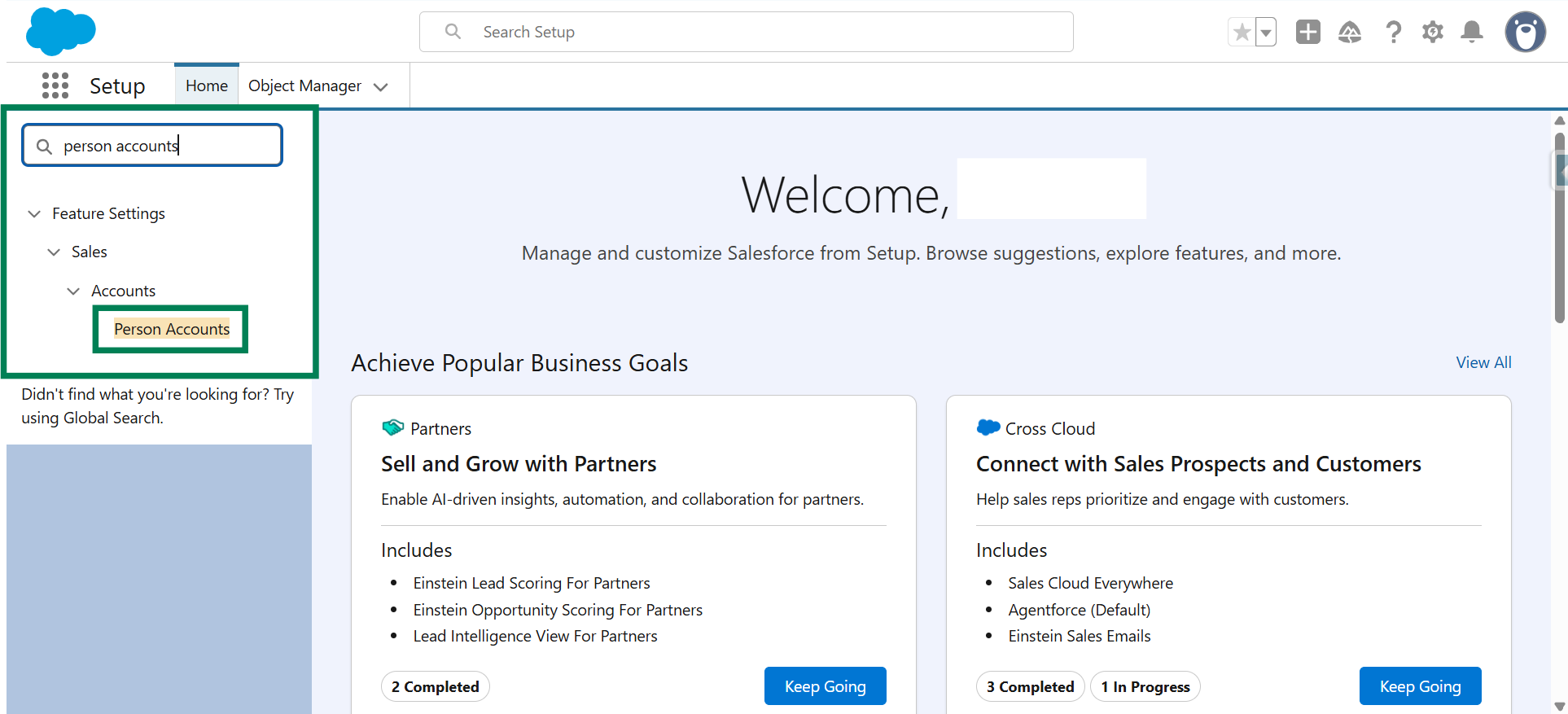
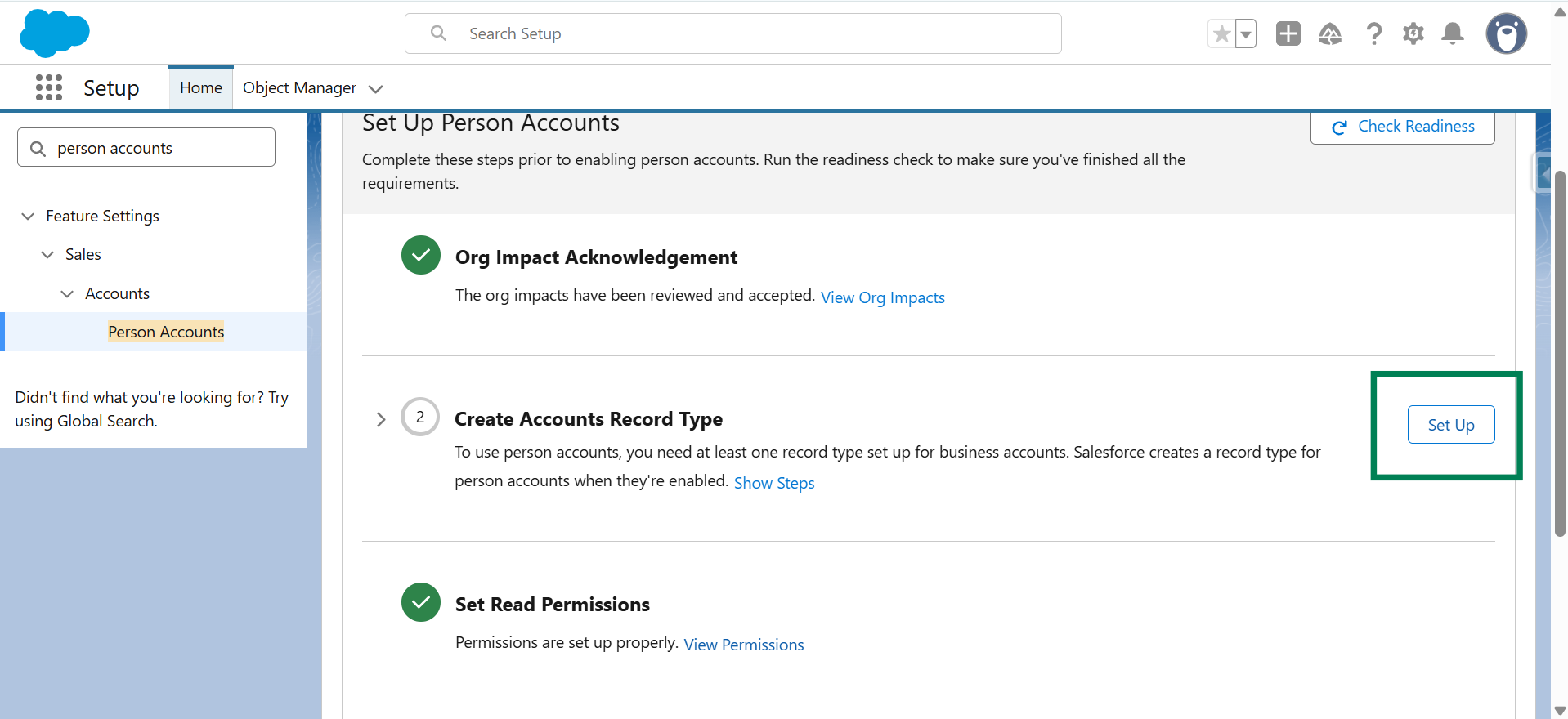
Step 2: Go to Setup. In the Quick Find box, search for Person Accounts, then click Person Accounts.
Note:
If Person Accounts are already enabled, skip to Step 14.
If Person Accounts are not enabled, continue with the next step.
Step 3: Click on View Org Impacts.
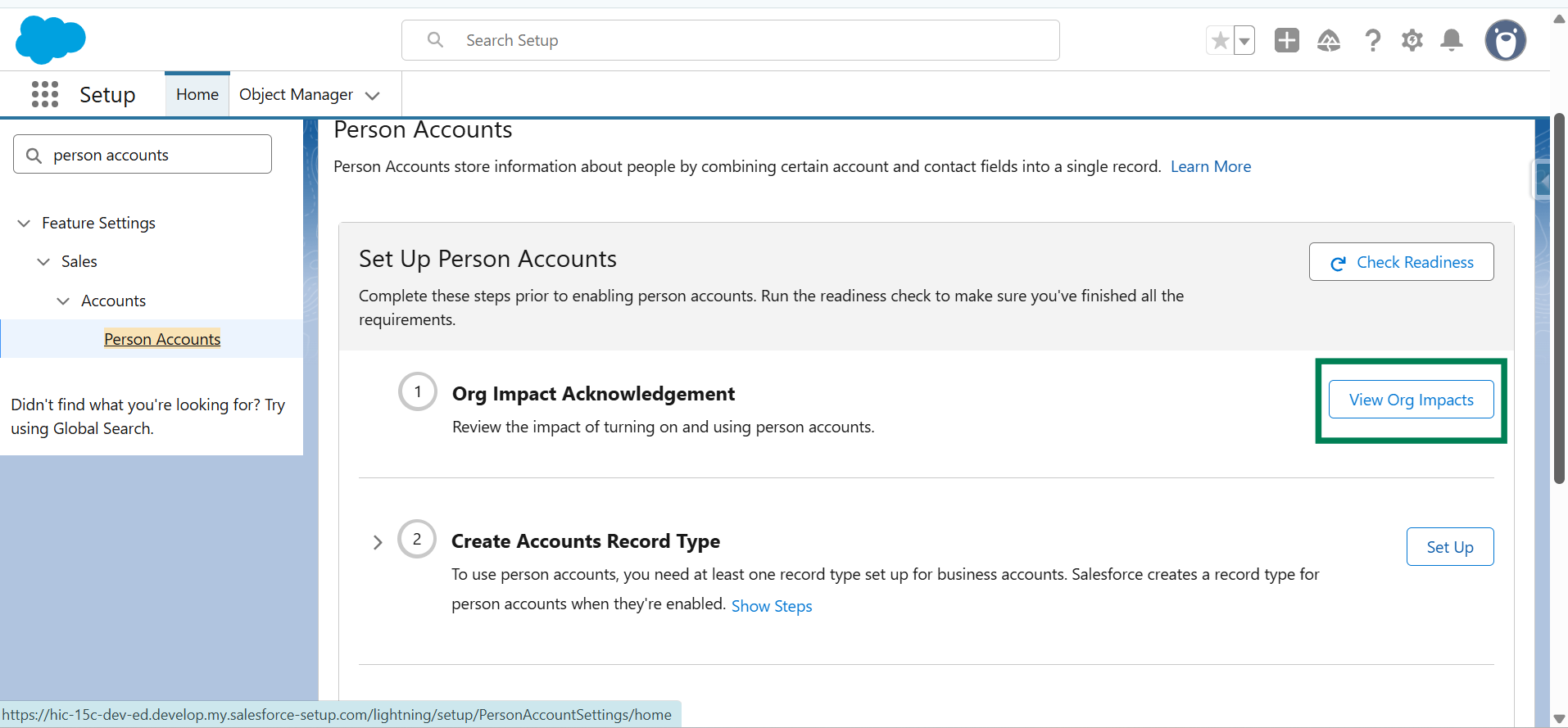
Step 4: Review the details, select the checkbox to acknowledge the impacts, then click on Continue.
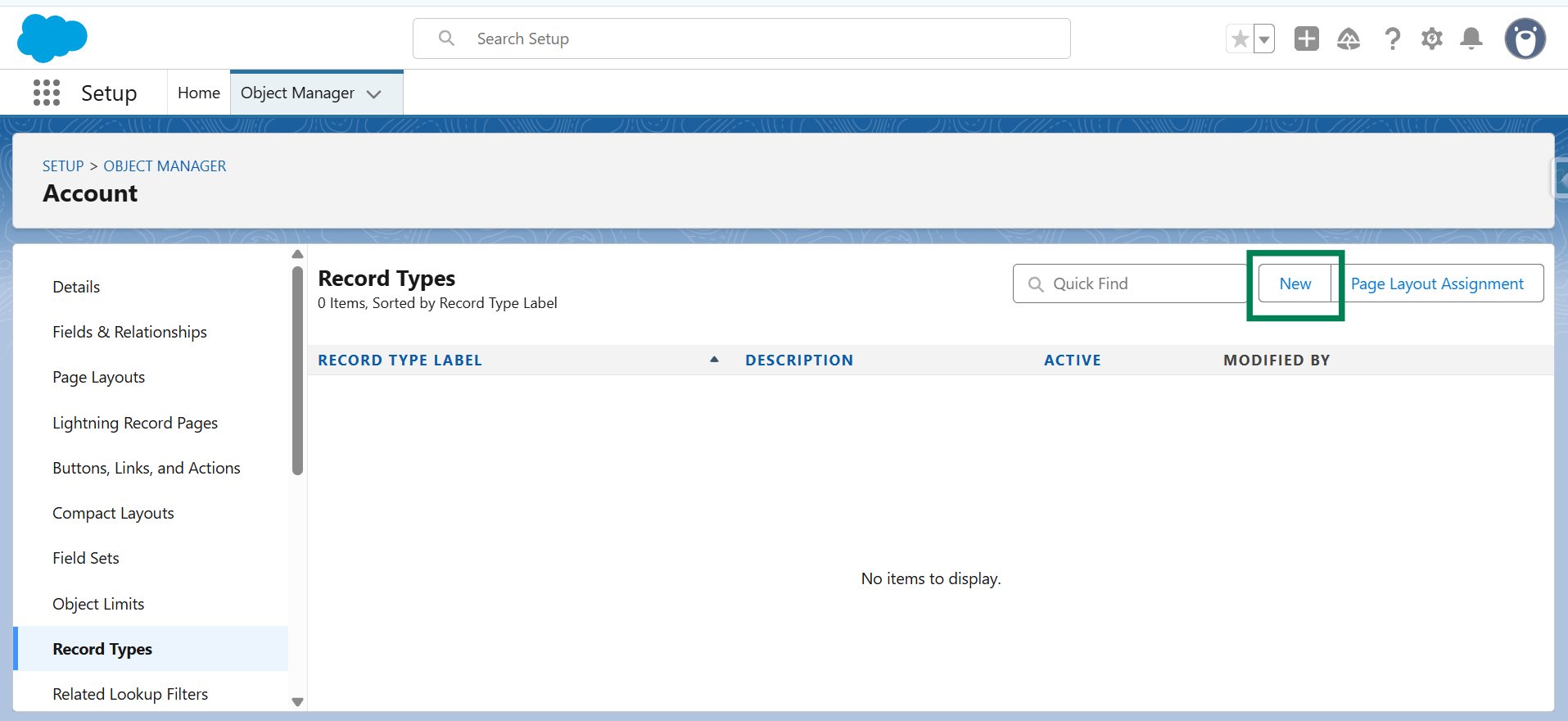
Step 5: Click on Setup, navigate to Object Manager → Account → Record Types.
Step 6: Click on New.
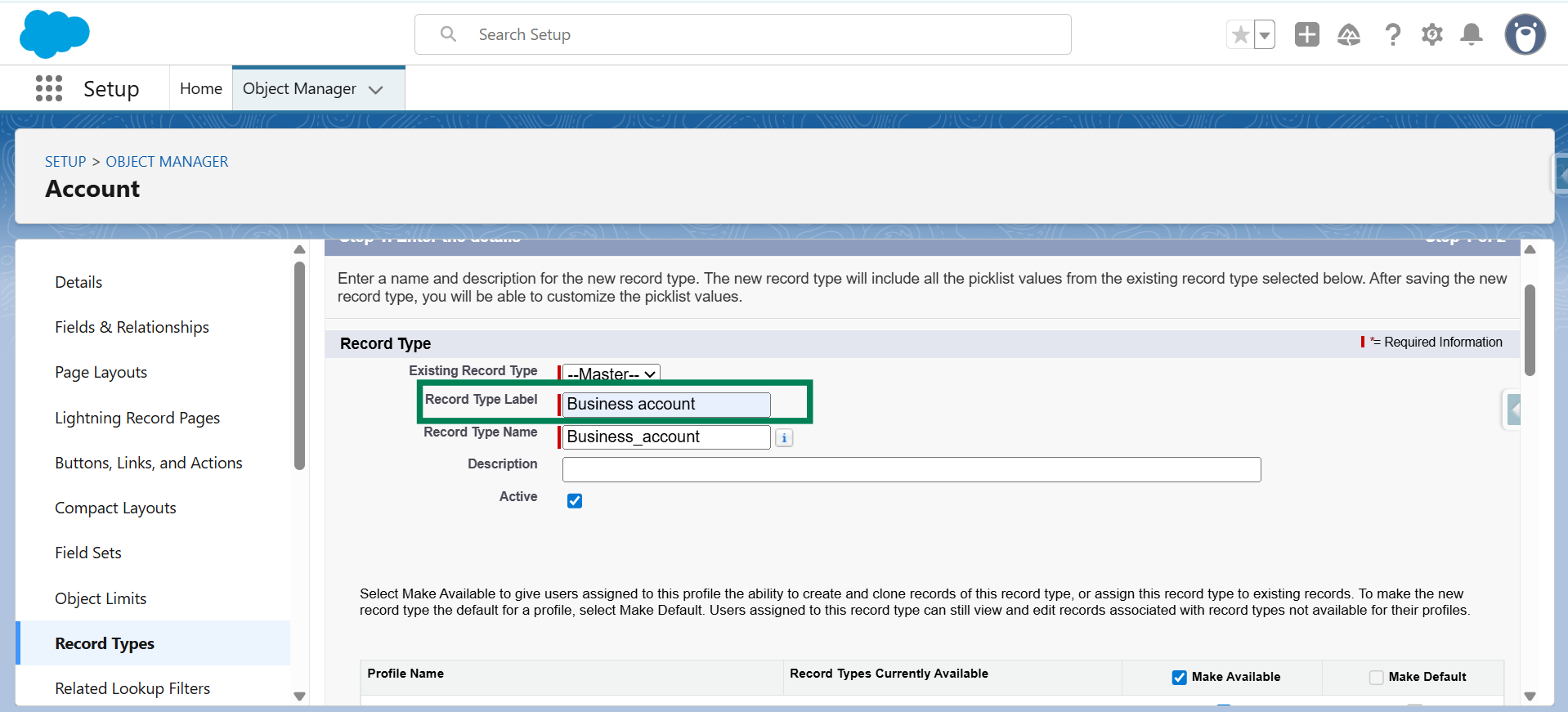
Step 7: Enter the record type label as Business Account, then click on Next.
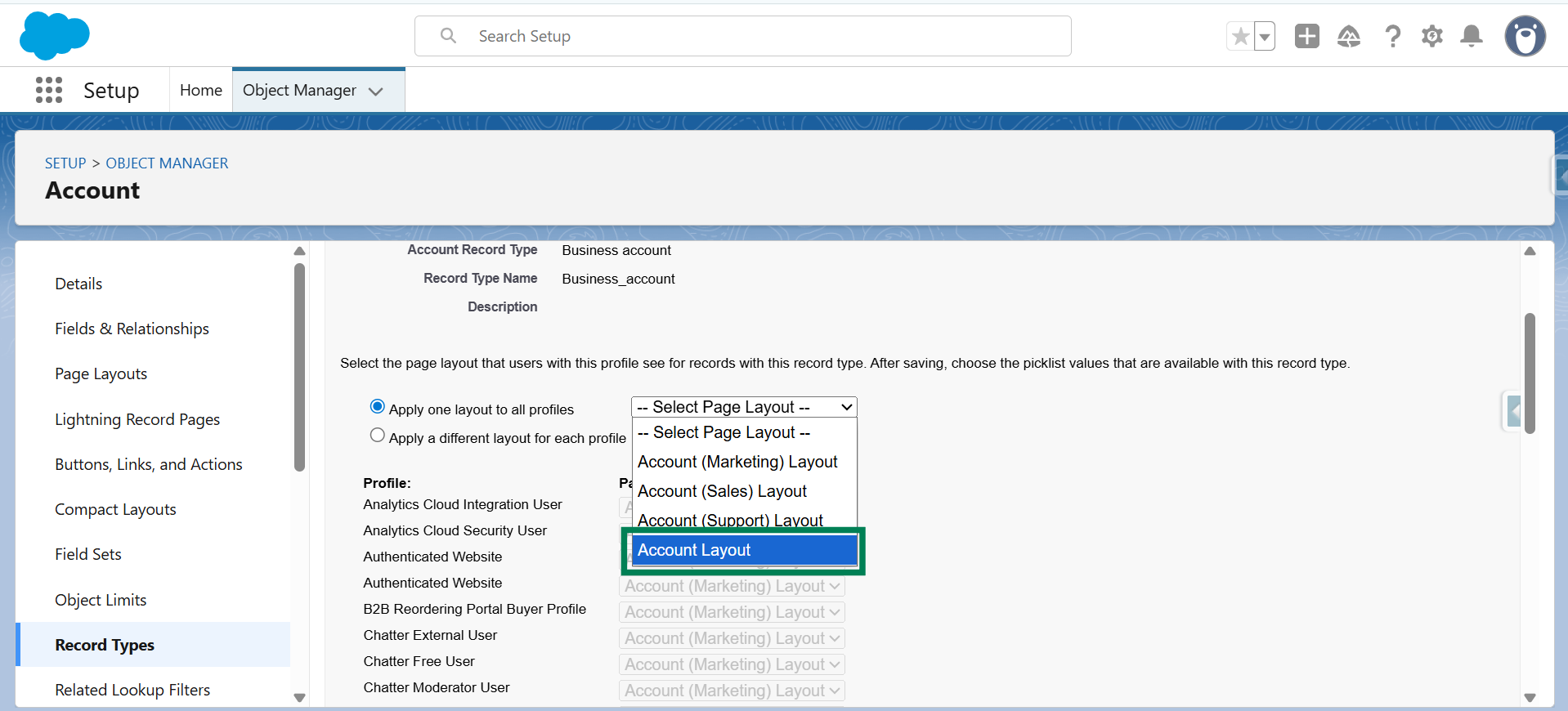
Step 8: Select Account Layout as the page layout and click Save.
Step 9: Return to the Person Accounts setup page and click Enable Person Account.
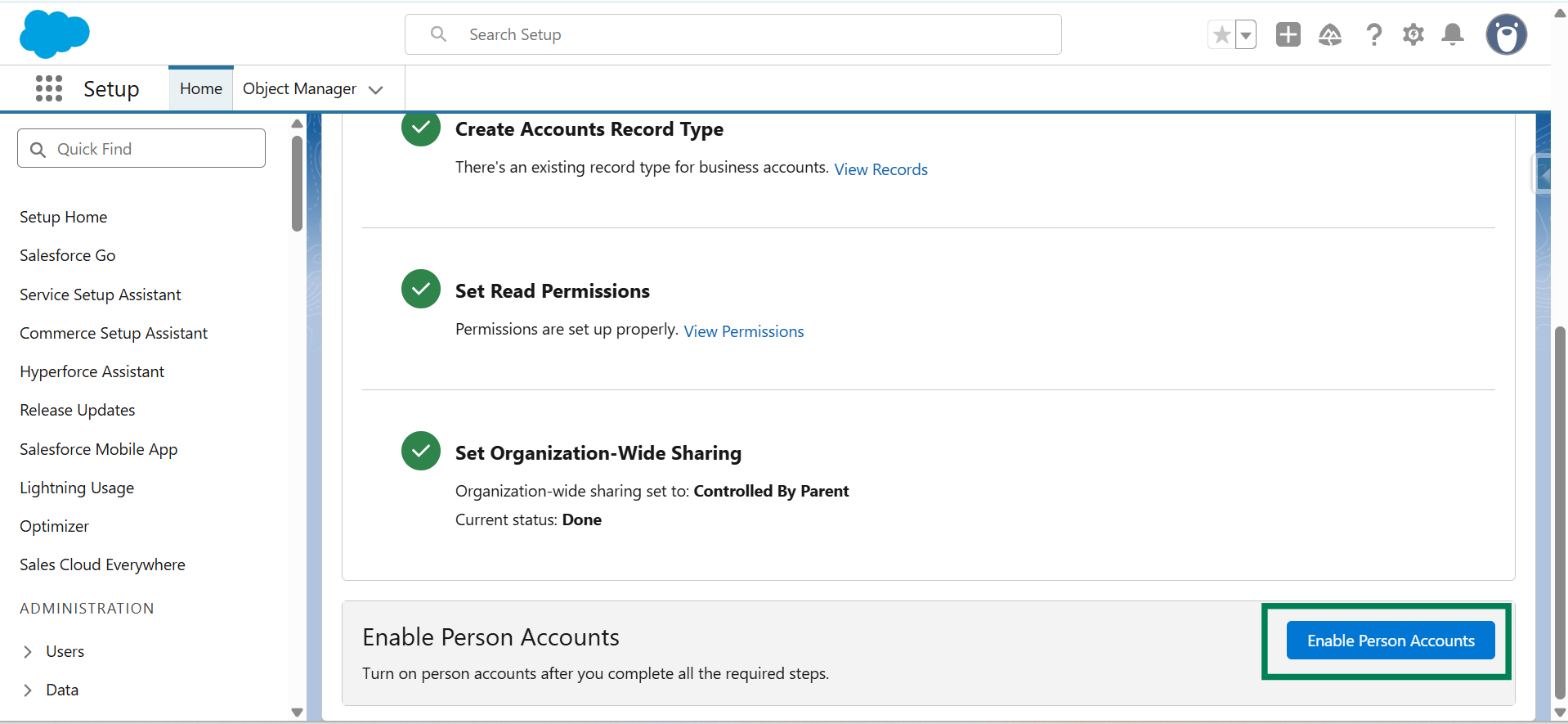
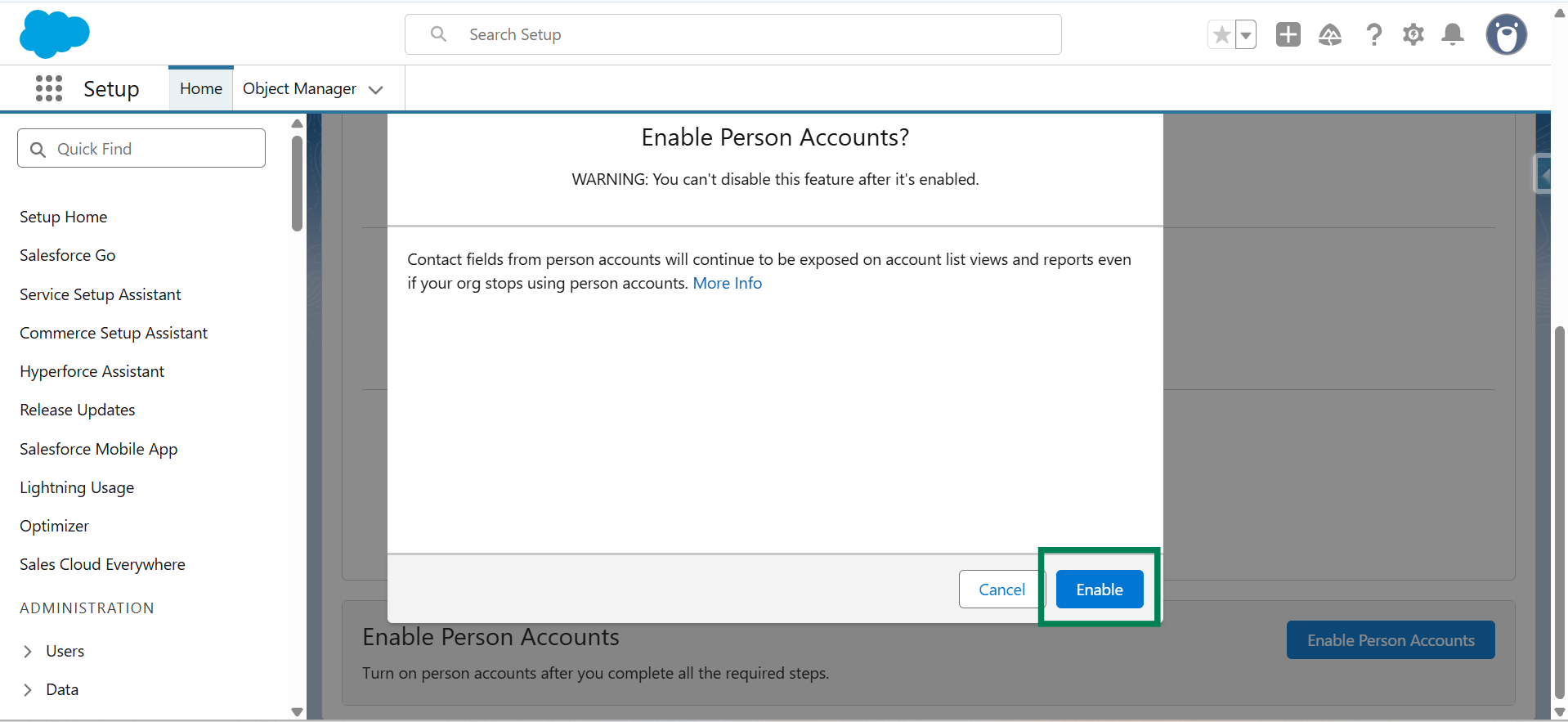
Step 10: Click Enable to confirm.
Important:
Enabling Person Accounts is irreversible. Ensure this aligns with your organization’s data model before proceeding.
Step 11: In Setup, search for Users and click Users.
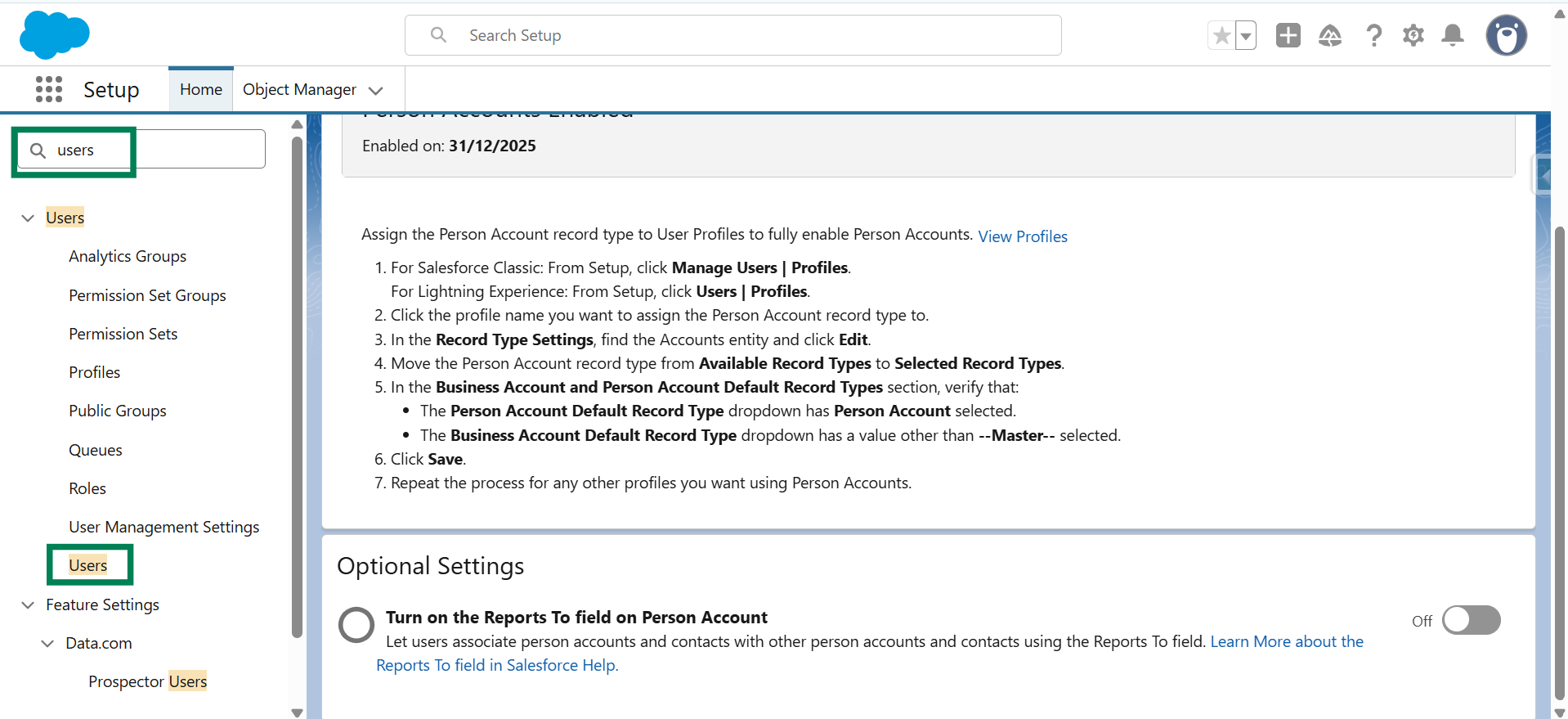
Note:
You can also click on “View Profile”→ System Administrator → Record Type Settings to enable a person account.
Step 12: Select a user and click the associated Profile name.

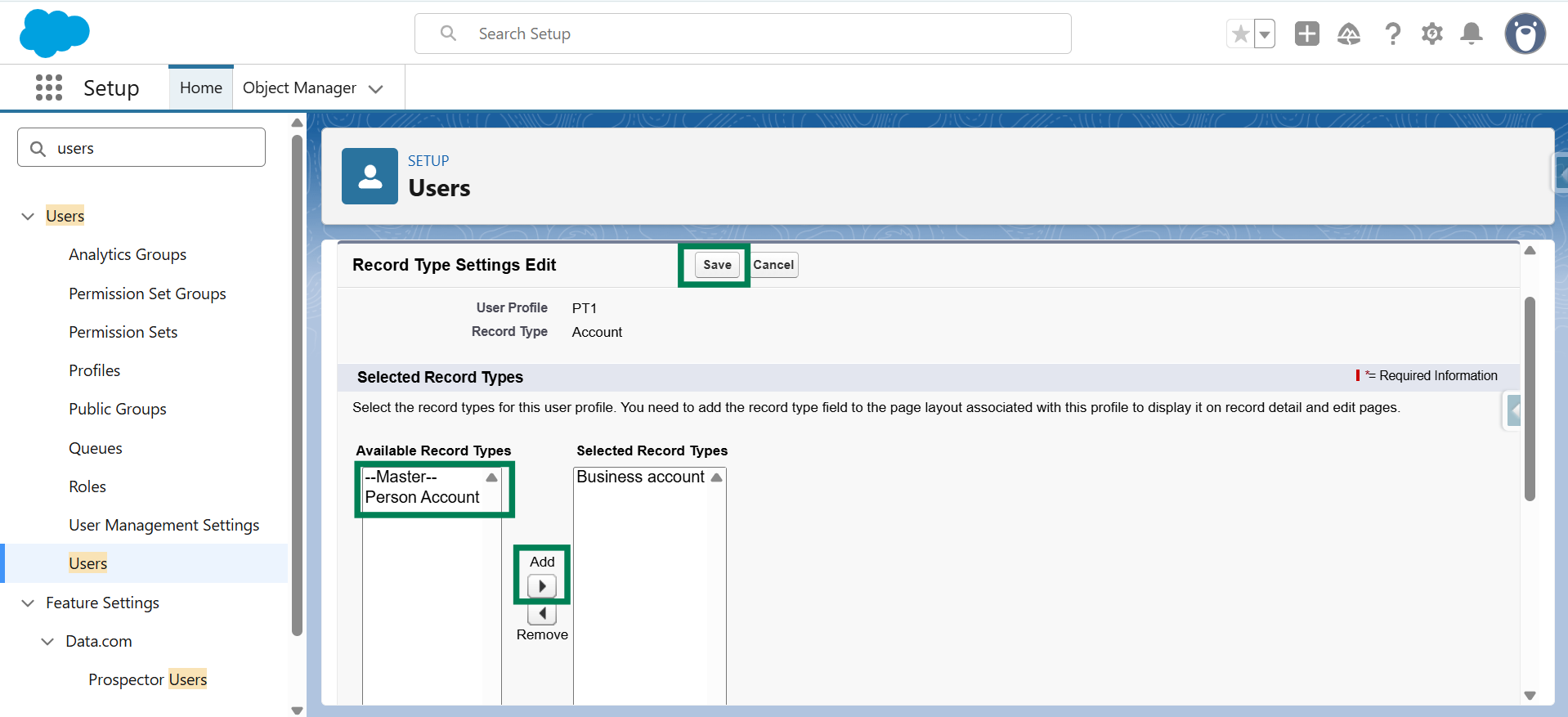
Step 13: Scroll to Record Type Settings. Under Accounts, click Edit.

Step 14: Select Person Account from the Available Record Types, click Add, then click on Save.
Step 15: Open HIC Sync Made Easy and verify that Person Account is available under the Customer options on the Object Setup page. Select Person Account, click Save & Next.
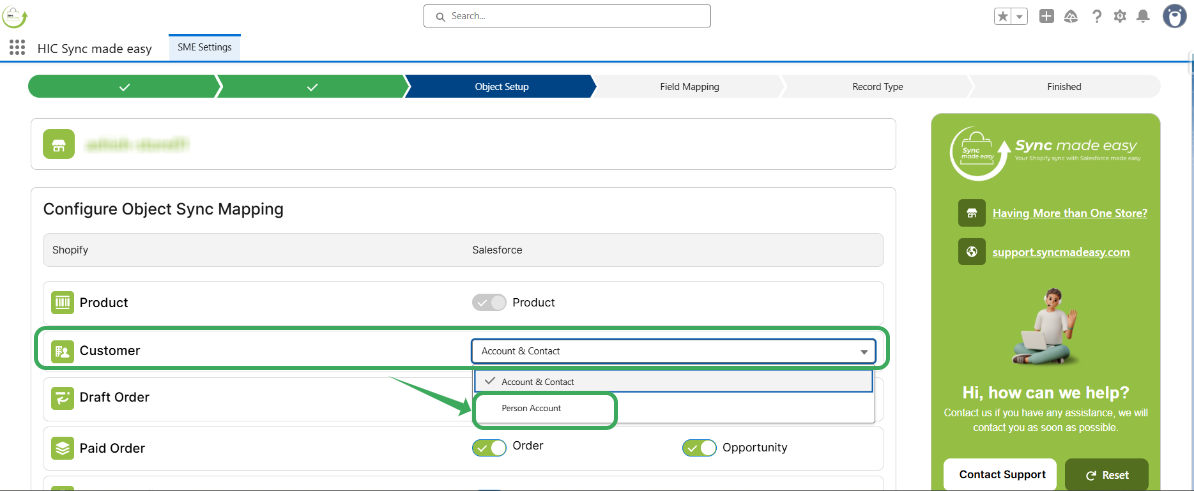
Once completed, Shopify customers will sync into Salesforce as Person Accounts using HIC Sync Made Easy, allowing customers to be managed using a single unified record.
Thank you!
Was this article helpful?
That’s Great!
Thank you for your feedback
Sorry! We couldn't be helpful
Thank you for your feedback
Feedback sent
We appreciate your effort and will try to fix the article
