Absolutely! The customer sync feature in Sync Made Easy supports Person accounts. Follow the instructions below…
Note:
Before proceeding, verify that Person Account is enabled in your org. If not, refer to “How to Sync Shopify Customer as a Person Account in Salesforce” for detailed steps.
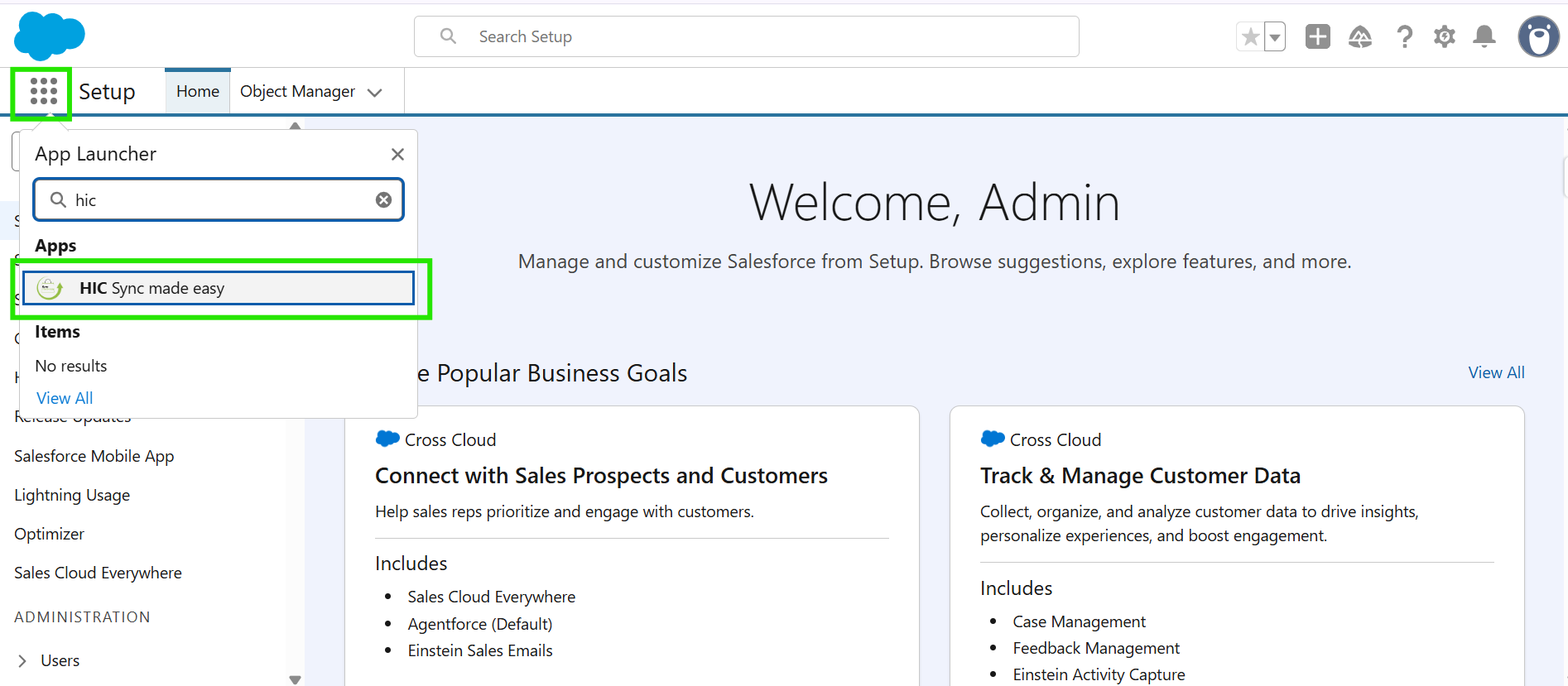
Step 1: Open the App Launcher, search for “HIC Sync Made Easy”, and click on it.
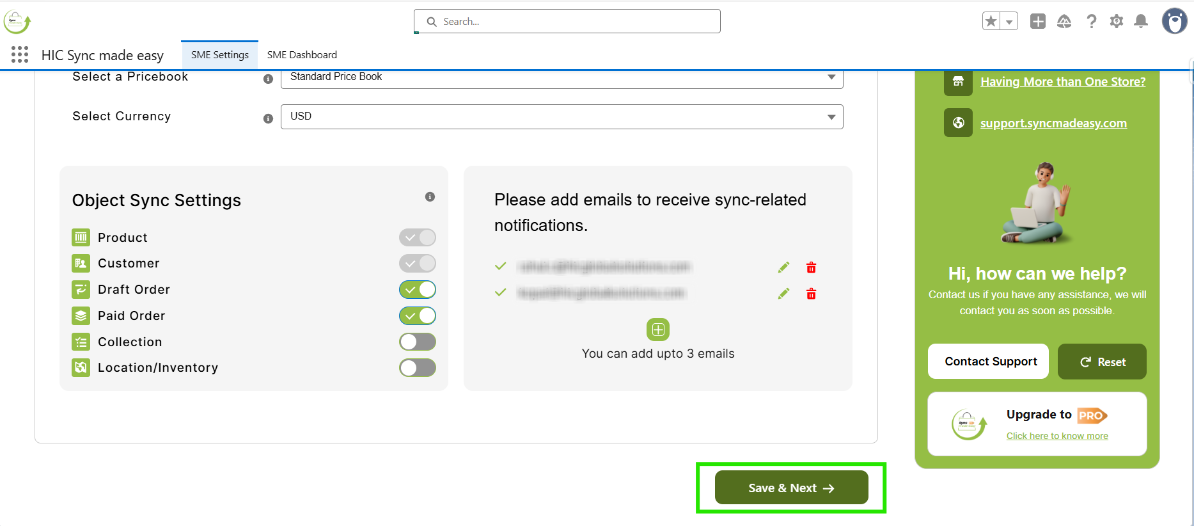
Step 2: On the Shopify Store Setup page, verify the connected store name and click “Save & Next”.
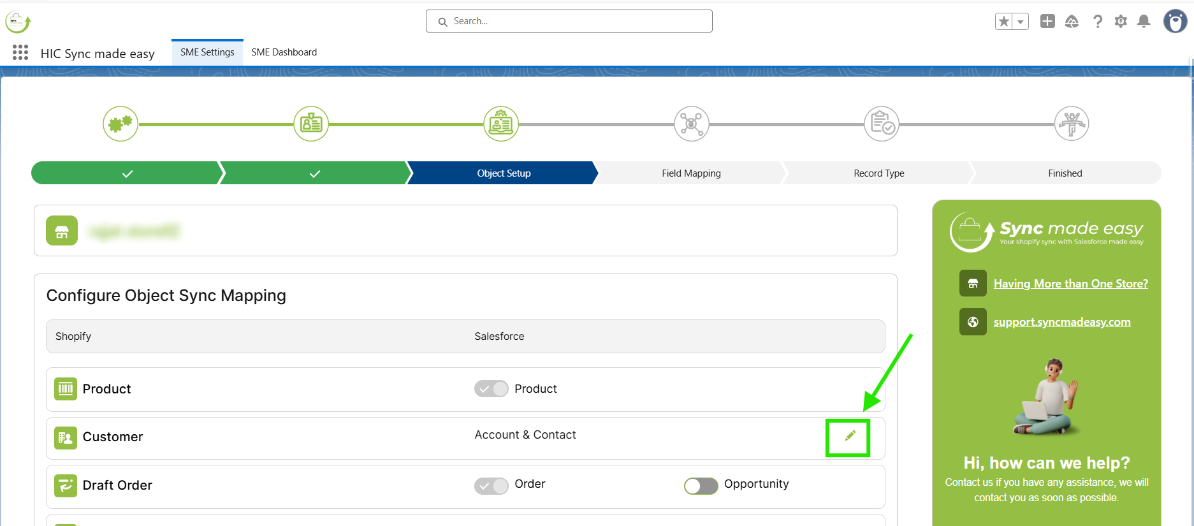
Step 3: On the Object Setup page, click the edit (pencil) icon next to Customer.
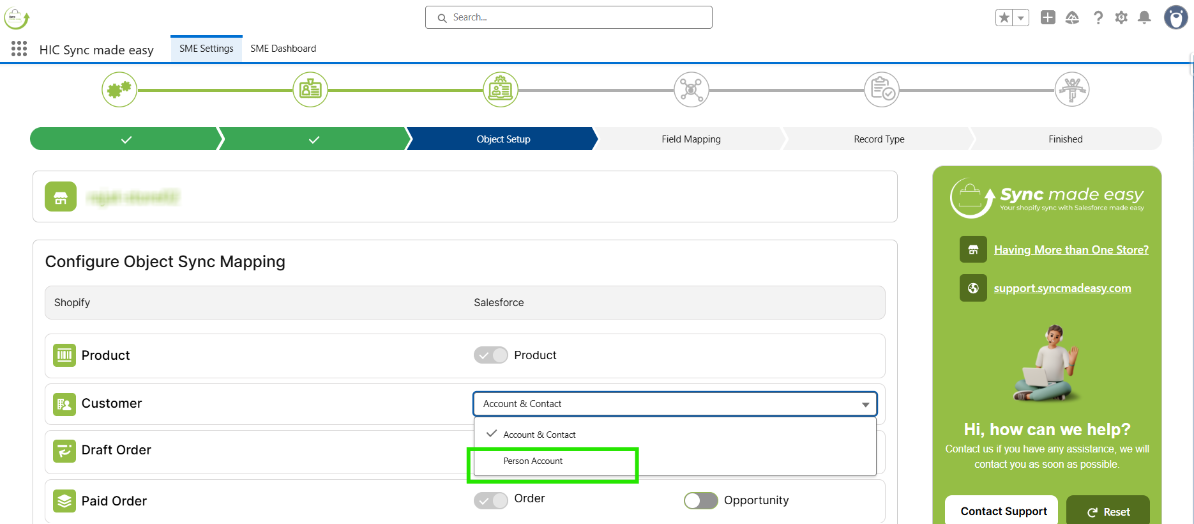
Step 4: In the dropdown menu, select "Person Account".
Step 5: Click “Save & Next” to apply the changes.
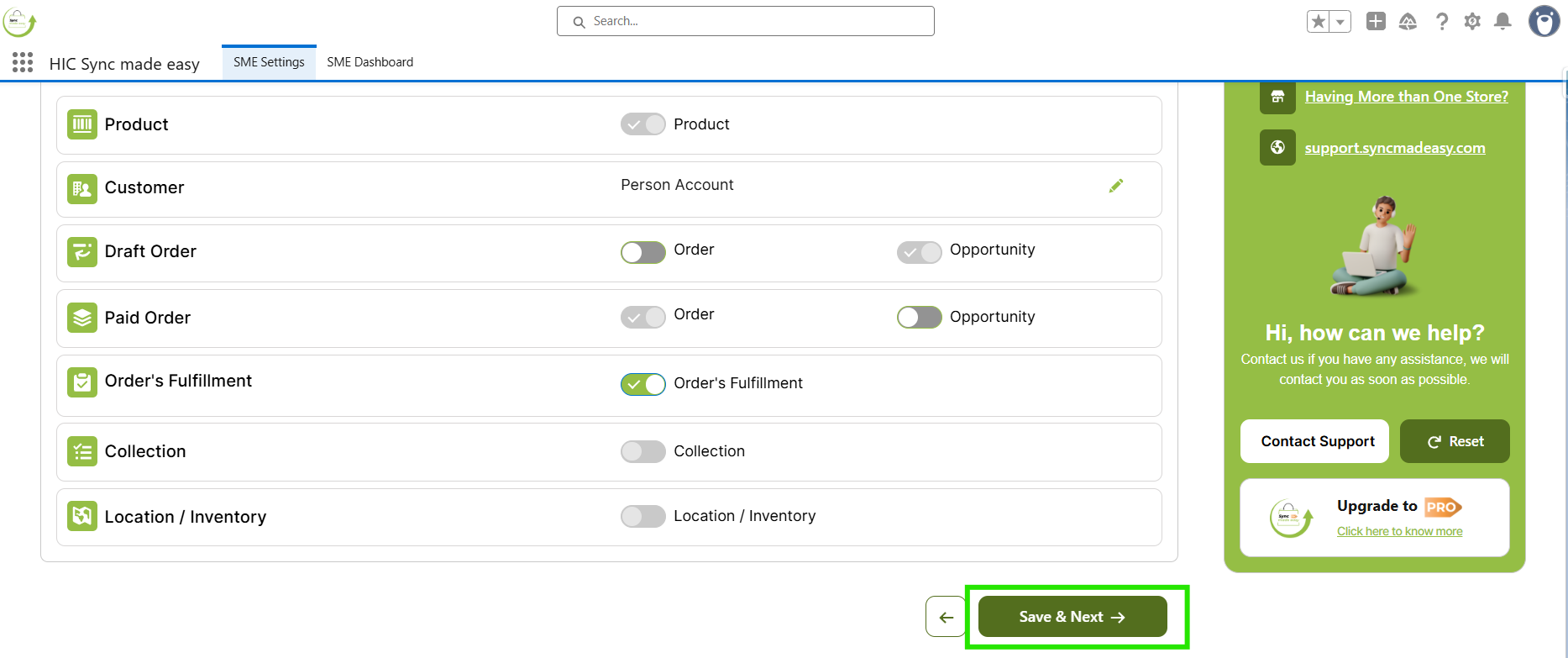
After completing these steps, Shopify customers will be successfully synced as Person Accounts in Salesforce.
Thanks!
Was this article helpful?
That’s Great!
Thank you for your feedback
Sorry! We couldn't be helpful
Thank you for your feedback
Feedback sent
We appreciate your effort and will try to fix the article