In this guide, we’ll walk you through the steps to create a User in Shopify. Adding staff users allows store owners to grant team members access to the Shopify store so they can manage orders, products, customers, and other store activities based on their assigned permissions.
Stay tuned as we break down the step-by-step process to enable and use this feature effortlessly. Let’s dive in!
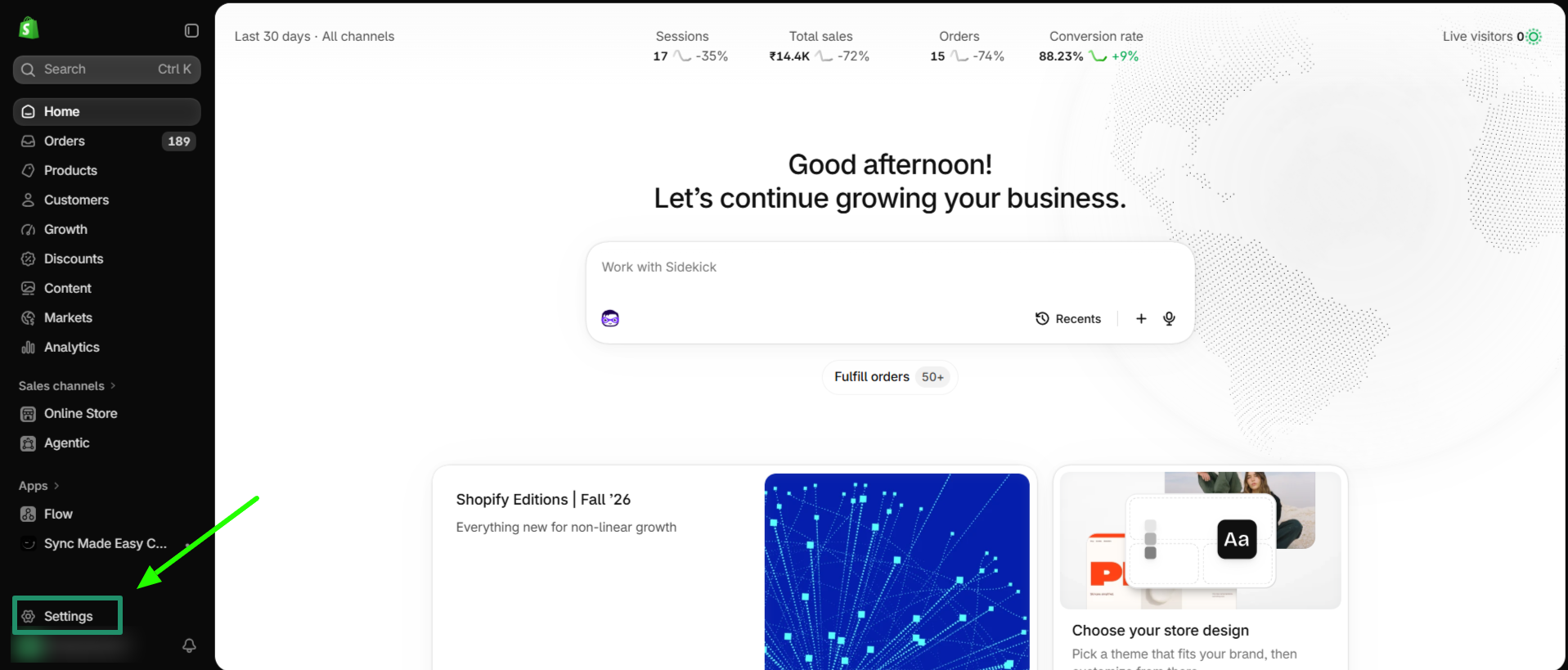
Step 1: Log in to your Shopify Store, and go to "Settings"
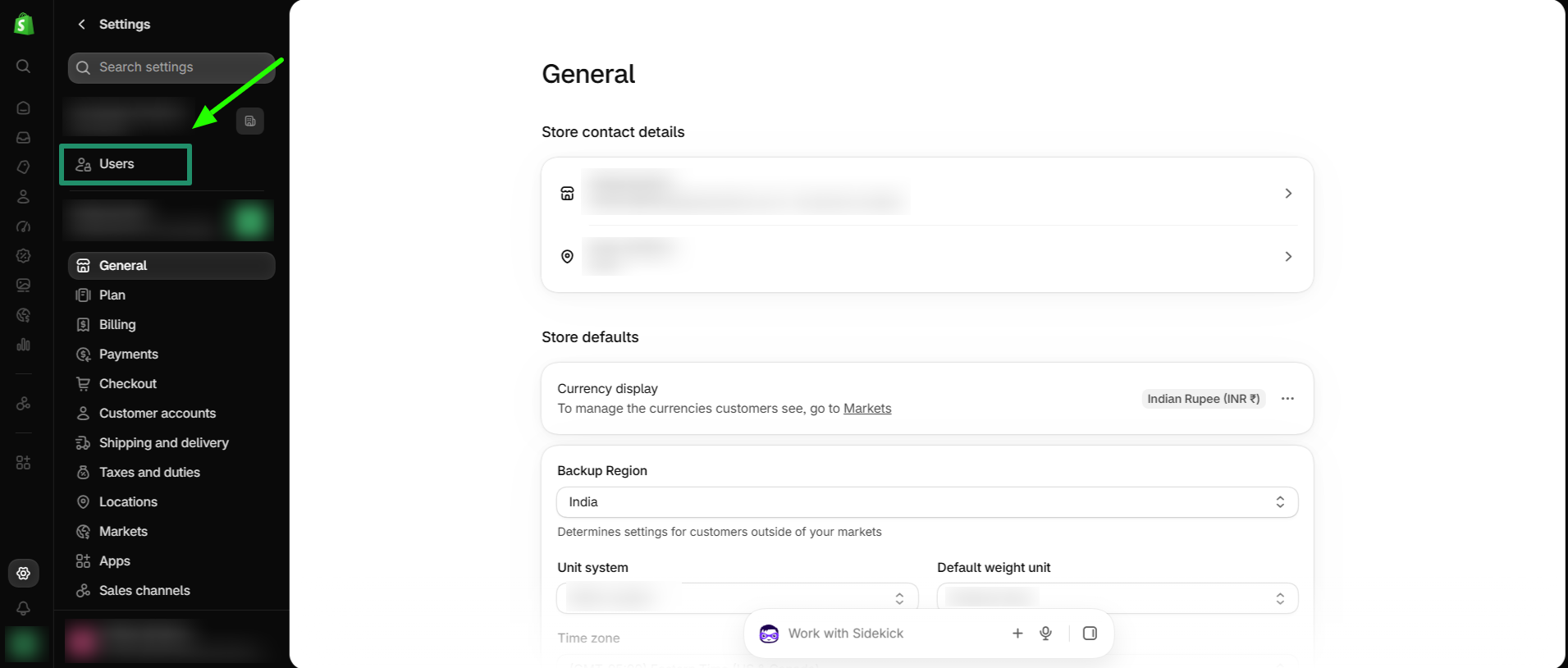
Step 2: Now go to "Users"
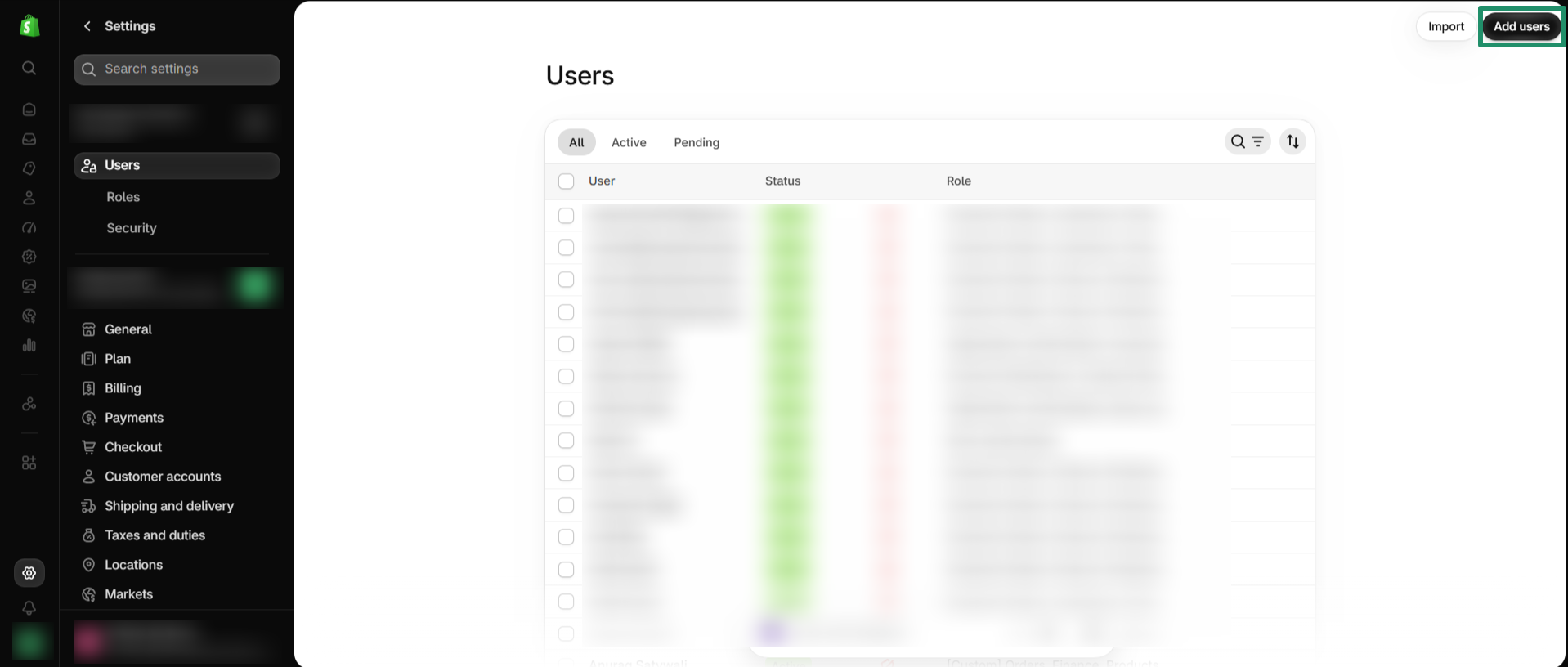
Step 3: Click on "Add User"
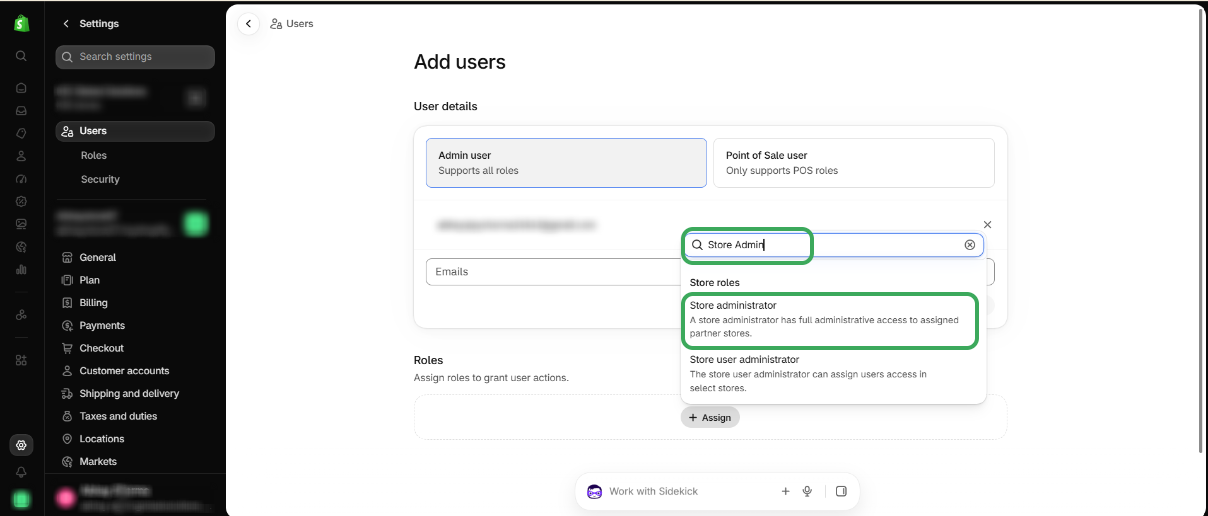
Step 4: Enter the "Email Address" and assign a role.
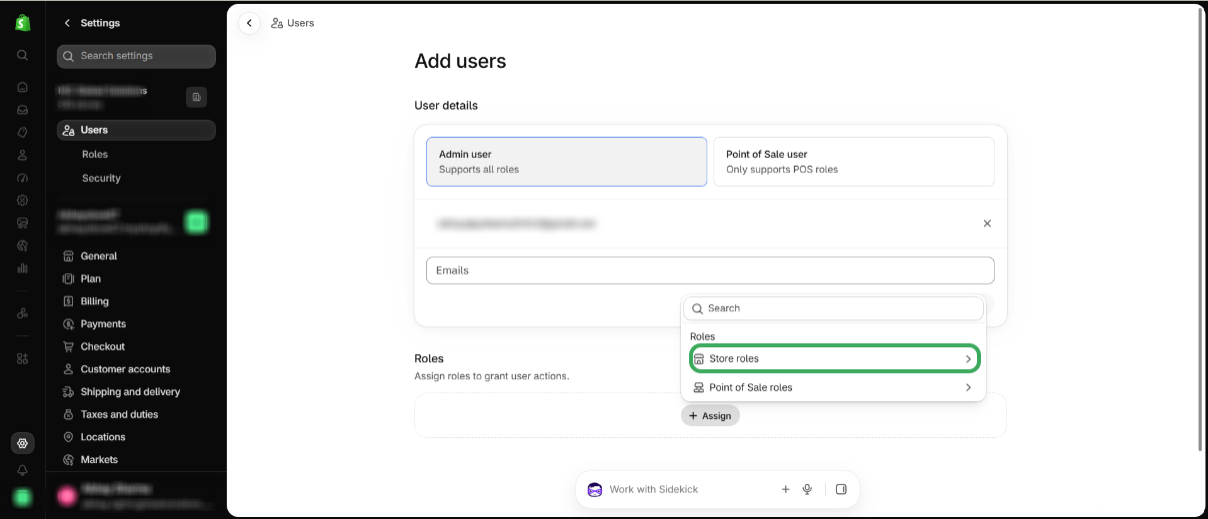
Step 5: Select the Store role to assign role
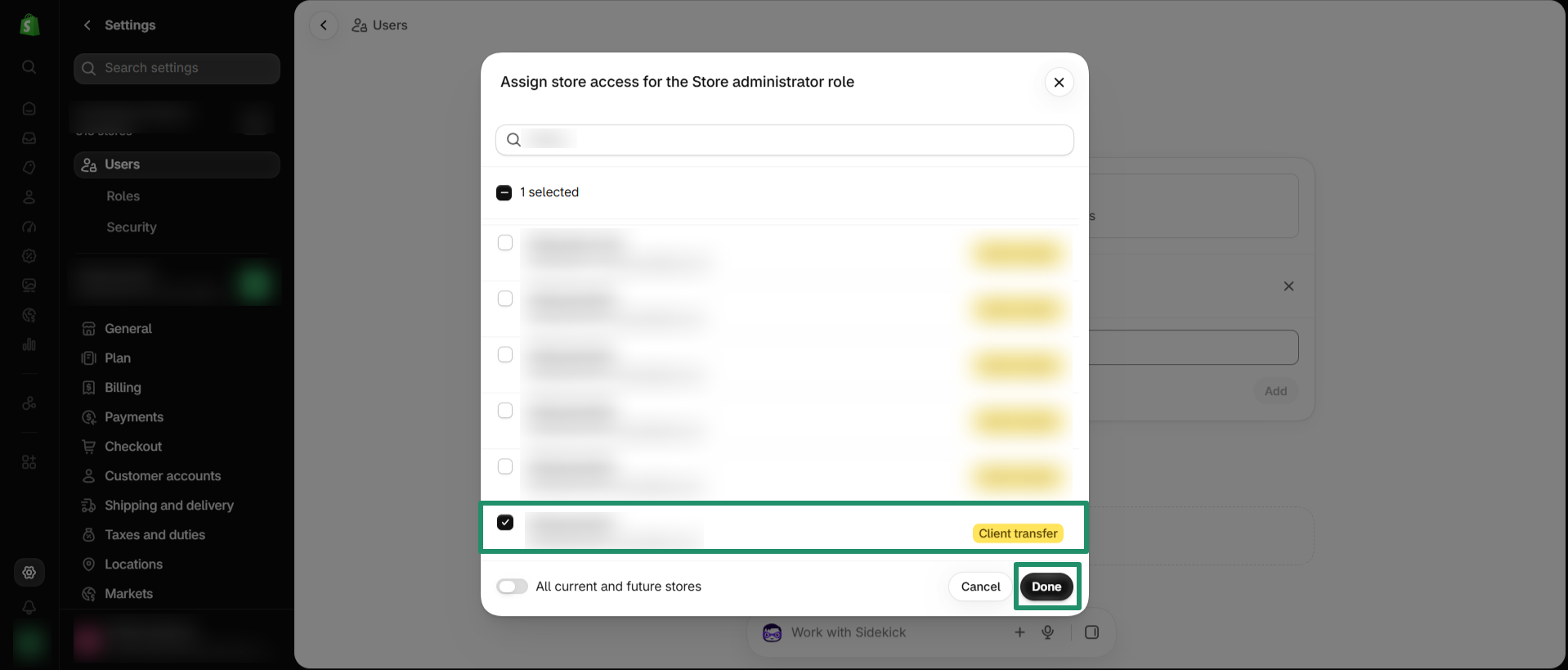
Step 6: Select the store to which you want to add the user and click Done
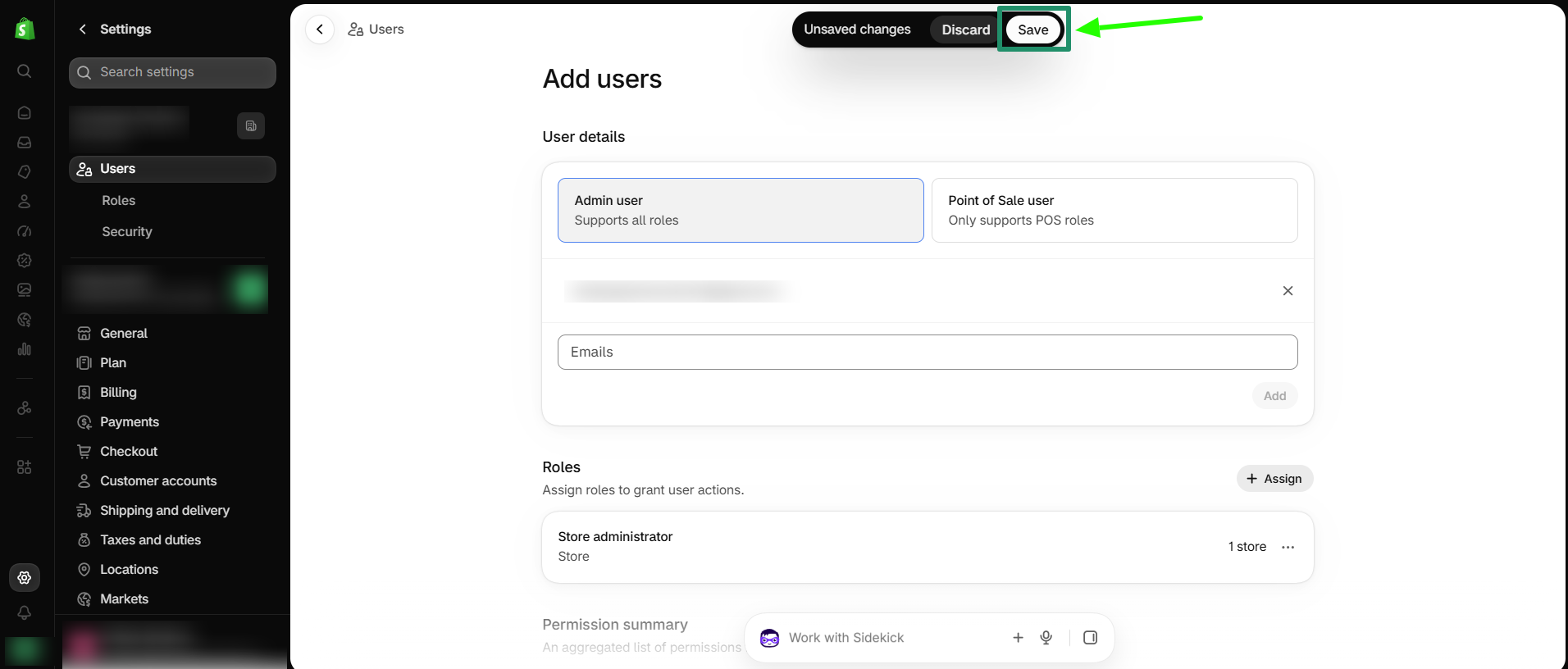
Step 7: Now click on Save
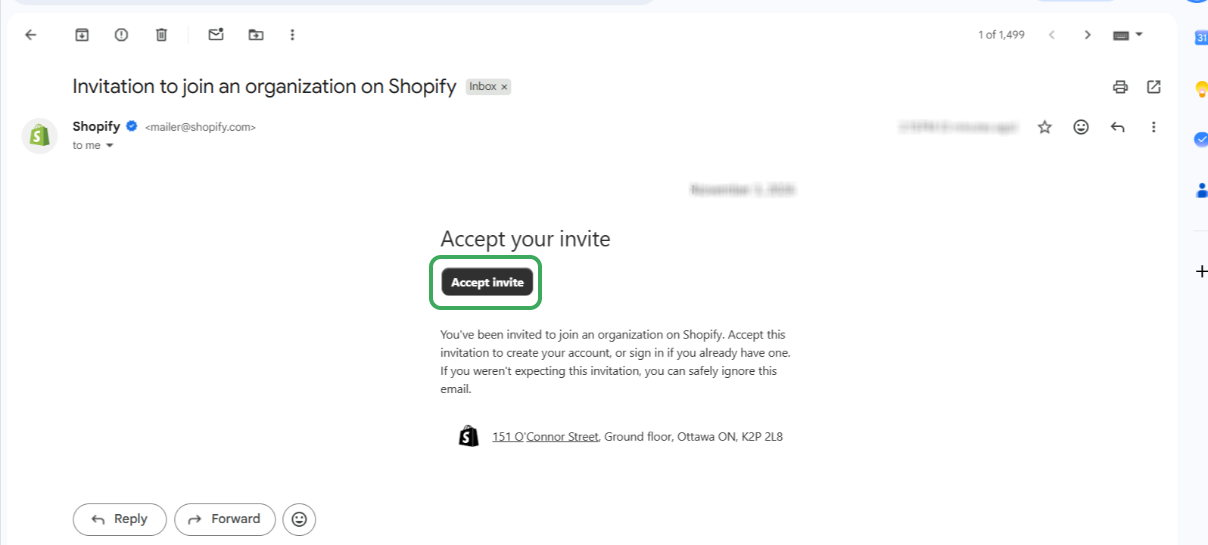
Step 8: Shopify will send an invitation email to the added user's email address. The user must accept the store invitation to gain access to the Shopify store.
This is how you can create a User in a Shopify Store.
Thank you.
Was this article helpful?
That’s Great!
Thank you for your feedback
Sorry! We couldn't be helpful
Thank you for your feedback
Feedback sent
We appreciate your effort and will try to fix the article
