In this guide, we will walk you through how Shopify draft orders are tracked in Salesforce and how they are linked to paid orders. This helps you clearly understand the relationship between draft and paid orders, giving better visibility into your sales process.
Step 1 - Log in to your Salesforce.
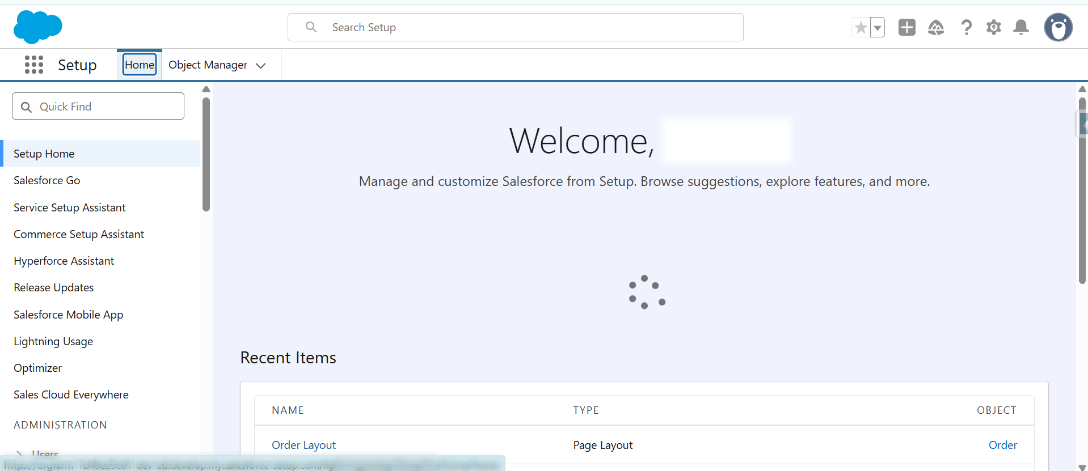
Step 2 - From the App launcher, search for “HIC Sync made easy” and click on it.
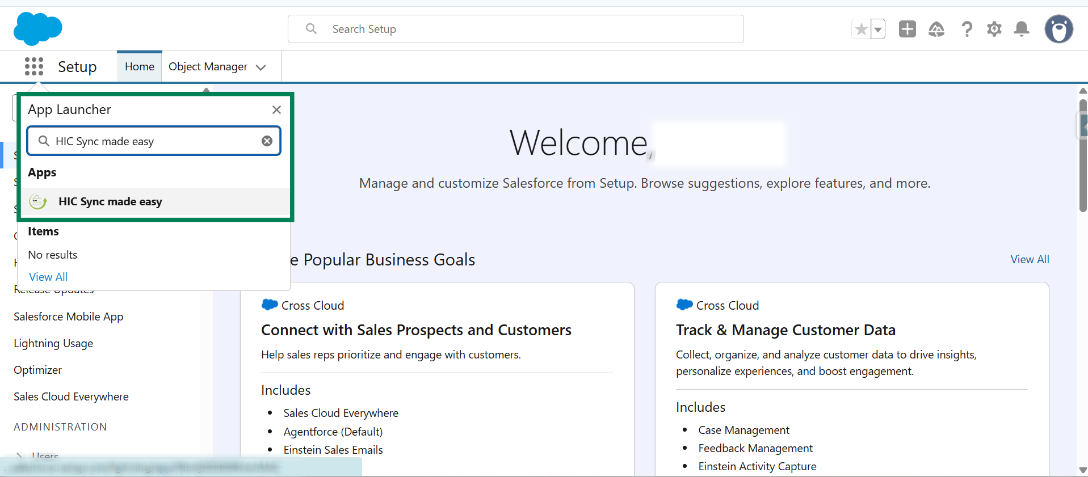
Step 3 - From your Shopify store, create a “Draft Order”.
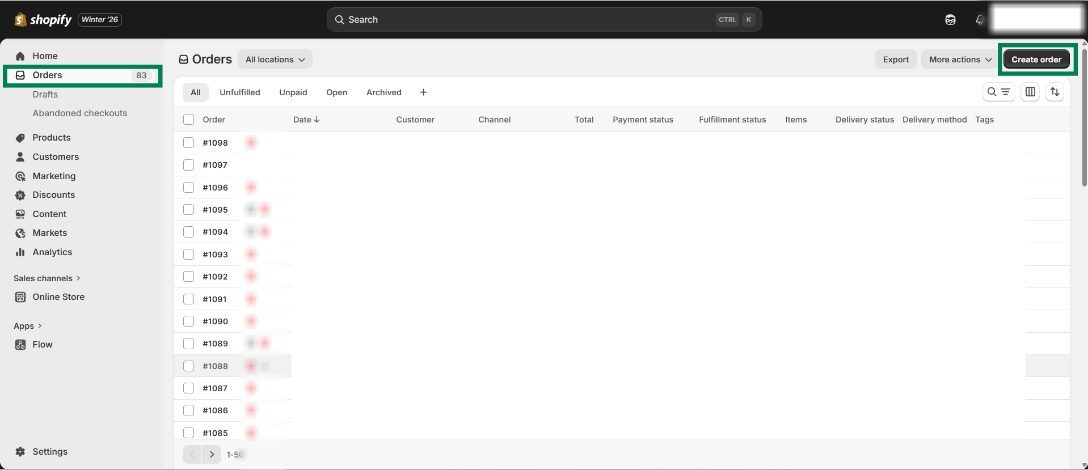
Step 4 - Select a product and then click on save to create a draft order.
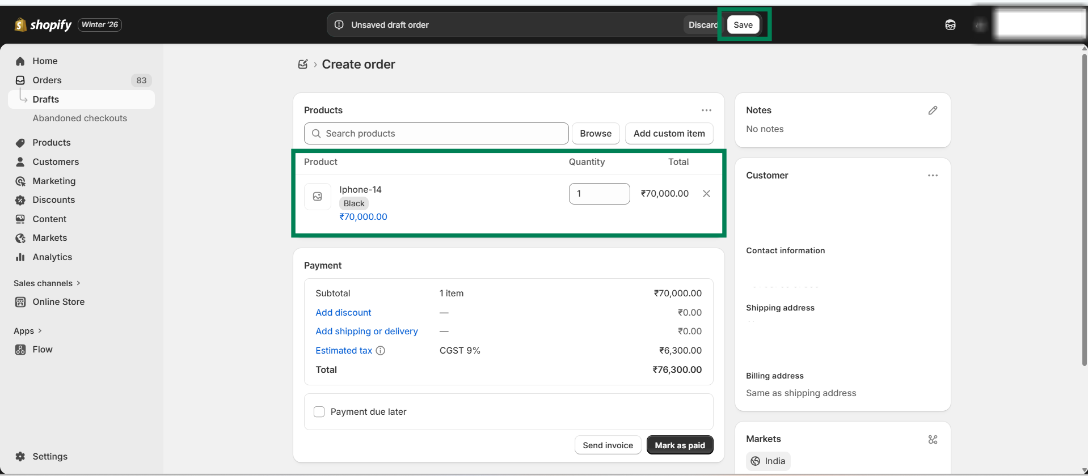
Step 5 - Copy the “Shopify ID” from the above URL and search it in Salesforce.
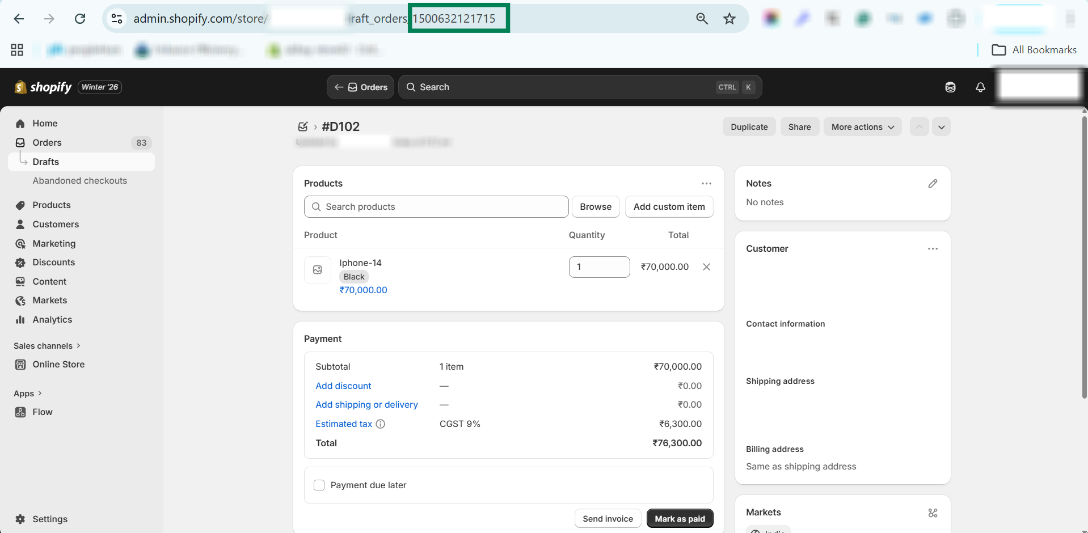
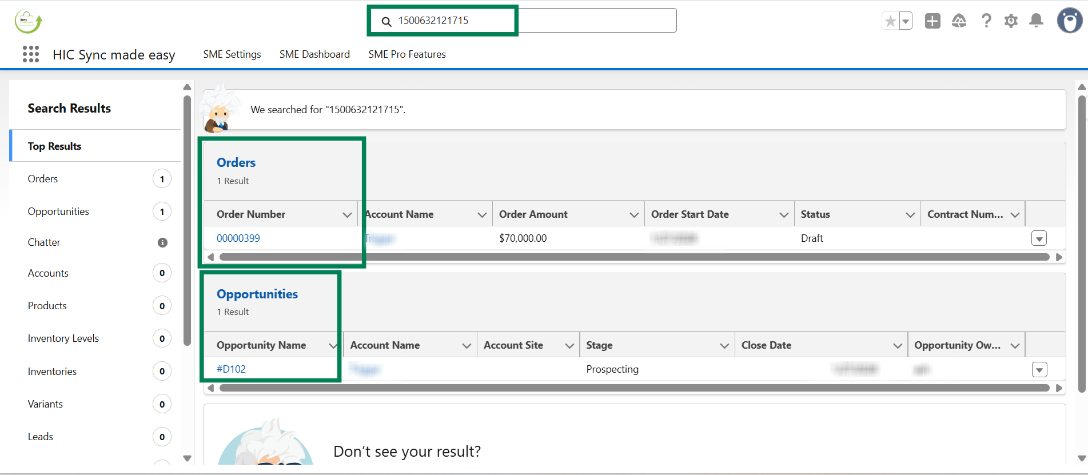
Step 6 - Open the respective “Draft opportunity”.
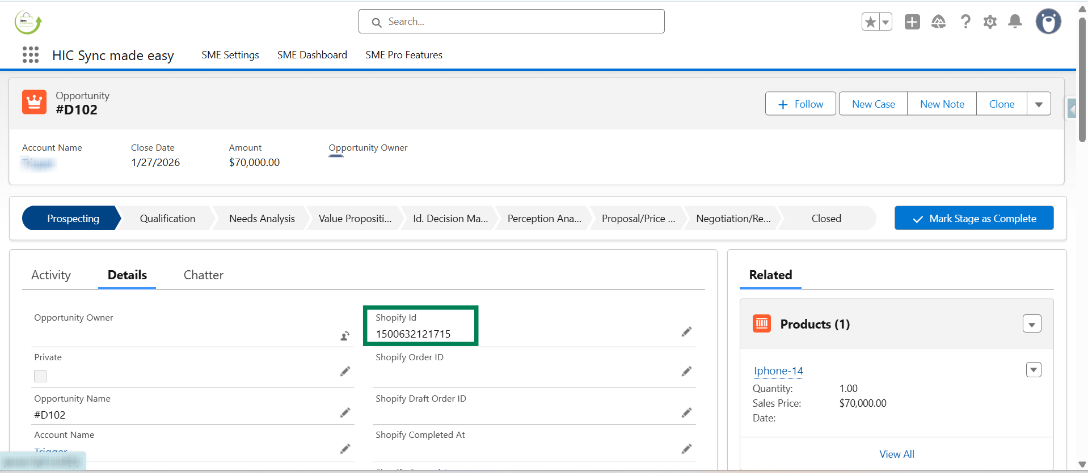
Step 7 - From Shopify, mark this respective draft order as “Paid Order”
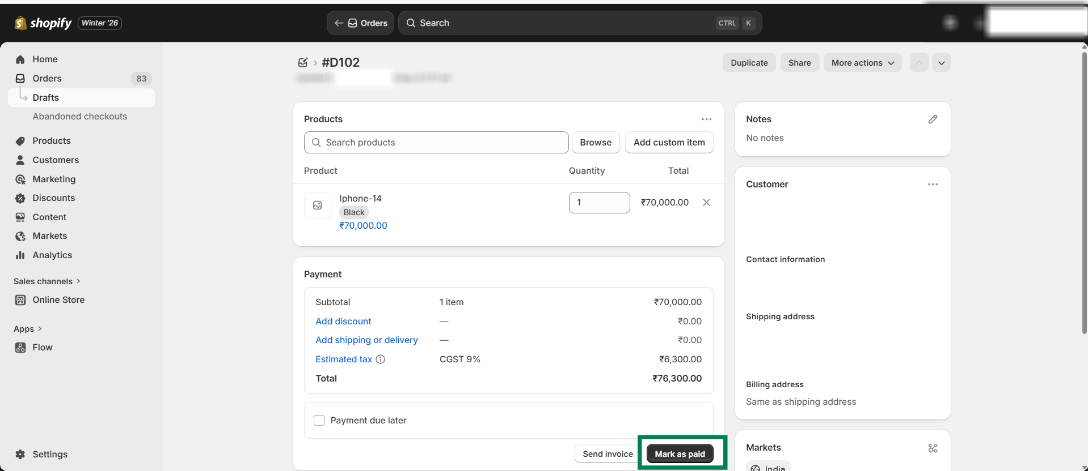
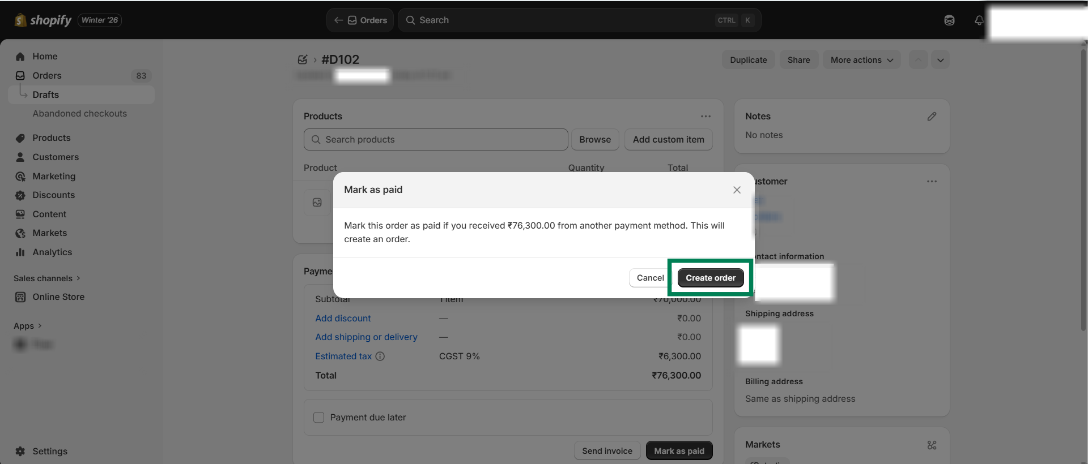
Step 8 - Copy the Shopify ID from the URL and search it in Salesforce.
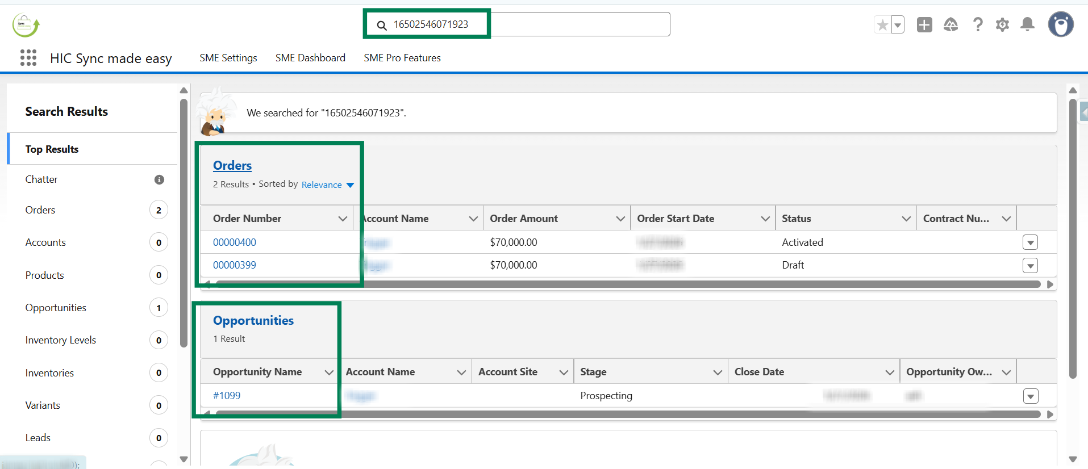
Step 9 - Open its respective“Paid Opportunity”.
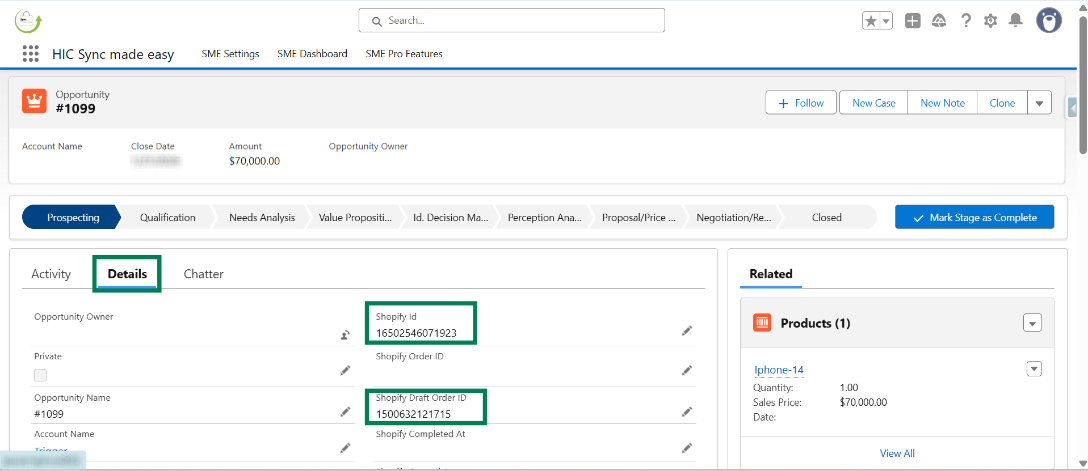
Step 10 - In the Details section of the opportunity, you can see “Shopify Draft Order ID” as well as its “Shopify ID”.
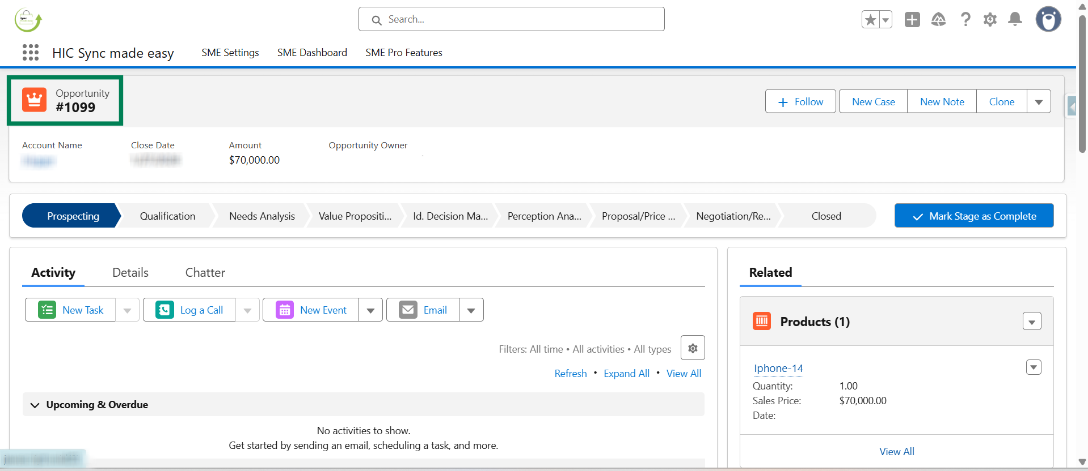
By following these steps, you can easily track how a Shopify draft order transitions into a paid order in Salesforce. This improves order visibility, helps manage sales more effectively, and ensures your data stays accurate and connected across both platforms.
Thanks!
Was this article helpful?
That’s Great!
Thank you for your feedback
Sorry! We couldn't be helpful
Thank you for your feedback
Feedback sent
We appreciate your effort and will try to fix the article
