In the fourth step of SME Setting, “Field Mapping“, you can configure all the fields you desire by clicking on the Plus button. This allows you to set up and map specific fields from your Shopify store to your Salesforce instance, ensuring seamless data synchronization. Follow these steps below:
Step 1: Navigate to the HIC Sync Made Easy app and go to the Field Mapping page.
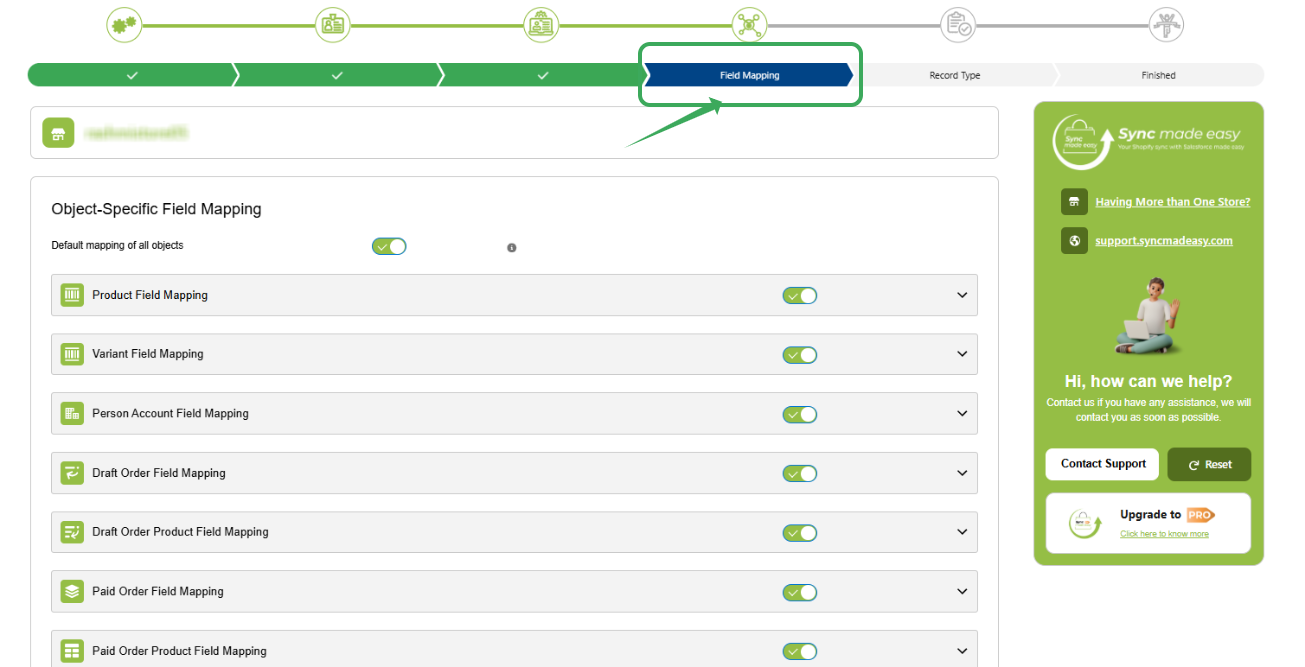
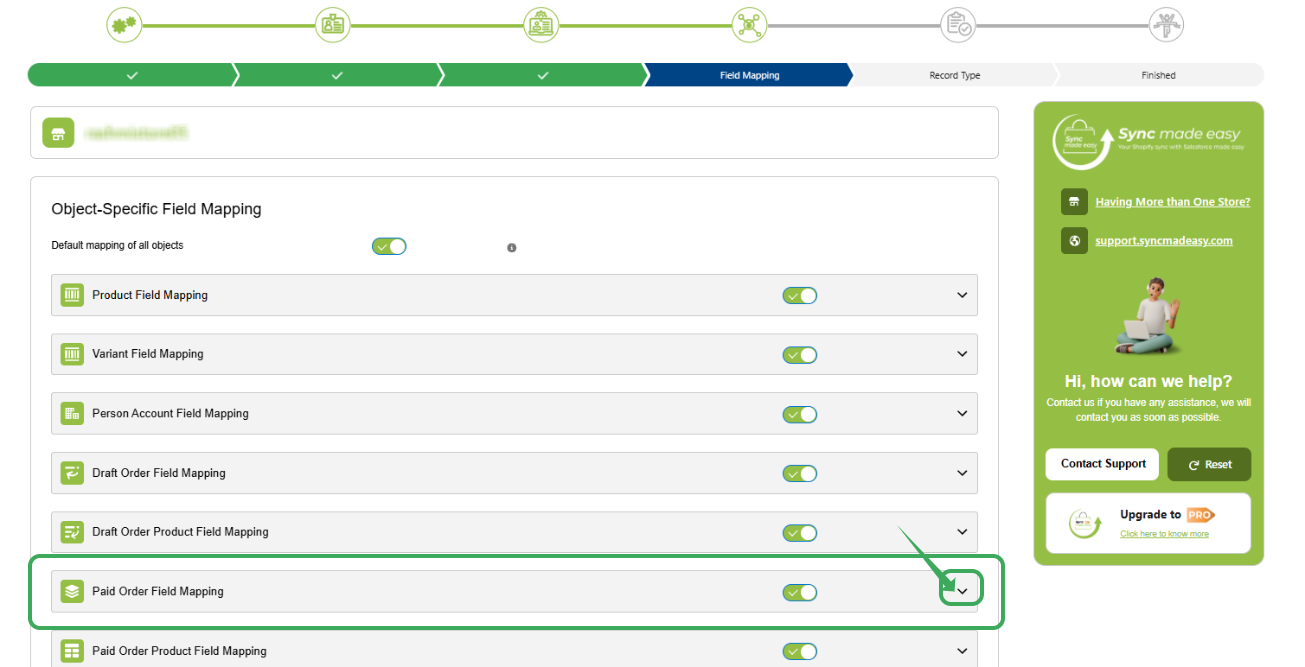
Step 2: In the Field Mapping section, locate the 'Paid Order Field Mapping’ section. And click the dropdown icon to expand it .
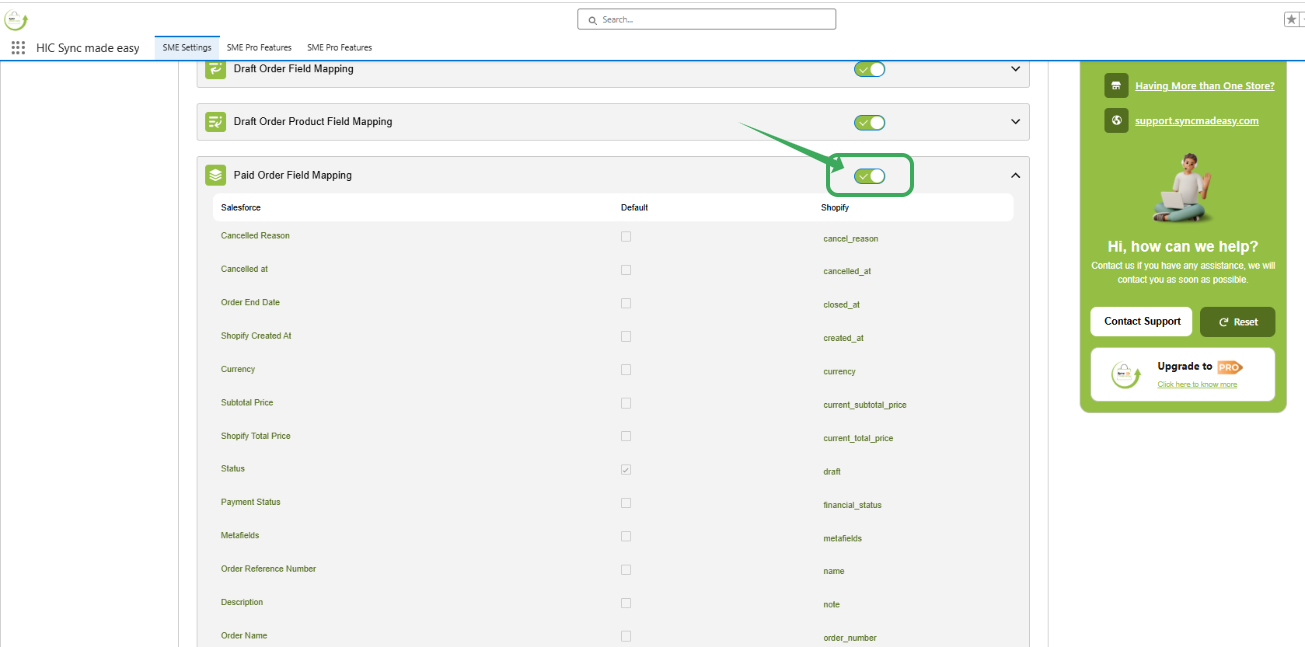
Step 3: Inactivate the toggle button, then Scroll down
Step 4: . Scroll to the bottom of the section and click the ‘+’ icon to add new row.
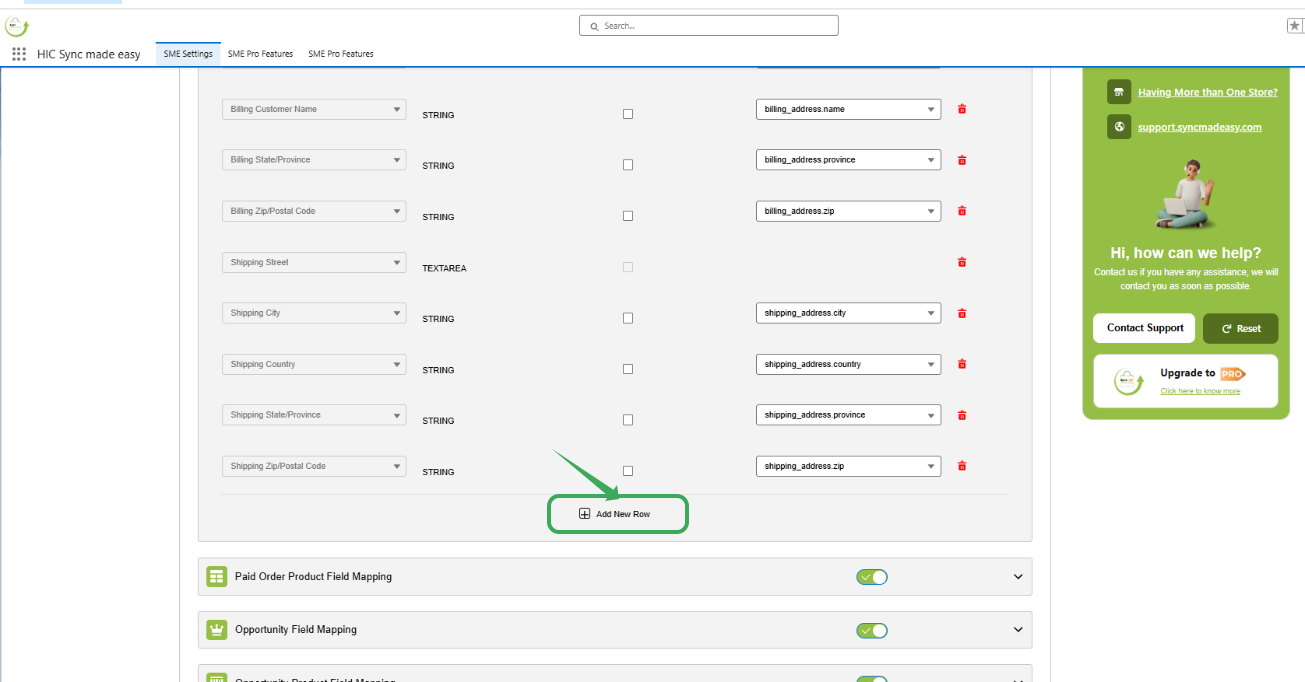
Step 5: In the new row, select your Salesforce field in the left column and the Shopify field in the right column.
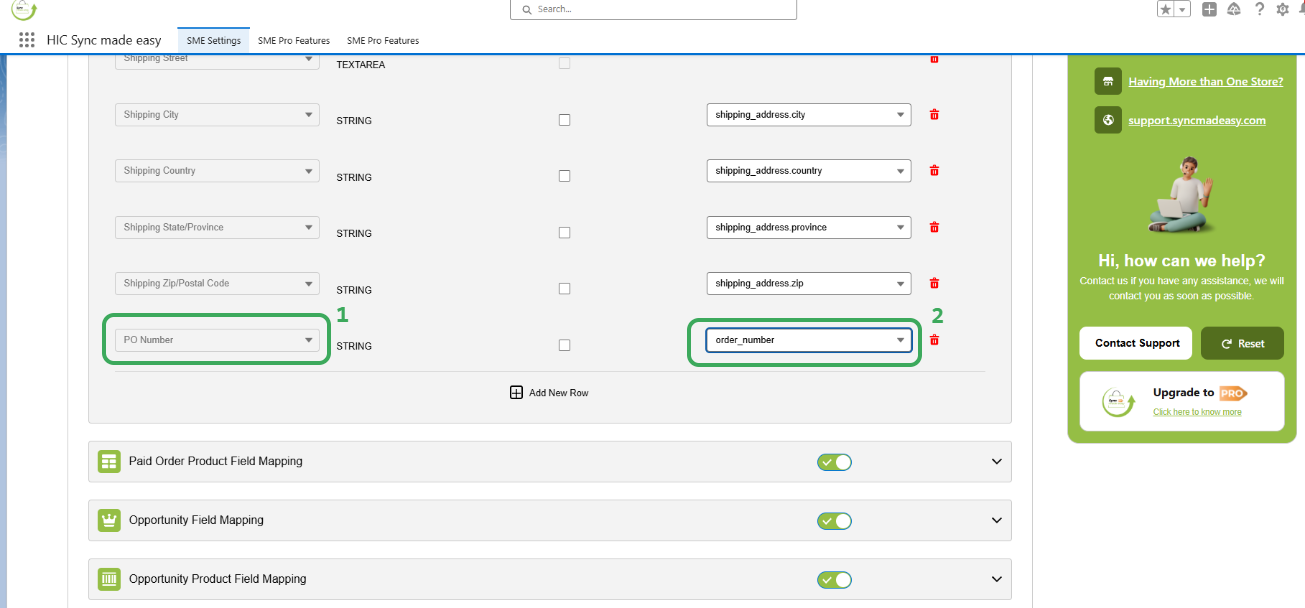
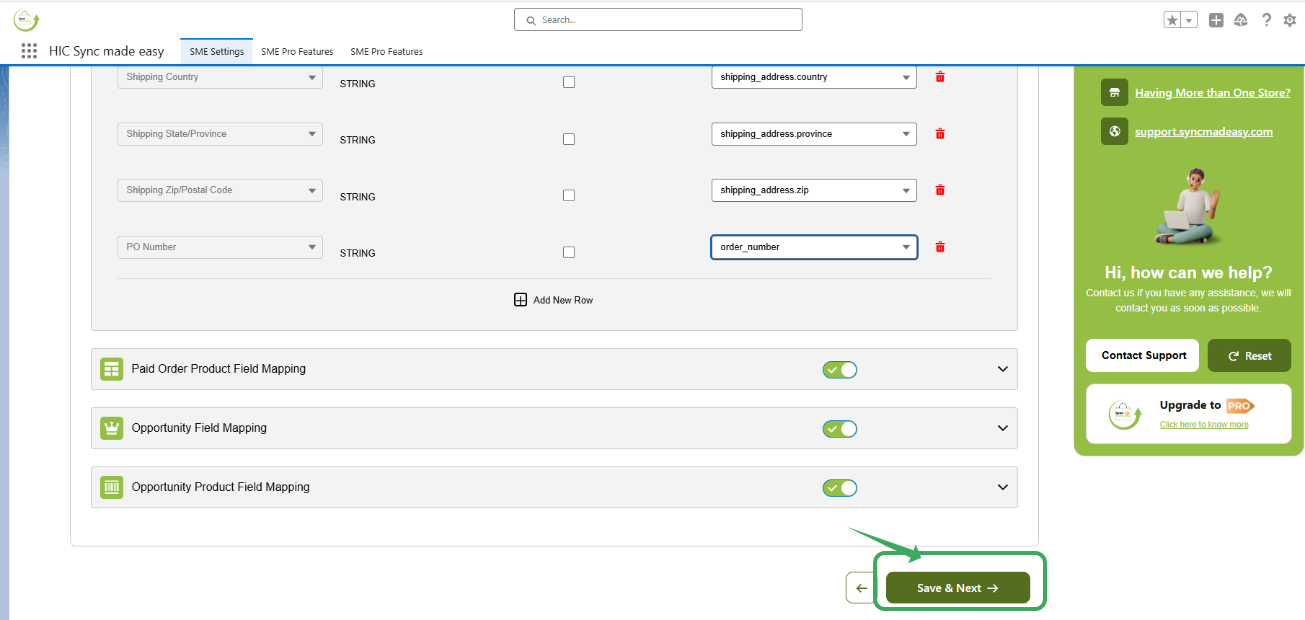
Step 6: Once selected, you can map it to the desired custom text field. Now, click Save & Next to apply the changes.
Thanks!
Was this article helpful?
That’s Great!
Thank you for your feedback
Sorry! We couldn't be helpful
Thank you for your feedback
Feedback sent
We appreciate your effort and will try to fix the article
