Please follow the steps below to disable Sync Made Easy integration in your Sandbox –
Step 1: Click on “Having More than One Store” on the right side of the card.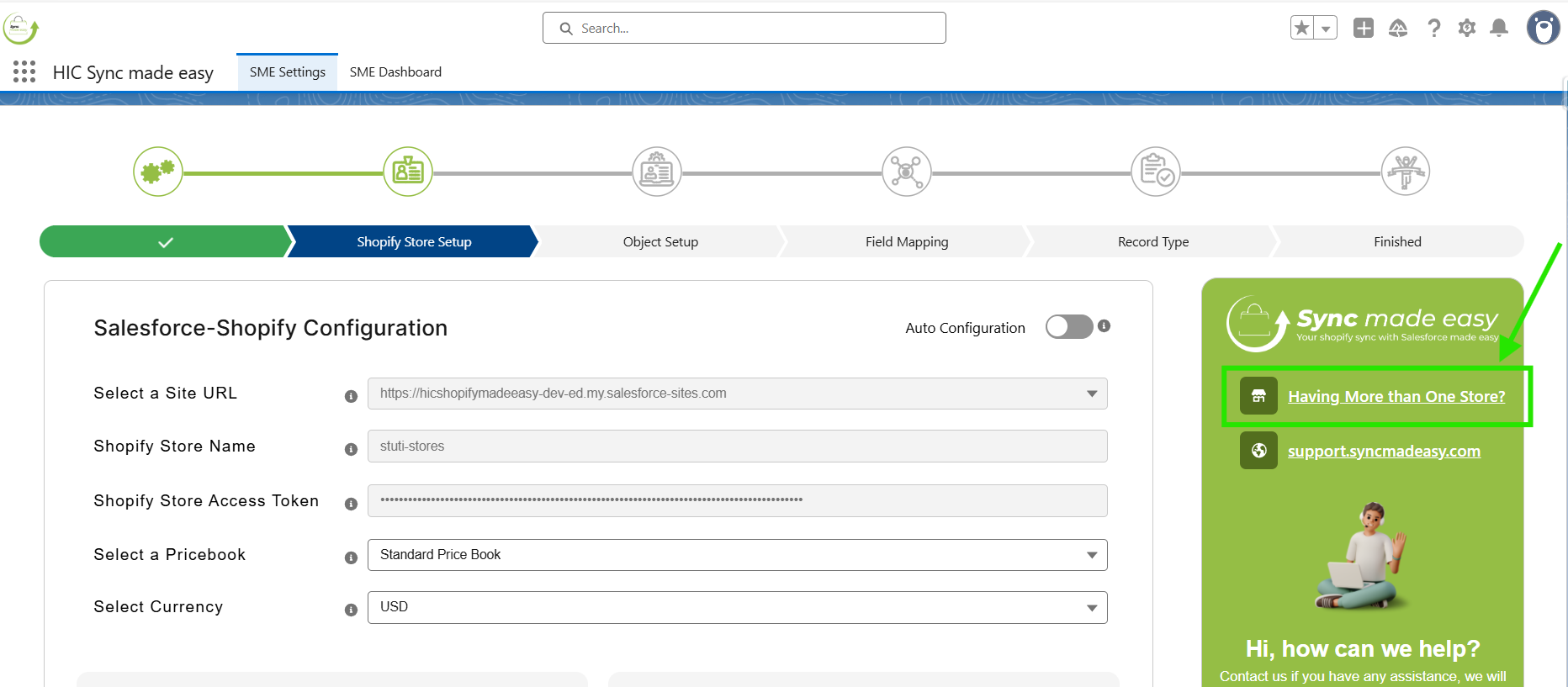
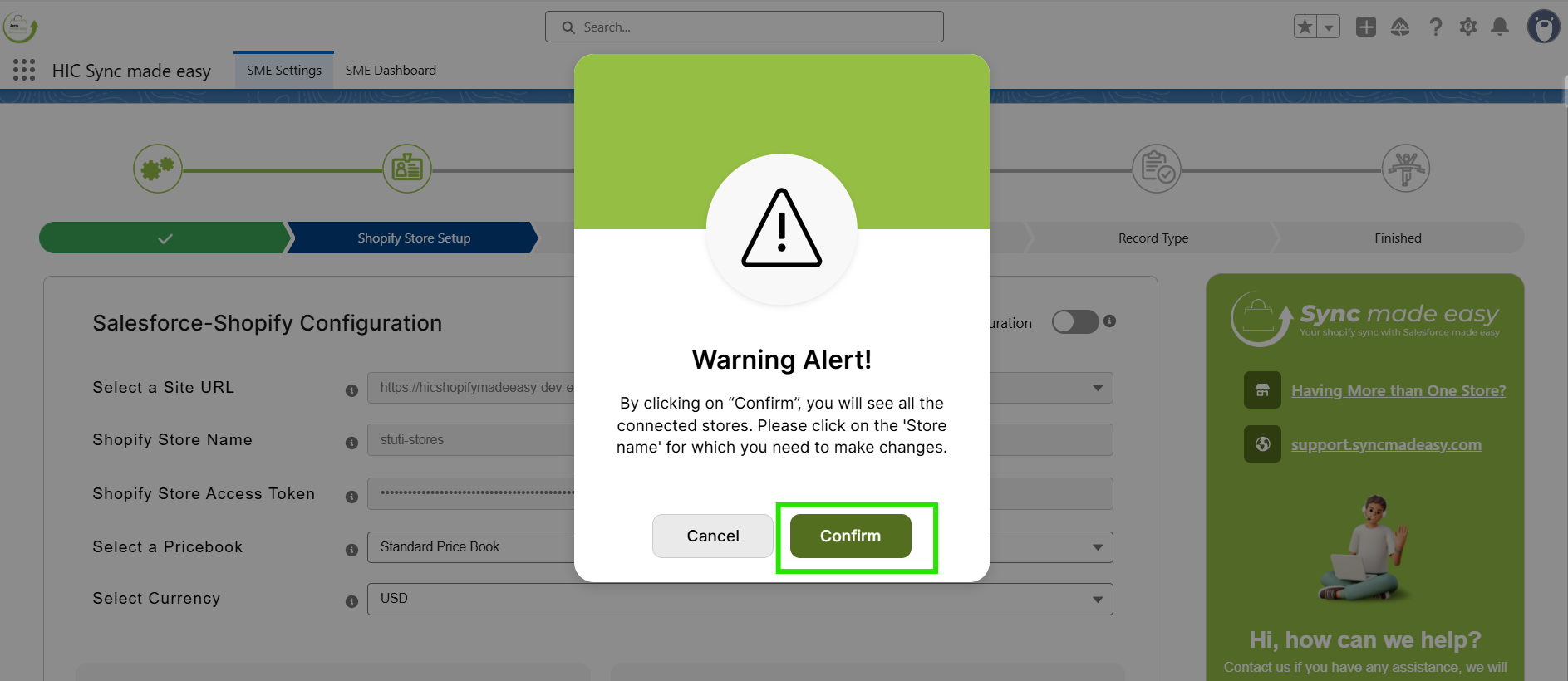
Step 2: Click “Confirm”.
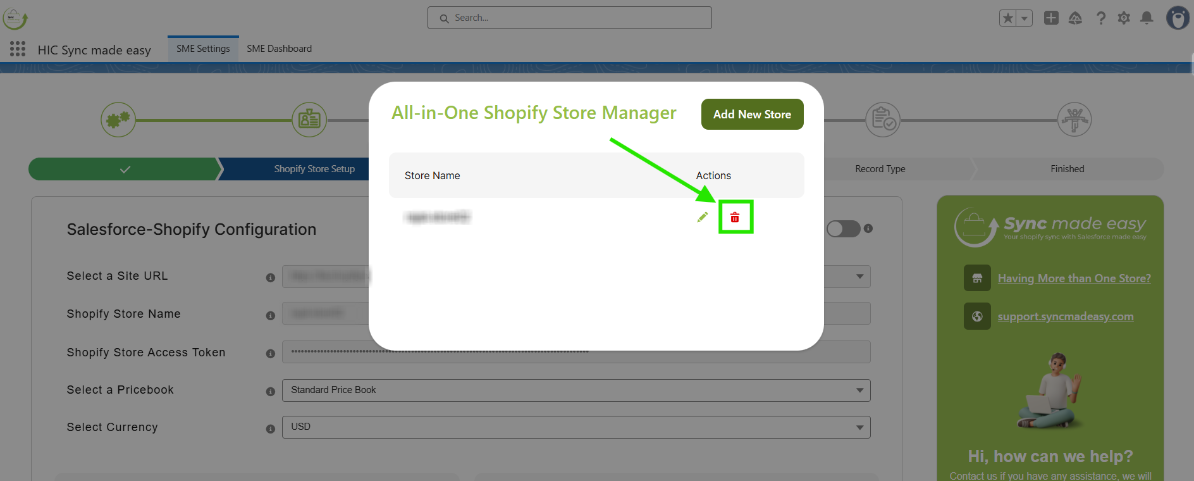
Step 3: Click the "Delete" icon to remove the store and disable the integration.
Thanks!
Was this article helpful?
That’s Great!
Thank you for your feedback
Sorry! We couldn't be helpful
Thank you for your feedback
Feedback sent
We appreciate your effort and will try to fix the article