You need to grant the “Login Access” within your Org’s setup for Salesforce. Please check the following steps:
In Salesforce Lightning :
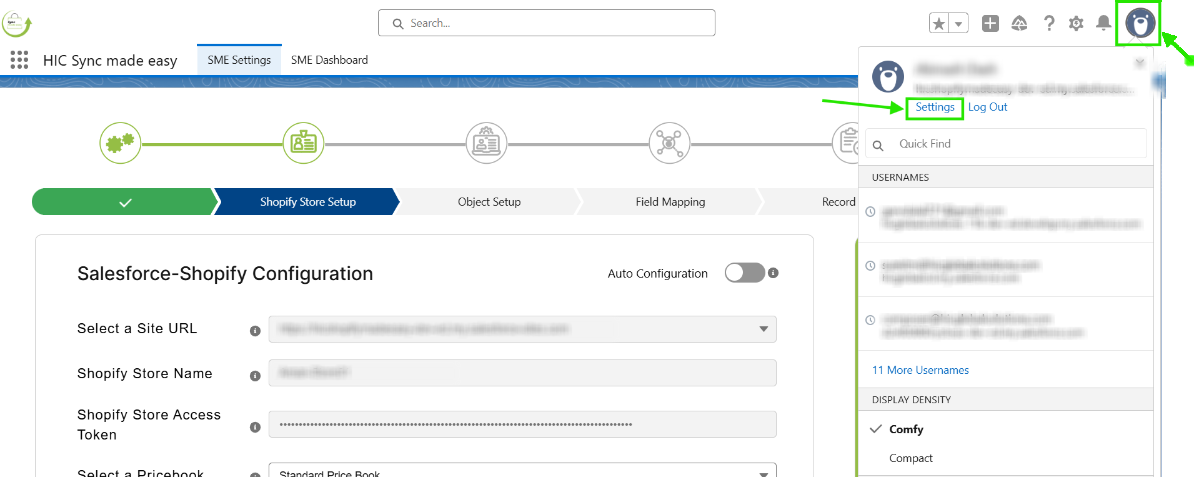
Step 1: Log in to your Salesforce and in the upper right corner, click on your image (or avatar) and then on “Settings”.
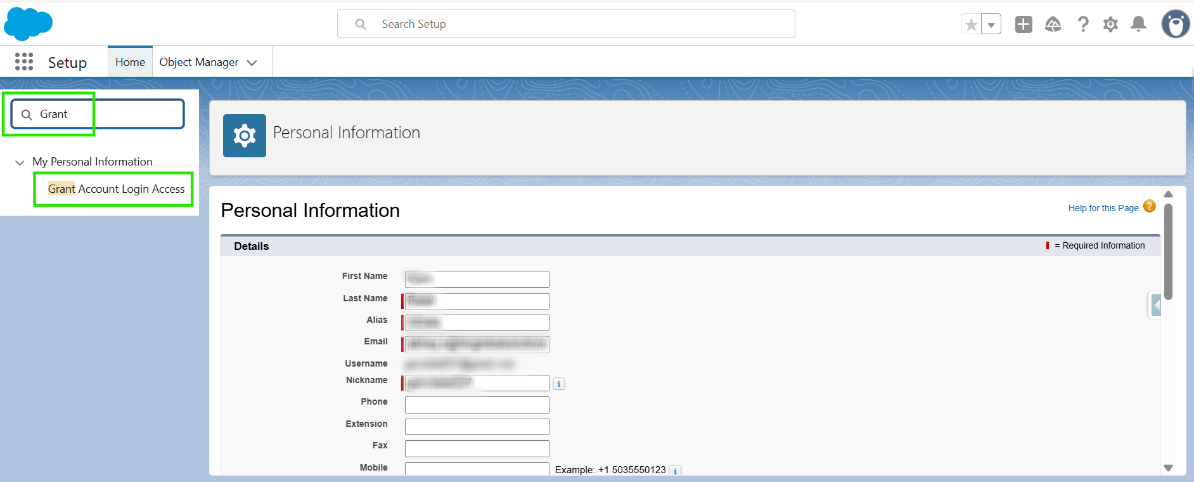
Step 2: Over on the left, in the small search box, type in “Grant” and click below on “Grant Account Login Access”.
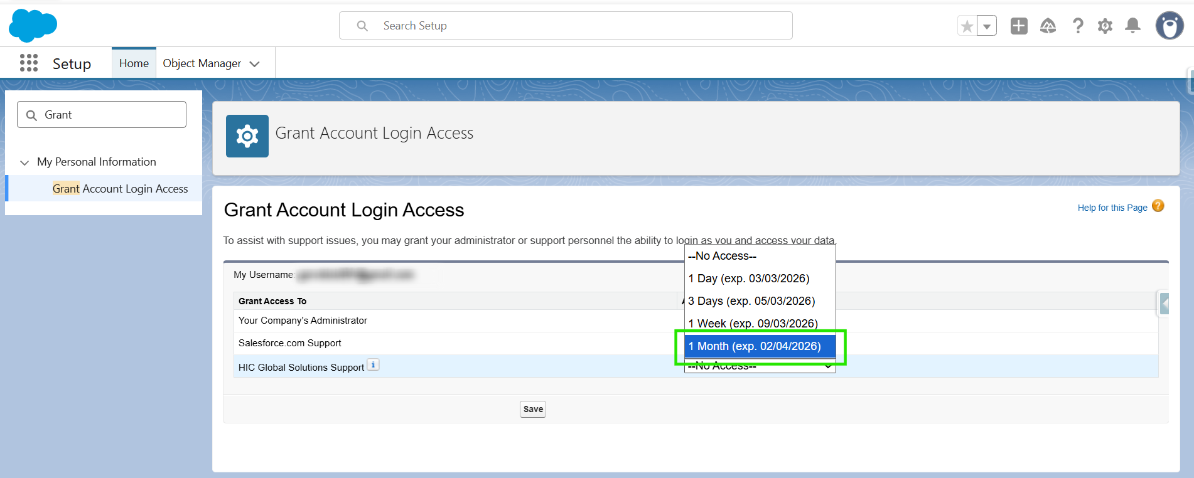
Step 3: Set the ‘Access Duration’ for ‘HIC Support’ (minimum 1 month).
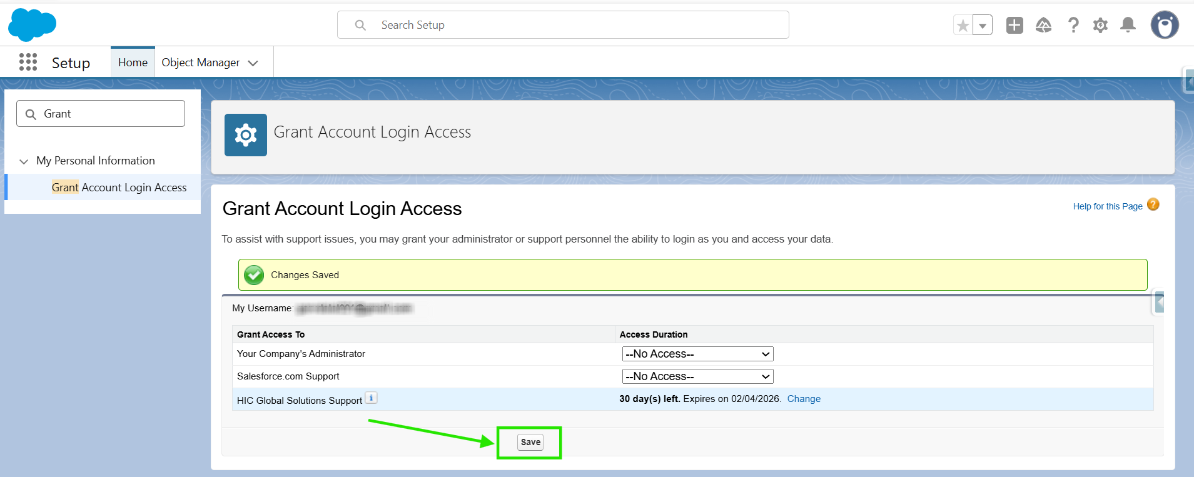
Step 4: Click Save.
In Salesforce Classic :
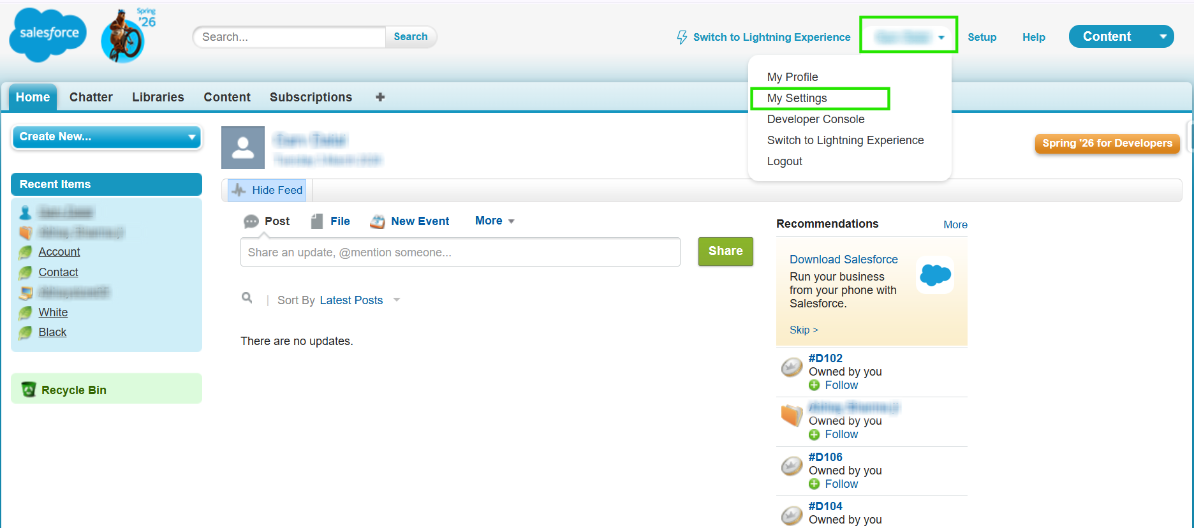
Step 1: Log in to your Salesforce and, in the upper right corner, click on “My Settings” (or on your name and then on “My Settings”)
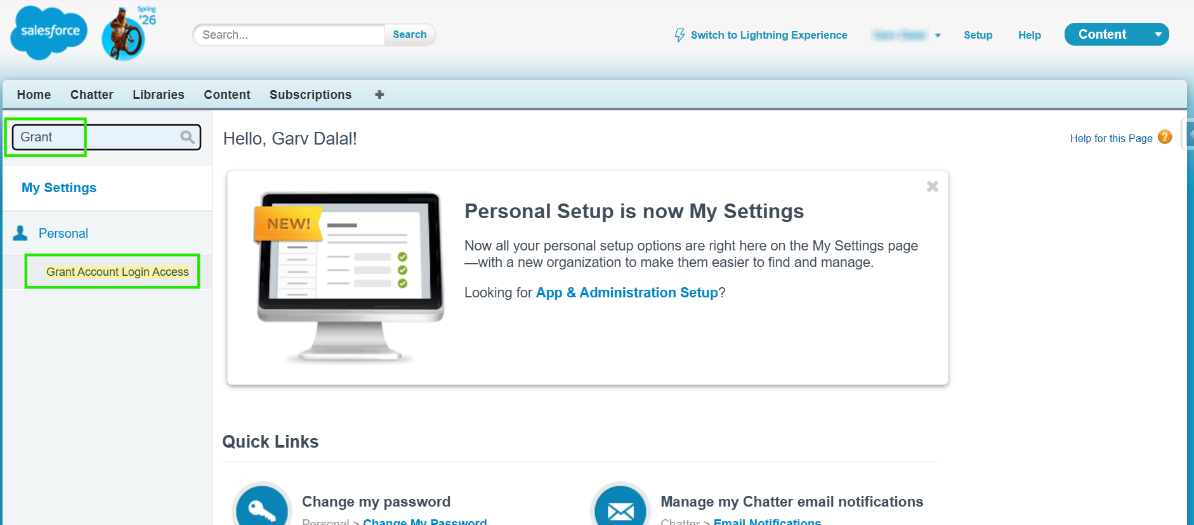
Step 2: Over on the left, in the small search box, type in “Grant” and click below on “Grant Login Access”.
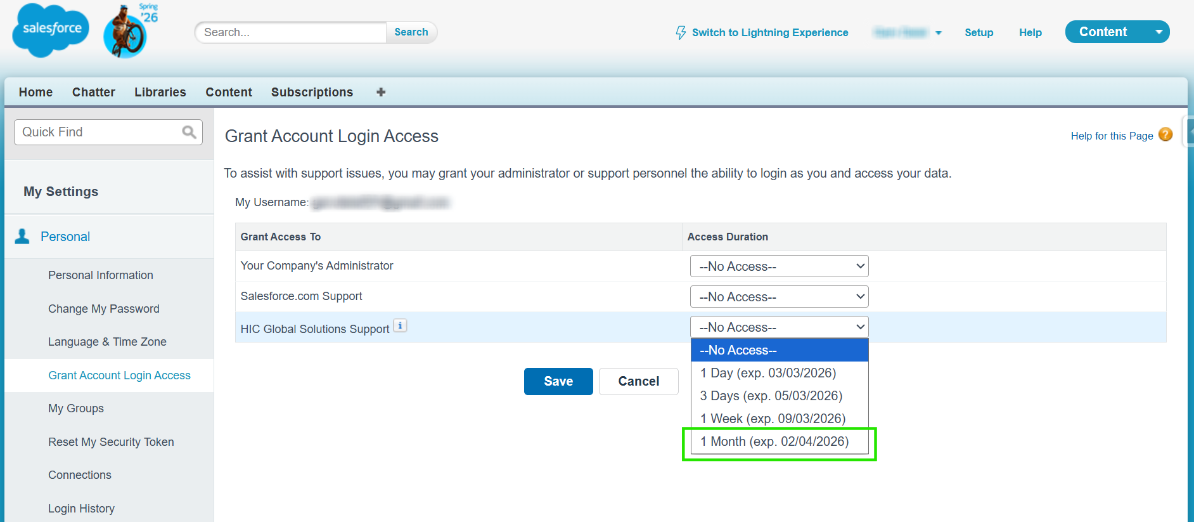
Step 3: Set the ‘Access Duration’ for ‘HIC Support’ (minimum 1 month).
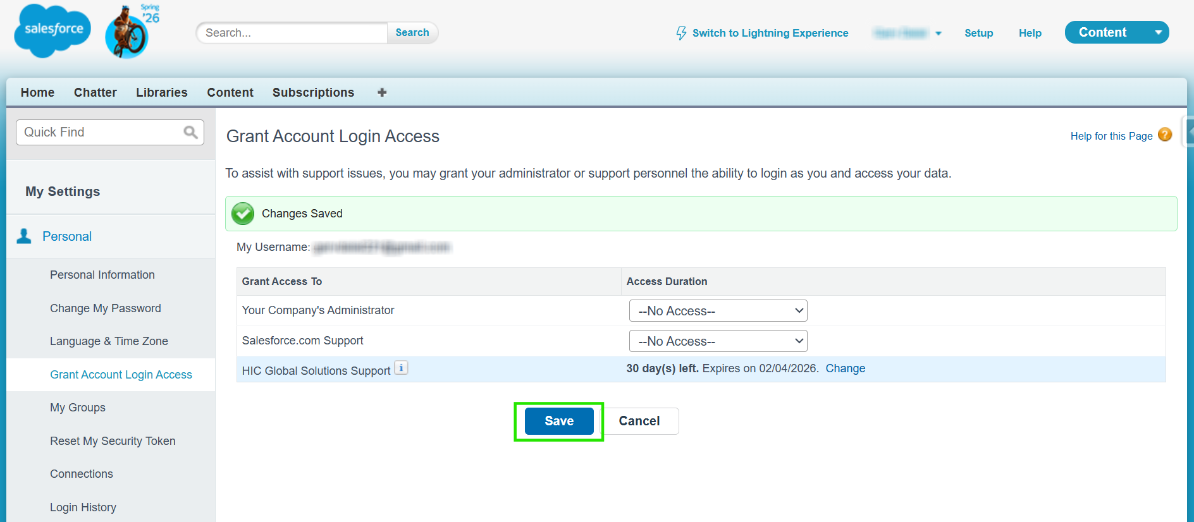
Step 4: Click Save.
Share your Salesforce Organization ID:
Step 1: Type and search for ‘Company Information’ in the Quick Find Box.
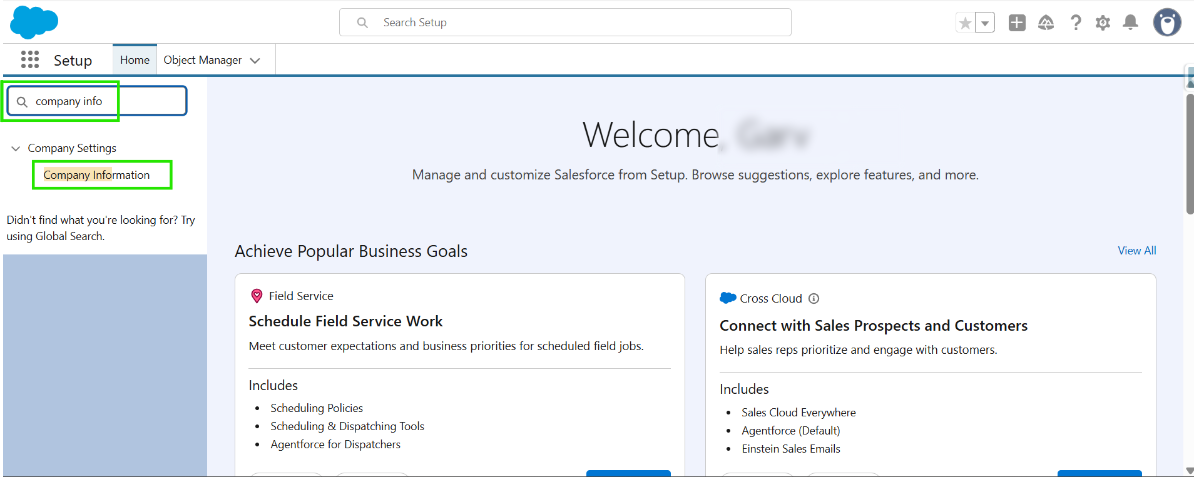
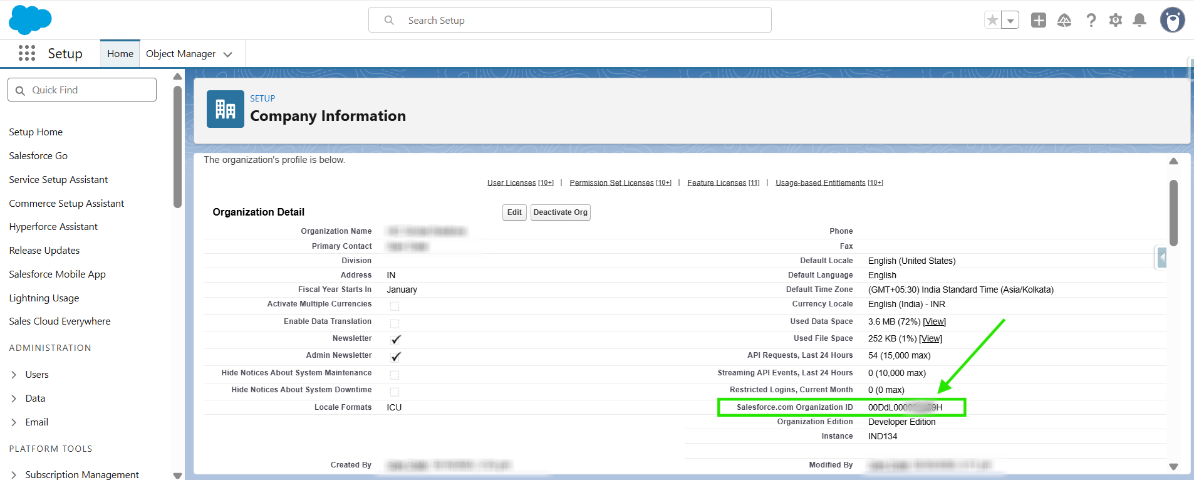
Step 2: Open Company Information and copy the Organization ID to share, starting with '00D'.
Thanks!
Was this article helpful?
That’s Great!
Thank you for your feedback
Sorry! We couldn't be helpful
Thank you for your feedback
Feedback sent
We appreciate your effort and will try to fix the article