Refunds are included as part of our premium features in the Pro version of our app. This feature is fully compatible with multiple stores, enabling you to process refunds across all your stores seamlessly for that follow the steps below.
Step 1: Ensure the Refund sync feature is Activated in Salesforce, then Order is refunded from the shopify store.
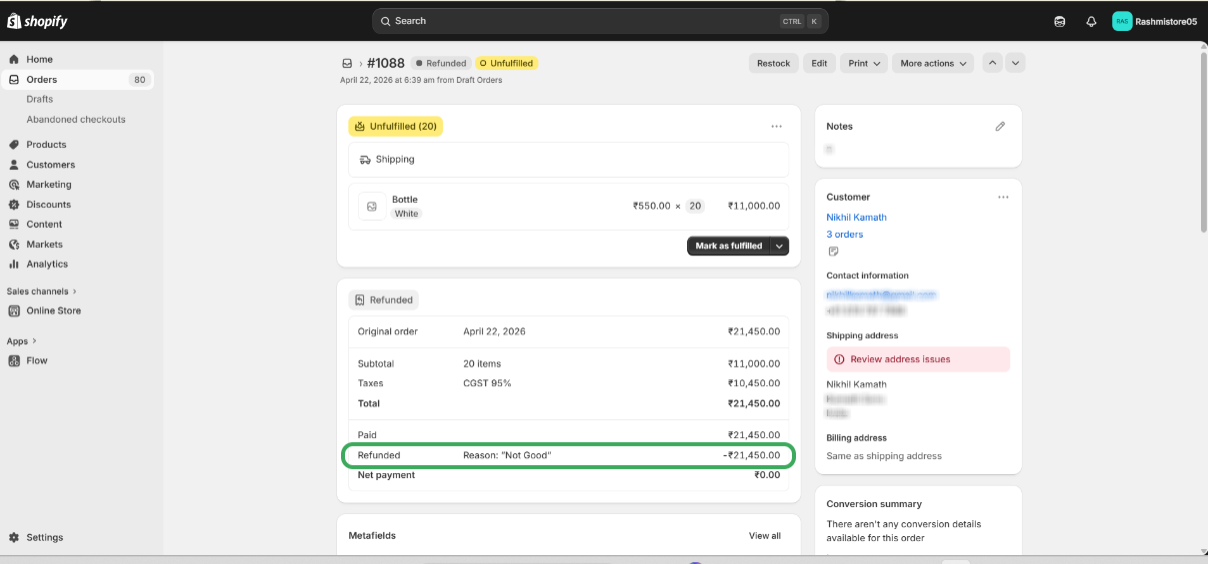
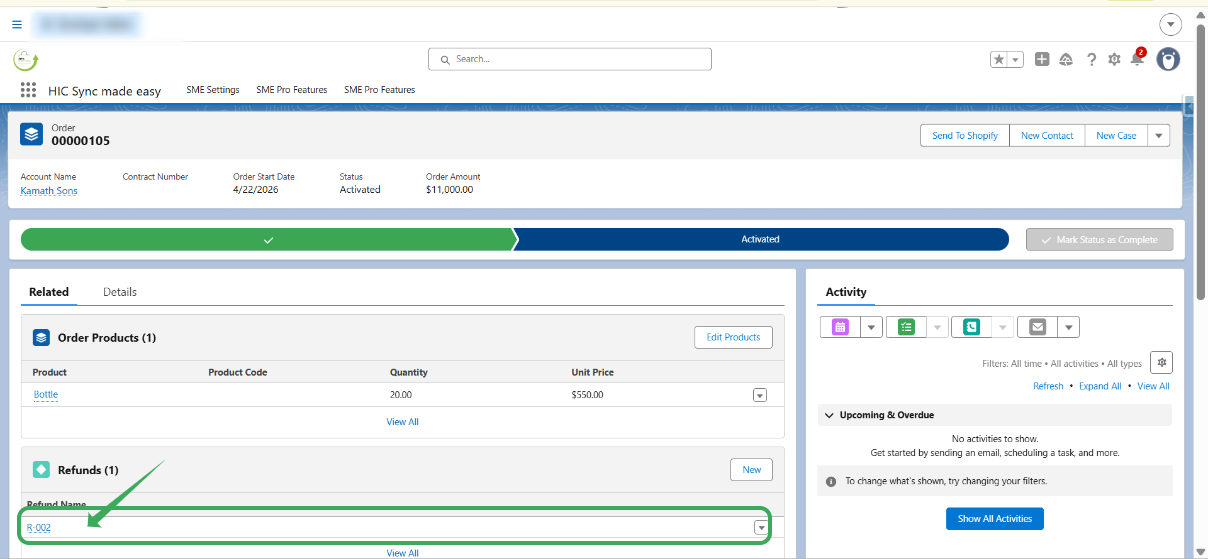
Step 2: Go to the salesforce and open the corresponding order record in salesforce . Observe the refund is created in refunds related list .
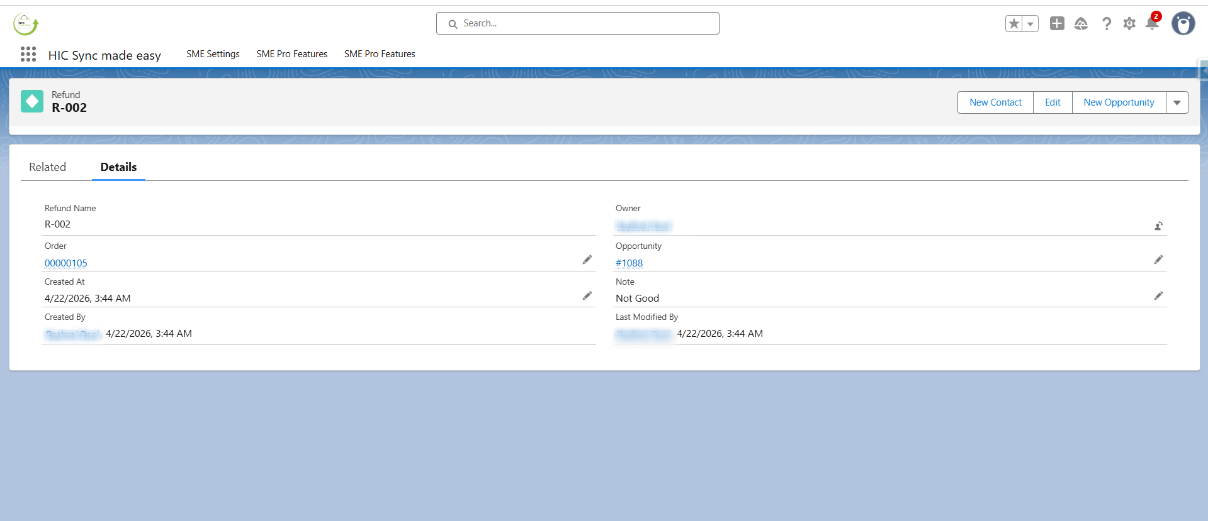
Step 3: Open the refund
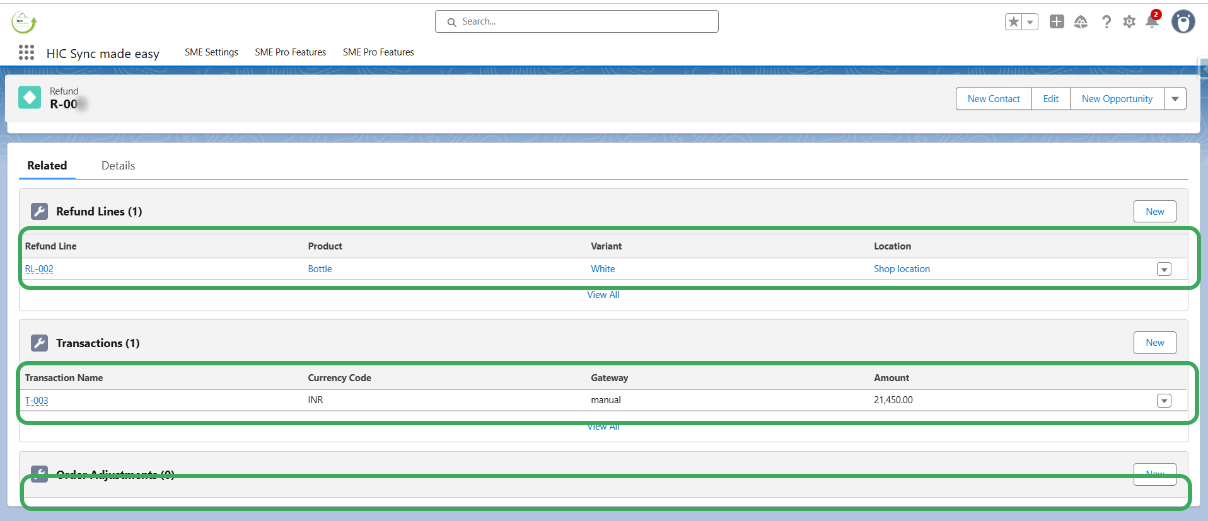
Step 4: Open the related lists, and observe refund line, transaction and order adjustment .
Thank you! Please contact our support team if you require further assistance.
Was this article helpful?
That’s Great!
Thank you for your feedback
Sorry! We couldn't be helpful
Thank you for your feedback
Feedback sent
We appreciate your effort and will try to fix the article