This guide provides step-by-step instructions on setting up and using the multi-currency feature in Sync Made Easy, enabling seamless order management and synchronization with Salesforce for businesses operating in multiple currencies.
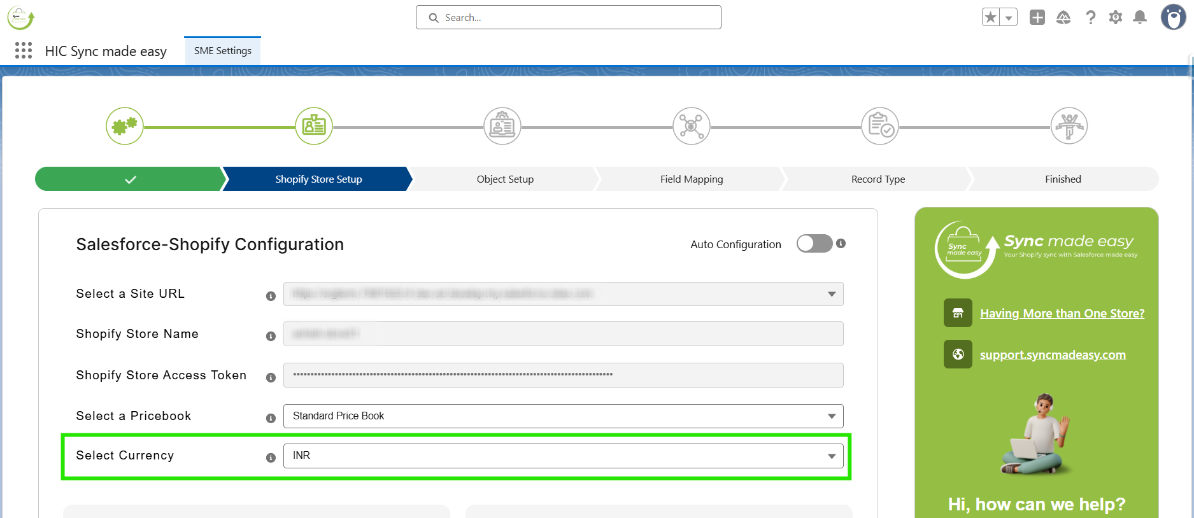
Step 1 – Navigate to the Shopify Store setup page and select a currency from the available currency field.
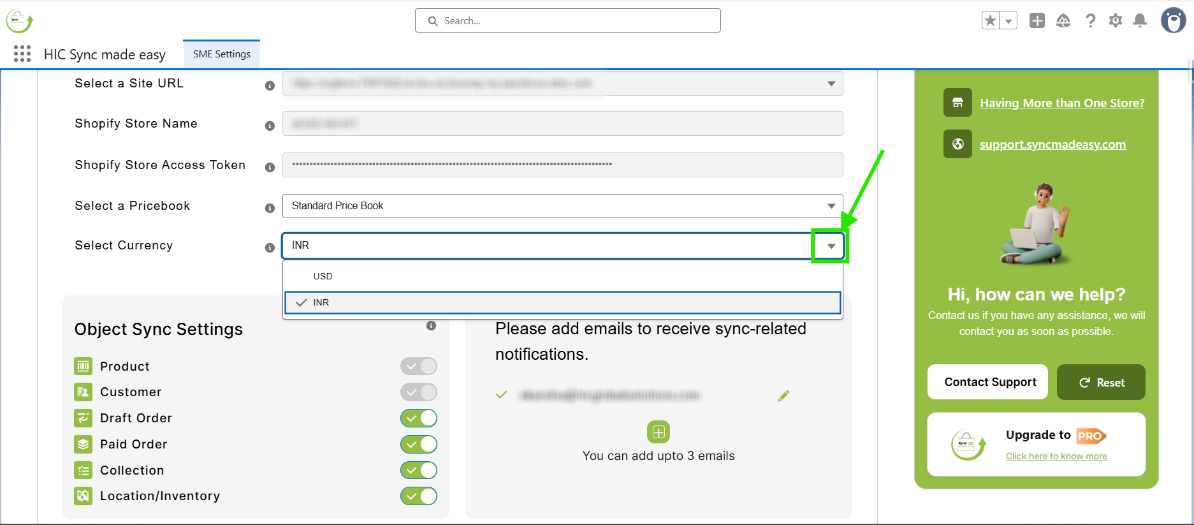
Step 2 – If multiple currencies are enabled, click the dropdown arrow on the picklist to view the available options.
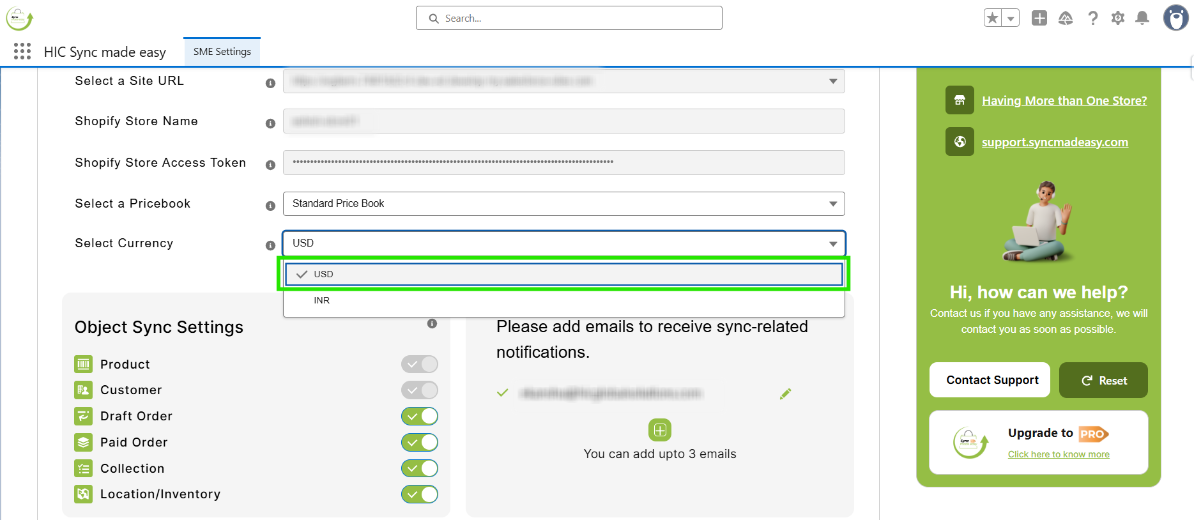
Step 3 – Choose your preferred currency, such as USD.
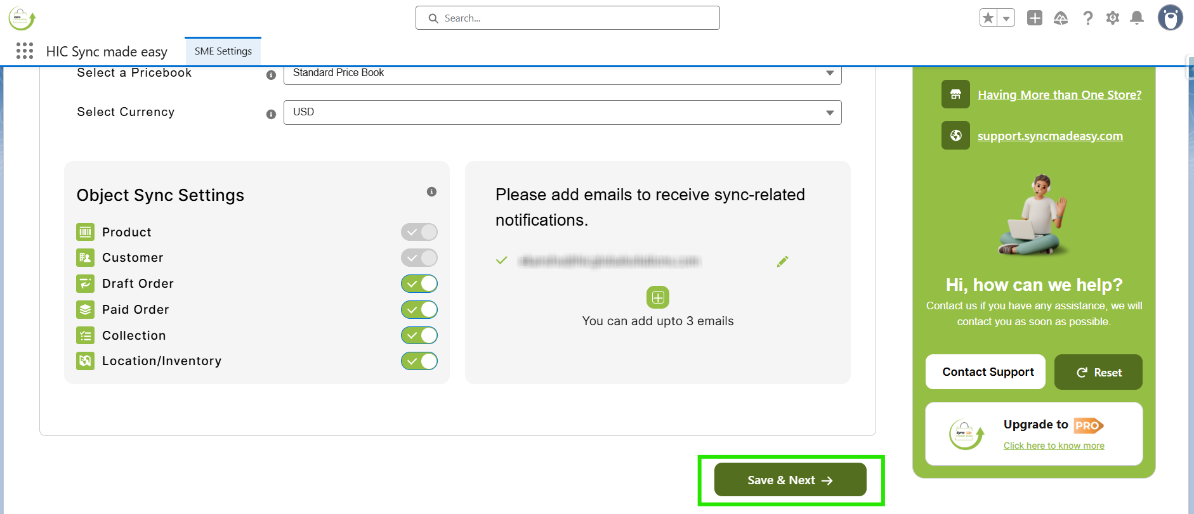
Step 4: Click the “Save & Next” button to save your changes.
Step 5 – Create a new Order in Shopify.

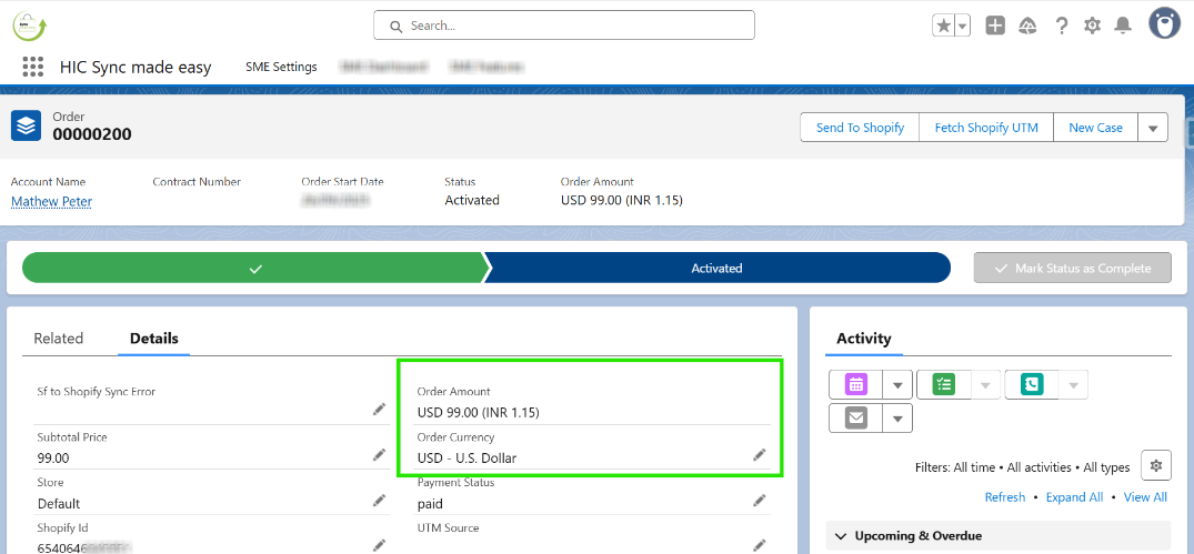
Step 6: Open the Order in Salesforce and verify that the Order Currency matches the currency you selected.
Was this article helpful?
That’s Great!
Thank you for your feedback
Sorry! We couldn't be helpful
Thank you for your feedback
Feedback sent
We appreciate your effort and will try to fix the article