This document explains how to select a single currency for syncing Shopify data when Multi-Currency is enabled in Salesforce. This feature ensures that all Shopify records are synced using one selected currency, even when multiple currencies are active in Salesforce.
Step 1: Log in to Salesforce.
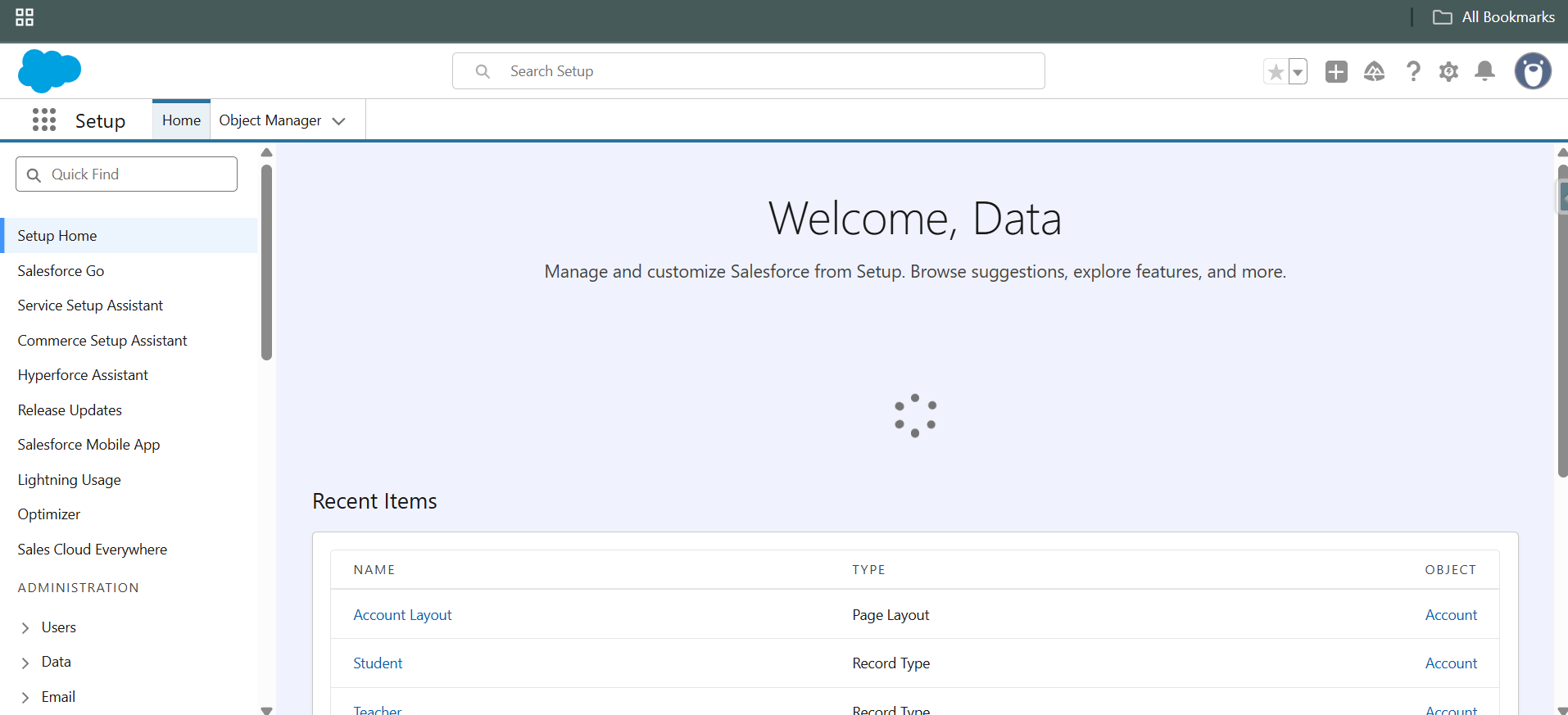
Step 2: Click the App Launcher, search for HIC Sync Made Easy, and open the app.

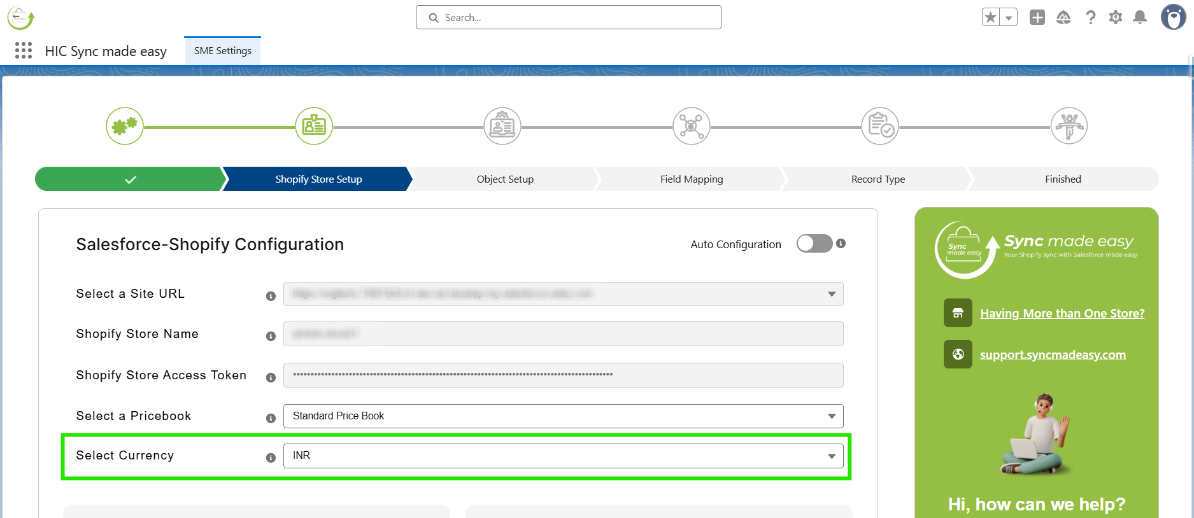
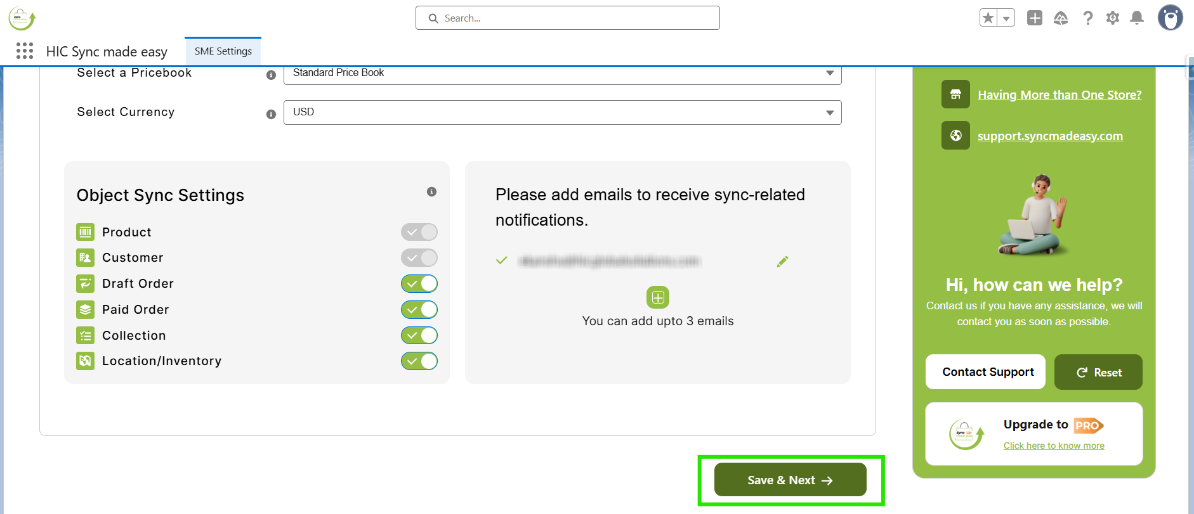
Step 3: Navigate to the Shopify Store setup page and select a currency from the available currency field.
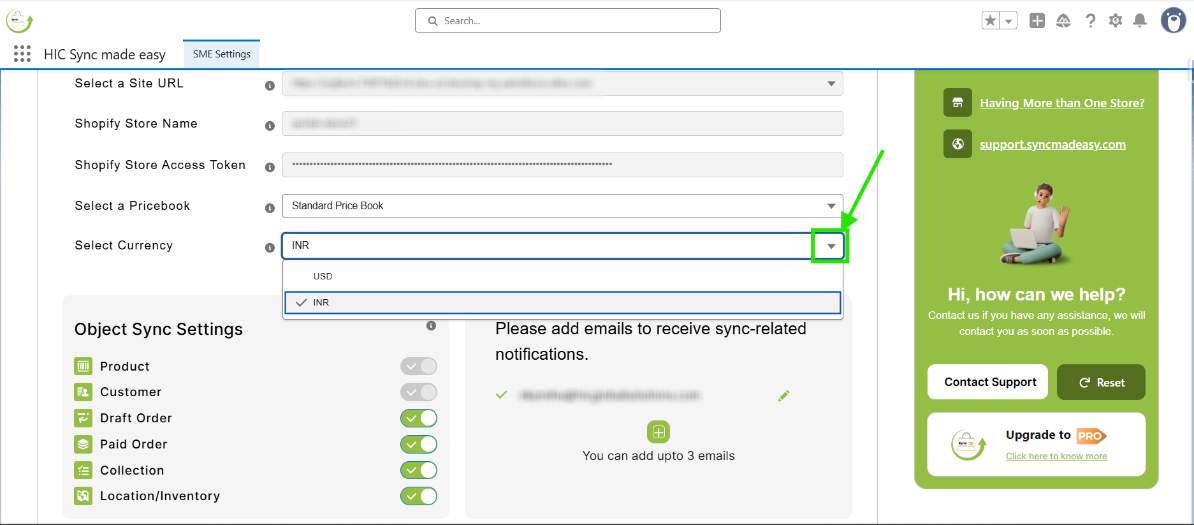
Step 4: If multiple currencies are enabled, click the dropdown arrow on the picklist to view the available options.
Step 5: Choose your preferred currency, such as USD.
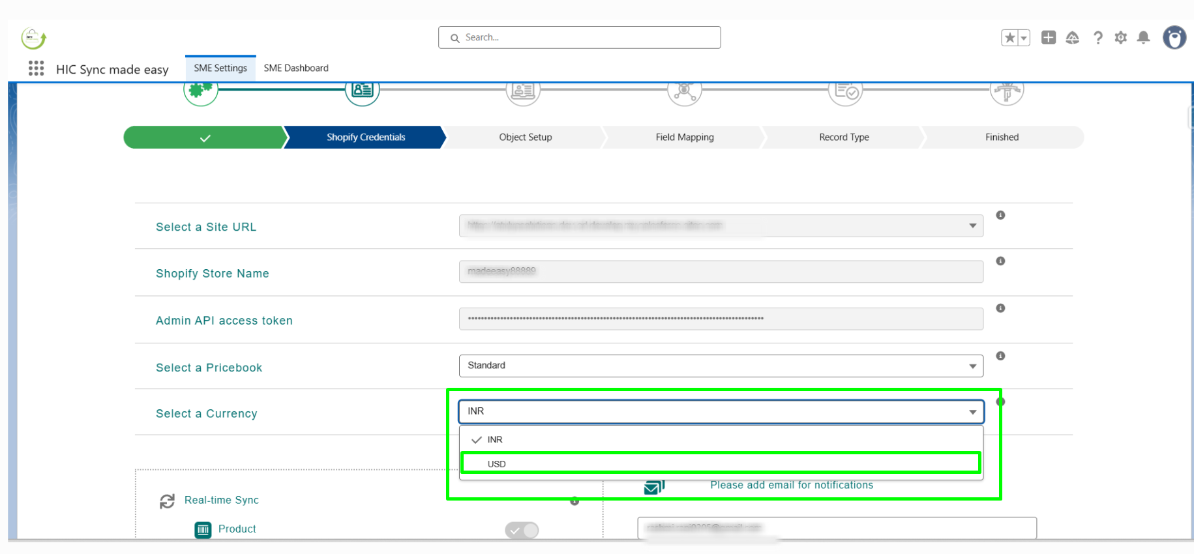
Step 6: Click the “Save & Next” button to save your changes.
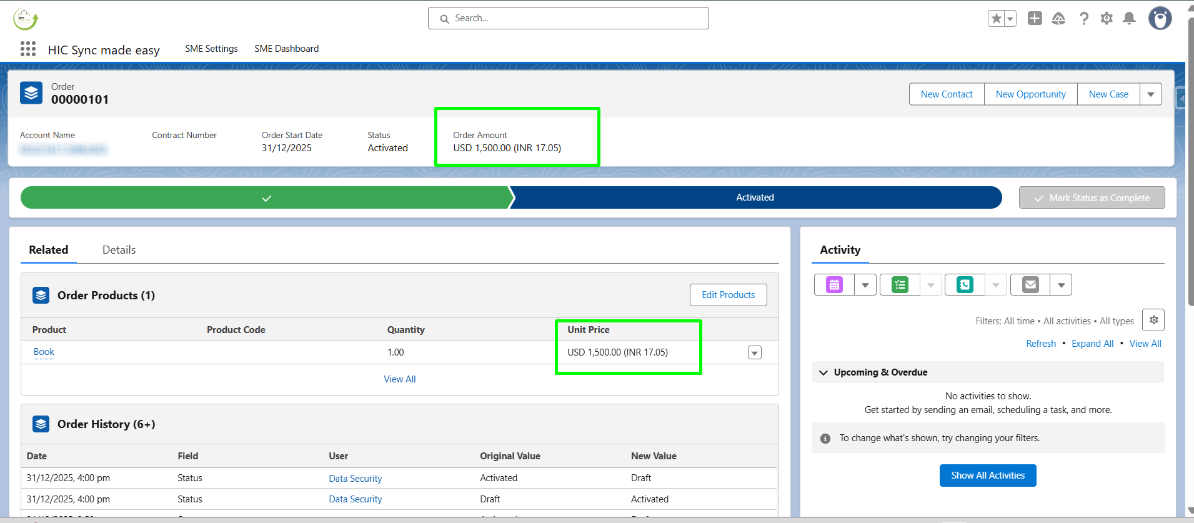
Step 7: Place an order in the Shopify store, then open the synced order in Salesforce.
Note :
All Shopify records (such as Orders and related records) will now be synced into Salesforce using the selected currency
Important Notes:
- This feature is available only when Multi-Currency is enabled in Salesforce.
- Only active Salesforce currencies will be available for selection.
- The selected currency will apply to all newly synced Shopify records.
- Existing records will not be updated automatically.
Thanks!
Was this article helpful?
That’s Great!
Thank you for your feedback
Sorry! We couldn't be helpful
Thank you for your feedback
Feedback sent
We appreciate your effort and will try to fix the article
