This article explains how to enable Multi-Currency in Salesforce when the Shopify store currency differs from the Salesforce default currency and Shopify data needs to be synced using the Shopify currency through HIC Sync Made Easy. Enabling Multi-Currency ensures that Shopify Orders and related records are synced into Salesforce with accurate and consistent currency values.
Step 1: Log in to Salesforce.
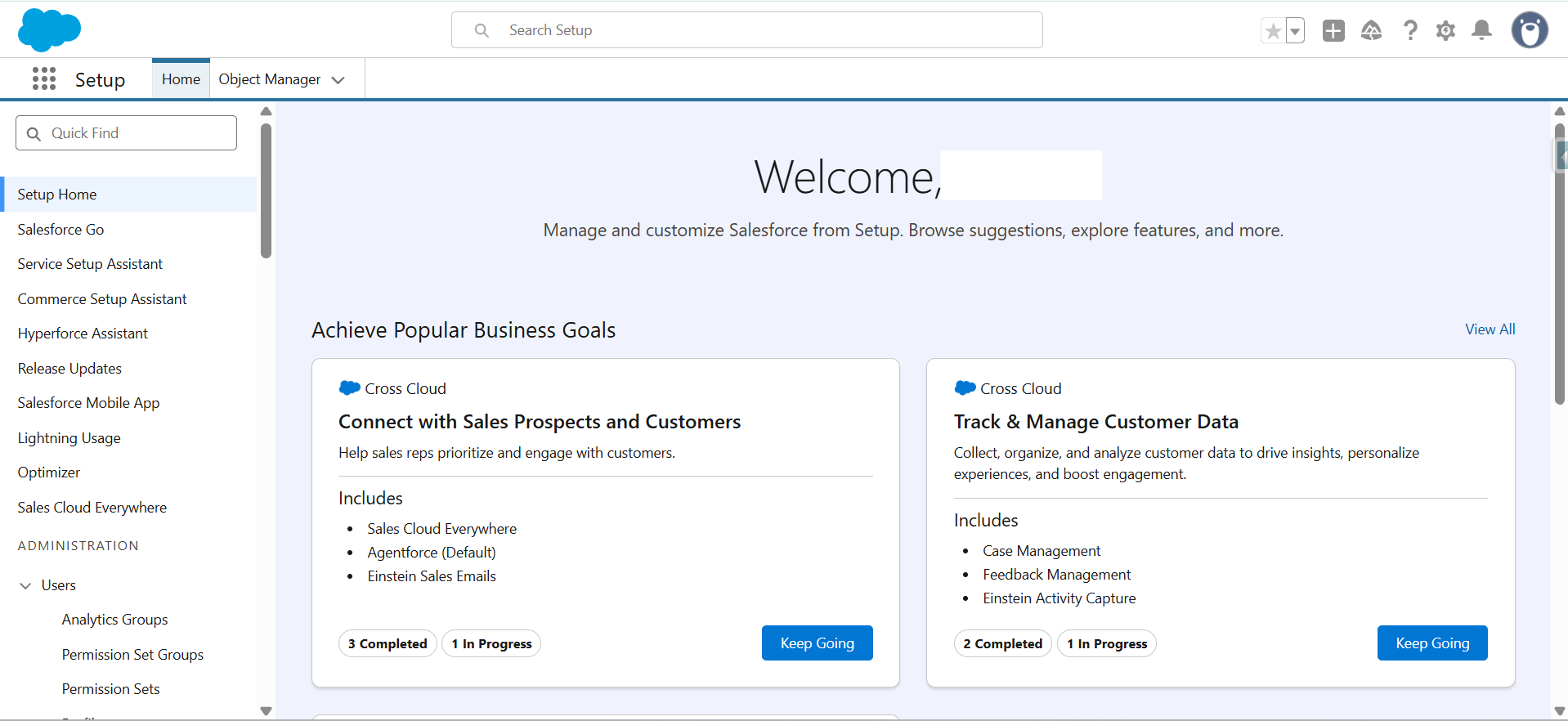
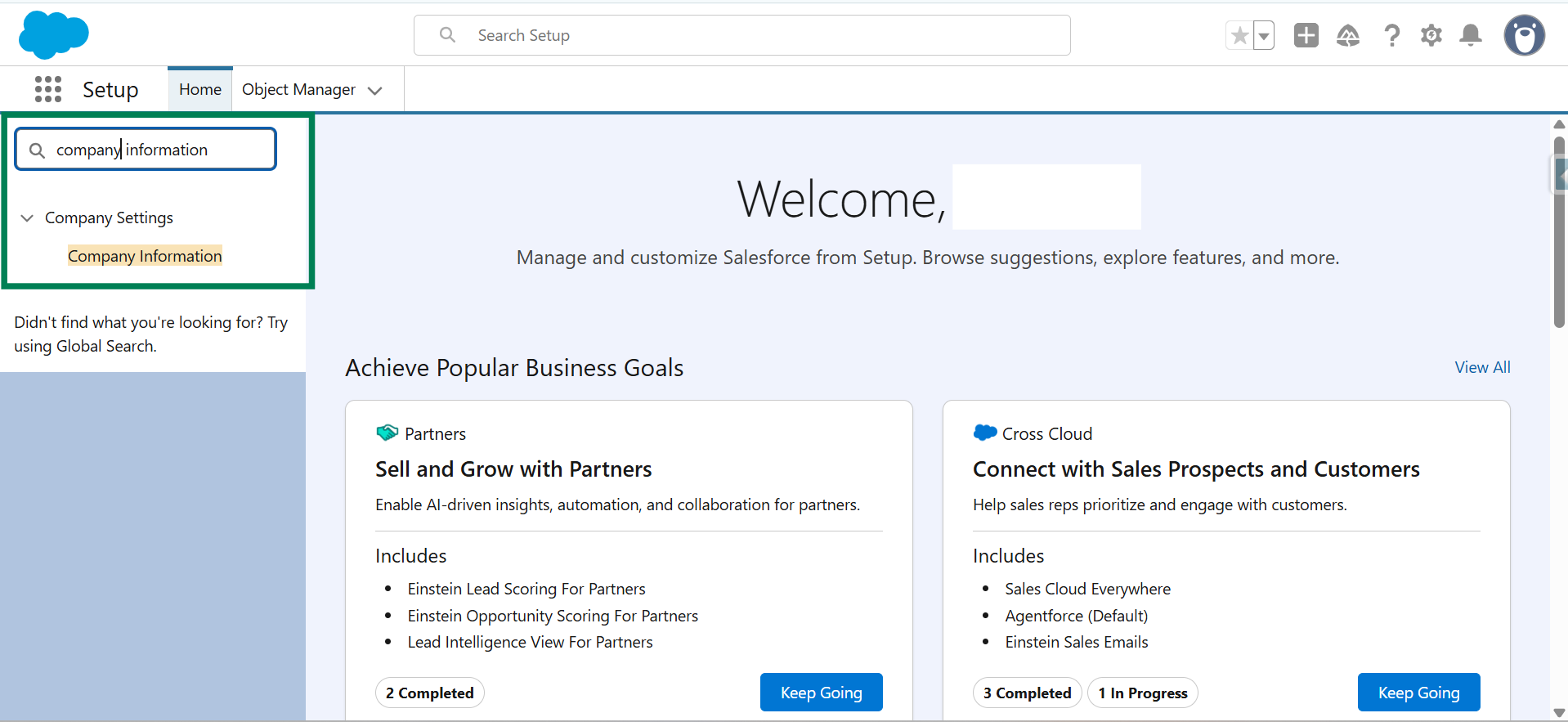
Step 2: In the Quick Find box, search for the Company Information and click on it.
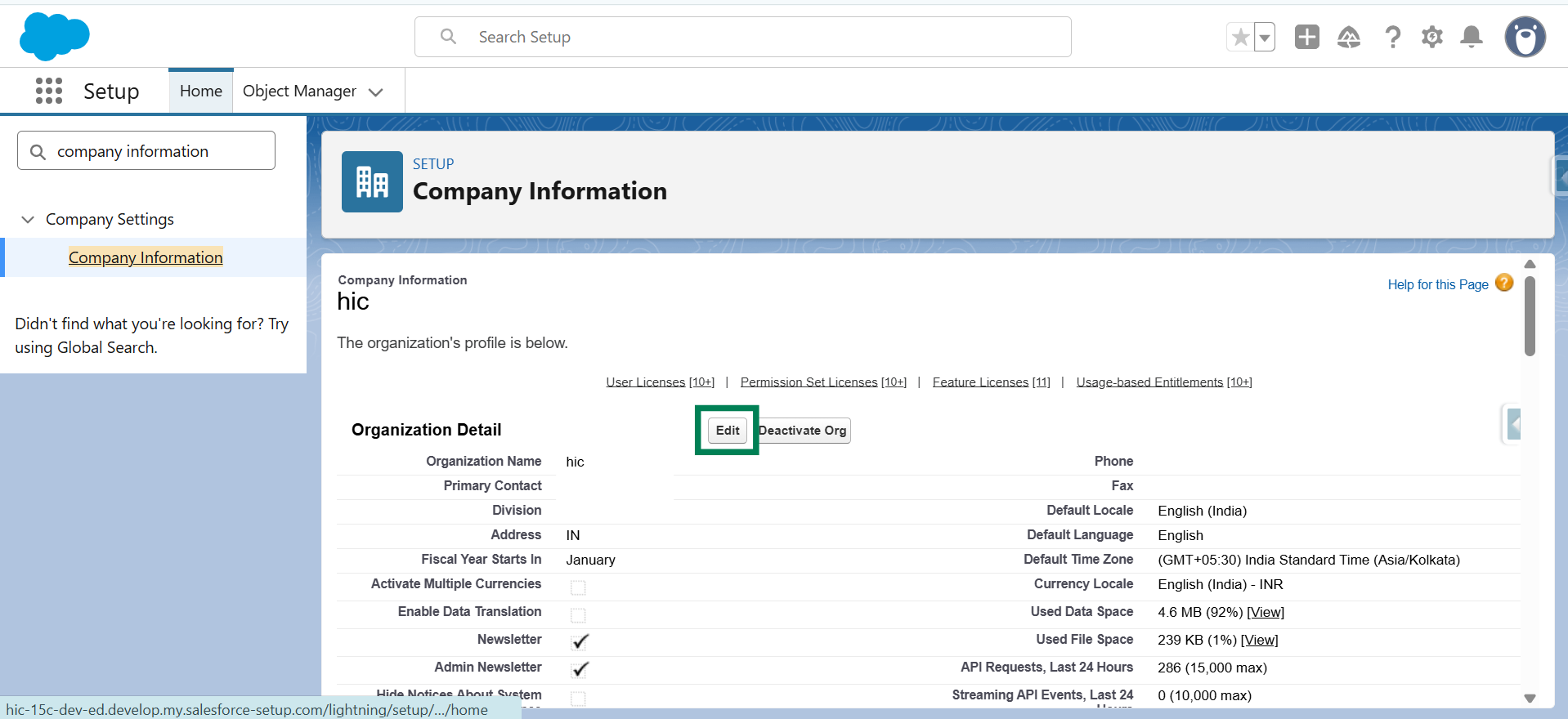
Step 3: Click on Edit.
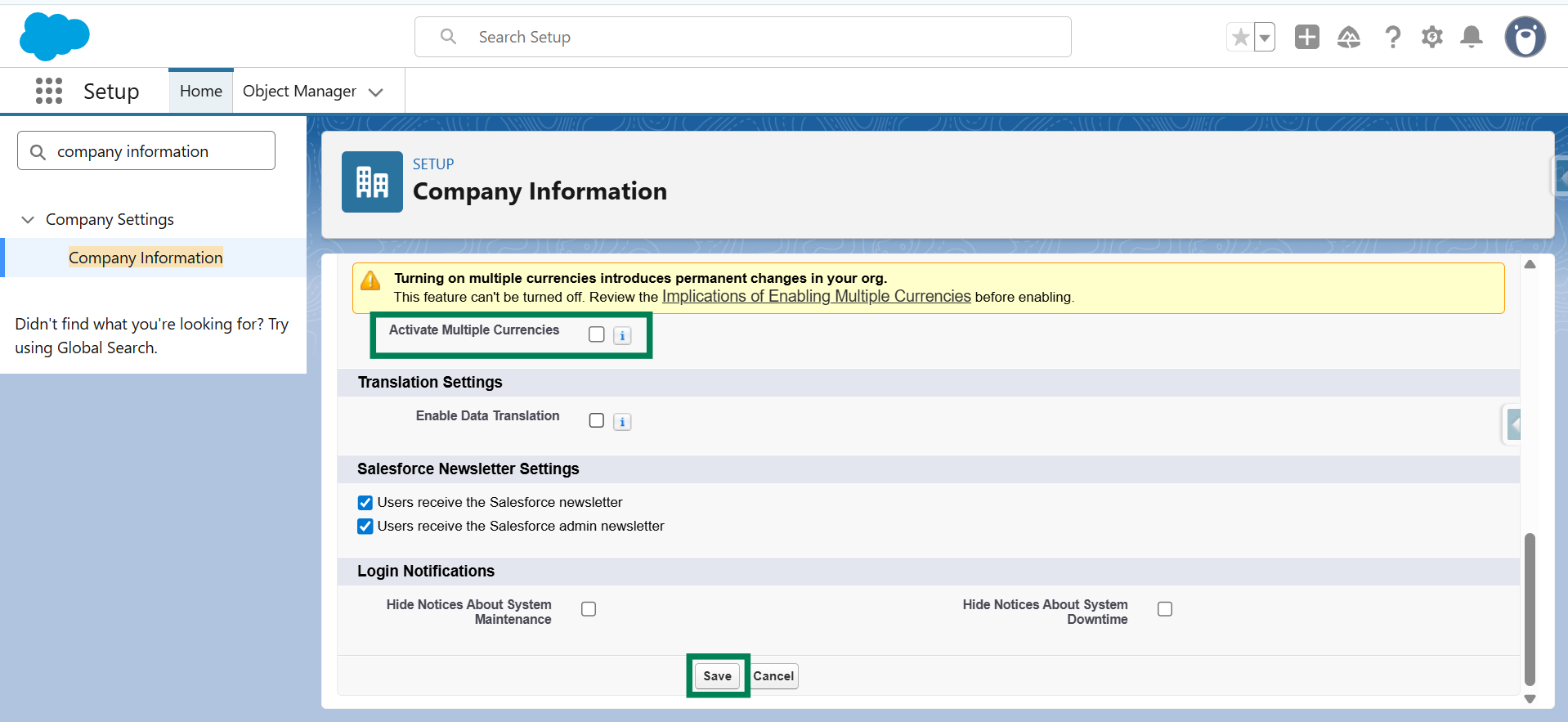
Step 4: Select "Activate Multiple Currencies" and then click "Save."
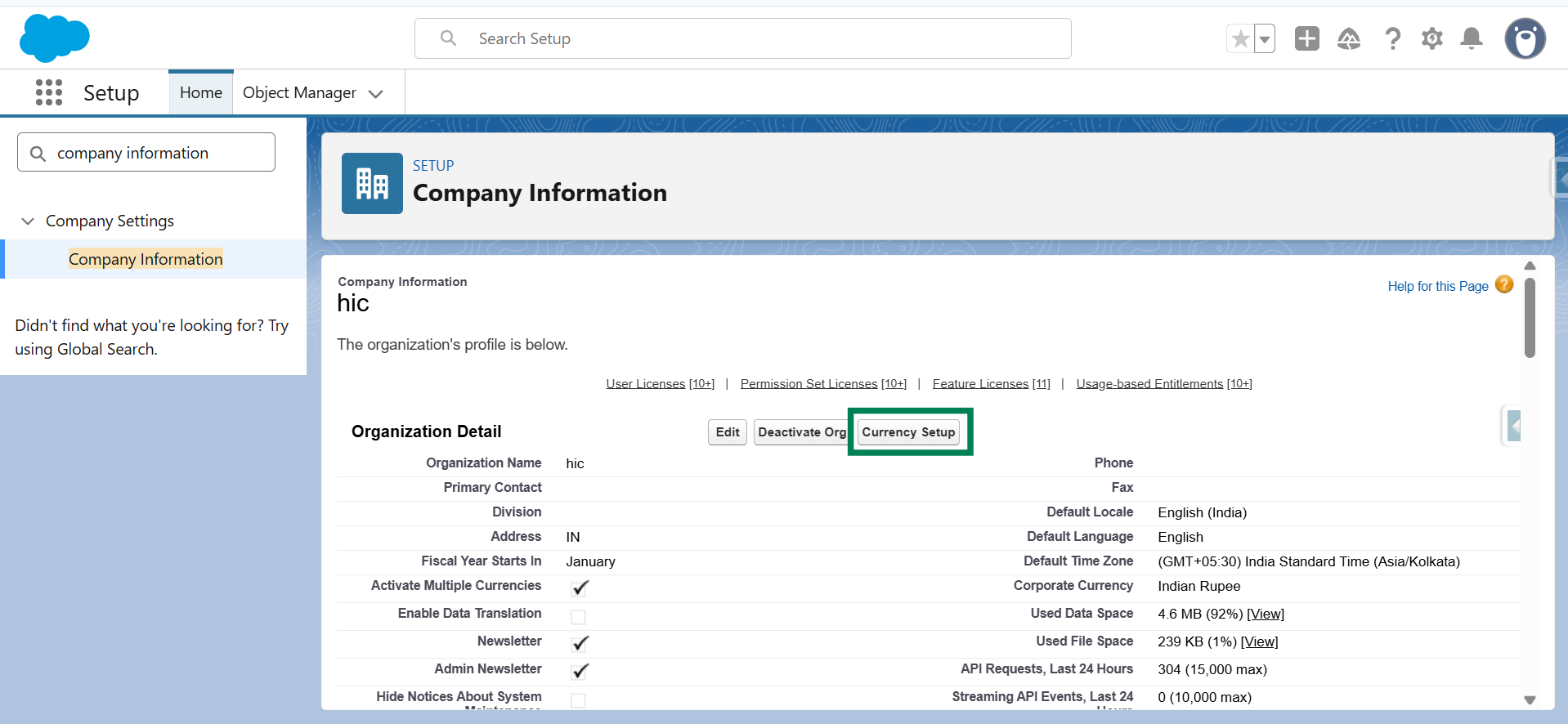
Step 5: Click on Currency Setup.
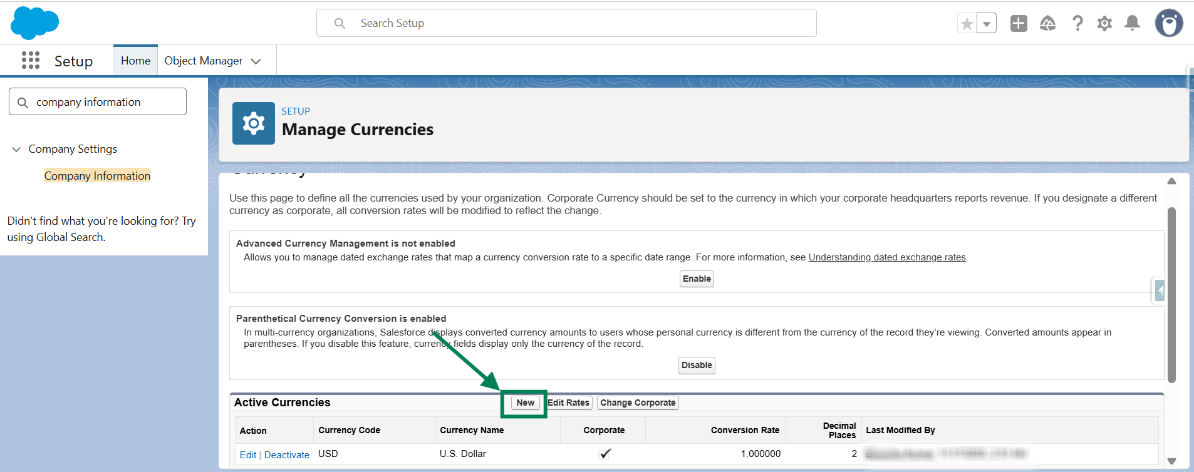
Step 6: Click New to add the Shopify store currency.
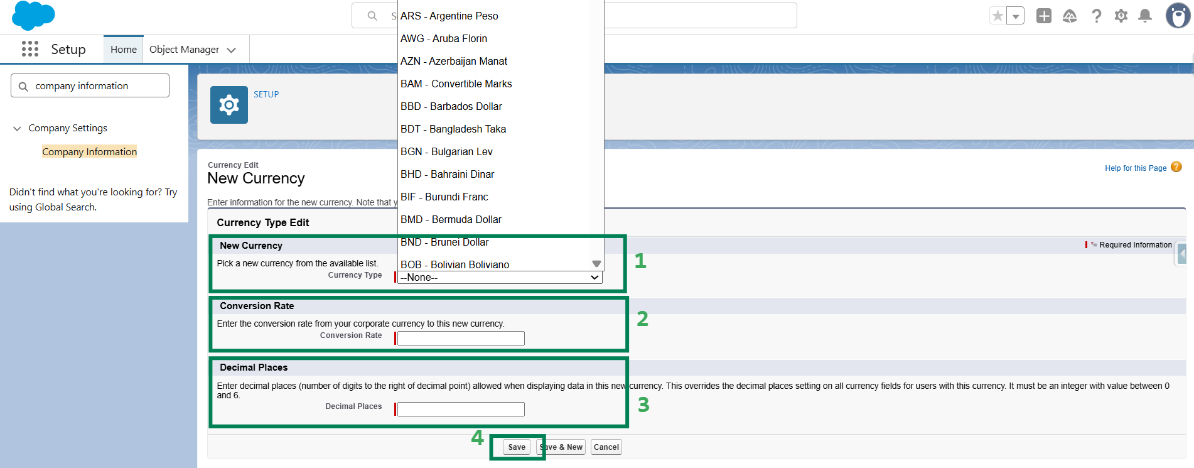
Step 7: Select the Currency and enter the Conversion Rate, the Decimal Places and click Save.
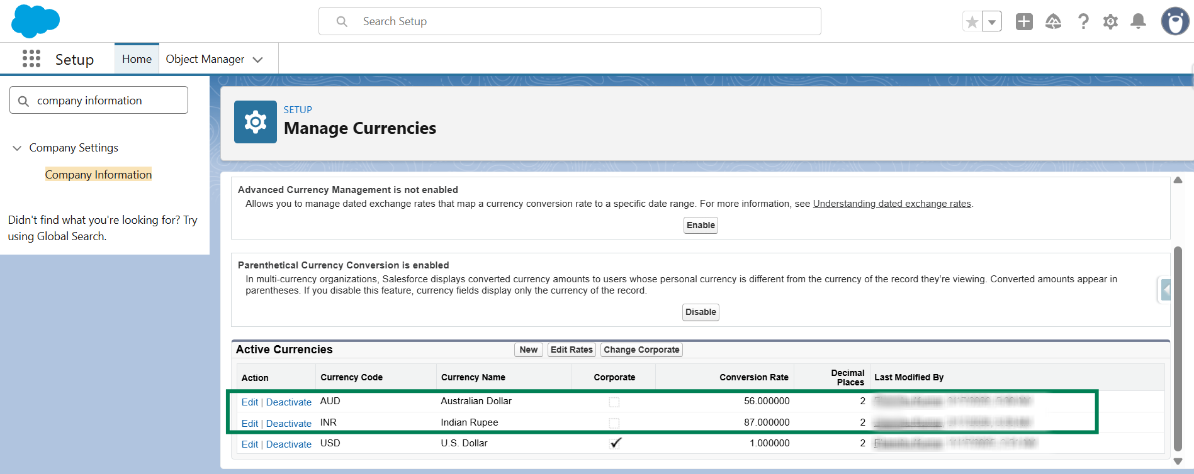
Step 8: The new currency has been added successfully in Salesforce.
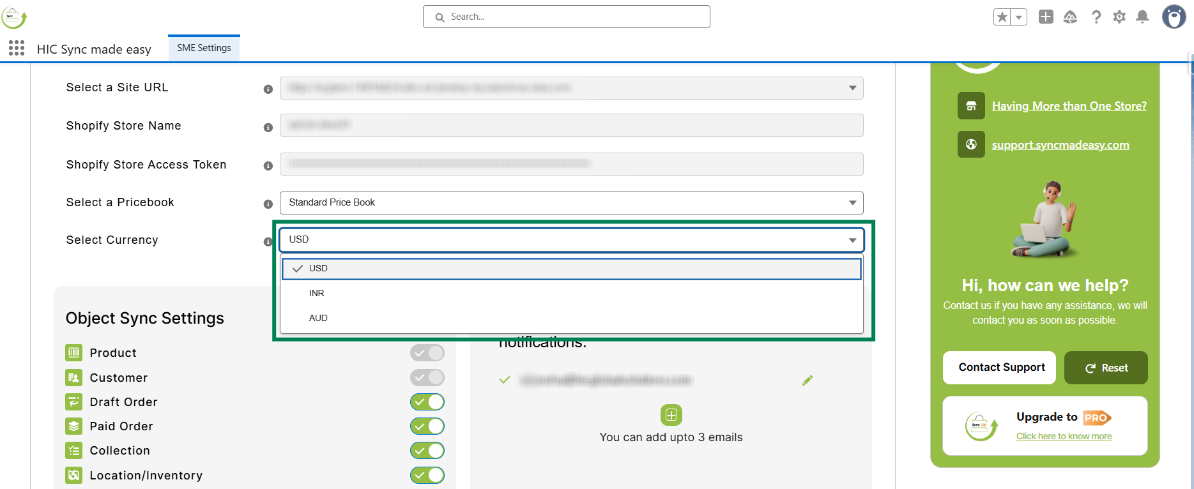
Step 9: The added currency will be available in HIC Sync Made Easy at the Shopify credential page for Shopify sync configuration.
Important Notes
- Enable Multi-Currency only when the Shopify store currency is different from the Salesforce default currency.
- Activating Multi-Currency in Salesforce is irreversible.
- Only active currencies are available for selection in HIC Sync Made Easy.
- This setup ensures accurate currency handling during Shopify–Salesforce synchronization.
Thanks!
Was this article helpful?
That’s Great!
Thank you for your feedback
Sorry! We couldn't be helpful
Thank you for your feedback
Feedback sent
We appreciate your effort and will try to fix the article
