In this guide, we will explain how the Account Duplicate Prevention (based on Company Name) feature works during Shopify sync. It checks Salesforce for an existing Account with the same name. If a match is found, SME updates the existing Account instead of creating a new one. This helps prevent duplicate Accounts and keeps your Salesforce data consistent.
Stay tuned as we walk you through the step-by-step process to easily enable and use this feature. Let’s get started!
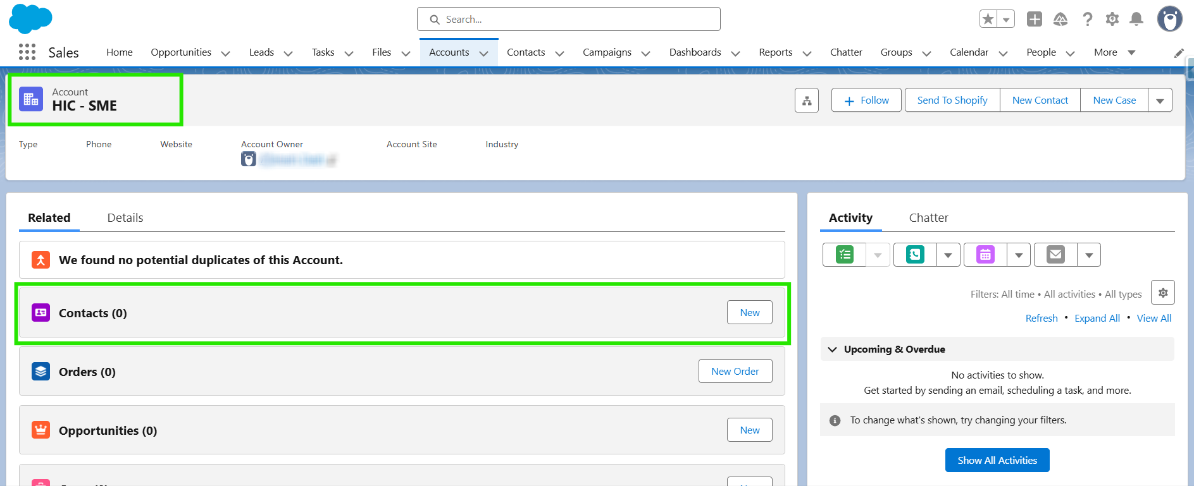
Step 1: Log in to Salesforce, select an already existing Account in Salesforce.
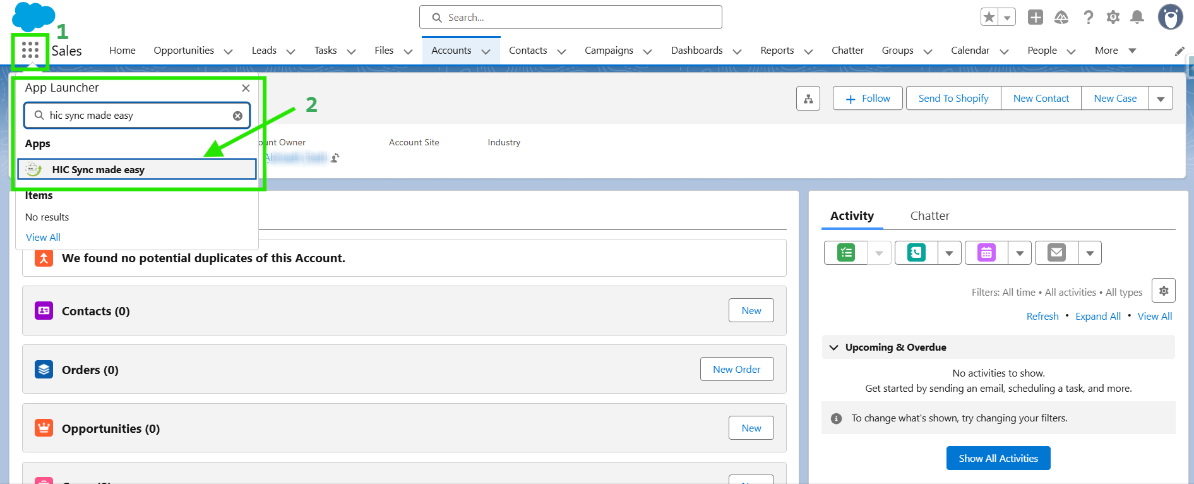
Step 2: Navigate to the HIC Sync Made Easy App.
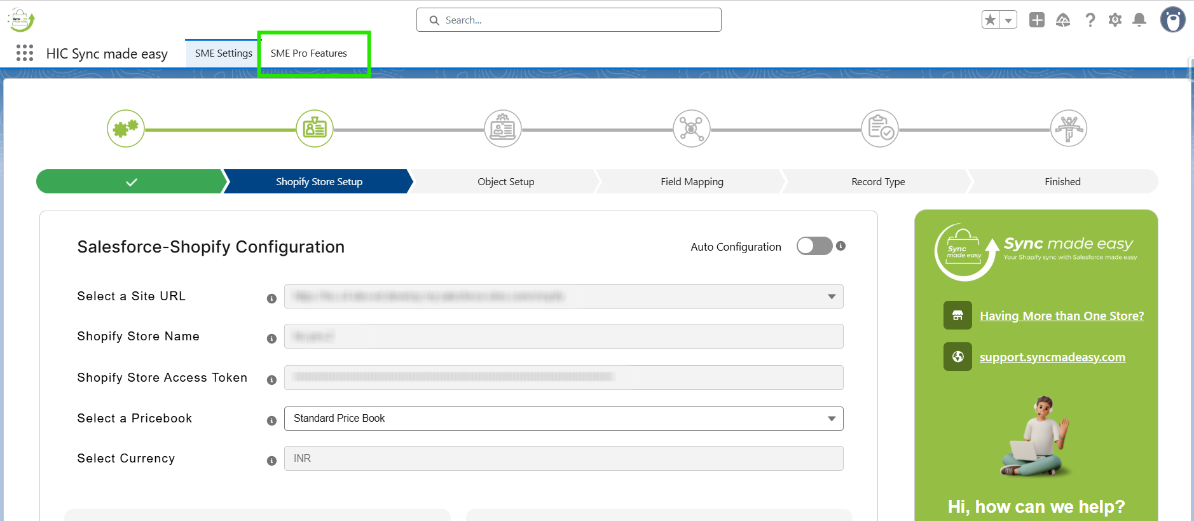
Step 3: Click on SME Pro Features.
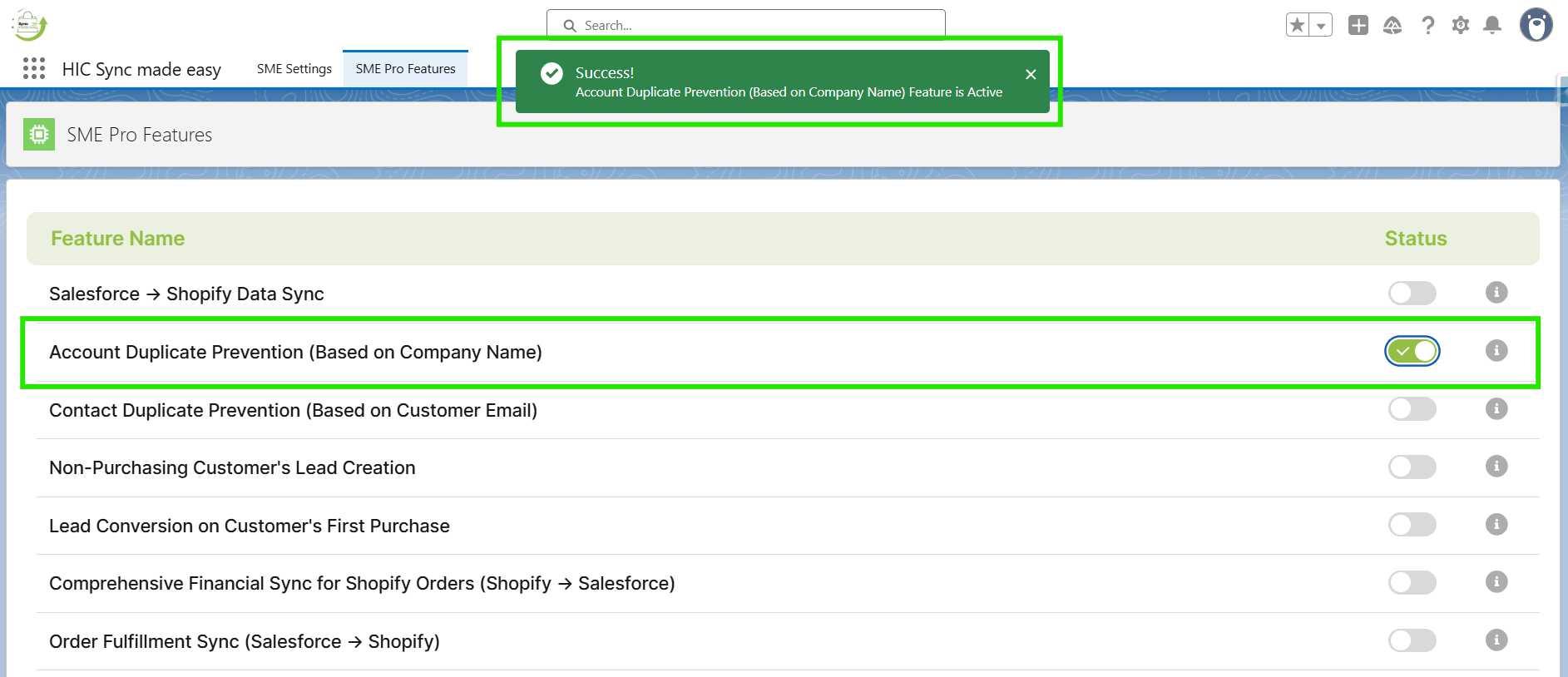
Step 4: Enable the Account Duplicate Prevention (Based on Company Name) feature.
Step 5: Now, create a new customer in Shopify and ensure the Company Name matches the existing Account name in Salesforce.
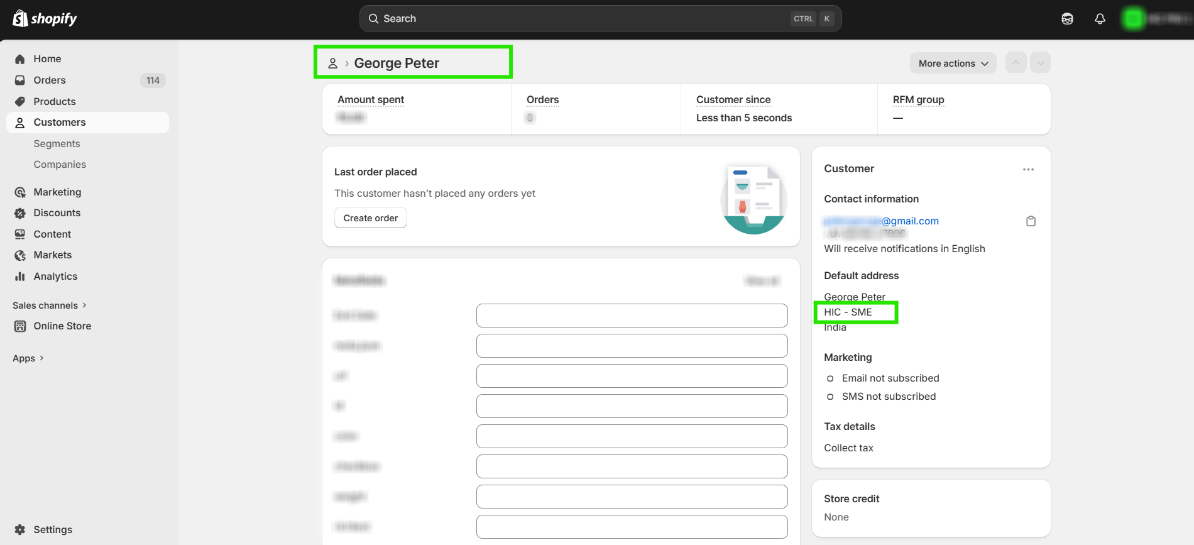
Step 6: It creates a new Contact under the existing Account instead of creating a new Account.
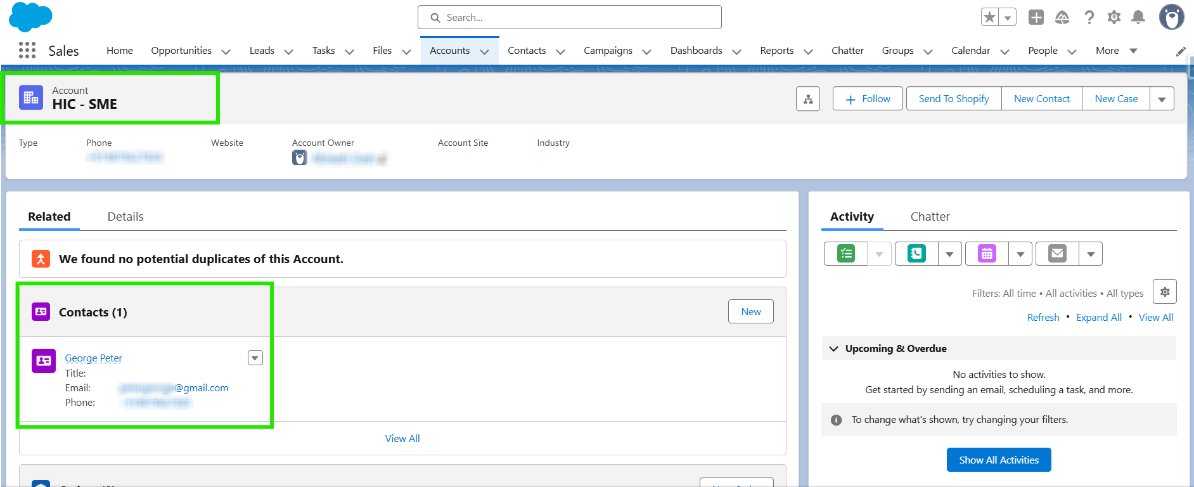
This helps prevent duplicate Accounts and keeps Salesforce data consistent.
Thanks!
Was this article helpful?
That’s Great!
Thank you for your feedback
Sorry! We couldn't be helpful
Thank you for your feedback
Feedback sent
We appreciate your effort and will try to fix the article