Please find the steps below:
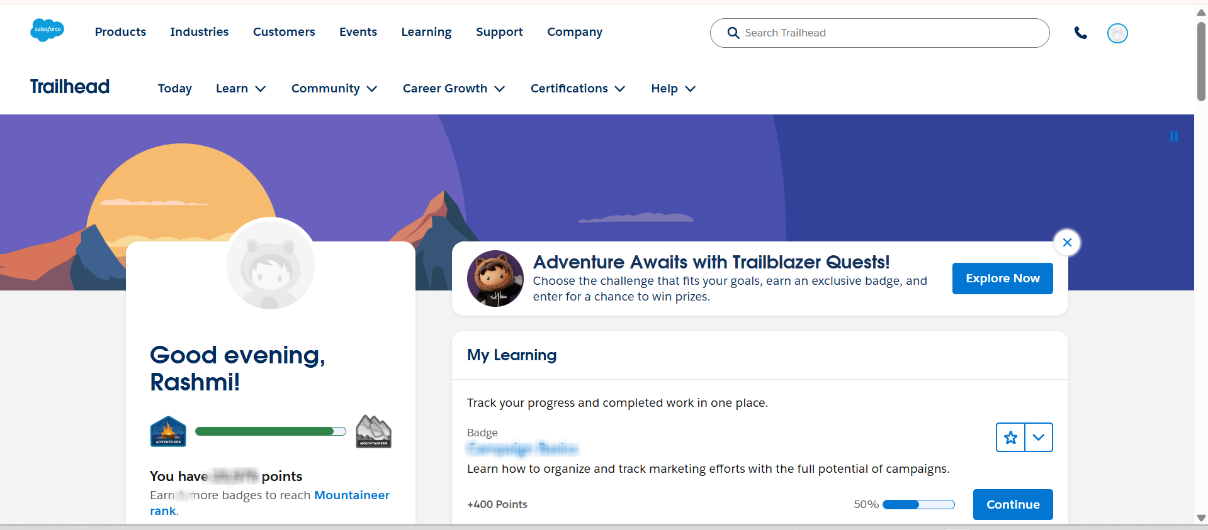
Step 1: Login to Trailhead.
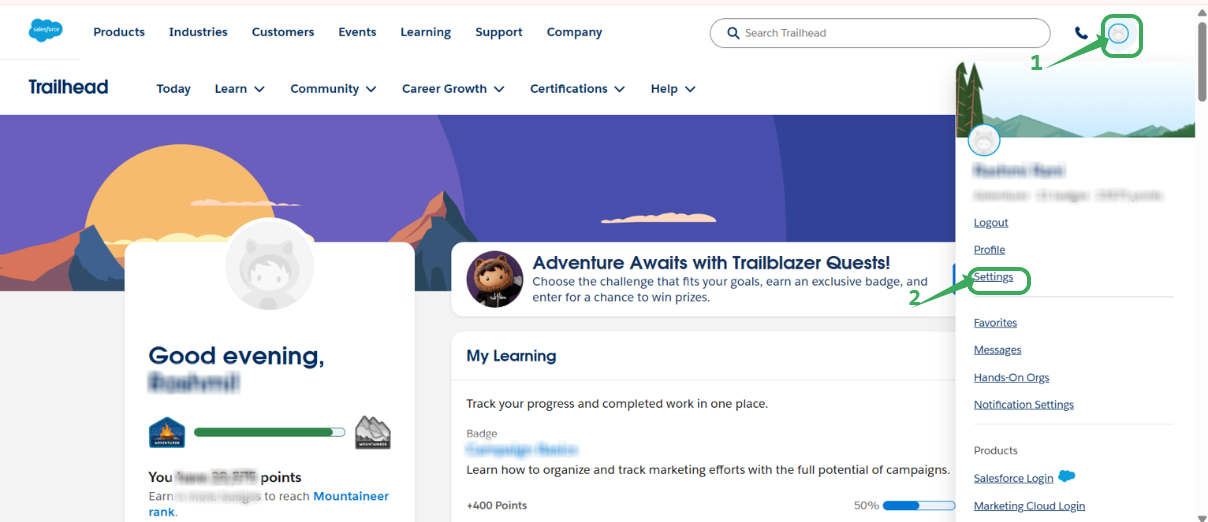
Step 2: Click your profile image in the top-right corner and select Settings from the dropdown.
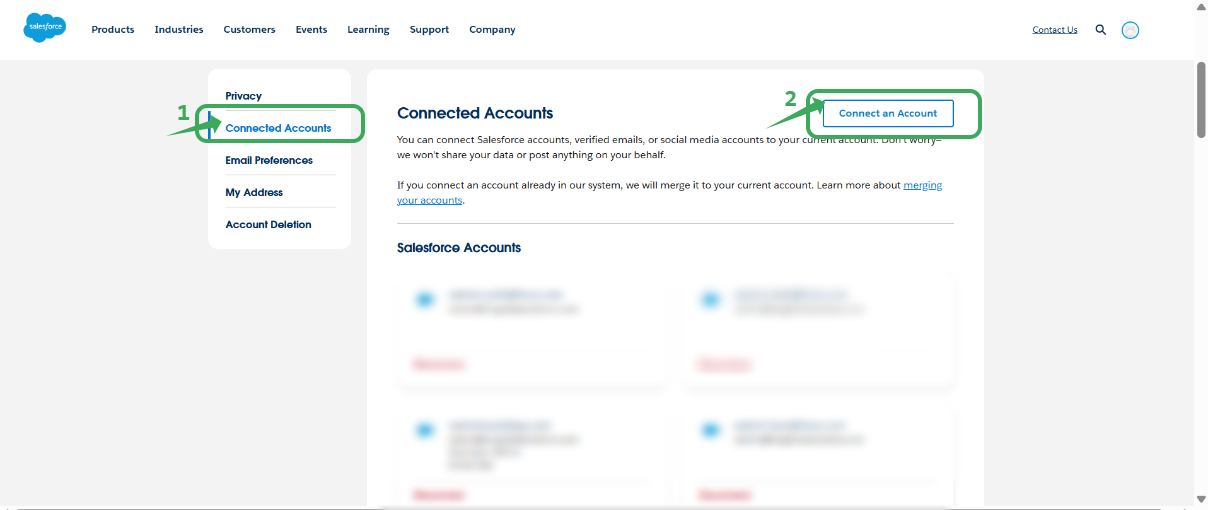
Step 3: Click on “Connected Accounts” and click “connect an account”. (if not connected, then only.)
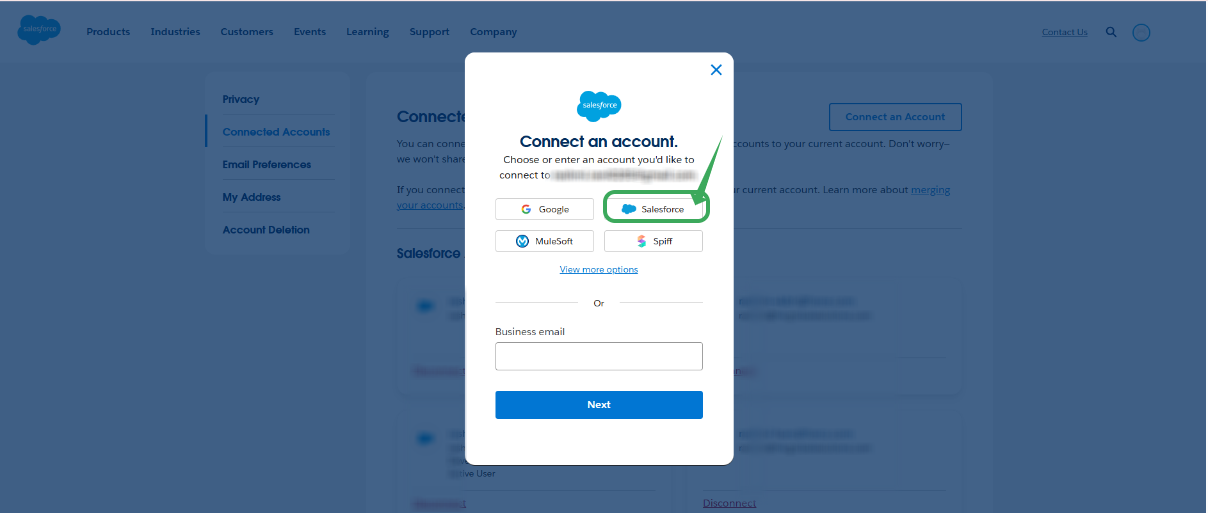
Step 4: Choose the “continue with Salesforce” option log in using dev org credentials, and follow instructions to connect to the org.
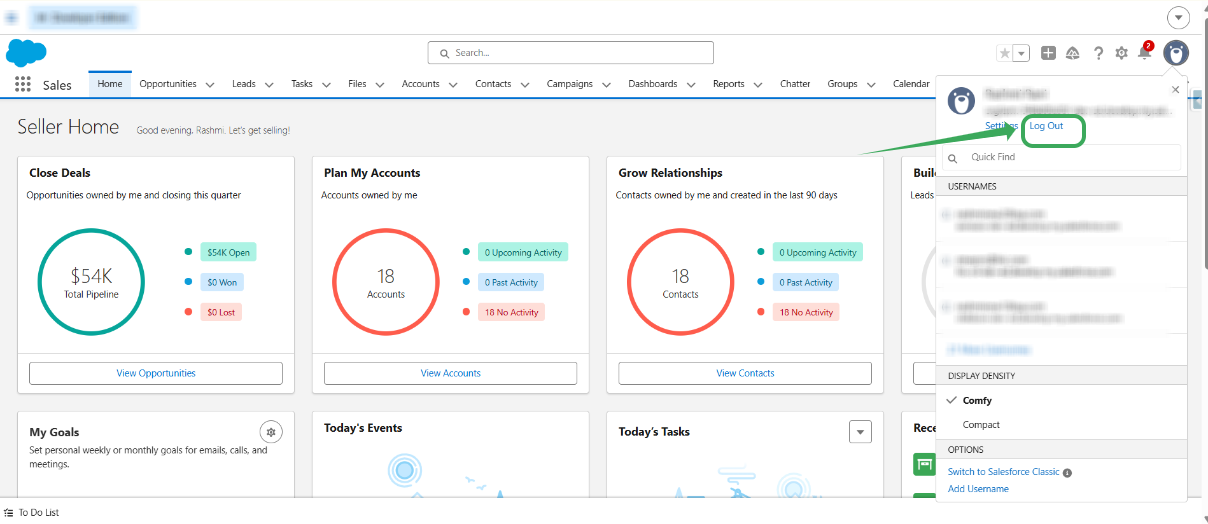
Step 5: Now logout of your account
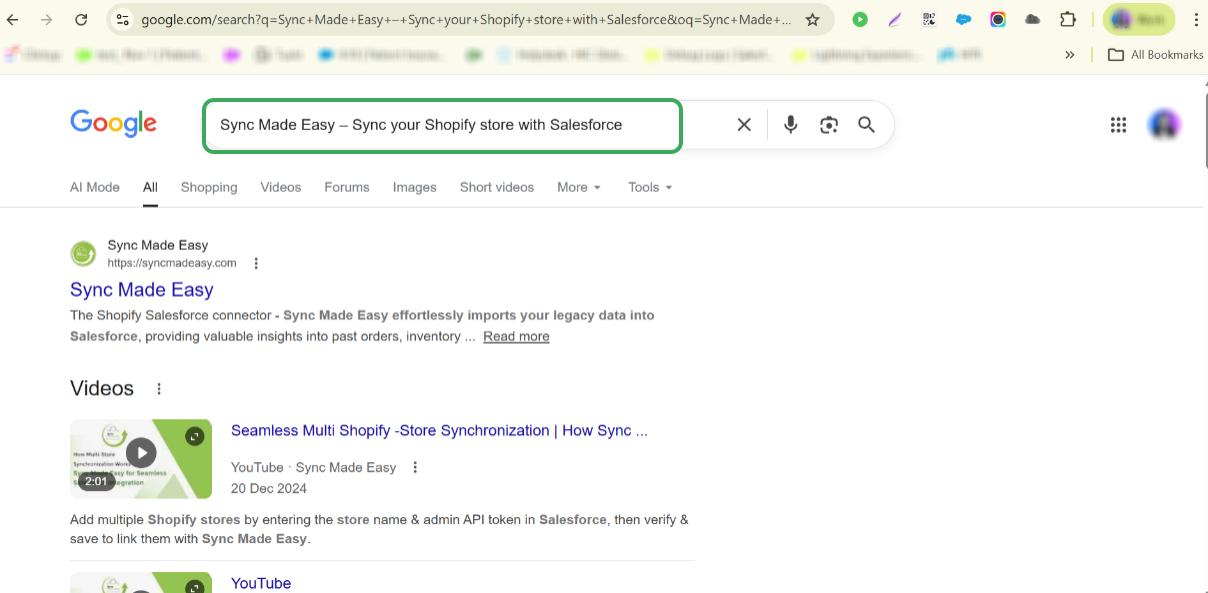
Step 6 : Now search for ‘Sync Made Easy – Sync your Shopify store with Salesforce’ in your browser, or just click the below link: Sync Made Easy – Sync your Shopify store with Salesforce.
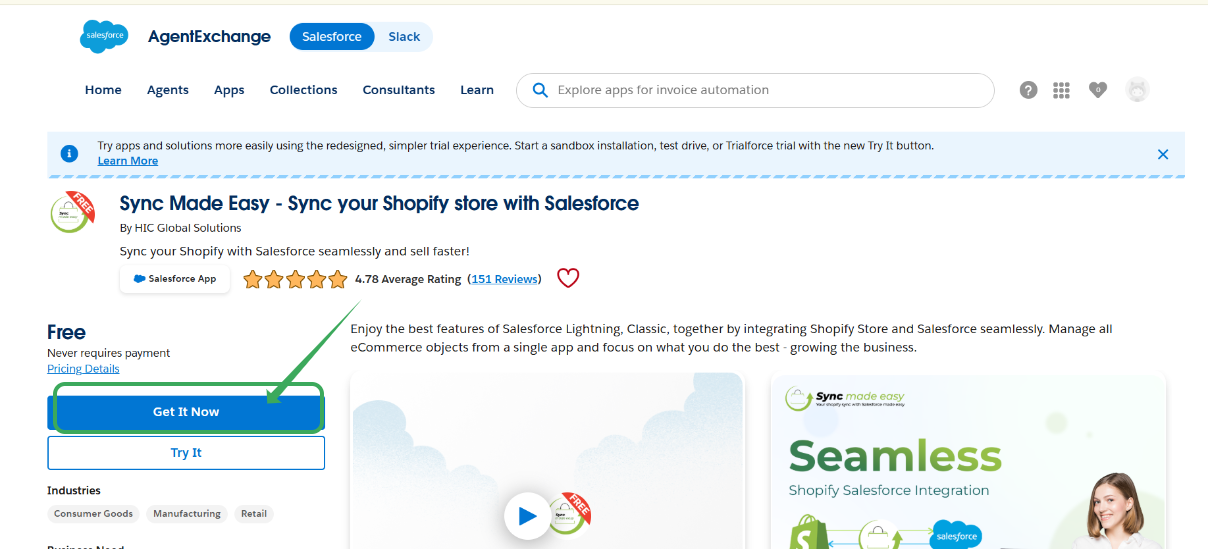
Step 7: Now click the ‘Get it now’ button, then click ‘Log in’.
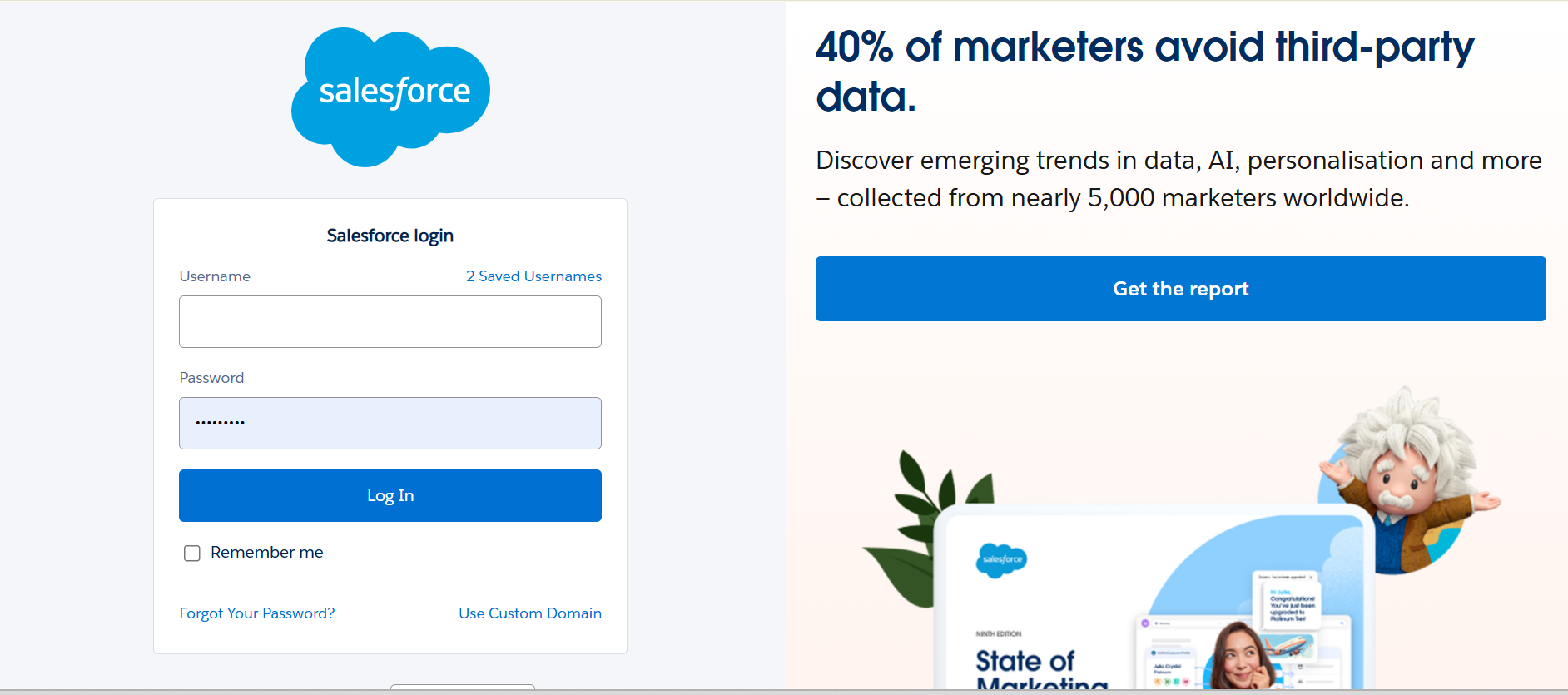
Step 8: Log in to your account by choosing “continue with salesforce” on the login page, then enter the dev org credential to which you have connected and try to install the package.
Thanks!
Was this article helpful?
That’s Great!
Thank you for your feedback
Sorry! We couldn't be helpful
Thank you for your feedback
Feedback sent
We appreciate your effort and will try to fix the article