Please check the Error Messages tab, which contains the reason why the contact failed to get created. There is a possibility that some trigger or process failed in your org. You will find the issue on the Error Messages tab. Please follow the below steps to identify the issue.
Step 1: Click the App Launcher icon (the grid icon), search for "Error Messages," and select the Error Messages object.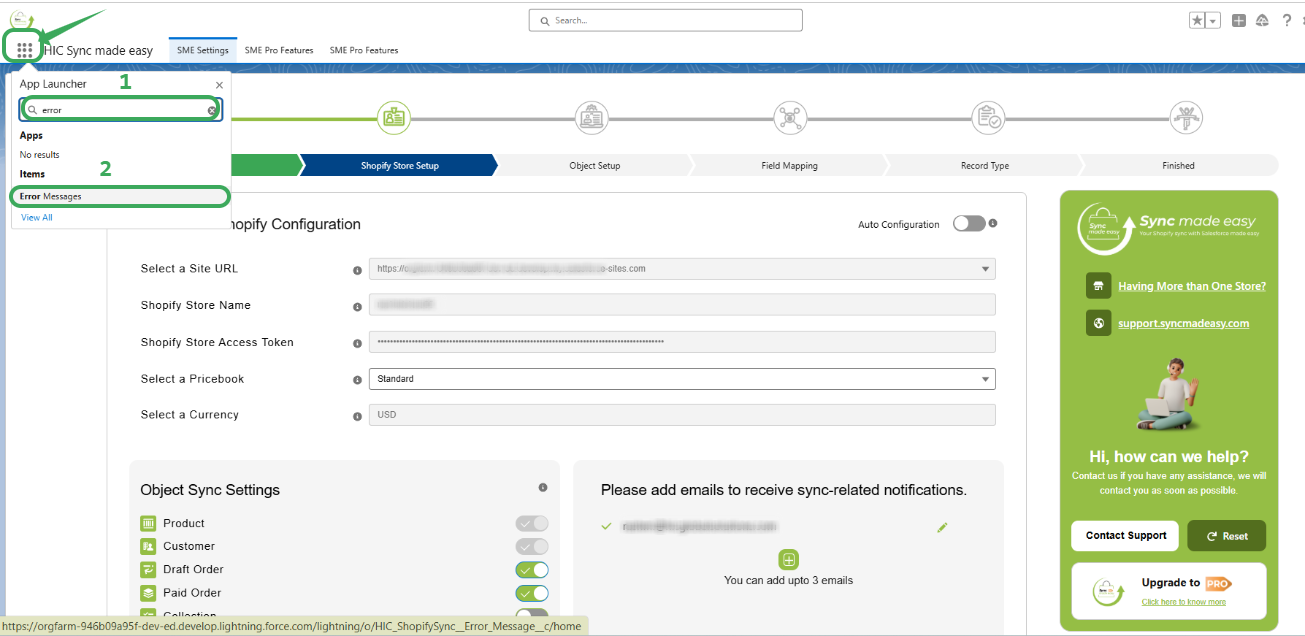
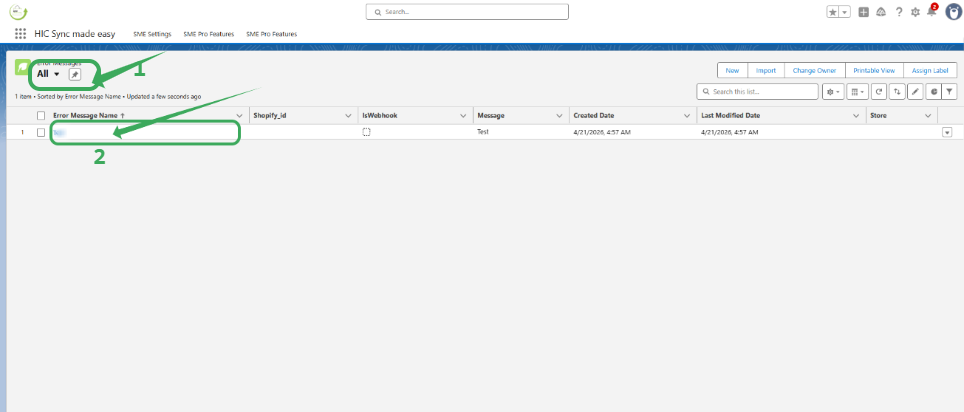
Step 2: Ensure your List View is set to "All" to see every record. Click on the specific Error Message Name related to your customer sync (contact).
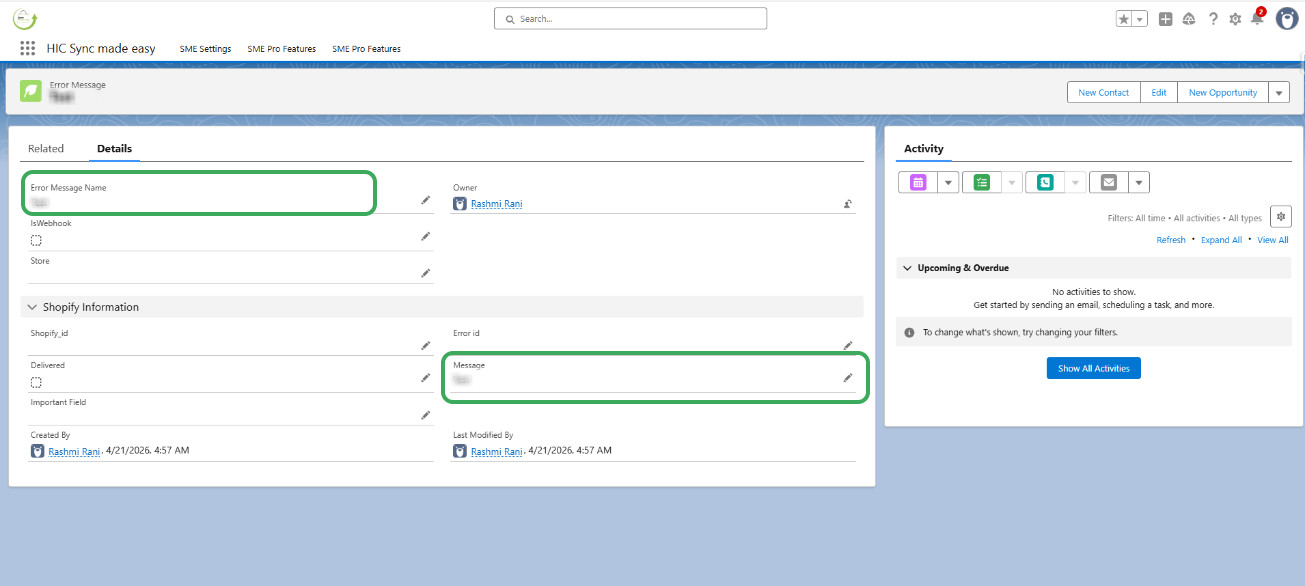
Step 3: Review the Message field. This field will display the exact Salesforce error preventing the Contact from being created.
Thanks!
Was this article helpful?
That’s Great!
Thank you for your feedback
Sorry! We couldn't be helpful
Thank you for your feedback
Feedback sent
We appreciate your effort and will try to fix the article
