You can activate the site and add the “HIC_ShopifySync.AuthenticateAllApexClass” by following the steps below:
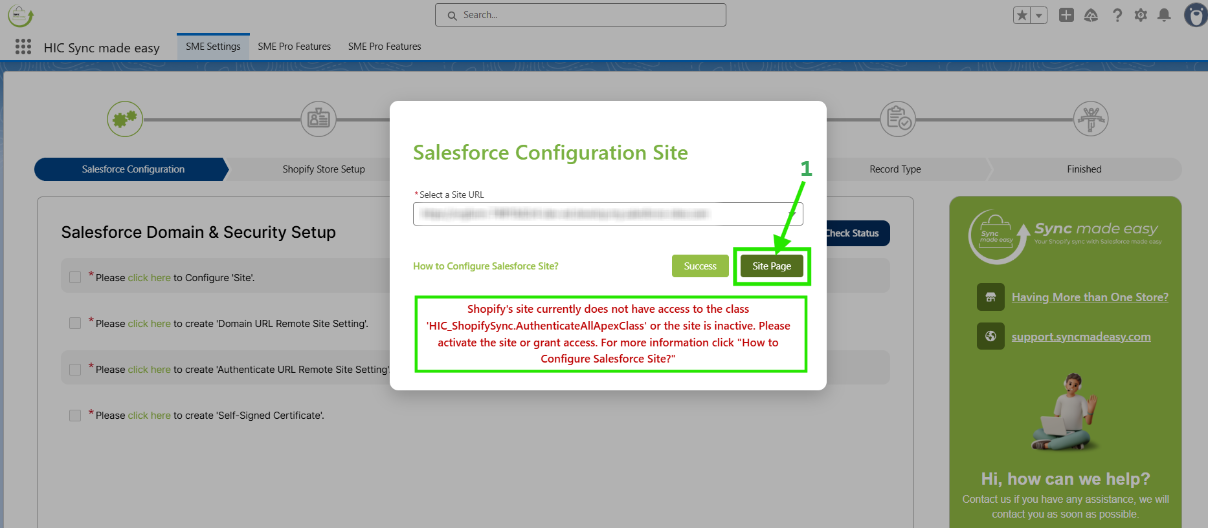
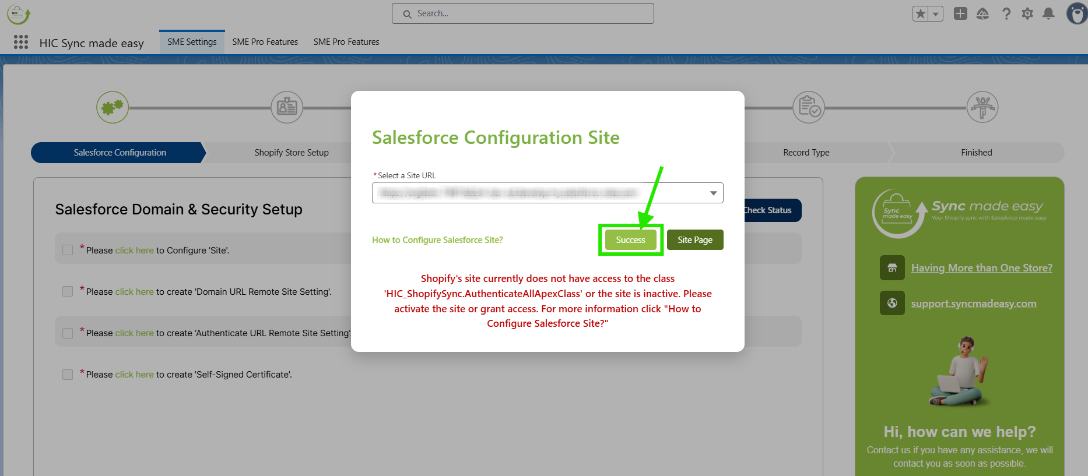
Step 1: In the pop-up below, click on the Site Page button to proceed.
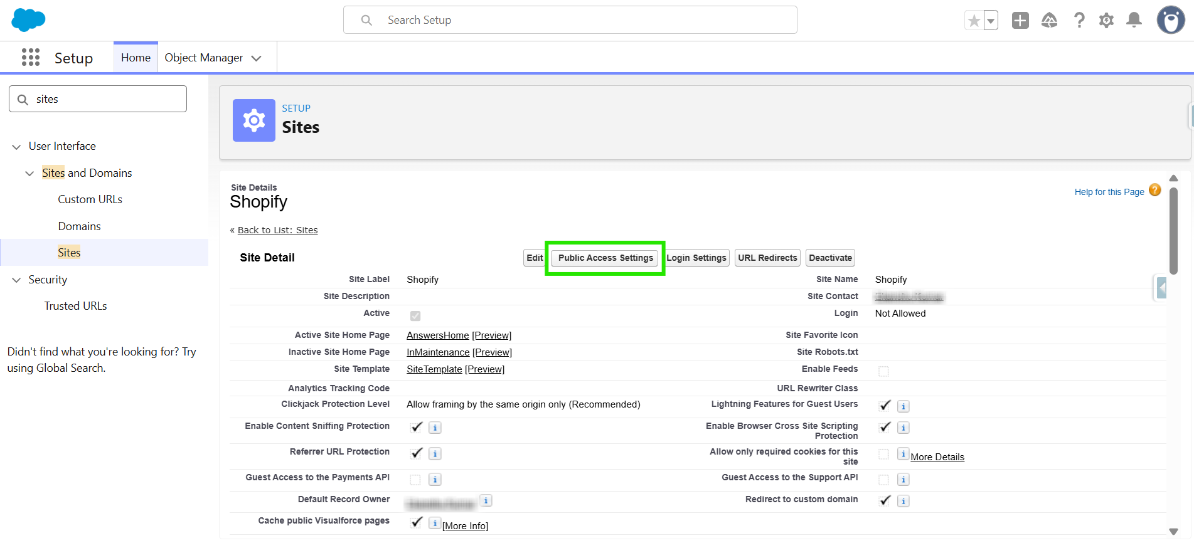
Step 2: It will redirect you to the Salesforce site page, where you can view the site details. Click on "Public Access Settings".
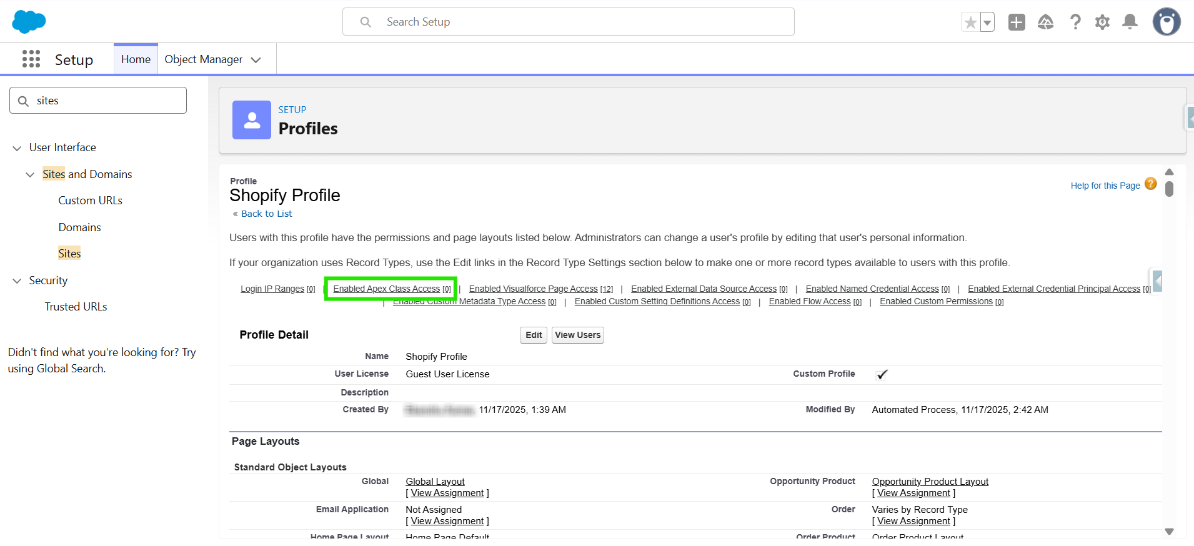
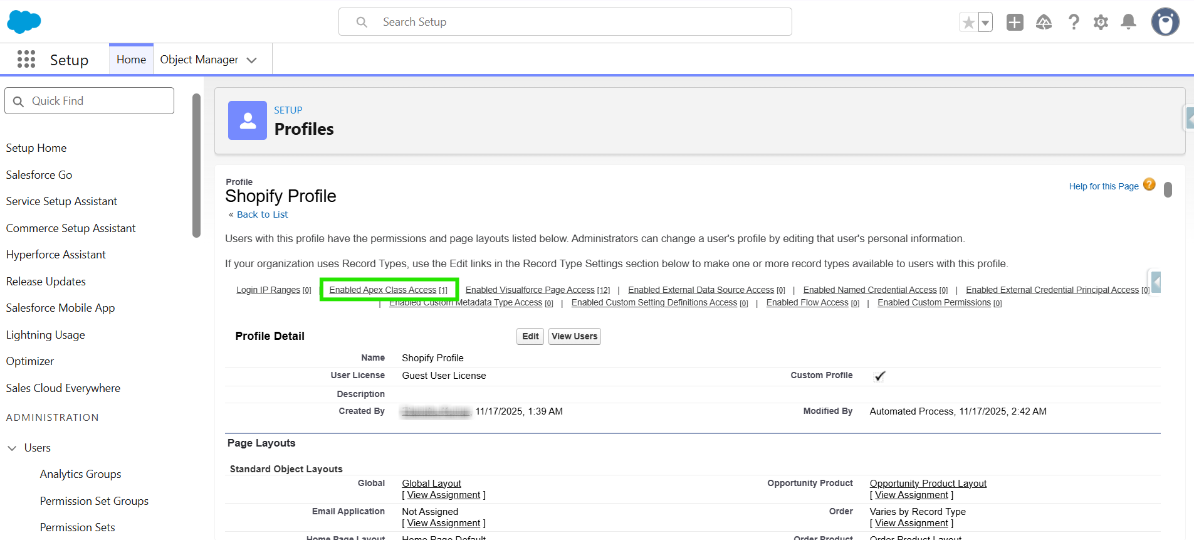
Step 3: This will bring you to the Profile page. Here, click on “Enabled Apex Class Access”.
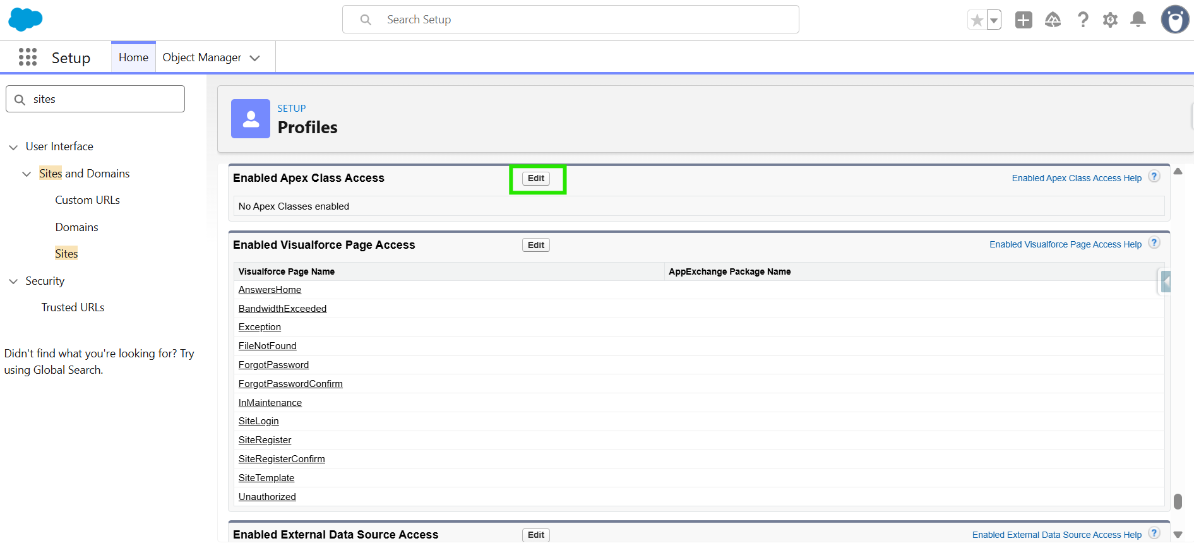
Step 4: Now, Click on “Edit”.
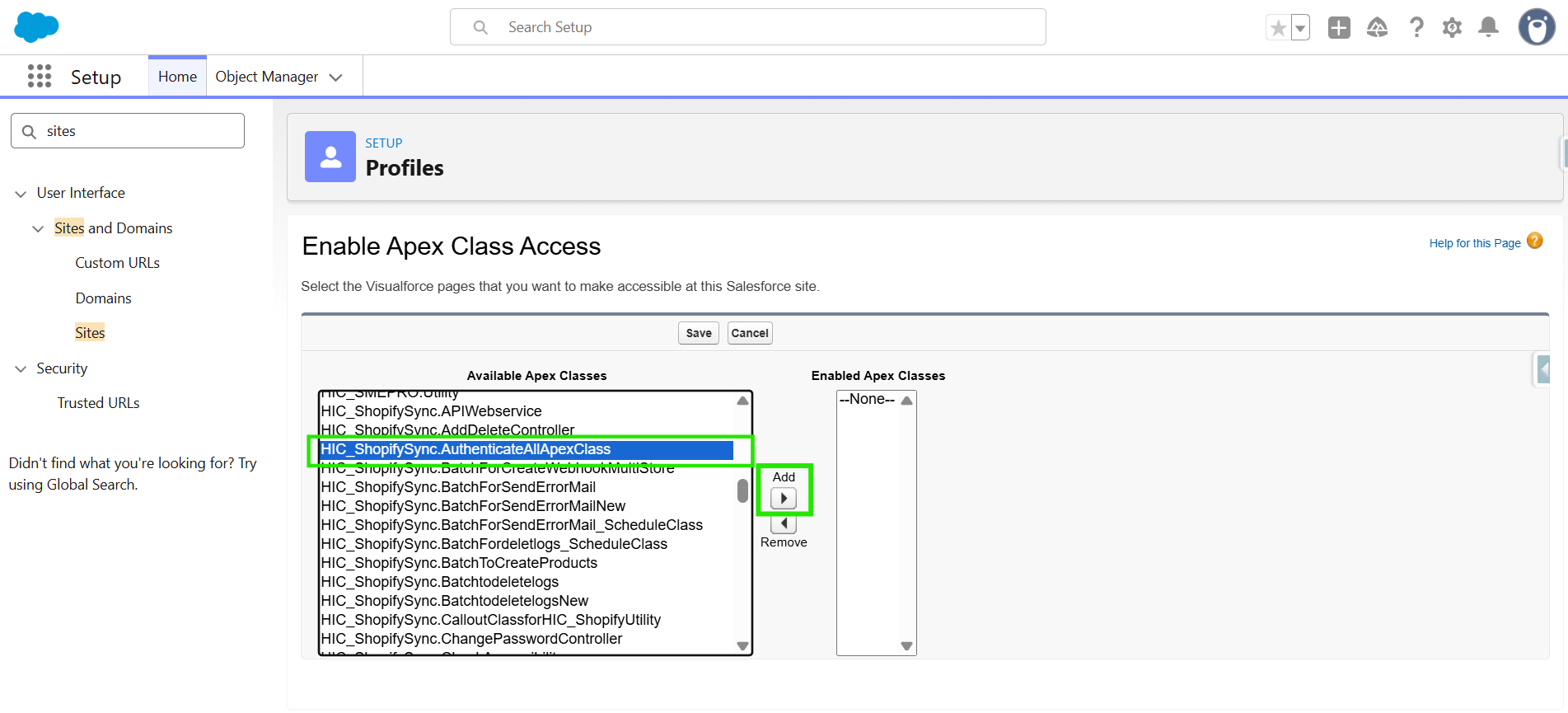
Step 5: You will be navigated to the Enable Apex Class access page. Here, select “HIC_ShopifySync.AuthenticateAllApexClass” then click on “ADD”.
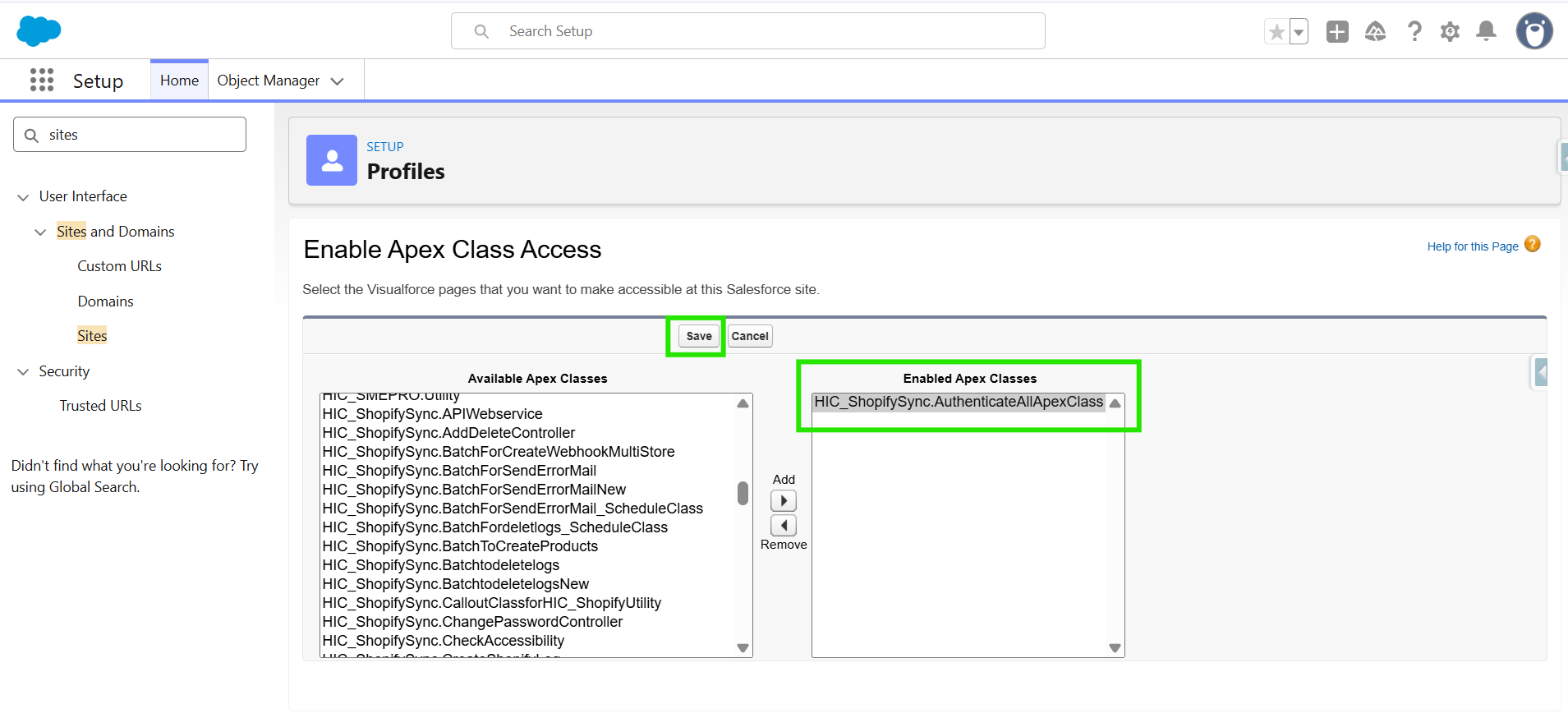
Step 6: Click on “Save”.
Step 7: On the Profile page, verify that the Apex class has been added to the Enabled Apex Class Access section.
Step 8: Go back to Sync Made Easy and, in the pop-up below, click on the Success button.
Thanks!
Was this article helpful?
That’s Great!
Thank you for your feedback
Sorry! We couldn't be helpful
Thank you for your feedback
Feedback sent
We appreciate your effort and will try to fix the article