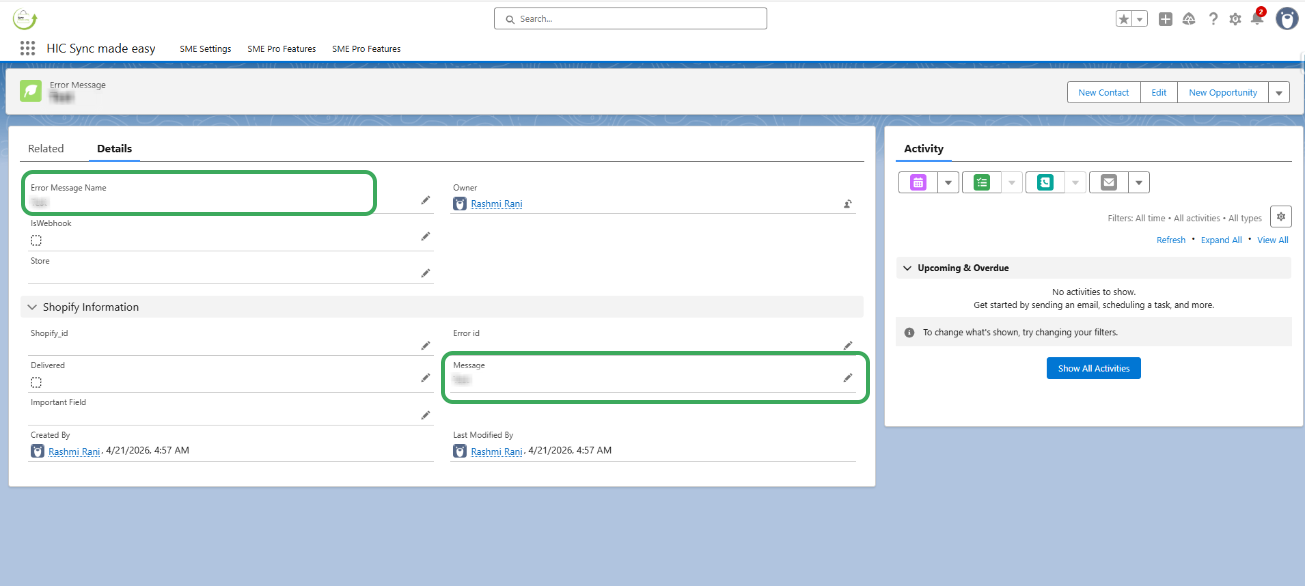
Please check the Error Messages tab, which contains the reason why the errors encountered during integration .This tab contains error logs that provide details on any issues encountered. You can add this tab to the layout for easy access. Please follow the below steps to identify the issue.
Step 1: Click the App Launcher icon (the grid icon), search for "Error Messages," and select the Error Messages object.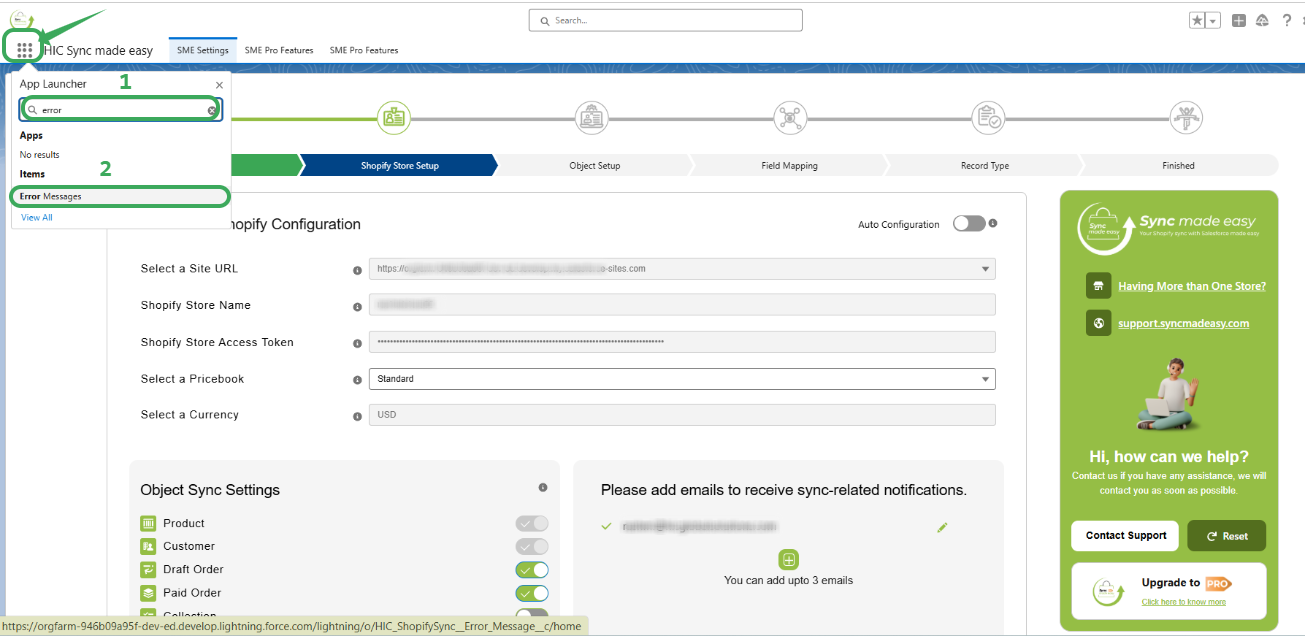
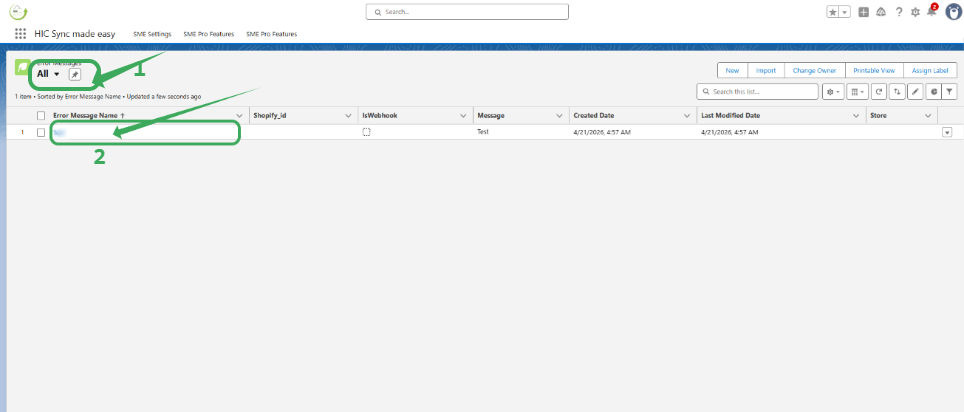
Step 2: Ensure your List View is set to "All" to see every record. Click on the specific Error Message Name related to your customer sync (contact).
Thanks!
Was this article helpful?
That’s Great!
Thank you for your feedback
Sorry! We couldn't be helpful
Thank you for your feedback
Feedback sent
We appreciate your effort and will try to fix the article